mirror of
https://github.com/vrtmrz/obsidian-livesync.git
synced 2026-06-06 14:32:58 +00:00
 vorotamoroz
106 lines
6.0 KiB
Markdown
106 lines
6.0 KiB
Markdown
# Self-hosted LiveSync
|
|
[Japanese docs](./README_ja.md) - [Chinese docs](./README_cn.md).
|
|
|
|
|
|
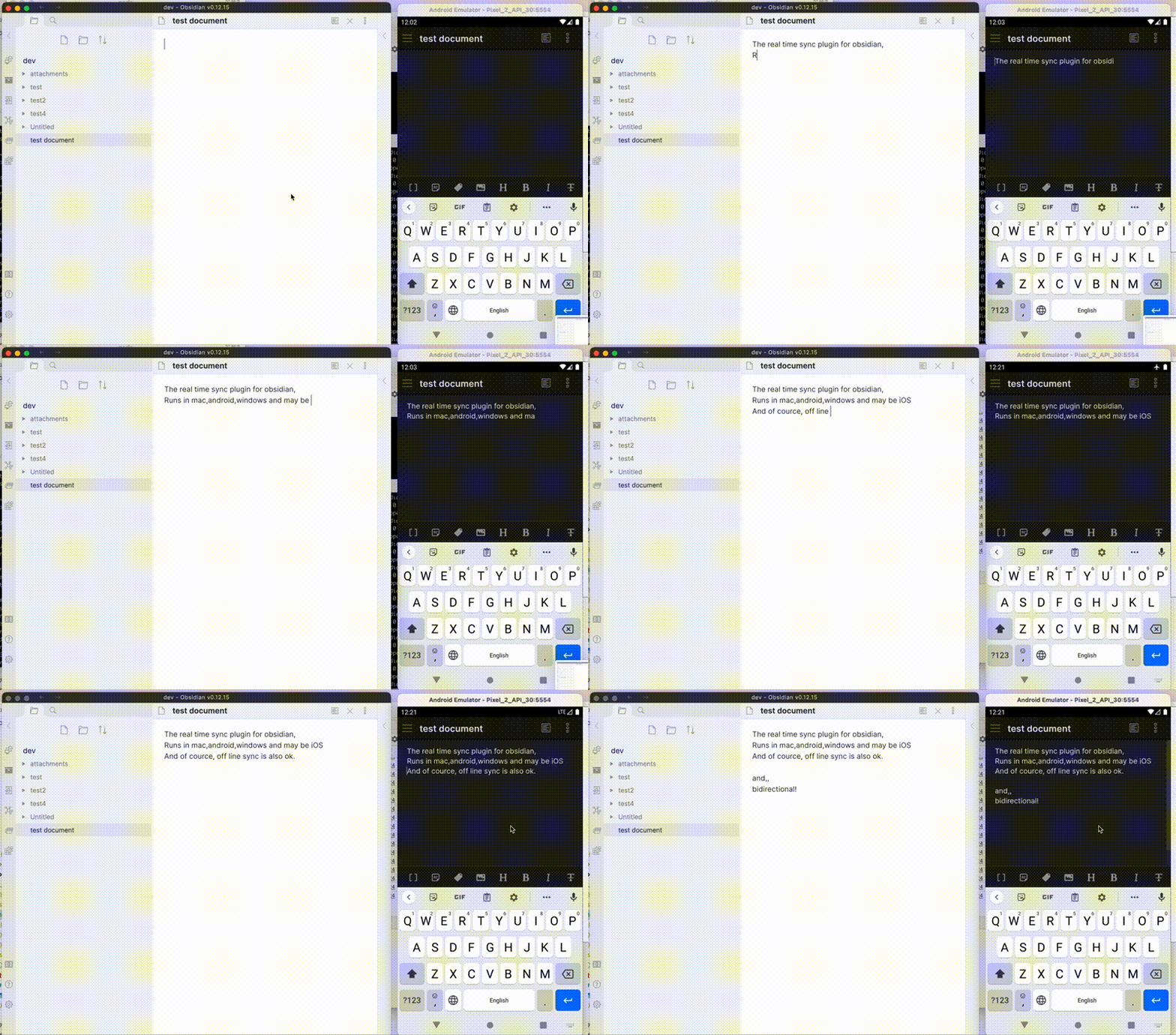
Self-hosted LiveSync is a community-developed synchronisation plug-in available on all Obsidian-compatible platforms. It leverages robust server solutions such as CouchDB or object storage systems (e.g., MinIO, S3, R2, etc.) to ensure reliable data synchronisation.
|
|
|
|
Additionally, it supports peer-to-peer synchronisation using WebRTC, enabling you to synchronise your notes directly between devices without relying on a server. Documentation is available for [Peer-to-Peer Synchronisation](./docs/p2p_sync_updates_2026.md).
|
|
|
|
|
|
|
|
>[!IMPORTANT]
|
|
> This plug-in is not compatible with the official "Obsidian Sync" and cannot synchronise with it.
|
|
|
|
## Features
|
|
- Synchronise vaults efficiently with minimal traffic.
|
|
- Handle conflicting modifications effectively.
|
|
- Automatically merge simple conflicts.
|
|
- Use open-source solutions for the server.
|
|
- Compatible solutions are supported.
|
|
- Support end-to-end encryption.
|
|
- Synchronise settings, snippets, themes, and plug-ins via [Customisation Sync (Beta)](docs/settings.md#6-customization-sync-advanced) or [Hidden File Sync](docs/settings.md#7-hidden-files-advanced).
|
|
- Enable WebRTC peer-to-peer synchronisation without requiring a `host` (Experimental).
|
|
- This feature is still in the experimental stage. Please exercise caution when using it.
|
|
- WebRTC is a peer-to-peer synchronisation method, so **at least one device must be online to synchronise**.
|
|
- Instead of keeping your device online as a stable peer, you can use two pseudo-peers:
|
|
- [livesync-serverpeer](https://github.com/vrtmrz/livesync-serverpeer): A pseudo-client running on the server for receiving and sending data between devices.
|
|
- [webpeer](https://github.com/vrtmrz/obsidian-livesync/tree/main/src/apps/webpeer): A pseudo-client for receiving and sending data between devices.
|
|
- A pre-built instance is available at [fancy-syncing.vrtmrz.net/webpeer](https://fancy-syncing.vrtmrz.net/webpeer/) (hosted on the vrtmrz's blog site). This is also peer-to-peer. Feel free to use it.
|
|
- For more information, refer to the [English explanatory article](https://fancy-syncing.vrtmrz.net/blog/0034-p2p-sync-en.html) or the [Japanese explanatory article](https://fancy-syncing.vrtmrz.net/blog/0034-p2p-sync).
|
|
|
|
This plug-in may be particularly useful for researchers, engineers, and developers who need to keep their notes fully self-hosted for security reasons. It is also suitable for anyone seeking the peace of mind that comes with knowing their notes remain entirely private.
|
|
|
|
>[!IMPORTANT]
|
|
> - Before installing or upgrading this plug-in, please back up your vault.
|
|
> - Do not enable this plug-in alongside another synchronisation solution (including iCloud and Obsidian Sync).
|
|
> - For backups, we also provide a plug-in called [Differential ZIP Backup](https://github.com/vrtmrz/diffzip).
|
|
|
|
## How to Use
|
|
|
|
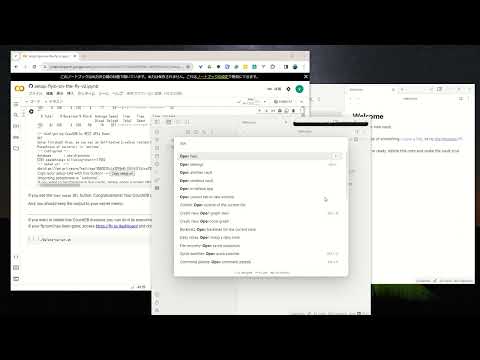
### 3-minute setup - CouchDB on fly.io
|
|
|
|
**Recommended for beginners**
|
|
|
|
[](https://www.youtube.com/watch?v=7sa_I1832Xc)
|
|
|
|
1. [Set up CouchDB on fly.io](docs/setup_flyio.md)
|
|
2. Configure plug-in in [Quick Setup](docs/quick_setup.md)
|
|
|
|
### Manual Setup
|
|
|
|
1. Set up the server
|
|
1. [Set up CouchDB on fly.io](docs/setup_flyio.md)
|
|
2. [Set up your CouchDB](docs/setup_own_server.md)
|
|
2. Configure plug-in in [Quick Setup](docs/quick_setup.md)
|
|
> [!TIP]
|
|
> Fly.io is no longer free. Fortunately, we can still use IBM Cloudant despite some limitations. Refer to [Set up IBM Cloudant](docs/setup_cloudant.md).
|
|
> We can also use peer-to-peer synchronisation without a server. Alternatively, cheap object storage like Cloudflare R2 can be used for free.
|
|
> However, most importantly, we can use a server that we trust. Therefore, please set up your own server.
|
|
> CouchDB can also be run on a Raspberry Pi (please be mindful of your server's security).
|
|
|
|
|
|
## Information in the Status Bar
|
|
|
|
Synchronisation status is shown in the status bar with the following icons.
|
|
|
|
- Activity Indicator
|
|
- 📲 Network request
|
|
- Status
|
|
- ⏹️ Stopped
|
|
- 💤 LiveSync enabled. Waiting for changes
|
|
- ⚡️ Synchronisation in progress
|
|
- ⚠ An error occurred
|
|
- Statistical Indicators
|
|
- ↑ Uploaded chunks and metadata
|
|
- ↓ Downloaded chunks and metadata
|
|
- Progress Indicators
|
|
- 📥 Unprocessed transferred items
|
|
- 📄 Working database operation
|
|
- 💾 Working write storage processes
|
|
- ⏳ Working read storage processes
|
|
- 🛫 Pending read storage processes
|
|
- 📬 Batched read storage processes
|
|
- ⚙️ Working or pending storage processes for hidden files
|
|
- 🧩 Waiting chunks
|
|
- 🔌 Working customisation items (configuration, snippets, and plug-ins)
|
|
|
|
To prevent file and database corruption, please avoid closing Obsidian until all progress indicators have disappeared as much as possible (although the plug-in will attempt to resume if interrupted). This is especially important if you have deleted or renamed files.
|
|
|
|
## Tips and Troubleshooting
|
|
If you are having problems getting the plug-in working, see [Tips and Troubleshooting](docs/troubleshooting.md).
|
|
|
|
## Acknowledgements
|
|
The project has been in continual progress and harmony thanks to the following:
|
|
- Many [Contributors](https://github.com/vrtmrz/obsidian-livesync/graphs/contributors).
|
|
- Many [GitHub Sponsors](https://github.com/sponsors/vrtmrz#sponsors).
|
|
- JetBrains Community Programs / Support for Open-Source Projects. <img src="https://resources.jetbrains.com/storage/products/company/brand/logos/jetbrains.png" alt="JetBrains logo" height="24">
|
|
|
|
May those who have contributed be honoured and remembered for their kindness and generosity.
|
|
|
|
## Development Guide
|
|
Please refer to the [Development Guide](devs.md) for development setup, testing infrastructure, code conventions, and more.
|
|
|
|
## License
|
|
|
|
Licensed under the MIT License.
|