 vorotamoroz
6.6 KiB
Quick setup
This guide establishes ordinary note synchronisation on the first device and then adds another device. Optional features are configured only after this basic path works.
Before starting:
- back up every Vault involved;
- disable Obsidian Sync, iCloud synchronisation, and any other service which writes to the same Vault;
- prepare the remote service and a Setup URI; and
- keep the Setup URI and its passphrase separate from each other.
This walkthrough covers the recommended provisioned CouchDB path. Follow Set up a CouchDB server to prepare the server and Setup URI.
What a Setup URI contains
A Setup URI starts with obsidian://setuplivesync?settings=. It contains encrypted connection settings, including credentials, and must be protected even though it is encrypted.
The Setup URI passphrase decrypts the URI. It is different from the Vault encryption passphrase which protects synchronised data. Store both securely, and do not send the Setup URI and its passphrase through the same channel.
Set up the first device
Use this path only when the remote database is new, or when this device is intentionally the source of truth for a full server rebuild.
-
Install and enable Self-hosted LiveSync in the intended Vault.
-
Select the
Welcome to Self-hosted LiveSyncNotice to open onboarding. -
Select
I am setting this up for the first time, then confirm that you want to set up a new synchronisation. -
On
Connection Method, selectUse a Setup URI (Recommended). -
Paste the Setup URI, enter its Setup URI passphrase, and select
Test Settings and Continue.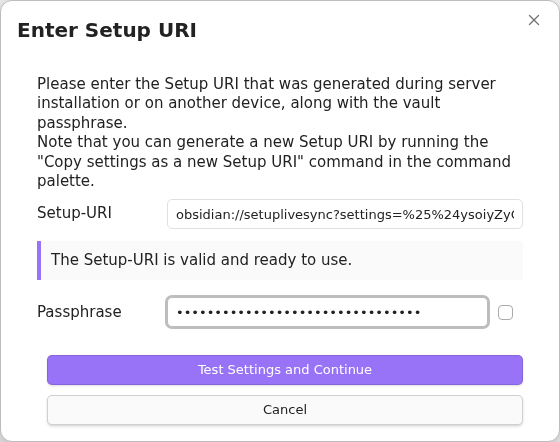
-
Review
Setup Complete: Preparing to Initialise Server, then selectRestart and Initialise Server.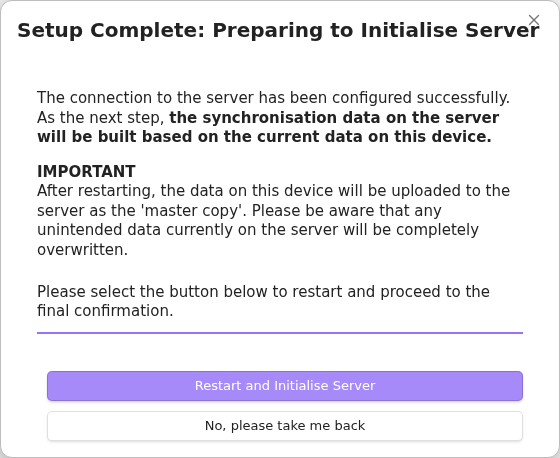
-
Read the final overwrite warning carefully. Select
I Understand, Overwrite Serveronly after checking that backups exist and that replacing the remote data is intended.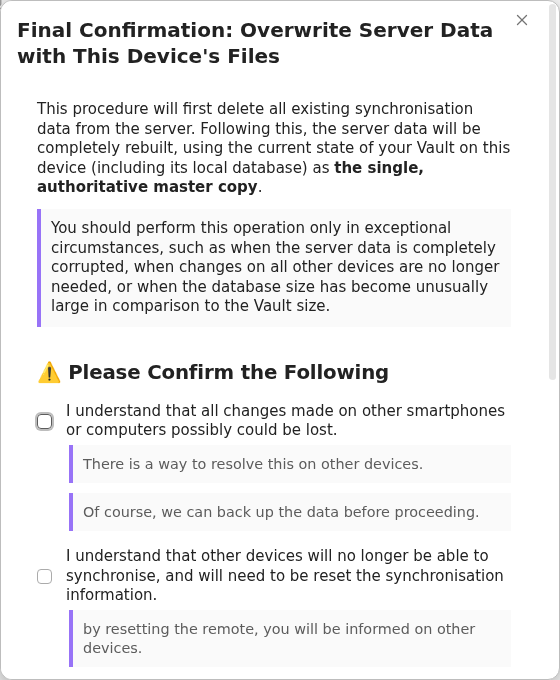
-
A newly provisioned database may show
Fetch Remote Configuration Failedbecause it does not contain a saved preferred configuration yet. If this is a genuinely new setup, selectSkip and proceed. Otherwise, stop and investigate before continuing.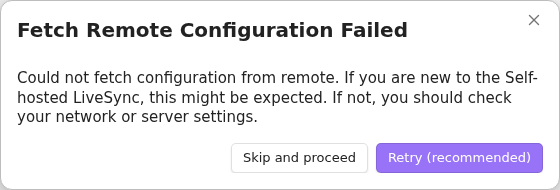
-
Acknowledge
All optional features are disabled. Optional features remain off until the ordinary synchronisation path has been verified. -
Allow initialisation and any requested restart to finish. Keep Obsidian open until the LiveSync progress indicators have cleared.


Create an ordinary test note and allow it to upload before adding another device.
Create a Setup URI for another device
Generate the additional-device Setup URI from the working first device. This captures the settings which that device is actually using, rather than asking another device to reuse the bootstrap URI produced during server provisioning.
-
Open the Obsidian command palette on the first device.
-
Run
Self-hosted LiveSync: Copy settings as a new Setup URI. -
Enter a new passphrase which will protect this Setup URI, then select
OK.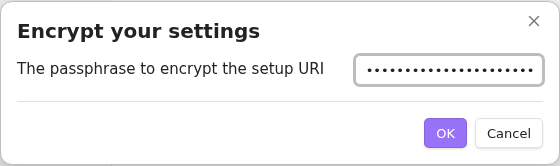
-
Copy the resulting Setup URI, then select
OK.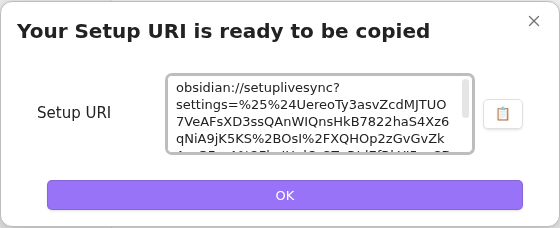


Store the new Setup URI and its passphrase separately. The URI is encrypted, but it contains credentials and Vault settings, so continue to protect it.
Add another device
Start with a new or separately backed-up Vault. Do not use a production Vault containing unsynchronised notes unless you have reviewed the Fast Setup choices.
-
Install and enable Self-hosted LiveSync.
-
Open onboarding from the
Welcome to Self-hosted LiveSyncNotice. -
Select
I am adding a device to an existing synchronisation setup, then confirm that you want to add the device. -
On
Device Setup Method, selectUse a Setup URI (Recommended). -
Paste the new Setup URI generated by the first device, enter its Setup URI passphrase, and select
Test Settings and Continue. -
Review
Setup Complete: Preparing to Fetch Synchronisation Data, then selectRestart and Fetch Data.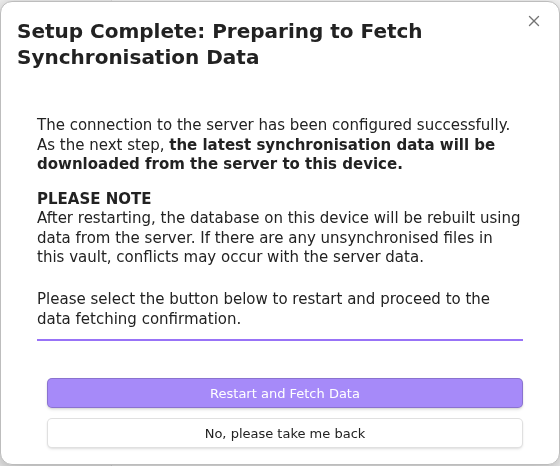
-
For a new or empty Vault, select
Overwrite all with remote files. For a Vault with local work, stop and choose the appropriate strategy from the Fast Setup guide.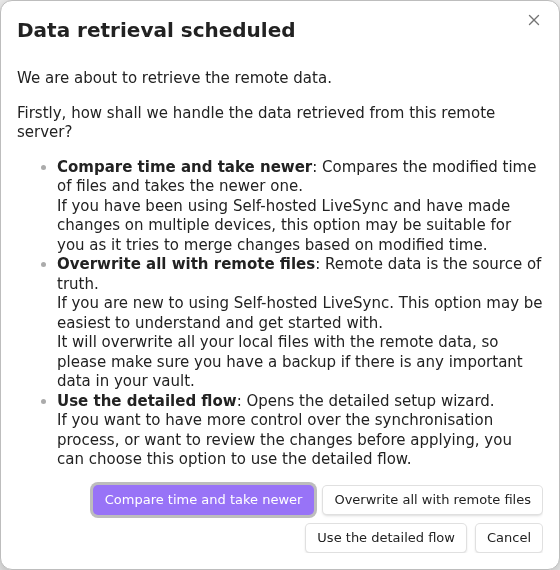
-
When asked how to handle extra local files, the conservative choice is
Keep local files even if not on remote. Select the delete option only when the local Vault is disposable and an exact remote copy is intended.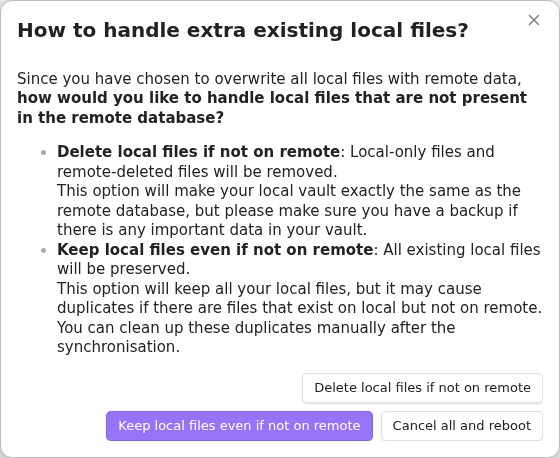
-
Allow retrieval, file reflection, and any requested restart to finish. Keep Obsidian open until the LiveSync progress indicators have cleared.


Confirm that the ordinary test note from the first device appears unchanged. Then edit or create a second ordinary note on the new device, and confirm that it reaches the first device.

After ordinary synchronisation works
Add optional features separately so that their ownership and initialisation direction are explicit:
- Hidden File Sync for selected hidden files and folders; or
- Customisation Sync for managed Obsidian customisations.
Do not enable both features for the same files.
Manual configuration
If a Setup URI is unavailable, choose Enter the server information manually during onboarding. Manual configuration is an advanced path: verify the connection, encryption, remote profile, and synchronisation preset before initialising either side. After the first device works, use Copy settings as a new Setup URI from the command palette to add later devices through the recommended path.