 Frank Harrison
6e1eb36f3b
Frank Harrison
6e1eb36f3b
... including ci/cd check-only commands.

The code is quite complex and missing a lot of dev-ops types checks and
standards. One of the key problems with codebases like this is
on-boarding new developers to the codebase (like myself). When there is
a consistent and enforced coding-style (irrespective of what the coding
style is) it makes it _significantly_ easier for collaborators and
maintainers to get on with the job in hand. It also, from a day-2-day
developer perspective, significantly reduces cognitive overhead re
reading code.
Finally this is a "trial balloon" PR, if this patch is accepted I will
likely do more work on testing and docs for the project.

- The new prettier config is a non-standard setup, but a close-match to
  how the code _currently_ looks.
- 120 col-width print width (instead of the better and more
  information-dense 88), this is so the diff after applying prettier to
  the code is less disruptive, whilst still showing the benefits of using
  a prettier.
- We use `tabWidth` setting of 4 as the code uses that more common
  setting instead of the more compact 2 spaces - note that 2 often leads
  to more readable and compact code.
- We enforce trailing commas, as that seems to be the norm in this
  code-base. We choose the `es5` standard here.
- We enforce tailing semi-colons (`semi`) as the majority of code used
  that flavour of `js`/`ts`.
- For now we only run on code and not json files.

This is designed such that `npm run pretty` re-formats the code for
development, and when integrated with ci/cd, `prettyCheck` will return
non-zero exit codes when formatting doesn't match the coding standards.
Self-hosted LiveSync
Self-hosted LiveSync is a community-implemented synchronization plugin, available on every obsidian-compatible platform and using CouchDB or Object Storage (e.g., MinIO, S3, R2, etc.) as the server.
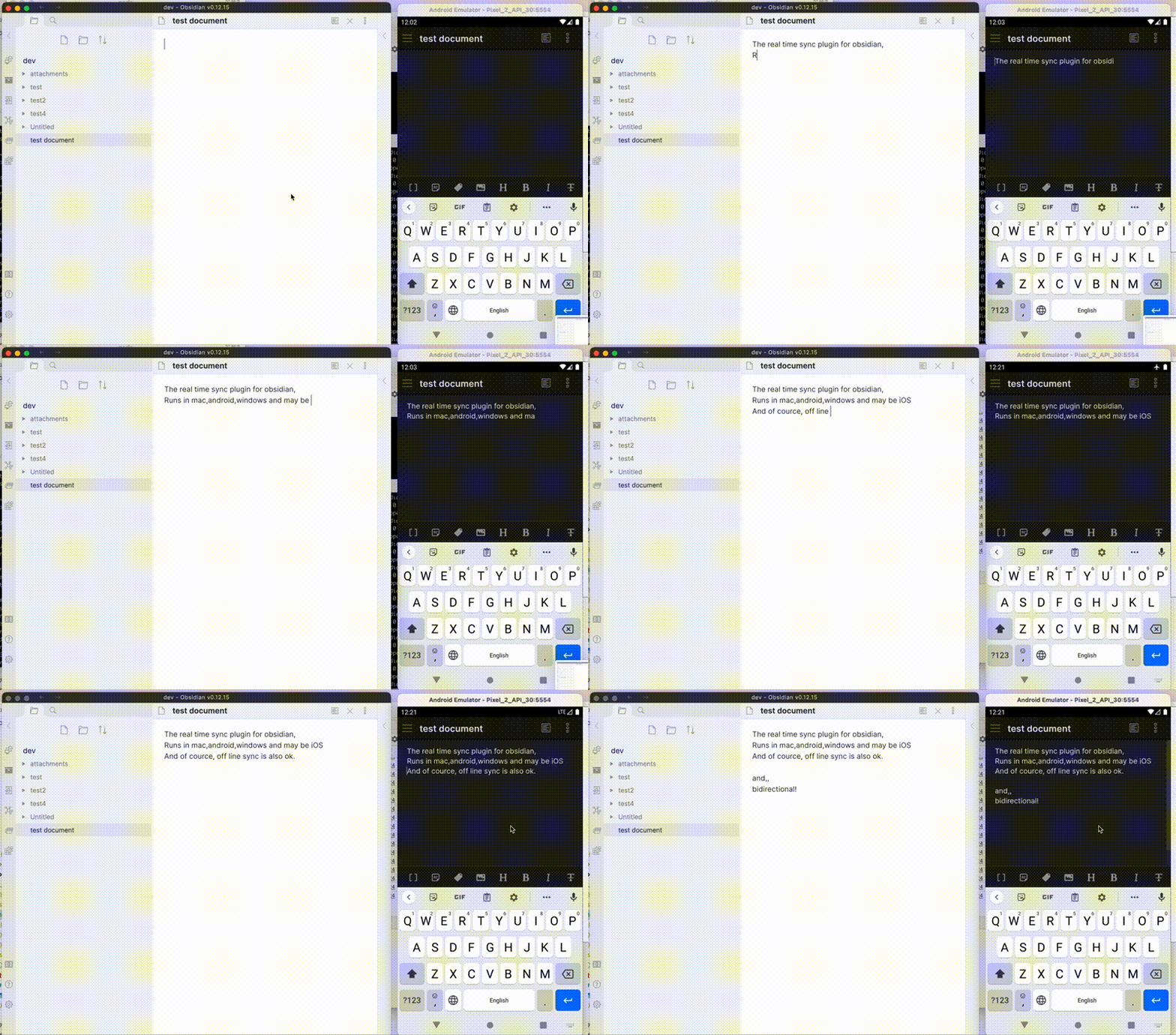
Note: This plugin cannot synchronise with the official "Obsidian Sync".
Features
- Synchronize vaults very efficiently with less traffic.
- Good at conflicted modification.
- Automatic merging for simple conflicts.
- Using OSS solution for the server.
- Compatible solutions can be used.
- Supporting End-to-end encryption.
- Synchronisation of settings, snippets, themes, and plug-ins, via Customization sync(Beta) or Hidden File Sync
- WebClip from obsidian-livesync-webclip
This plug-in might be useful for researchers, engineers, and developers with a need to keep their notes fully self-hosted for security reasons. Or just anyone who would like the peace of mind of knowing that their notes are fully private.
Important
- Before installing or upgrading this plug-in, please back your vault up.
- Do not enable this plugin with another synchronization solution at the same time (including iCloud and Obsidian Sync).
- This is a synchronization plugin. Not a backup solution. Do not rely on this for backup.
How to use
3-minute setup - CouchDB on fly.io
Recommended for beginners
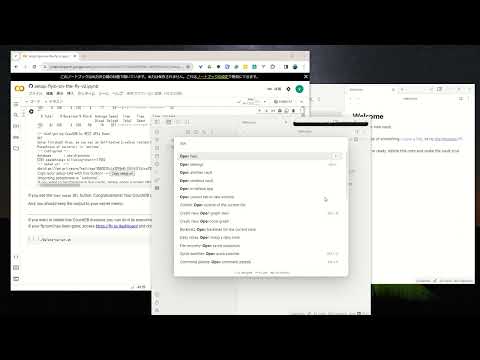
- Setup CouchDB on fly.io
- Configure plug-in in Quick Setup
Manually Setup
- Setup the server
- Configure plug-in in Quick Setup
Tip
Now, fly.io has become not free. Fortunately, even though there are some issues, we are still able to use IBM Cloudant. Here is Setup IBM Cloudant. It will be updated soon!
Information in StatusBar
Synchronization status is shown in the status bar with the following icons.
- Activity Indicator
- 📲 Network request
- Status
- ⏹️ Stopped
- 💤 LiveSync enabled. Waiting for changes
- ⚡️ Synchronization in progress
- ⚠ An error occurred
- Statistical indicator
- ↑ Uploaded chunks and metadata
- ↓ Downloaded chunks and metadata
- Progress indicator
- 📥 Unprocessed transferred items
- 📄 Working database operation
- 💾 Working write storage processes
- ⏳ Working read storage processes
- 🛫 Pending read storage processes
- 📬 Batched read storage processes
- ⚙️ Working or pending storage processes of hidden files
- 🧩 Waiting chunks
- 🔌 Working Customisation items (Configuration, snippets, and plug-ins)
To prevent file and database corruption, please wait to stop Obsidian until all progress indicators have disappeared as possible (The plugin will also try to resume, though). Especially in case of if you have deleted or renamed files.
Tips and Troubleshooting
If you are having problems getting the plugin working see: Tips and Troubleshooting
License
Licensed under the MIT License.