 llingting0
c54c716325
llingting0
c54c716325
Fill the 408 entries that were missing from the Simplified Chinese
catalogue, bringing coverage of en.json from 72.5% to 100%
(1073 -> 1481 entries; 1480/1480 English keys now translated).

Files updated, per docs/adding_translations.md ("Commit the edited YAML
and all regenerated JSON and TypeScript resources together"):

- src/common/messagesYAML/zh.yaml            - source catalogue
- src/common/messagesJson/zh.json            - npm run i18n:yaml2json
- src/common/messages/combinedMessages.prod.ts
                                             - npm run i18n:bakejson

The TypeScript resource matters: the release workflow runs
`npm run build`, which is only `node esbuild.config.mjs production` and
does NOT re-run `i18n:bake`. Since src/common/translation.ts imports
combinedMessages.prod.ts directly, a catalogue change that omits this
file would not reach the shipped main.js.

Verification

- No existing translation was modified: every key already present in
  zh.json is byte-identical (0 changed, 0 removed).
- Placeholders checked string-for-string against the English source.
  15 new entries contain ${...} or {HERE}; all match.
- combinedMessages.prod.ts regenerated with _tools/bakei18n.ts and
  formatted with the project's Prettier config. The diff against main is
  408 added `zh:` lines plus the expected bookkeeping, and no other
  language changes.
- Terminology follows the existing catalogue (Vault -> 库,
  Passphrase -> 密码短语, Setup URI -> 设置 URI, chunk -> 块).
  Technical identifiers (URL, JWT, CouchDB, S3, TURN, IDB, P2P) are
  intentionally left in English, matching current practice.

Two unrelated upstream issues, not addressed here

1. `dialog.yourLanguageAvailable` defines its placeholder as
   `%{Display language}` while `$msg()` substitutes on `${...}`, so the
   placeholder is never expanded and the literal text is shown in every
   language.
2. The committed YAML catalogues appear stale relative to the JSON ones
   (e.g. `en.yaml` lacks entries that `en.json` already contains, and
   its wrapping differs from current tool output). This affects every
   language and probably deserves a separate change.
Self-hosted LiveSync
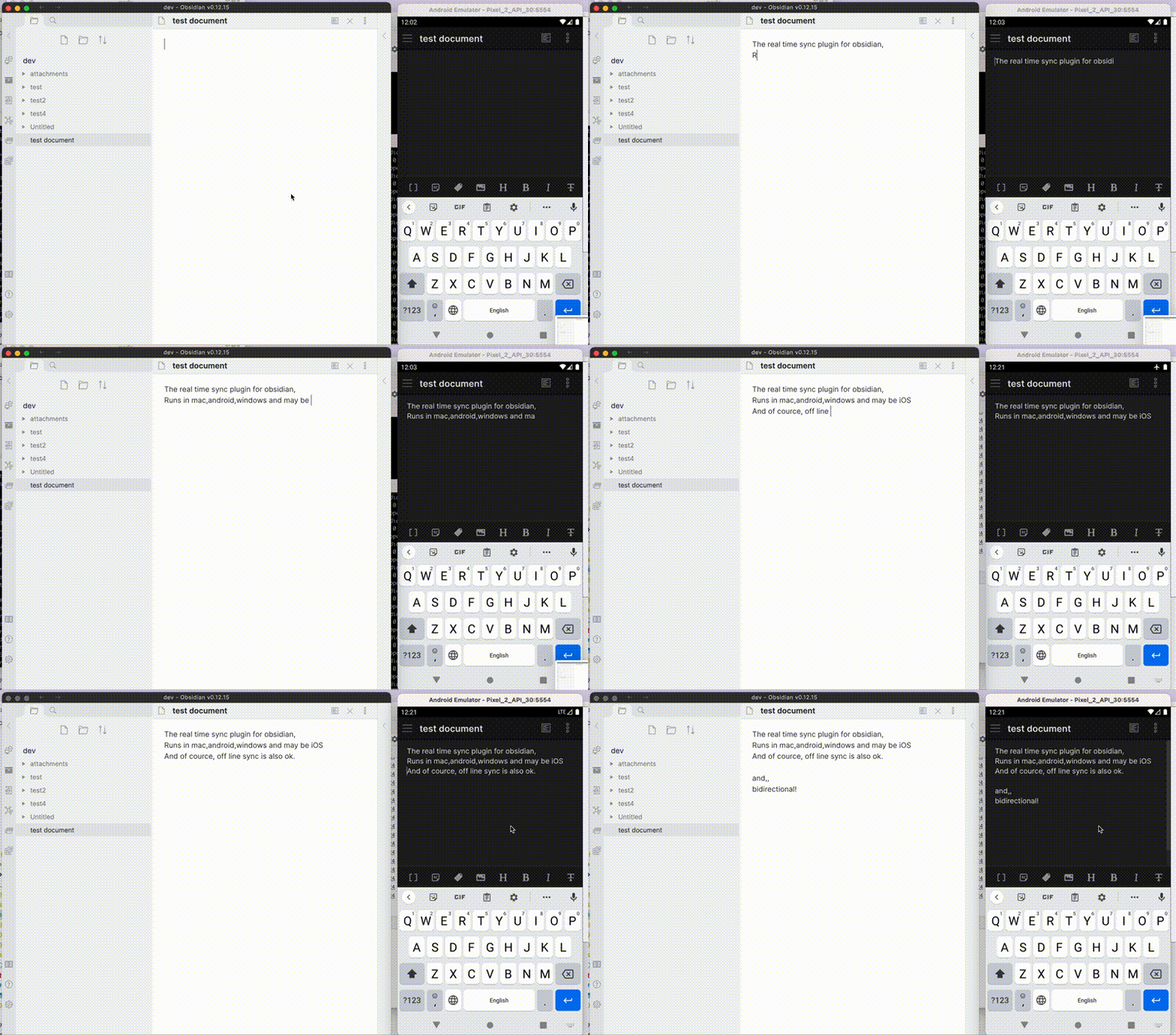
Self-hosted LiveSync is a community-developed synchronisation plug-in available on all Obsidian-compatible platforms. It leverages robust server solutions such as CouchDB or object storage systems (e.g., MinIO, S3, R2, etc.) to ensure reliable data synchronisation.
Additionally, it supports peer-to-peer synchronisation using WebRTC, enabling devices to exchange notes without a central data-storage server. A signalling relay is still required for peer discovery. See How peer-to-peer synchronisation works.
Important
This plug-in is not compatible with the official "Obsidian Sync" and cannot synchronise with it.
Features
- Synchronise vaults efficiently with minimal traffic.
- Handle conflicting modifications effectively.
- Automatically merge simple conflicts.
- Use open-source solutions for the server.
- Compatible solutions are supported.
- Support end-to-end encryption.
- Synchronise settings, snippets, themes, and plug-ins via Customisation Sync (Beta) or Hidden File Sync.
- Enable supported, opt-in WebRTC peer-to-peer synchronisation.
- No central data-storage server is required, but a signalling relay is still required for peer discovery.
- At least one device containing the required data must be online while another device synchronises.
- Follow the Peer-to-Peer Setup after reviewing the P2P communication model.
- If you would like to see how P2P setup and connectivity behave on your devices, try the guided connection check in the experimental WebPeer browser utility. It uses an empty Vault and does not test note synchronisation. See the WebPeer documentation for its scope and limitations.
This plug-in may be particularly useful for researchers, engineers, and developers who need to keep their notes fully self-hosted for security reasons. It is also suitable for anyone seeking the peace of mind that comes with knowing their notes remain entirely private.
Important
- Before installing or upgrading this plug-in, please back up your vault.
- Do not enable this plug-in alongside another synchronisation solution (including iCloud and Obsidian Sync).
- For backups, we also provide a plug-in called Differential ZIP Backup.
How to Use
3-minute setup - CouchDB on fly.io
Recommended for beginners
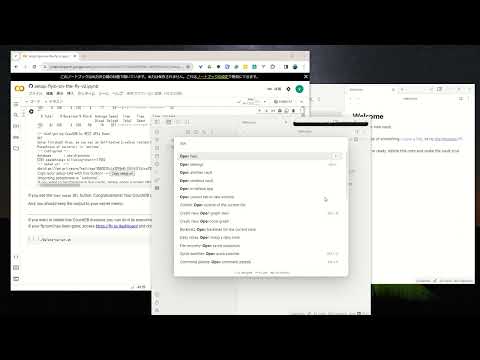
- Set up CouchDB on fly.io
- Configure plug-in in Quick Setup
Setup workflows
Choose a synchronisation method, prepare its server where required, then follow the corresponding client setup:
- CouchDB
- Prepare the server:
- Configure the clients by following CouchDB Quick Setup.
- Object Storage
- Prepare the server. A maintained MinIO server installation guide is not currently available here, so set up an S3-compatible service or server of your choice.
- Configure the clients by following Object Storage Setup.
- Peer-to-Peer
- No central data-storage server is required. The project's public signalling relay requires no server provisioning; controlled deployments can provide another compatible relay.
- Configure the clients by following Peer-to-Peer Setup.
Each workflow establishes ordinary note synchronisation on the first device, generates a Setup URI for each additional device from that working device, and verifies synchronisation in both directions.
Tip
Fly.io is no longer free. Fortunately, we can still use IBM Cloudant despite some limitations. Refer to Set up IBM Cloudant. We can also use peer-to-peer synchronisation without a central data-storage server; a signalling relay is still used for peer discovery. Alternatively, cheap object storage like Cloudflare R2 can be used for free. However, most importantly, we can use a server that we trust. Therefore, please set up your own server. CouchDB can also be run on a Raspberry Pi (please be mindful of your server's security).
Third-party managed CouchDB hosting
Note
The following is a third-party hosting option proposed by Zenith Hosting. It is not an official Self-hosted LiveSync service, and it is neither endorsed nor recommended by this project.
If you would rather not set up and maintain a server yourself, Zenith Hosting offers a managed CouchDB server which this plug-in can be configured to connect to: Zenith Hosting. As with any hosted service, your data will reside on a server operated by a third party, so please consider whether that is acceptable for your vault before using it.
Information in the Status Bar
Synchronisation status is shown in the status bar with the following icons.
- Activity Indicator
- 📲 A finite remote operation is in progress
- 🌐N Approximate remote requests currently in progress
- Status
- ⏹️ Stopped
- 💤 LiveSync enabled. Waiting for changes
- ⚡️ Synchronisation in progress
- ⚠ An error occurred
- Statistical Indicators
- ↑ Uploaded chunks and metadata
- ↓ Downloaded chunks and metadata
- Progress Indicators
- 📥 Unprocessed transferred items
- 📄 Working database operation
- 💾 Working write storage processes
- ⏳ Working read storage processes
- 🛫 Pending read storage processes
- 📬 Batched read storage processes
- ⚙️ Working or pending storage processes for hidden files
- 🛄 Pending initial on-demand chunk requests
- 🔁 Pending chunk retries, including retry delays
- 🔌 Working customisation items (configuration, snippets, and plug-ins)
To prevent file and database corruption, please avoid closing Obsidian until all progress indicators have disappeared as much as possible (although the plug-in will attempt to resume if interrupted). This is especially important if you have deleted or renamed files.
Tips and Troubleshooting
- If you want a faster and simpler initial replication when setting up subsequent devices, see the Fast Setup Guide.
- Configure Hidden File Sync only after ordinary note synchronisation works.
- If Obsidian or LiveSync cannot start normally, use Recovery and flag files before changing or resetting a remote database.
- Self-hosted LiveSync 1.0 requires Obsidian 1.7.2 or later. If you need to use 1.0 on an earlier Obsidian version, please open an issue with your version, platform, and reason for remaining on it so that we can assess whether extending support is practical. The standard Community Plugins installer otherwise selects an older compatible plug-in release.
- If you are having problems getting the plug-in working, see Tips and Troubleshooting.
Acknowledgements
The project has been in continual progress and harmony thanks to the following:
- Many Contributors.
- Many GitHub Sponsors.
- JetBrains Community Programs / Support for Open-Source Projects.

May those who have contributed be honoured and remembered for their kindness and generosity.
Development Guide
Please refer to the Development Guide for development setup, testing infrastructure, code conventions, and more.
License
Licensed under the MIT License.