mirror of
https://github.com/vrtmrz/obsidian-livesync.git
synced 2026-01-06 05:19:17 +00:00
 65619c2478
- Fixed a problem with synchronisation taking a long time to start in some cases.
- Now we can disable E2EE encryption.
Improved:
- `Setup Wizard` is now more clear.
- `Minimal Setup` is now more simple.
- Self-hosted LiveSync now be able to use even if there are vaults with the same name.
- Now Self-hosted LiveSync waits until set-up is complete.
- Show reload prompts when possibly recommended while settings.
New feature:
- A guidance dialogue prompting for settings will be shown after the installation.
Changed
- Some setting names has been changed
83 lines
3.4 KiB
Markdown
83 lines
3.4 KiB
Markdown
<!-- For translation: 20240209r0 -->
|
|
# Self-hosted LiveSync
|
|
[Japanese docs](./README_ja.md) - [Chinese docs](./README_cn.md).
|
|
|
|
Self-hosted LiveSync is a community-implemented synchronization plugin, available on every obsidian-compatible platform and using CouchDB as the server.
|
|
|
|
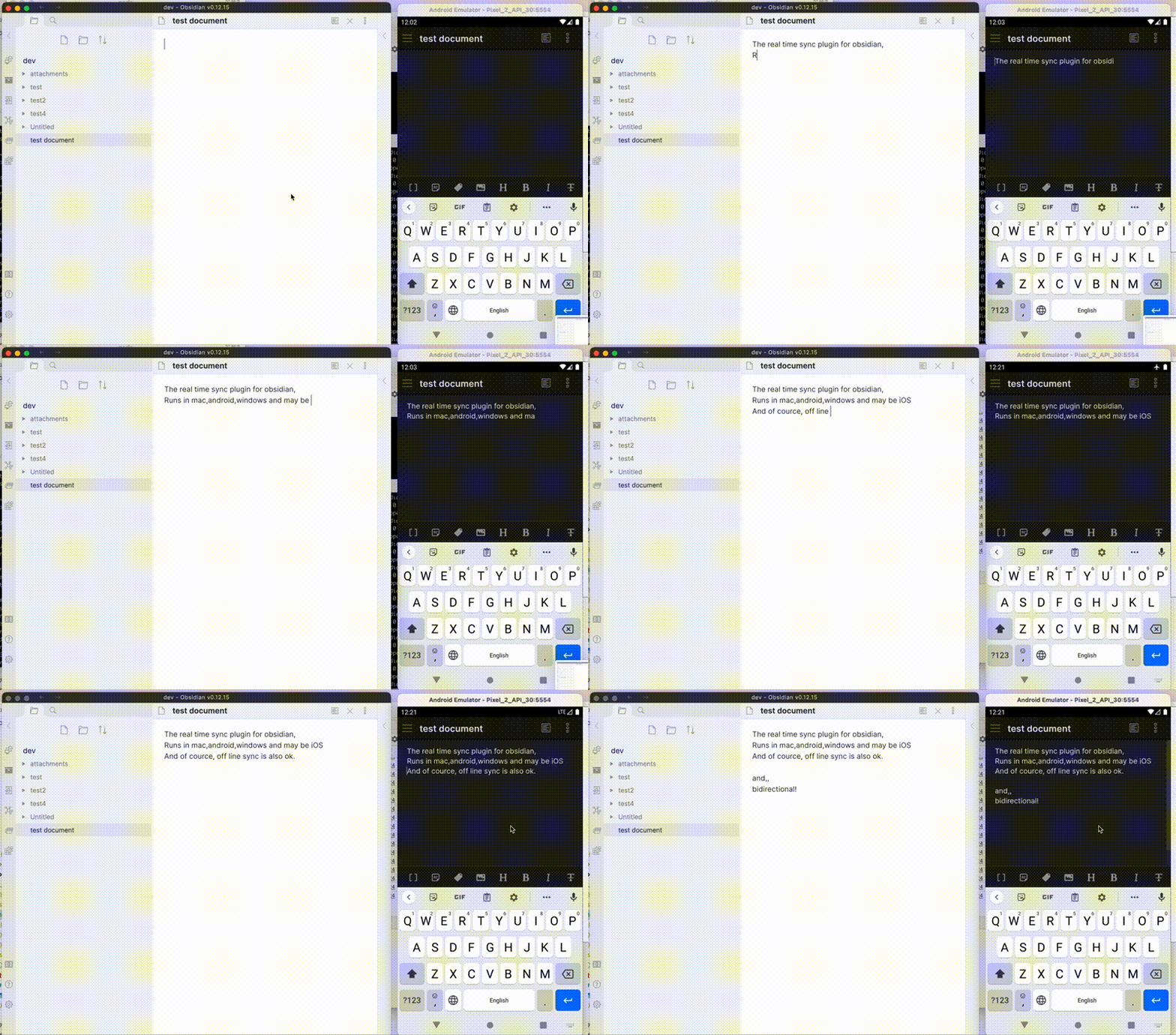
|
|
|
|
Note: This plugin cannot synchronise with the official "Obsidian Sync".
|
|
|
|
## Features
|
|
|
|
- Synchronize vaults very efficiently with less traffic.
|
|
- Good at conflicted modification.
|
|
- Automatic merging for simple conflicts.
|
|
- Using OSS solution for the server.
|
|
- Compatible solutions can be used.
|
|
- Supporting End-to-end encryption.
|
|
- Synchronisation of settings, snippets, themes, and plug-ins, via [Customization sync(Beta)](#customization-sync) or [Hidden File Sync](#hiddenfilesync)
|
|
- WebClip from [obsidian-livesync-webclip](https://chrome.google.com/webstore/detail/obsidian-livesync-webclip/jfpaflmpckblieefkegjncjoceapakdf)
|
|
|
|
This plug-in might be useful for researchers, engineers, and developers with a need to keep their notes fully self-hosted for security reasons. Or just anyone who would like the peace of mind of knowing that their notes are fully private.
|
|
|
|
>[!IMPORTANT]
|
|
> - Before installing or upgrading this plug-in, please back your vault up.
|
|
> - Do not enable this plugin with another synchronization solution at the same time (including iCloud and Obsidian Sync).
|
|
> - This is a synchronization plugin. Not a backup solution. Do not rely on this for backup.
|
|
|
|
## How to use
|
|
|
|
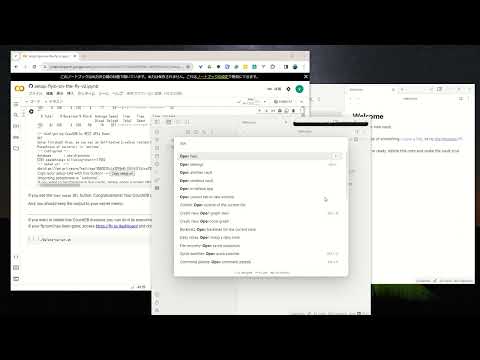
### 3-minute setup - CouchDB on fly.io
|
|
|
|
**Recommended for beginners**
|
|
|
|
[](https://www.youtube.com/watch?v=7sa_I1832Xc)
|
|
|
|
1. [Setup CouchDB on fly.io](docs/setup_flyio.md)
|
|
2. Configure plug-in in [Quick Setup](docs/quick_setup.md)
|
|
|
|
### Manually Setup
|
|
|
|
1. Setup the server
|
|
1. [Setup CouchDB on fly.io](docs/setup_flyio.md)
|
|
2. [Setup your CouchDB](docs/setup_own_server.md)
|
|
2. Configure plug-in in [Quick Setup](docs/quick_setup.md)
|
|
|
|
> [!TIP]
|
|
> We are still able to use IBM Cloudant. However, it is not recommended for several reasons nowadays. Here is [Setup IBM Cloudant](docs/setup_cloudant.md)
|
|
|
|
|
|
## Information in StatusBar
|
|
|
|
Synchronization status is shown in statusbar.
|
|
|
|
- Status
|
|
- ⏹️ Stopped
|
|
- 💤 LiveSync enabled. Waiting for changes
|
|
- ⚡️ Synchronization in progress
|
|
- ⚠ An error occurred
|
|
- Statistical indicator
|
|
- ↑ Uploaded chunks and metadata
|
|
- ↓ Downloaded chunks and metadata
|
|
- Progress indicator
|
|
- 📥 Unprocessed transferred items
|
|
- 📄 Working database operation
|
|
- 💾 Working write storage processes
|
|
- ⏳ Working read storage processes
|
|
- 🛫 Pending read storage processes
|
|
- ⚙️ Working or pending storage processes of hidden files
|
|
- 🧩 Waiting chunks
|
|
- 🔌 Working Customisation items (Configuration, snippets, and plug-ins)
|
|
|
|
To prevent file and database corruption, please wait until all progress indicators have disappeared. Especially in case of if you have deleted or renamed files.
|
|
|
|
|
|
|
|
## Tips and Troubleshooting
|
|
If you are having problems getting the plugin working see: [Tips and Troubleshooting](docs/troubleshooting.md)
|
|
|
|
## License
|
|
|
|
The source code is licensed under the MIT License.
|