 vorotamoroz
ec12e13282
vorotamoroz
ec12e13282
Preserve Vault and remote data before deleting a Fly.io instance. Build cluster setup JSON with jq and ConvertTo-Json so credential characters remain intact.

Also include the starting status icon and clarify the CouchDB hosting category.
Self-hosted LiveSync
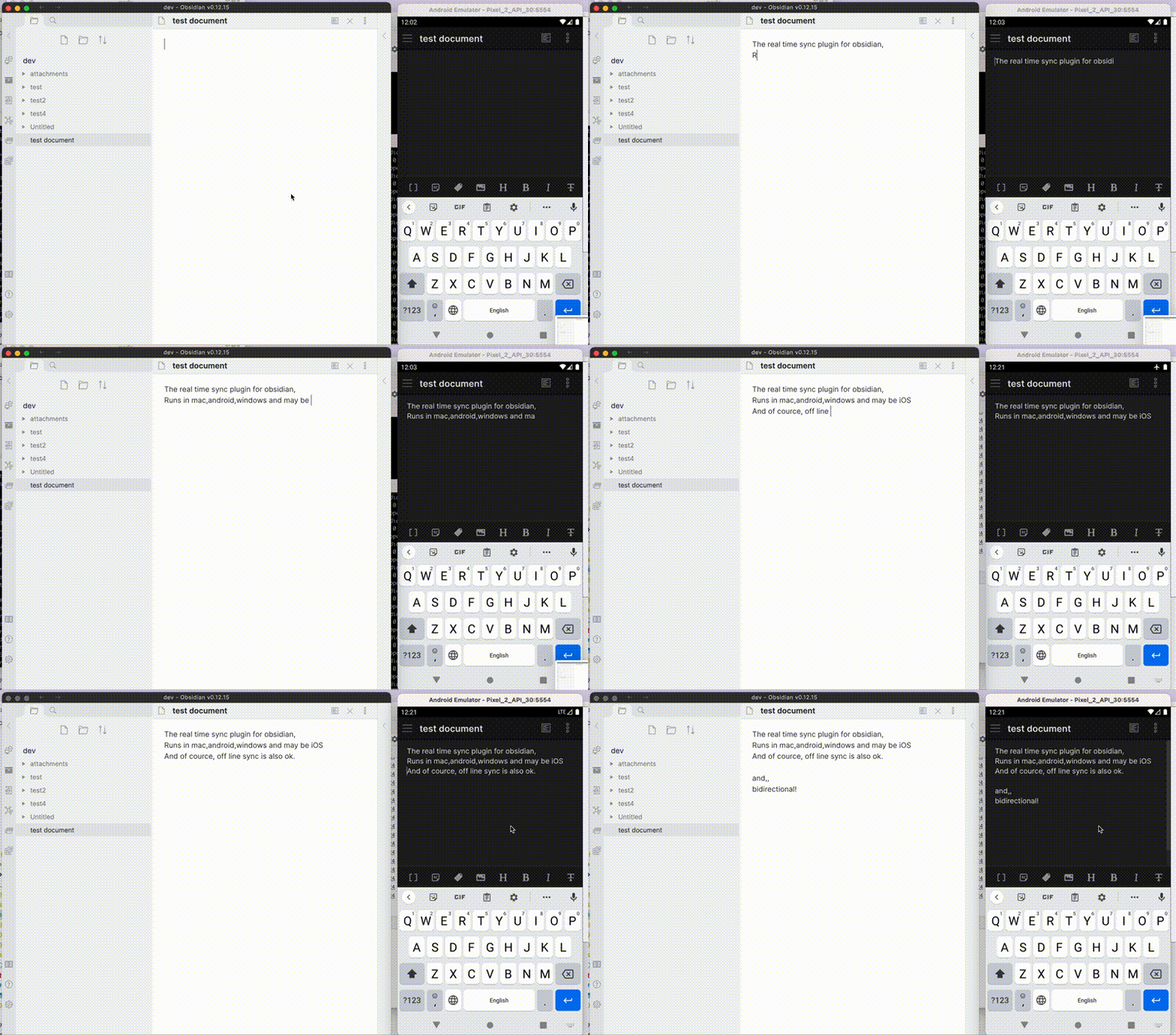
Self-hosted LiveSync is a community-developed synchronisation plug-in available on all Obsidian-compatible platforms. It leverages robust server solutions such as CouchDB or object storage systems (e.g., MinIO, S3, R2, etc.) to ensure reliable data synchronisation.
Additionally, it supports peer-to-peer synchronisation using WebRTC, enabling devices to exchange notes without a central data-storage server. A signalling relay is still required for peer discovery. See How peer-to-peer synchronisation works.
Find setup guides, troubleshooting, technical references, design decisions, and historical material in the documentation index.
Important
This plug-in is not compatible with the official "Obsidian Sync" and cannot synchronise with it.
Features
- Synchronise vaults efficiently with minimal traffic.
- Handle conflicting modifications effectively.
- Automatically merge simple conflicts.
- Use open-source solutions for the server.
- Compatible solutions are supported.
- Support end-to-end encryption.
- Synchronise settings, snippets, themes, and plug-ins via Customisation Sync (Beta) or Hidden File Sync.
- Enable supported, opt-in WebRTC peer-to-peer synchronisation.
- No central data-storage server is required, but a signalling relay is still required for peer discovery.
- At least one device containing the required data must be online while another device synchronises.
- Follow the Peer-to-Peer Setup after reviewing the P2P communication model.
- If you would like to see how P2P setup and connectivity behave on your devices, try the guided connection check in the experimental WebPeer browser utility. It uses an empty Vault and does not test note synchronisation. See the WebPeer documentation for its scope and limitations.
This plug-in may be particularly useful for researchers, engineers, and developers who need to keep their notes fully self-hosted for security reasons. It is also suitable for anyone seeking the peace of mind that comes with knowing their notes remain entirely private.
Important
- Before installing or upgrading this plug-in, please back up your vault.
- Do not enable this plug-in alongside another synchronisation solution (including iCloud and Obsidian Sync).
- For backups, we also provide a plug-in called Differential ZIP Backup.
How to Use
Setup workflows
Choose a synchronisation method, prepare its server where required, then follow the corresponding client setup:
| Method | What you need | Nice to have | Setup guides |
|---|---|---|---|
| CouchDB | A CouchDB server you operate or trust. | — | Own server, Docker stack, Fly.io, or IBM Cloudant; then Quick Setup. |
| Object Storage | An S3-compatible service or server. | — | Object Storage Setup. |
| Peer-to-Peer | Nothing. | Your own signalling server. | P2P communication model, then Peer-to-Peer Setup. |
P2P can use the project's public signalling relay, so there is no server to provision. An optional self-hosted signalling server must be Nostr-compatible. A maintained MinIO server installation guide is not currently available here, so Object Storage users need to prepare their chosen S3-compatible service or server separately.
Each workflow establishes ordinary note synchronisation on the first device, generates a Setup URI for each additional device from that working device, and verifies synchronisation in both directions. The linked hosting guides explain provider-specific setup and costs.
For the Fly.io video walkthrough, see automated setup.
Third-party managed CouchDB hosting
Note
The services below are operated by third parties. They are not official Self-hosted LiveSync services, and this project neither endorses nor recommends them.
If you prefer a hosted CouchDB server, the following providers offer options for this plug-in:
| Provider | Offering |
|---|---|
| Zenith Hosting | Managed CouchDB hosting. |
Your synchronisation data will reside on a server operated by the provider. Consider whether that is acceptable for your Vault, and review the provider's current terms, pricing, and data-handling policies before using the service.
Information in the Status Bar
Synchronisation status is shown in the status bar and inside the editor by default. The main indicators are:
| Indicator | Meaning |
|---|---|
| ⏹️ | Stopped. |
| 🌀 | Starting synchronisation. |
| 💤 | LiveSync mode is waiting for changes. |
| ⚡️ | Synchronisation is in progress. |
| ⏩ | Comparing CouchDB change history, including entries already held locally. |
| ⚠ | An error occurred. |
| ↑ / ↓ | Uploaded / downloaded Chunks and Metadata. |
| 📲 / 🌐N | A finite remote operation is in progress / approximate remote requests in progress. |
See the status display guide for detailed progress counters and CSS customisation.
Allow pending file operations to finish before closing Obsidian, especially after deleting or renaming files.
Tips and Troubleshooting
- If you want a faster and simpler initial replication when setting up subsequent devices, see the Fast Setup Guide.
- Configure Hidden File Sync only after ordinary note synchronisation works.
- If Obsidian or LiveSync cannot start normally, use Recovery and flag files before changing or resetting a remote database.
- Self-hosted LiveSync 1.0 requires Obsidian 1.7.2 or later. If you need to use 1.0 on an earlier Obsidian version, please open an issue with your version, platform, and reason for remaining on it so that we can assess whether extending support is practical. The standard Community Plugins installer otherwise selects an older compatible plug-in release.
- If you are having problems getting the plug-in working, see Tips and Troubleshooting.
Acknowledgements
The project has been in continual progress and harmony thanks to the following:
- Many Contributors.
- Many GitHub Sponsors.
- JetBrains Community Programs / Support for Open-Source Projects.

May those who have contributed be honoured and remembered for their kindness and generosity.
Development Guide
Please refer to the Development Guide for development setup, testing infrastructure, code conventions, and more.
License
Licensed under the MIT License.