mirror of
https://github.com/vrtmrz/obsidian-livesync.git
synced 2026-07-24 13:32:59 +00:00
Compare commits
1304 Commits
| Author | SHA1 | Date | |
|---|---|---|---|
 github-actions[bot] github-actions[bot]
|
b281fe9fe4 | ||
|
vorotamoroz
|
6afeb0b409 | ||
|
vorotamoroz
|
d489452583 | ||
|
vorotamoroz
|
058da1f34c | ||
|
vorotamoroz
|
32b72e4b10 | ||
|
vorotamoroz
|
bdc44920ac | ||
|
vorotamoroz
|
24a4ebb8dd | ||
|
vorotamoroz
|
68d22ade76 | ||
|
vorotamoroz
|
bf0fc0aea8 | ||
|
vorotamoroz
|
24b941f594 | ||
|
vorotamoroz
|
c8050322e4 | ||
|
vorotamoroz
|
1df034f12a | ||
|
vorotamoroz
|
cd35858e01 | ||
|
vorotamoroz
|
371d6b161a | ||
|
vorotamoroz
|
2977287438 | ||
|
vorotamoroz
|
f8f11f358a | ||
|
vorotamoroz
|
d784799969 | ||
|
vorotamoroz
|
8d82a3a00c | ||
|
vorotamoroz
|
eaaf5fcdd9 | ||
|
vorotamoroz
|
defef55a6e | ||
|
vorotamoroz
|
dcbf26f874 | ||
|
vorotamoroz
|
f24c543dd3 | ||
|
vorotamoroz
|
59aa8ad9a9 | ||
|
vorotamoroz
|
a69c7b2b6c | ||
|
vorotamoroz
|
f7577db1d2 | ||
|
vorotamoroz
|
6b634cd9f2 | ||
|
vorotamoroz
|
4ed49c3c36 | ||
|
vorotamoroz
|
87152244d7 | ||
|
vorotamoroz
|
aad0e56f09 | ||
|
vorotamoroz
|
c669f64933 | ||
|
vorotamoroz
|
00f49a13ab | ||
|
vorotamoroz
|
f27aa5be7b | ||
|
vorotamoroz
|
2b8b3aa5fd | ||
|
vorotamoroz
|
65547515a1 | ||
|
vorotamoroz
|
fc74638642 | ||
|
vorotamoroz
|
1ef8c88139 | ||
|
vorotamoroz
|
e005f9eb13 | ||
|
vorotamoroz
|
8bf1ae81d7 | ||
|
vorotamoroz
|
04b5734089 | ||
|
vorotamoroz
|
b44a7fa50f | ||
|
vorotamoroz
|
f195b9be0c | ||
|
vorotamoroz
|
462b769e34 | ||
|
vorotamoroz
|
3eda3316c5 | ||
|
vorotamoroz
|
ed7471fba5 | ||
|
vorotamoroz
|
104eeadb4b | ||
|
vorotamoroz
|
2cf535332b | ||
|
vorotamoroz
|
86492ca2cc | ||
|
vorotamoroz
|
499f9e93e5 | ||
|
vorotamoroz
|
44784d4865 | ||
|
vorotamoroz
|
c49536acc9 | ||
|
vorotamoroz
|
ca90e561ab | ||
|
vorotamoroz
|
6484a43e2f | ||
|
vorotamoroz
|
893c08ad2a | ||
|
vorotamoroz
|
40a4987b0b | ||
|
vorotamoroz
|
7faf51a6c4 | ||
|
vorotamoroz
|
4cbe5679e1 | ||
|
vorotamoroz
|
80d1416a81 | ||
|
vorotamoroz
|
52e7bd25da | ||
|
vorotamoroz
|
f70779c352 | ||
|
vorotamoroz
|
71f1b63b9a | ||
|
vorotamoroz
|
0a31d30c6c | ||
|
vorotamoroz
|
eb486ed7a4 | ||
|
vorotamoroz
|
e79686d275 | ||
|
vorotamoroz
|
0c3c5db6c1 | ||
|
vorotamoroz
|
3cb043abd0 | ||
|
vorotamoroz
|
3f6907d77d | ||
|
vorotamoroz
|
fa336574e6 | ||
|
vorotamoroz
|
429427a556 | ||
|
vorotamoroz
|
f0ec046cf4 | ||
|
vorotamoroz
|
d28282edad | ||
|
vorotamoroz
|
ed3f81e9f9 | ||
|
vorotamoroz
|
52138bf7a5 | ||
|
vorotamoroz
|
ff01ca551a | ||
|
vorotamoroz
|
81d27a932f | ||
|
vorotamoroz
|
3e22c2eda8 | ||
|
vorotamoroz
|
6cc06bf20f | ||
|
vorotamoroz
|
d0be2968c2 | ||
|
vorotamoroz
|
2e999b9426 | ||
|
vorotamoroz
|
7b7801b029 | ||
|
vorotamoroz
|
f80137e364 | ||
|
vorotamoroz
|
97964fddf1 | ||
|
vorotamoroz
|
1b4a0d76dd | ||
|
vorotamoroz
|
f6b03dc811 | ||
|
vorotamoroz
|
6e00b8195a | ||
|
vorotamoroz
|
326bf77183 | ||
|
vorotamoroz
|
298738fc67 | ||
|
vorotamoroz
|
d5754f1f54 | ||
|
vorotamoroz
|
14da32cbab | ||
|
vorotamoroz
|
a721d3b602 | ||
|
vorotamoroz
|
6475d32769 | ||
|
vorotamoroz
|
e114f66fb2 | ||
|
vorotamoroz
|
e31e761c5a | ||
|
vorotamoroz
|
977d50566d | ||
|
github-actions[bot]
|
85fc62d61c | ||
|
Ouyang Xingyuan
|
8e0d5581f7 | ||
|
Ouyang Xingyuan
|
32e992db93 | ||
|
Ouyang Xingyuan
|
3103dc4f52 | ||
|
vorotamoroz
|
943b2a3bd4 | ||
|
vorotamoroz
|
69f4879589 | ||
|
vorotamoroz
|
918d3b5547 | ||
|
metrovoc
|
869a893c19 | ||
|
vorotamoroz
|
ba7ea27d0c | ||
|
vorotamoroz
|
9f9758bc12 | ||
|
vorotamoroz
|
f54d162ef9 | ||
|
vorotamoroz
|
9d70ac8064 | ||
|
vorotamoroz
|
f44dc76087 | ||
|
github-actions[bot]
|
962589a40f | ||
|
vorotamoroz
|
d8bbab6bed | ||
|
vorotamoroz
|
b475ea64e2 | ||
|
vorotamoroz
|
908acc4a84 | ||
|
vorotamoroz
|
31e9186930 | ||
|
vorotamoroz
|
4cbccf85b4 | ||
|
Ouyang Xingyuan
|
45657ba39c | ||
|
vorotamoroz
|
056d89aa4d | ||
|
vorotamoroz
|
804103693f | ||
|
vorotamoroz
|
eb3abc71b4 | ||
|
vorotamoroz
|
77eacade10 | ||
|
vorotamoroz
|
d404f2ae54 | ||
|
github-actions[bot]
|
a7c488f377 | ||
|
vorotamoroz
|
0f75cd92c0 | ||
|
vorotamoroz
|
a41c829c10 | ||
|
vorotamoroz
|
ff12778301 | ||
|
vorotamoroz
|
e38084b901 | ||
|
vorotamoroz
|
9265a74578 | ||
|
Ouyang Xingyuan
|
f28d886603 | ||
|
vorotamoroz
|
9c375bd6fd | ||
|
vorotamoroz
|
42a333a571 | ||
|
vorotamoroz
|
a6a5f7af53 | ||
|
vorotamoroz
|
4df87cc96a | ||
|
vorotamoroz
|
d16e66c67a | ||
|
vorotamoroz
|
57e26f1079 | ||
|
vorotamoroz
|
dbb8d2be22 | ||
|
vorotamoroz
|
a60932d9e4 | ||
|
vorotamoroz
|
fd3e8416b7 | ||
|
vorotamoroz
|
b9a27ffef9 | ||
|
vorotamoroz
|
af72cac4e3 | ||
|
vorotamoroz
|
7d26f0ae35 | ||
|
vorotamoroz
|
008a5ace06 | ||
|
vorotamoroz
|
b1955703b9 | ||
|
vorotamoroz
|
39065e15e3 | ||
|
vorotamoroz
|
7b480d4c1d | ||
|
vorotamoroz
|
33cd6a3b51 | ||
|
vorotamoroz
|
870ac93cac | ||
|
vorotamoroz
|
2fcdbbc4da | ||
|
vorotamoroz
|
18e8b239bf | ||
|
vorotamoroz
|
ef655a2976 | ||
|
vorotamoroz
|
78eb6ec3bc | ||
|
vorotamoroz
|
c0780d19ba | ||
|
vorotamoroz
|
5b61ea5009 | ||
|
vorotamoroz
|
6a9918677f | ||
|
vorotamoroz
|
2d42b92a89 | ||
|
vorotamoroz
|
a2b794c520 | ||
|
vorotamoroz
|
6f9446f447 | ||
|
vorotamoroz
|
3f9cd67b1c | ||
|
vorotamoroz
|
dbcbf2c5ca | ||
|
vorotamoroz
|
eed0fca8d3 | ||
|
vorotamoroz
|
05e031b90b | ||
|
vorotamoroz
|
bec767c13f | ||
|
vorotamoroz
|
8046a777af | ||
|
vorotamoroz
|
0c58b0c513 | ||
|
vorotamoroz
|
b66e227a02 | ||
|
vorotamoroz
|
af6df84b5d | ||
|
vorotamoroz
|
06bba49aad | ||
|
vorotamoroz
|
f97888572b | ||
|
vorotamoroz
|
9d9b512f3f | ||
|
vorotamoroz
|
54e6a761e5 | ||
|
vorotamoroz
|
d37ed51660 | ||
|
vorotamoroz
|
9fbdee47a6 | ||
|
vorotamoroz
|
b568c4b003 | ||
|
vorotamoroz
|
505e3c5e8c | ||
|
vorotamoroz
|
75cb9ece58 | ||
|
vorotamoroz
|
05877834dc | ||
|
vorotamoroz
|
dae565129a | ||
|
vorotamoroz
|
701520fe15 | ||
|
vorotamoroz
|
e662e99641 | ||
|
vorotamoroz
|
96396f77f5 | ||
|
vorotamoroz
|
e916683b8d | ||
|
vorotamoroz
|
7028a0857e | ||
|
vorotamoroz
|
150f0700b0 | ||
|
vorotamoroz
|
36590ee762 | ||
|
vorotamoroz
|
4a33236c8f | ||
|
vorotamoroz
|
be23fa51a1 | ||
|
Ouyang Xingyuan
|
7e59010824 | ||
|
vorotamoroz
|
8e24739b96 | ||
|
Ouyang Xingyuan
|
b2ea810dde | ||
|
Ouyang Xingyuan
|
bf8da52348 | ||
|
Temirkanov Alikhan
|
31d01f039c | ||
|
vorotamoroz
|
2d5b5da904 | ||
|
vorotamoroz
|
6d4ae6dccb | ||
|
vorotamoroz
|
37ccbf249c | ||
|
vorotamoroz
|
6e14f0210a | ||
|
vorotamoroz
|
c626fb1783 | ||
|
vorotamoroz
|
23af915604 | ||
|
Ouyang Xingyuan
|
2257ab7647 | ||
|
vorotamoroz
|
08bfec204f | ||
|
vorotamoroz
|
916e24e21e | ||
|
vorotamoroz
|
3ee2c401d4 | ||
|
vorotamoroz
|
78d9d66438 | ||
|
vorotamoroz
|
7298aca2e9 | ||
|
vorotamoroz
|
431a845f18 | ||
|
vorotamoroz
|
877d1b09f4 | ||
|
Temirkanov Alikhan
|
34caf19e20 | ||
|
vorotamoroz
|
9004c194b3 | ||
|
vorotamoroz
|
c57b8a5f4e | ||
|
vorotamoroz
|
f90a83ef1e | ||
|
vorotamoroz
|
62f44e38c0 | ||
|
vorotamoroz
|
c6c4044f3c | ||
|
vorotamoroz
|
2bd7832d71 | ||
|
vorotamoroz
|
72033472f3 | ||
|
vorotamoroz
|
93dc03e86f | ||
|
vorotamoroz
|
dae8443fe8 | ||
|
vorotamoroz
|
88a8bcbd5a | ||
|
vorotamoroz
|
4a5283543d | ||
|
vorotamoroz
|
7895336189 | ||
|
vorotamoroz
|
2d5cdccf7d | ||
|
mugenrei
|
28cdf40fcd | ||
|
vorotamoroz
|
497fd04081 | ||
|
vorotamoroz
|
38142aaf1c | ||
|
vorotamoroz
|
ae9c46f8f0 | ||
|
vorotamoroz
|
dcd10cd690 | ||
|
vorotamoroz
|
5a35b71339 | ||
|
vorotamoroz
|
18a59219f7 | ||
|
vorotamoroz
|
c9095738e6 | ||
|
vorotamoroz
|
bed415fc6b | ||
|
vorotamoroz
|
4eeb93b9e4 | ||
|
vorotamoroz
|
0fc233686b | ||
|
vorotamoroz
|
def1d297f5 | ||
|
vorotamoroz
|
e7cf2a6fba | ||
|
vorotamoroz
|
2da2fd7671 | ||
|
vorotamoroz
|
d5175969e7 | ||
|
vorotamoroz
|
46f9630999 | ||
|
vorotamoroz
|
75adcf0ff0 | ||
|
vorotamoroz
|
866dd49ba3 | ||
|
vorotamoroz
|
d0a84d07aa | ||
|
vorotamoroz
|
089a4c0f8b | ||
|
vorotamoroz
|
1a1f816872 | ||
|
vorotamoroz
|
9d86c2828b | ||
|
vorotamoroz
|
3b6d3beaa7 | ||
|
vorotamoroz
|
bb75b6ead8 | ||
|
vorotamoroz
|
fccb2304f6 | ||
|
vorotamoroz
|
f00ef5eaae | ||
|
vorotamoroz
|
4e7ee760de | ||
|
vorotamoroz
|
c4faade30c | ||
|
vorotamoroz
|
295dc1392a | ||
|
Miguel Ferreira
|
445a8c747c | ||
|
Miguel Ferreira
|
292a6b9e1e | ||
|
vorotamoroz
|
0e04e7d31d | ||
|
vorotamoroz
|
4cf4acf7e9 | ||
|
vorotamoroz
|
0856693aac | ||
|
vorotamoroz
|
39d78a04ac | ||
|
vorotamoroz
|
0b8d73ccd8 | ||
|
vorotamoroz
|
5921a71227 | ||
|
vorotamoroz
|
a40929c9e4 | ||
|
vorotamoroz
|
2d8a285201 | ||
|
vorotamoroz
|
d9903bfe9e | ||
|
vorotamoroz
|
a6e7dddf7f | ||
|
vorotamoroz
|
9a51c78011 | ||
|
vorotamoroz
|
7b9c0b011f | ||
|
vorotamoroz
|
26a050e6f6 | ||
|
vorotamoroz
|
34162f747c | ||
|
vorotamoroz
|
9e87ee4da1 | ||
|
vorotamoroz
|
ba5d4c434b | ||
|
vorotamoroz
|
8f44f4c61d | ||
|
vorotamoroz
|
23d8a1ecc3 | ||
|
vorotamoroz
|
a46abcad52 | ||
|
vorotamoroz
|
347e1fcee5 | ||
|
vorotamoroz
|
d85d8bc5e4 | ||
|
vorotamoroz
|
c493fb6f66 | ||
|
vorotamoroz
|
cf173caf88 | ||
|
vorotamoroz
|
a41c7b2f70 | ||
|
vorotamoroz
|
3acaa7f269 | ||
|
vorotamoroz
|
85787eddb3 | ||
|
vorotamoroz
|
8cbb233df7 | ||
|
vorotamoroz
|
5922186a0e | ||
|
vorotamoroz
|
60f21eb9d2 | ||
|
vorotamoroz
|
6b7816d334 | ||
|
vorotamoroz
|
369e62ee8d | ||
|
vorotamoroz
|
37593bbee6 | ||
|
vorotamoroz
|
baa51a66a7 | ||
|
郑泽宇
|
be979a3bf1 | ||
|
Miguel Ferreira
|
c78e583399 | ||
|
vorotamoroz
|
31050c9cb8 | ||
|
vorotamoroz
|
1b44ab9f2b | ||
|
vorotamoroz
|
3a78c70539 | ||
|
vorotamoroz
|
0f08ad435f | ||
|
vorotamoroz
|
96abd930b3 | ||
|
vorotamoroz
|
4581db45c4 | ||
|
vorotamoroz
|
05cab8ec66 | ||
|
vorotamoroz
|
b005625ef3 | ||
|
vorotamoroz
|
e5408b4dd7 | ||
|
vorotamoroz
|
95a9b1b41c | ||
|
vorotamoroz
|
2aa8bc1165 | ||
|
vorotamoroz
|
f8998d5441 | ||
|
vorotamoroz
|
26f5f54f24 | ||
|
vorotamoroz
|
99f3aca024 | ||
|
vorotamoroz
|
194397dd94 | ||
|
vorotamoroz
|
afa79d78dc | ||
|
vorotamoroz
|
9a9440a768 | ||
|
vorotamoroz
|
e375860af8 | ||
|
vorotamoroz
|
b57f34c15b | ||
|
vorotamoroz
|
b82fd9f04b | ||
|
vorotamoroz
|
bb77426b7b | ||
|
vorotamoroz
|
1bef5fbef3 | ||
|
vorotamoroz
|
7d2ba1b0b9 | ||
|
vorotamoroz
|
ac6b9a4dad | ||
|
vorotamoroz
|
225e2c5096 | ||
|
vorotamoroz
|
674d68b7d9 | ||
|
vorotamoroz
|
0e6dd300ef | ||
|
vorotamoroz
|
8171db353a | ||
|
vorotamoroz
|
6ab1556880 | ||
|
vorotamoroz
|
cd2bff5fc7 | ||
|
vorotamoroz
|
5a280c7919 | ||
|
vorotamoroz
|
c6697327d5 | ||
|
vorotamoroz
|
7c203a522a | ||
|
vorotamoroz
|
c80c294d93 | ||
|
vorotamoroz
|
3e65ae932d | ||
|
vorotamoroz
|
f710f03380 | ||
|
vorotamoroz
|
b887269fc1 | ||
|
vorotamoroz
|
56a234e6d7 | ||
|
vorotamoroz
|
39014b2294 | ||
|
vorotamoroz
|
24e6c110a3 | ||
|
vorotamoroz
|
f24d110552 | ||
|
vorotamoroz
|
7189c1c05a | ||
|
vorotamoroz
|
547afe9a86 | ||
|
vorotamoroz
|
7b5876037d | ||
|
vorotamoroz
|
b714c00644 | ||
|
郑泽宇
|
fff6df535f | ||
|
vorotamoroz
|
e14e771bfb | ||
|
vorotamoroz
|
1130bbcee8 | ||
|
vorotamoroz
|
8841ef4619 | ||
|
vorotamoroz
|
45fe0b3682 | ||
|
vorotamoroz
|
8d3825abc9 | ||
|
vorotamoroz
|
c5f9841b85 | ||
|
vorotamoroz
|
d36d176d99 | ||
|
vorotamoroz
|
38b2cf73ed | ||
|
vorotamoroz
|
40b15a6950 | ||
|
vorotamoroz
|
e312bb7640 | ||
|
Ching Wing Kwok
|
852c0e6c13 | ||
|
vorotamoroz
|
7c1bcf9e9b | ||
|
vorotamoroz
|
2b79bed085 | ||
|
vorotamoroz
|
6b1e0c4aa8 | ||
|
vorotamoroz
|
3c3645eba4 | ||
|
SeleiXi
|
009cc3c87a | ||
|
SeleiXi
|
fc5fd4be94 | ||
|
SeleiXi
|
8ed1acf79d | ||
|
vorotamoroz
|
c518223d21 | ||
|
vorotamoroz
|
caaff618e9 | ||
|
vorotamoroz
|
148aa8505e | ||
|
vorotamoroz
|
f9a626a858 | ||
|
vorotamoroz
|
2f10121d6c | ||
|
vorotamoroz
|
1b8747115c | ||
|
vorotamoroz
|
e739302fb9 | ||
|
vorotamoroz
|
8f20d53f55 | ||
|
vorotamoroz
|
3ab80190d6 | ||
|
vorotamoroz
|
8948bf2803 | ||
|
vorotamoroz
|
486fd15c60 | ||
|
vorotamoroz
|
5fd85c71ca | ||
|
vorotamoroz
|
c1f41910c4 | ||
|
vorotamoroz
|
3693d6a6b6 | ||
|
vorotamoroz
|
cc3c992b1d | ||
|
vorotamoroz
|
df390ac456 | ||
|
vorotamoroz
|
fd84b0377b | ||
|
vorotamoroz
|
340d416b76 | ||
|
vorotamoroz
|
3034af8d69 | ||
|
vorotamoroz
|
da3020bd45 | ||
|
vorotamoroz
|
ce232c1002 | ||
|
vorotamoroz
|
0e13926400 | ||
|
vorotamoroz
|
fab7ec996a | ||
|
vorotamoroz
|
88e22f99c5 | ||
|
vorotamoroz
|
83cbabf06f | ||
|
vorotamoroz
|
5e8d3b8f02 | ||
|
vorotamoroz
|
1167b41340 | ||
|
vorotamoroz
|
67da3964e5 | ||
|
vorotamoroz
|
45ebc7eb6b | ||
|
vorotamoroz
|
cc5ead68bc | ||
|
vorotamoroz
|
9b9e4f22f3 | ||
|
vorotamoroz
|
7823f46053 | ||
|
vorotamoroz
|
d6d8e548b3 | ||
|
vorotamoroz
|
44b1ed7610 | ||
|
vorotamoroz
|
5786da5534 | ||
|
vorotamoroz
|
042a80dd44 | ||
|
vorotamoroz
|
ee30f6cd6d | ||
|
vorotamoroz
|
977a300808 | ||
|
vorotamoroz
|
a392ccab6a | ||
|
vorotamoroz
|
dfdfa5383b | ||
|
vorotamoroz
|
a08294ab16 | ||
|
vorotamoroz
|
e8c33a0d6a | ||
|
vorotamoroz
|
d6bf453a6d | ||
|
vorotamoroz
|
e80cdc2dae | ||
|
vorotamoroz
|
60780678fd | ||
|
vorotamoroz
|
273e7a2b63 | ||
|
vorotamoroz
|
2572c54744 | ||
|
vorotamoroz
|
6a7c987985 | ||
|
vorotamoroz
|
6ef866a77c | ||
|
vorotamoroz
|
eea26dee74 | ||
|
vorotamoroz
|
ee24fe8c24 | ||
|
vorotamoroz
|
9d9364af36 | ||
|
vorotamoroz
|
83228e2077 | ||
|
vorotamoroz
|
a379b5bd78 | ||
|
vorotamoroz
|
4ed1749652 | ||
|
vorotamoroz
|
9a90256a8a | ||
|
vorotamoroz
|
f0628a0d2c | ||
|
vorotamoroz
|
d5e2f57781 | ||
|
Nikolay Sokolov
|
02673a1631 | ||
|
vorotamoroz
|
91c9746886 | ||
|
vorotamoroz
|
75b44b1636 | ||
|
vorotamoroz
|
f1fe48c1ee | ||
|
vorotamoroz
|
437e7c0d9c | ||
|
vorotamoroz
|
5ffa7ec7ee | ||
|
vorotamoroz
|
a1859f5d2e | ||
|
vorotamoroz
|
785af8cb8f | ||
|
vorotamoroz
|
06e1f4aa4a | ||
|
vorotamoroz
|
767f22ce9c | ||
|
vorotamoroz
|
6a9bba702c | ||
|
vorotamoroz
|
de2397dc3f | ||
|
vorotamoroz
|
daaad9212e | ||
|
vorotamoroz
|
a6891374a1 | ||
|
vorotamoroz
|
b1cadf0549 | ||
|
vorotamoroz
|
95f40cc954 | ||
|
vorotamoroz
|
8deaf123d6 | ||
|
vorotamoroz
|
053813bffb | ||
|
vorotamoroz
|
cc7af03618 | ||
|
vorotamoroz
|
a130e3700e | ||
|
vorotamoroz
|
0549e901b2 | ||
|
vorotamoroz
|
e9afe06968 | ||
|
vorotamoroz
|
c45aca4794 | ||
|
vorotamoroz
|
e2c54aaf43 | ||
|
vorotamoroz
|
37715d4c9f | ||
|
vorotamoroz
|
106367fa41 | ||
|
vorotamoroz
|
538130aa91 | ||
|
vorotamoroz
|
c9d0357fec | ||
|
vorotamoroz
|
d05c76da36 | ||
|
vorotamoroz
|
d2eb6ecbaf | ||
|
vorotamoroz
|
25a6fde212 | ||
|
vorotamoroz
|
e8f8b680ef | ||
|
vorotamoroz
|
6c30f2b863 | ||
|
vorotamoroz
|
8dda24a689 | ||
|
vorotamoroz
|
fbbb63906a | ||
|
vorotamoroz
|
1e66a7f144 | ||
|
vorotamoroz
|
df79d81475 | ||
|
vorotamoroz
|
ad71355859 | ||
|
vorotamoroz
|
95dc079fad | ||
|
vorotamoroz
|
770d4af4a0 | ||
|
vorotamoroz
|
3b311248cb | ||
|
Andrew Leech
|
67996f6d0a | ||
|
vorotamoroz
|
5772811a45 | ||
|
vorotamoroz
|
55529cd71e | ||
|
vorotamoroz
|
2e9b8b7b62 | ||
|
Andrew Leech
|
4ab2e41d18 | ||
|
Andrew Leech
|
c0ad8ee15a | ||
|
Andrew Leech
|
e6ae516493 | ||
|
Andrew Leech
|
a4d5ef4620 | ||
|
Brian Spackman
|
3f7bb047ac | ||
|
SeleiXi
|
5454e1106f | ||
|
SeleiXi
|
0d9397c8b9 | ||
|
SeleiXi
|
429a3ff1fd | ||
|
SeleiXi
|
bfff6ea7b8 | ||
|
vorotamoroz
|
b6b153c0de | ||
|
vorotamoroz
|
eca6a6e0ba | ||
|
vorotamoroz
|
ca43d96c46 | ||
|
vorotamoroz
|
112e3c8b1d | ||
|
vorotamoroz
|
d1eb105801 | ||
|
vorotamoroz
|
d5b93e89cd | ||
|
vorotamoroz
|
e96fe7cde1 | ||
|
vorotamoroz
|
68e0610f1d | ||
|
vorotamoroz
|
a6be20695a | ||
|
vorotamoroz
|
772b6ecf26 | ||
|
SeleiXi
|
81dc7f604b | ||
|
vorotamoroz
|
a9c87fa52e | ||
|
vorotamoroz
|
e81f023943 | ||
|
vorotamoroz
|
2afe12ad2d | ||
|
vorotamoroz
|
4a9d6c1349 | ||
|
vorotamoroz
|
279fc8876e | ||
|
vorotamoroz
|
cc3d30dbcf | ||
|
vorotamoroz
|
39e82cc8a1 | ||
|
bori
|
7a4b76a550 | ||
|
SeleiXi
|
f9294446ba | ||
|
vorotamoroz
|
fa7ef62302 | ||
|
vorotamoroz
|
81d8224330 | ||
|
vorotamoroz
|
cc466a4b3c | ||
|
vorotamoroz
|
ceebca7de9 | ||
|
Fabio
|
c2f696d0a4 | ||
|
vorotamoroz
|
1aa7c45794 | ||
|
vorotamoroz
|
faefa80cbd | ||
|
vorotamoroz
|
3737eacffd | ||
|
vorotamoroz
|
4c0af0b608 | ||
|
vorotamoroz
|
bb69eb13e7 | ||
|
vorotamoroz
|
7c9db6376f | ||
|
vorotamoroz
|
4c04e4e676 | ||
|
koteitan
|
14ec35b257 | ||
|
vorotamoroz
|
b609e4973c | ||
|
vorotamoroz
|
354f0be9a3 | ||
|
vorotamoroz
|
16804ed34c | ||
|
vorotamoroz
|
31bd270869 | ||
|
vorotamoroz
|
b5d054f259 | ||
|
vorotamoroz
|
1ef2955d00 | ||
|
vorotamoroz
|
6ef56063b3 | ||
|
vorotamoroz
|
a912585800 | ||
|
vorotamoroz
|
7a863625bc | ||
|
vorotamoroz
|
99b4037820 | ||
|
vorotamoroz
|
d59b5dc2f9 | ||
|
vorotamoroz
|
4d0203e4ca | ||
|
vorotamoroz
|
3e4db571cd | ||
|
vorotamoroz
|
b0a9bd84d6 | ||
|
vorotamoroz
|
8c4e62e7c1 | ||
|
vorotamoroz
|
3e03d1dbd5 | ||
|
vorotamoroz
|
0dbf4cface | ||
|
vorotamoroz
|
bc22d61a3a | ||
|
vorotamoroz
|
d709bcc1d0 | ||
|
vorotamoroz
|
d7088be8af | ||
|
vorotamoroz
|
f17f1ecd93 | ||
|
vorotamoroz
|
bf556bd9f4 | ||
|
vorotamoroz
|
8b40969fa3 | ||
|
vorotamoroz
|
6cce931a88 | ||
|
vorotamoroz
|
216861f2c3 | ||
|
vorotamoroz
|
6ce724afb4 | ||
|
vorotamoroz
|
2e3e106fb2 | ||
|
vorotamoroz
|
00f2606a2f | ||
|
vorotamoroz
|
3c94a44285 | ||
|
vorotamoroz
|
4c0908acde | ||
|
vorotamoroz
|
cda27fb7f8 | ||
|
vorotamoroz
|
837a828cec | ||
|
vorotamoroz
|
4c8e13ccb9 | ||
|
vorotamoroz
|
1ae4eaab02 | ||
|
chinhkrb113
|
b1efbf74c7 | ||
|
kdavh
|
12f04f6cf7 | ||
|
vorotamoroz
|
a937feed3f | ||
|
ChinhLee
|
2de9899a99 | ||
|
vorotamoroz
|
a0af6201a5 | ||
|
vorotamoroz
|
9c7c6c8859 | ||
|
vorotamoroz
|
38d7cae1bc | ||
|
vorotamoroz
|
fee34f0dcb | ||
|
Shibata, Tats
|
e01f7f4d92 | ||
|
Shibata, Tats
|
985004bc0e | ||
|
Shibata, Tats
|
967a78d657 | ||
|
vorotamoroz
|
2ff60dd5ac | ||
|
vorotamoroz
|
c3341da242 | ||
|
vorotamoroz
|
c2bfaeb5a9 | ||
|
vorotamoroz
|
c454616e1c | ||
|
vorotamoroz
|
c88e73b7d3 | ||
|
vorotamoroz
|
3a29818612 | ||
|
vorotamoroz
|
ee69085830 | ||
|
vorotamoroz
|
3963f7c971 | ||
|
vorotamoroz
|
602fcef949 | ||
|
vorotamoroz
|
075d260fdd | ||
|
vorotamoroz
|
0717093d81 | ||
|
vorotamoroz
|
1f87a9fd3d | ||
|
vorotamoroz
|
fdd3a3aecb | ||
|
vorotamoroz
|
d8281390c4 | ||
|
vorotamoroz
|
08b1712f39 | ||
|
vorotamoroz
|
6c69547cef | ||
|
vorotamoroz
|
89bf0488c3 | ||
|
vorotamoroz
|
653cf8dfbe | ||
|
vorotamoroz
|
33338506cf | ||
|
vorotamoroz
|
9dd479e597 | ||
|
vorotamoroz
|
8cad4cdf80 | ||
|
vorotamoroz
|
beced219c7 | ||
|
vorotamoroz
|
dfe13b1abd | ||
|
vorotamoroz
|
bf93bddbdd | ||
|
vorotamoroz
|
44890a34e8 | ||
|
vorotamoroz
|
a14aa201a8 | ||
|
vorotamoroz
|
338a9ba9fa | ||
|
vorotamoroz
|
0c65b5add9 | ||
|
vorotamoroz
|
29ce9a5df4 | ||
|
vorotamoroz
|
10f5cb8b42 | ||
|
vorotamoroz
|
8aad3716d4 | ||
|
vorotamoroz
|
d45f41500a | ||
|
vorotamoroz
|
4cc0a11d86 | ||
|
vorotamoroz
|
ad0a6b458f | ||
|
vorotamoroz
|
6ae1d5d6a5 | ||
|
vorotamoroz
|
84110aee97 | ||
|
vorotamoroz
|
4646577f35 | ||
|
vorotamoroz
|
822d957976 | ||
|
vorotamoroz
|
d4aedf59f3 | ||
|
vorotamoroz
|
5d80258a77 | ||
|
vorotamoroz
|
fa14531599 | ||
|
vorotamoroz
|
7992b3c2b9 | ||
|
vorotamoroz
|
5872cad1e5 | ||
|
vorotamoroz
|
16c0dfef4c | ||
|
vorotamoroz
|
70c7624c7a | ||
|
vorotamoroz
|
4a0d5e99d0 | ||
|
vorotamoroz
|
0742773e1e | ||
|
vorotamoroz
|
2f8bc4fef2 | ||
|
vorotamoroz
|
0dfd42259d | ||
|
vorotamoroz
|
9cf630320c | ||
|
vorotamoroz
|
584adc9296 | ||
|
vorotamoroz
|
f7dba6854f | ||
|
vorotamoroz
|
1d83e0ee31 | ||
|
vorotamoroz
|
d0244bd6d0 | ||
|
vorotamoroz
|
79bb5e1c77 | ||
|
vorotamoroz
|
3403712e24 | ||
|
vorotamoroz
|
8faa19629b | ||
|
vorotamoroz
|
7ff9c666ce | ||
|
vorotamoroz
|
d8bc2806e0 | ||
|
vorotamoroz
|
62f78b4028 | ||
|
vorotamoroz
|
cf9d2720ce | ||
|
vorotamoroz
|
09115dfe15 | ||
|
vorotamoroz
|
4cbb833e9d | ||
|
vorotamoroz
|
7419d0d2a1 | ||
|
vorotamoroz
|
f3e83d4045 | ||
|
vorotamoroz
|
28e06a21e4 | ||
|
vorotamoroz
|
e08fbbd223 | ||
|
vorotamoroz
|
a1e331d452 | ||
|
vorotamoroz
|
646f8af680 | ||
|
vorotamoroz
|
392f76fd36 | ||
|
vorotamoroz
|
f61a3eb85b | ||
|
vorotamoroz
|
19c03ec8d8 | ||
|
vorotamoroz
|
be1642f1c1 | ||
|
vorotamoroz
|
c9a71e2076 | ||
|
vorotamoroz
|
2199c1ebd3 | ||
|
vorotamoroz
|
278935f85d | ||
|
vorotamoroz
|
010631f553 | ||
|
vorotamoroz
|
8c0c65307a | ||
|
vorotamoroz
|
988cb34d7c | ||
|
vorotamoroz
|
6eec8117f5 | ||
|
vorotamoroz
|
9f6a909143 | ||
|
vorotamoroz
|
09f283721a | ||
|
vorotamoroz
|
235c702223 | ||
|
A-wry
|
b923b43b6b | ||
|
A-wry
|
fdcf3be0f9 | ||
|
vorotamoroz
|
25dd907591 | ||
|
vorotamoroz
|
80c049d276 | ||
|
L4z3x
|
310496d0b8 | ||
|
vorotamoroz
|
e961f01187 | ||
|
vorotamoroz
|
14b4c3cd50 | ||
|
vorotamoroz
|
4f987e7c2b | ||
|
A-wry
|
f4d8c0a8db | ||
|
vorotamoroz
|
556ce471f8 | ||
|
vorotamoroz
|
32b6717114 | ||
|
vorotamoroz
|
e0e72fae72 | ||
|
vorotamoroz
|
203dd17421 | ||
|
vorotamoroz
|
1bde2b2ff1 | ||
|
mugenrei
|
ebbac96b16 | ||
|
mugenrei
|
ed0e67e853 | ||
|
mugenrei
|
f99d7dc00f | ||
|
vorotamoroz
|
2bf1c775ee | ||
|
vorotamoroz
|
4658e3735d | ||
|
vorotamoroz
|
627edc96bf | ||
|
vorotamoroz
|
0a1917e83c | ||
|
Wannes Salomé
|
48b0d22da6 | ||
|
vorotamoroz
|
3201399bdf | ||
|
vorotamoroz
|
2ae70e8f07 | ||
|
vorotamoroz
|
2b9bb1ed06 | ||
|
vorotamoroz
|
e63e3e6725 | ||
|
vorotamoroz
|
6e9ac6a9f9 | ||
|
vorotamoroz
|
fb59c4a723 | ||
|
vorotamoroz
|
1b5ca9e52c | ||
|
vorotamoroz
|
787627a156 | ||
|
vorotamoroz
|
b1bba7685e | ||
|
vorotamoroz
|
cdfc0ccead | ||
|
vorotamoroz
|
0635cad350 | ||
|
vorotamoroz
|
6fd1fa6313 | ||
|
vorotamoroz
|
12b1f881dc | ||
|
vorotamoroz
|
bf3efab1af | ||
|
vorotamoroz
|
da72fda221 | ||
|
vorotamoroz
|
665501f485 | ||
|
vorotamoroz
|
6ee332fff8 | ||
|
vorotamoroz
|
f66447cb59 | ||
|
vorotamoroz
|
eb3120a8fd | ||
|
vorotamoroz
|
5fa39b3c6e | ||
|
vorotamoroz
|
91c35a88dd | ||
|
vorotamoroz
|
49f4d79f4f | ||
|
vorotamoroz
|
abfd010467 | ||
|
vorotamoroz
|
cde1013359 | ||
|
vorotamoroz
|
9c7f9e4316 | ||
|
vorotamoroz
|
aceda16c64 | ||
|
vorotamoroz
|
3656e5c725 | ||
|
vorotamoroz
|
6915b160a2 | ||
|
vorotamoroz
|
f464623bf6 | ||
|
vorotamoroz
|
b1f518071c | ||
|
vorotamoroz
|
0e903c3520 | ||
|
vorotamoroz
|
edcdfd97c4 | ||
|
vorotamoroz
|
c2b7081215 | ||
|
vorotamoroz
|
cf1954b10e | ||
|
vorotamoroz
|
46546e121f | ||
|
vorotamoroz
|
28146eec2c | ||
|
vorotamoroz
|
3cd9b9e06d | ||
|
vorotamoroz
|
7c43c61b85 | ||
|
vorotamoroz
|
465af4f3aa | ||
|
vorotamoroz
|
0a1e3dcd51 | ||
|
vorotamoroz
|
b97756d0cf | ||
|
vorotamoroz
|
acf4bc3737 | ||
|
vorotamoroz
|
88838872e7 | ||
|
vorotamoroz
|
7d3827d335 | ||
|
vorotamoroz
|
92d3a0cfa2 | ||
|
vorotamoroz
|
bba26624ad | ||
|
vorotamoroz
|
b82f497cab | ||
|
vorotamoroz
|
37f4d13e75 | ||
|
vorotamoroz
|
7965f5342c | ||
|
vorotamoroz
|
9cdc14dda8 | ||
|
vorotamoroz
|
4f46276ebf | ||
|
vorotamoroz
|
931d360fb1 | ||
|
vorotamoroz
|
f68c1855da | ||
|
vorotamoroz
|
dff654b6e5 | ||
|
vorotamoroz
|
7e85bcbf08 | ||
|
vorotamoroz
|
38a695ea12 | ||
|
vorotamoroz
|
a502b0cd0c | ||
|
vorotamoroz
|
934f708753 | ||
|
vorotamoroz
|
0e574c6cb1 | ||
|
vorotamoroz
|
7375a85b07 | ||
|
vorotamoroz
|
4c3393d8b2 | ||
|
oenhu
|
a9f1bbff9f | ||
|
oenhu
|
f86815e420 | ||
|
oenhu
|
fd16b166ef | ||
|
vorotamoroz
|
02aa9319c3 | ||
|
vorotamoroz
|
1a72e46d53 | ||
|
vorotamoroz
|
d755579968 | ||
|
vorotamoroz
|
b74ee9df77 | ||
|
vorotamoroz
|
daa04bcea8 | ||
|
vorotamoroz
|
b96b2f24a6 | ||
|
vorotamoroz
|
5569ab62df | ||
|
vorotamoroz
|
d84b6c4f15 | ||
|
vorotamoroz
|
336f2c8a4d | ||
|
vorotamoroz
|
b52ceec36a | ||
|
vorotamoroz
|
1e6400cf79 | ||
|
vorotamoroz
|
1ff1ac951b | ||
|
vorotamoroz
|
aa6d771d17 | ||
|
vorotamoroz
|
512c238415 | ||
|
vorotamoroz
|
55ffeeda10 | ||
|
vorotamoroz
|
65f18b4160 | ||
|
vorotamoroz
|
b0c1d6a1bf | ||
|
vorotamoroz
|
ca19f2f2ed | ||
|
vorotamoroz
|
ac0378ca4b | ||
|
vorotamoroz
|
f06f8d1eb6 | ||
|
vorotamoroz
|
77074cb92f | ||
|
vorotamoroz
|
1274b6f683 | ||
|
vorotamoroz
|
c54ae58c0f | ||
|
vorotamoroz
|
3f54921e90 | ||
|
vorotamoroz
|
1b070c2dd4 | ||
|
vorotamoroz
|
0e5846b670 | ||
|
vorotamoroz
|
f81e71802b | ||
|
vorotamoroz
|
4c761eebff | ||
|
vorotamoroz
|
bf754d6e07 | ||
|
vorotamoroz
|
3cc70b985a | ||
|
vorotamoroz
|
0e81ec2586 | ||
|
vorotamoroz
|
1c49acd5b5 | ||
|
vorotamoroz
|
bab66a64d7 | ||
|
vorotamoroz
|
477913456f | ||
|
vorotamoroz
|
b0661cdbab | ||
|
vorotamoroz
|
18f9a842b7 | ||
|
vorotamoroz
|
5130bc5f2a | ||
|
vorotamoroz
|
ca8af80a27 | ||
|
vorotamoroz
|
df273d273b | ||
|
vorotamoroz
|
23aa0a82ca | ||
|
vorotamoroz
|
8f488b205b | ||
|
vorotamoroz
|
893eac5c92 | ||
|
vorotamoroz
|
cd6946bce2 | ||
|
vorotamoroz
|
174ca08954 | ||
|
vorotamoroz
|
4af4d9c4bd | ||
|
vorotamoroz
|
1b7a25598a | ||
|
vorotamoroz
|
e2a01c14cc | ||
|
vorotamoroz
|
a623b987c8 | ||
|
vorotamoroz
|
db28b9ec11 | ||
|
vorotamoroz
|
b2fbbb38f5 | ||
|
vorotamoroz
|
33c01fdf1e | ||
|
vorotamoroz
|
536c0426d6 | ||
|
vorotamoroz
|
2f848878c2 | ||
|
vorotamoroz
|
c4f2baef5e | ||
|
vorotamoroz
|
a5b88a8d47 | ||
|
vorotamoroz
|
88e61fb41f | ||
|
vorotamoroz
|
9bf04332bb | ||
|
vorotamoroz
|
5238dec3f2 | ||
|
vorotamoroz
|
2b7b411c52 | ||
|
vorotamoroz
|
aab0f7f034 | ||
|
vorotamoroz
|
b3a0deb0e3 | ||
|
vorotamoroz
|
b9138d1395 | ||
|
vorotamoroz
|
04997b84c0 | ||
|
vorotamoroz
|
7eb9807aa5 | ||
|
vorotamoroz
|
91a4f234f1 | ||
|
vorotamoroz
|
82f2860938 | ||
|
shyelc
|
41a112cd8a | ||
|
vorotamoroz
|
294ebf0c31 | ||
|
vorotamoroz
|
5443317157 | ||
|
vorotamoroz
|
47fe9d2af3 | ||
|
Dayne Broderson
|
c76187c6d2 | ||
|
vorotamoroz
|
4c260a7d2b | ||
|
vorotamoroz
|
82f6fefd35 | ||
|
vorotamoroz
|
ada8001fcb | ||
|
Dayne Broderson
|
b3b3ad843c | ||
|
vorotamoroz
|
8b81570035 | ||
|
vorotamoroz
|
d3e50421e4 | ||
|
vorotamoroz
|
12605f4604 | ||
|
vorotamoroz
|
2c0dd82886 | ||
|
vorotamoroz
|
f5315aacb8 | ||
|
vorotamoroz
|
5a93066870 | ||
|
vorotamoroz
|
3a73073505 | ||
|
vorotamoroz
|
ee0c0ee611 | ||
|
vorotamoroz
|
d7ea30e304 | ||
|
vorotamoroz
|
2b9ded60f7 | ||
|
vorotamoroz
|
40508822cf | ||
|
vorotamoroz
|
6f938d5f54 | ||
|
vorotamoroz
|
51dc44bfb0 | ||
|
vorotamoroz
|
7c4f2bf78a | ||
|
Marcin Grzybowski
|
d82122de24 | ||
|
vorotamoroz
|
67c9b4cf06 | ||
|
vorotamoroz
|
4808876968 | ||
|
vorotamoroz
|
cccff21ecc | ||
|
vorotamoroz
|
d8415a97e5 | ||
|
vorotamoroz
|
85e9aa2978 | ||
|
vorotamoroz
|
b4eb0e4868 | ||
|
vorotamoroz
|
3ea348f468 | ||
|
vorotamoroz
|
81362816d6 | ||
|
Chris Coulthard
|
d6efe4510f | ||
|
vorotamoroz
|
ca5a7ae18c | ||
|
vorotamoroz
|
a27652ac34 | ||
|
vorotamoroz
|
29b89efc47 | ||
|
vorotamoroz
|
ef3eef2d08 | ||
|
vorotamoroz
|
ffbbe32e36 | ||
|
vorotamoroz
|
0a5371cdee | ||
|
vorotamoroz
|
466bb142e2 | ||
|
vorotamoroz
|
d394a4ce7f | ||
|
vorotamoroz
|
71ce76e502 | ||
|
vorotamoroz
|
ae7a7dd456 | ||
|
vorotamoroz
|
4048186bb5 | ||
|
vorotamoroz
|
2b94fd9139 | ||
|
vorotamoroz
|
ec72ece86d | ||
|
vorotamoroz
|
e394a994c5 | ||
|
vorotamoroz
|
aa23b6a39a | ||
|
vorotamoroz
|
58e328a591 | ||
|
vorotamoroz
|
1730c39d70 | ||
|
Abhith Rajan
|
dfeac201a2 | ||
|
vorotamoroz
|
b42152db5e | ||
|
vorotamoroz
|
171cfc0a38 | ||
|
vorotamoroz
|
d2787bdb6a | ||
|
Ron Gerber
|
44b022f003 | ||
|
vorotamoroz
|
58845276e7 | ||
|
vorotamoroz
|
a2cc093a9e | ||
|
vorotamoroz
|
fec203a751 | ||
|
vorotamoroz
|
1a06837769 | ||
|
vorotamoroz
|
18d1ce8ec8 | ||
|
vorotamoroz
|
2221d8c4e8 | ||
|
vorotamoroz
|
08548f8630 | ||
|
vorotamoroz
|
5d24c3b984 | ||
|
vorotamoroz
|
de8fd43c8b | ||
|
vorotamoroz
|
ed88761eaa | ||
|
vorotamoroz
|
4dcb37f5a2 | ||
|
vorotamoroz
|
db0562eda1 | ||
|
vorotamoroz
|
b610d5d959 | ||
|
vorotamoroz
|
5abba74f3b | ||
|
vorotamoroz
|
021c1fccfe | ||
|
vorotamoroz
|
0a30af479f | ||
|
vorotamoroz
|
a9c3f60fe7 | ||
|
vorotamoroz
|
f996e056af | ||
|
vorotamoroz
|
1073ee9e30 | ||
|
vorotamoroz
|
f94653e60e | ||
|
vorotamoroz
|
3dccf2076f | ||
|
vorotamoroz
|
3e78fe03e1 | ||
|
vorotamoroz
|
4aa8fc3519 | ||
|
vorotamoroz
|
ba3d2220e1 | ||
|
vorotamoroz
|
8057b516af | ||
|
vorotamoroz
|
f2b4431182 | ||
|
vorotamoroz
|
badec46d9a | ||
|
vorotamoroz
|
355e41f488 | ||
|
vorotamoroz
|
e0e7e1b5ca | ||
|
vorotamoroz
|
ce4b61557a | ||
|
vorotamoroz
|
52b02f3888 | ||
|
vorotamoroz
|
7535999388 | ||
|
vorotamoroz
|
dccf8580b8 | ||
|
vorotamoroz
|
e3964f3c5d | ||
|
vorotamoroz
|
375e7bde31 | ||
|
Jacques Faulkner
|
341f0ab12d | ||
|
Jacques Faulkner
|
39340c1e1b | ||
|
Jacques Faulkner
|
55cdc58857 | ||
|
Jacques Faulkner
|
4f1a9dc4e8 | ||
|
Jacques Faulkner
|
013818b7d0 | ||
|
vorotamoroz
|
1179438df8 | ||
|
vorotamoroz
|
47ea8f6859 | ||
|
vorotamoroz
|
670fe16486 | ||
|
vorotamoroz
|
3f0093916c | ||
|
vorotamoroz
|
9503474d06 | ||
|
vorotamoroz
|
ddf7b243e4 | ||
|
vorotamoroz
|
f37561c3c1 | ||
|
vorotamoroz
|
f01429decc | ||
|
vorotamoroz
|
c0fcb66924 | ||
|
vorotamoroz
|
5f76b9809b | ||
|
vorotamoroz
|
d61d6fec37 | ||
|
vorotamoroz
|
9fdd622824 | ||
|
vorotamoroz
|
3b8d03a189 | ||
|
James Armstrong
|
1f1a39e5a0 | ||
|
vorotamoroz
|
d0e92cff7a | ||
|
vorotamoroz
|
5addddc792 | ||
|
vorotamoroz
|
d978892661 | ||
|
vorotamoroz
|
cfb061a6a2 | ||
|
vorotamoroz
|
381055fc93 | ||
|
vorotamoroz
|
37d12916fc | ||
|
vorotamoroz
|
944aa846c4 | ||
|
vorotamoroz
|
abca808e29 | ||
|
vorotamoroz
|
90bb610133 | ||
|
vorotamoroz
|
9c5e9fe63b | ||
|
vorotamoroz
|
00dfae24d7 | ||
|
vorotamoroz
|
d8a41fe45d | ||
|
vorotamoroz
|
30467d1c25 | ||
|
vorotamoroz
|
f8351f1d45 | ||
|
vorotamoroz
|
5924af98ab | ||
|
vorotamoroz
|
2769b61da4 | ||
|
vorotamoroz
|
bb4409221d | ||
|
vorotamoroz
|
f398c14200 | ||
|
vorotamoroz
|
27d58508dc | ||
|
vorotamoroz
|
d4dea5b226 | ||
|
vorotamoroz
|
c79dc30cba | ||
|
vorotamoroz
|
b3119ee8a9 | ||
|
vorotamoroz
|
2a1d71da5c | ||
|
vorotamoroz
|
24f31ed19e | ||
|
vorotamoroz
|
a982629ae6 | ||
|
vorotamoroz
|
85140aecab | ||
|
vorotamoroz
|
3f2e23ee88 | ||
|
vorotamoroz
|
6049c19e8a | ||
|
vorotamoroz
|
65648683a3 | ||
|
vorotamoroz
|
5d70f2c1e9 | ||
|
vorotamoroz
|
cbcfdc453e | ||
|
vorotamoroz
|
a4eb21593c | ||
|
vorotamoroz
|
05eb2c8262 | ||
|
vorotamoroz
|
fecefa3631 | ||
|
vorotamoroz
|
f8c4d5ccb0 | ||
|
vorotamoroz
|
e63e79bc8e | ||
|
vorotamoroz
|
ed76125f3d | ||
|
vorotamoroz
|
70f4e23474 | ||
|
vorotamoroz
|
f6d5b78cc8 | ||
|
vorotamoroz
|
405624b51b | ||
|
vorotamoroz
|
90c0ff22b9 | ||
|
vorotamoroz
|
67568ea886 | ||
|
vorotamoroz
|
cc29b4058d | ||
|
vorotamoroz
|
4e8243b3d5 | ||
|
vorotamoroz
|
4eb1787784 | ||
|
vorotamoroz
|
1cd1465f2c | ||
|
vorotamoroz
|
45ceca8bb6 | ||
|
vorotamoroz
|
7b385aab9e | ||
|
vorotamoroz
|
98411e5f48 | ||
|
vorotamoroz
|
b6687e2fb0 | ||
|
Zeedif
|
658cbb7ded | ||
|
vorotamoroz
|
08a48154fa | ||
|
vorotamoroz
|
62501a5940 | ||
|
vorotamoroz
|
ccb3dd52de | ||
|
vorotamoroz
|
3e5f4c8946 | ||
|
vorotamoroz
|
54e64c59a9 | ||
|
CRuiz
|
588840ff8b | ||
|
CRuiz
|
e6b8dfb279 | ||
|
CRuiz
|
73782c5389 | ||
|
vorotamoroz
|
f2b667d75e | ||
|
vorotamoroz
|
9b1588a65b | ||
|
vorotamoroz
|
0629bc04bb | ||
|
vorotamoroz
|
b0e97e6c96 | ||
|
vorotamoroz
|
7f853b0222 | ||
|
vorotamoroz
|
3d4ad4a3b4 | ||
|
vorotamoroz
|
4b1fff852a | ||
|
dcvdiego
|
08d7d24baf | ||
|
vorotamoroz
|
9db3c3df0a | ||
|
vorotamoroz
|
672940ad6f | ||
|
vorotamoroz
|
2338601fae | ||
|
vorotamoroz
|
3e657b38a9 | ||
|
vorotamoroz
|
21861d8c51 | ||
|
vorotamoroz
|
3bb4aba395 | ||
|
vorotamoroz
|
751de5a13e | ||
|
vorotamoroz
|
29229f809b | ||
|
vorotamoroz
|
2d0dc2a389 | ||
|
Volkor
|
6cbe319b80 | ||
|
Volkor
|
e9fe58f818 | ||
|
Volkor
|
61524e1c44 | ||
|
vorotamoroz
|
c25eaa09c9 | ||
|
Volkor
|
71987e6814 | ||
|
vorotamoroz
|
b15d0710e5 | ||
|
vorotamoroz
|
9d304b3233 | ||
|
dcvdiego
|
d062b13040 | ||
|
Volkor
|
7eceab59af | ||
|
vorotamoroz
|
ed5cb3e043 | ||
|
vorotamoroz
|
574fdf9202 | ||
|
vorotamoroz
|
9ec7b809a9 | ||
|
vorotamoroz
|
4d302aff9d | ||
|
vorotamoroz
|
b70009f4a9 | ||
|
Frank Harrison
|
c24ee32f37 | ||
|
Frank Harrison
|
012d0aa4df | ||
|
Frank Harrison
|
5c97e5b672 | ||
|
Frank Harrison
|
6e1eb36f3b | ||
|
vorotamoroz
|
8809aee327 | ||
|
vorotamoroz
|
fc04c557fc | ||
|
vorotamoroz
|
115a0d2d8a | ||
|
vorotamoroz
|
2c97289ec8 | ||
|
vorotamoroz
|
6d472d17fd | ||
|
vorotamoroz
|
3a3aabfd11 | ||
|
vorotamoroz
|
8b45dd1d24 | ||
|
vorotamoroz
|
a2b36ccf31 | ||
|
vorotamoroz
|
25e30fa09d | ||
|
vorotamoroz
|
8f5bc387b4 | ||
|
vorotamoroz
|
5afe24c460 | ||
|
vorotamoroz
|
658a09f1cc | ||
|
vorotamoroz
|
a9020a3aea | ||
|
vorotamoroz
|
293c731437 | ||
|
vorotamoroz
|
5b4ae37030 | ||
|
vorotamoroz
|
9e8d126259 | ||
|
vorotamoroz
|
6d244a6e34 | ||
|
vorotamoroz
|
1f0ad4eb1e | ||
|
vorotamoroz
|
e0e0ab0426 | ||
|
vorotamoroz
|
5023d6da0b | ||
|
vorotamoroz
|
49160c7d57 | ||
|
vorotamoroz
|
4434224c29 | ||
|
vorotamoroz
|
cf3b9e5522 | ||
|
vorotamoroz
|
7ca5ac5ac7 | ||
|
vorotamoroz
|
095a3d20fb | ||
|
vorotamoroz
|
89e23b1bf4 | ||
|
vorotamoroz
|
48315d657d | ||
|
vorotamoroz
|
b73ca73776 | ||
|
vorotamoroz
|
48e4d57278 | ||
|
vorotamoroz
|
7eae25edd0 | ||
|
vorotamoroz
|
3285c1694b | ||
|
vorotamoroz
|
ede126d7d4 | ||
|
Stephen J. Fuhry
|
f778107727 | ||
|
vorotamoroz
|
630889680e | ||
|
vorotamoroz
|
e46714e0f9 | ||
|
vorotamoroz
|
86d5582f37 | ||
|
vorotamoroz
|
697ee1855b | ||
|
nyawox
|
12d825ea49 | ||
|
vorotamoroz
|
b8edc85528 | ||
|
vorotamoroz
|
e2740cbefe | ||
|
vorotamoroz
|
a96e4e4472 | ||
|
vorotamoroz
|
dd26bbfe64 | ||
|
vorotamoroz
|
6b9bd473cf | ||
|
vorotamoroz
|
4be4fa6cc7 | ||
|
vorotamoroz
|
a9745e850e | ||
|
vorotamoroz
|
7b9515a47e | ||
|
vorotamoroz
|
220dce51f2 | ||
|
vorotamoroz
|
a23fc866c0 | ||
|
vorotamoroz
|
5c86966d89 | ||
|
vorotamoroz
|
29ed4d2b95 | ||
|
vorotamoroz
|
16c6c52128 | ||
|
vorotamoroz
|
8b94a0b72e | ||
|
vorotamoroz
|
c5ac76d916 | ||
|
vorotamoroz
|
b67a6db8a1 | ||
|
vorotamoroz
|
d4202161e8 | ||
|
vorotamoroz
|
2a2b39009c | ||
|
vorotamoroz
|
bf3a6e7570 | ||
|
vorotamoroz
|
069b8513d1 | ||
|
vorotamoroz
|
128b1843df | ||
|
vorotamoroz
|
fd722b1fe5 | ||
|
vorotamoroz
|
0bf087dba0 | ||
|
vorotamoroz
|
3a4b59b998 | ||
|
vorotamoroz
|
8fc9d51c45 | ||
|
vorotamoroz
|
35feb5bf93 | ||
|
vorotamoroz
|
b3a85c5462 | ||
|
vorotamoroz
|
7b0ac22c3b | ||
|
vorotamoroz
|
dca8e4b2a4 | ||
|
vorotamoroz
|
89de2dcc37 | ||
|
vorotamoroz
|
172b08dbb3 | ||
|
vorotamoroz
|
d518a3fc1b | ||
|
vorotamoroz
|
c6ed867498 | ||
|
vorotamoroz
|
4f4923e977 | ||
|
vorotamoroz
|
a5ebf29b3d | ||
|
vorotamoroz
|
ee465184c8 | ||
|
vorotamoroz
|
d7d4f1e6f2 | ||
|
Michael Brunner
|
cbf5023593 | ||
|
vorotamoroz
|
3925052f92 | ||
|
vorotamoroz
|
1934418258 | ||
|
vorotamoroz
|
2ae018b2bd | ||
|
vorotamoroz
|
8474497985 | ||
|
vorotamoroz
|
b5714cc83b | ||
|
vorotamoroz
|
133f5a7109 | ||
|
vorotamoroz
|
daa3feebf1 | ||
|
vorotamoroz
|
7b5f7d0fbf | ||
|
vorotamoroz
|
29532193cb | ||
|
vorotamoroz
|
5b4309c09d | ||
|
vorotamoroz
|
16ef582453 | ||
|
vorotamoroz
|
3e22f70c7a | ||
|
vorotamoroz
|
0a8dbe097e | ||
|
vorotamoroz
|
2c0fcf74d0 | ||
|
vorotamoroz
|
a1ab1efd5d | ||
|
vorotamoroz
|
c8fcf2d0d5 | ||
|
vorotamoroz
|
c384e2f7fb | ||
|
vorotamoroz
|
99c1c7dc1a | ||
|
vorotamoroz
|
84adec4b1a | ||
|
vorotamoroz
|
f0b202bd91 | ||
|
vorotamoroz
|
d54b7e2d93 | ||
|
vorotamoroz
|
6952ef37f5 | ||
|
vorotamoroz
|
9630bcbae8 | ||
|
vorotamoroz
|
c3f925ab9a | ||
|
vorotamoroz
|
034dc0538f | ||
|
vorotamoroz
|
b6136df836 | ||
|
vorotamoroz
|
24aacdc2a1 | ||
|
vorotamoroz
|
f91109b1ad | ||
|
vorotamoroz
|
e76e7ae8ea | ||
|
vorotamoroz
|
f7fbe85d65 | ||
|
vorotamoroz
|
0313443b29 | ||
|
seeker0472
|
755c30f468 | ||
|
vorotamoroz
|
b00b0cc5e5 | ||
|
vorotamoroz
|
d7985a6b41 | ||
|
vorotamoroz
|
486e816902 | ||
|
vorotamoroz
|
ef9b19c24b | ||
|
vorotamoroz
|
4ed9494176 | ||
|
vorotamoroz
|
fcd56d59d5 | ||
|
vorotamoroz
|
1cabfcfd19 | ||
|
vorotamoroz
|
37a18dbfef | ||
|
vorotamoroz
|
e7edf88713 | ||
|
vorotamoroz
|
90ff75ab35 | ||
|
vorotamoroz
|
bff1d661f5 | ||
|
vorotamoroz
|
6b59c14774 | ||
|
vorotamoroz
|
8249274eac | ||
|
vorotamoroz
|
3c6dae7814 | ||
|
vorotamoroz
|
60cf8fe640 | ||
|
vorotamoroz
|
3d89b3863f | ||
|
vorotamoroz
|
ee9364310d | ||
|
vorotamoroz
|
86b9695bc2 | ||
|
vorotamoroz
|
e05f8771b9 | ||
|
vorotamoroz
|
65619c2478 | ||
|
vorotamoroz
|
1552fa9d9e | ||
|
vorotamoroz
|
767f12b52f | ||
|
vorotamoroz
|
4071ba120e | ||
|
vorotamoroz
|
2c0e3ba01c | ||
|
vorotamoroz
|
90adf06830 | ||
|
vorotamoroz
|
cf8e7ff6ca | ||
|
vorotamoroz
|
95c3ff5043 | ||
|
vorotamoroz
|
7ea3515801 | ||
|
vorotamoroz
|
f866981a8a | ||
|
vorotamoroz
|
8f36d6f893 | ||
|
vorotamoroz
|
6dd86e9392 | ||
|
vorotamoroz
|
d22716bef0 | ||
|
vorotamoroz
|
5d9baec5e4 | ||
|
vorotamoroz
|
27d71ca2fb | ||
|
vorotamoroz
|
c024ed13d3 | ||
|
vorotamoroz
|
b9527ccab0 | ||
|
vorotamoroz
|
fa3aa2702c | ||
|
vorotamoroz
|
93e7cbb133 | ||
|
vorotamoroz
|
716ae32e02 | ||
|
vorotamoroz
|
d6d8cbcf5a | ||
|
vorotamoroz
|
efd348b266 | ||
|
vorotamoroz
|
8969b1800a | ||
|
vorotamoroz
|
2c8e026e29 | ||
|
vorotamoroz
|
a6c27eab3d | ||
|
vorotamoroz
|
9b5c57d540 | ||
|
Calvin Bui
|
c251c596e8 | ||
|
vorotamoroz
|
61188cfaef | ||
|
vorotamoroz
|
97d944fd75 | ||
|
vorotamoroz
|
d3dc1e7328 | ||
|
vorotamoroz
|
45304af369 | ||
|
vorotamoroz
|
7f422d58f2 | ||
|
vorotamoroz
|
c2491fdfad | ||
|
vorotamoroz
|
06a6e391e8 | ||
|
vorotamoroz
|
f99475f6b7 | ||
|
vorotamoroz
|
109fc00b9d | ||
|
vorotamoroz
|
c071d822e1 | ||
|
vorotamoroz
|
d2de5b4710 | ||
|
vorotamoroz
|
cf5ecd8922 | ||
|
vorotamoroz
|
b337a05b5a | ||
|
vorotamoroz
|
9ea6bee9d1 | ||
|
vorotamoroz
|
9747c26d50 | ||
|
vorotamoroz
|
bb4b764586 | ||
|
vorotamoroz
|
279b4b41e5 | ||
|
vorotamoroz
|
b644fb791d | ||
|
Vichaya Raksakunpanich
|
5802ed31be | ||
|
vorotamoroz
|
ac9428e96b | ||
|
vorotamoroz
|
280d9e1dd9 | ||
|
vorotamoroz
|
f7209e566c | ||
|
vorotamoroz
|
4a9ab2d1de | ||
|
vorotamoroz
|
cb74b5ee93 | ||
|
vorotamoroz
|
60eecd7001 | ||
|
vorotamoroz
|
4bd7b54bcd | ||
|
vorotamoroz
|
8923c73d1b | ||
|
vorotamoroz
|
11e64b13e2 | ||
|
vorotamoroz
|
983d9248ed | ||
|
vorotamoroz
|
7240e84328 | ||
|
vorotamoroz
|
0d55ae2532 | ||
|
Liam Swayne
|
dbd284f5dd | ||
|
vorotamoroz
|
c000a02f4a | ||
|
vorotamoroz
|
79754f48d6 | ||
|
vorotamoroz
|
dd7a40630b | ||
|
vorotamoroz
|
14406f8213 | ||
|
vorotamoroz
|
3bbd9c048d | ||
|
vorotamoroz
|
d91c4f50b4 | ||
|
vorotamoroz
|
395b7fbc42 | ||
|
vorotamoroz
|
3773e57429 | ||
|
vorotamoroz
|
4835fce62a | ||
|
vorotamoroz
|
ff814be4a0 | ||
|
vorotamoroz
|
b271b63efa | ||
|
vorotamoroz
|
23419e476a | ||
|
vorotamoroz
|
b9bd1f17b8 | ||
|
vorotamoroz
|
bcce277c36 | ||
|
vorotamoroz
|
5acbbe479e | ||
|
vorotamoroz
|
c9f9d511e0 | ||
|
vorotamoroz
|
b8cb94c498 | ||
|
cgcel
|
52c736f6b9 | ||
|
cgcel
|
ebd1cb7777 | ||
|
vorotamoroz
|
10decb7909 | ||
|
vorotamoroz
|
e0aab8d69d | ||
|
vorotamoroz
|
618600c753 | ||
|
Jingtao Wang
|
d1aba87e37 | ||
|
Jingtao Wang
|
db889f635e | ||
|
Jingtao Wang
|
dd80e634f5 | ||
|
Jingtao Wang
|
bec6fc1a74 | ||
|
vorotamoroz
|
5c96c7f99b | ||
|
vorotamoroz
|
7b9724f713 | ||
|
vorotamoroz
|
4cd12c85ed | ||
|
vorotamoroz
|
90651540f9 | ||
|
vorotamoroz
|
9e504d5002 | ||
|
vorotamoroz
|
faaa94423c | ||
|
vorotamoroz
|
a7c179fc86 | ||
|
vorotamoroz
|
ed1a670b9b | ||
|
vorotamoroz
|
6c3c265bd6 | ||
|
vorotamoroz
|
9d68025f2a | ||
|
GC Chen
|
e70972c8f9 | ||
|
vorotamoroz
|
7607be7729 | ||
|
vorotamoroz
|
db9d428ab4 | ||
|
vorotamoroz
|
0a2caea3c7 | ||
|
vorotamoroz
|
b1d1ba0e6b | ||
|
vorotamoroz
|
5e844372cb | ||
|
Meriç Aşkın
|
99c6911e96 | ||
|
vorotamoroz
|
dc880d7d4e | ||
|
Samyar
|
c157fef76c | ||
|
bioluks
|
2b2011dc49 | ||
|
bioluks
|
ae451e005e | ||
|
vorotamoroz
|
8a75d41cbb | ||
|
vorotamoroz
|
5252cc0372 | ||
|
vorotamoroz
|
5022155317 | ||
|
vorotamoroz
|
d36f925c65 | ||
|
vorotamoroz
|
3ae33e0500 | ||
|
vorotamoroz
|
13e442a0c7 | ||
|
vorotamoroz
|
6288716966 | ||
|
vorotamoroz
|
47d2cf9733 | ||
|
vorotamoroz
|
ae6a9ecee4 | ||
|
vorotamoroz
|
2289bea8d9 | ||
|
vorotamoroz
|
cda90259c5 | ||
|
vorotamoroz
|
432a211f80 | ||
|
antoKeinanen
|
eaf8c4998e | ||
|
antoKeinanen
|
55601f7910 | ||
|
vorotamoroz
|
13e70475d9 | ||
|
vorotamoroz
|
2572177879 | ||
|
Hugo Persson
|
e82a2560e4 | ||
|
vorotamoroz
|
09146591eb | ||
|
vorotamoroz
|
69c6e57df3 | ||
|
vorotamoroz
|
5e181a8ec4 | ||
|
vorotamoroz
|
4354cc3054 | ||
|
vorotamoroz
|
0664427c63 | ||
|
vorotamoroz
|
49c4736d69 | ||
|
vorotamoroz
|
f0ce8f0e05 | ||
|
vorotamoroz
|
0a70afc5a3 | ||
|
vorotamoroz
|
431239a736 | ||
|
vorotamoroz
|
1ceb671683 | ||
|
vorotamoroz
|
ea40e5918c | ||
|
garlic-hub
|
64681729ff | ||
|
vorotamoroz
|
830f2f25d1 | ||
|
vorotamoroz
|
05f0abebf0 | ||
|
vorotamoroz
|
842da980d7 | ||
|
vorotamoroz
|
d8ecbb593b | ||
|
vorotamoroz
|
8d66c372e1 | ||
|
vorotamoroz
|
7c06750d93 | ||
|
vorotamoroz
|
808fdc0944 | ||
|
vorotamoroz
|
ce25eee74b | ||
|
vorotamoroz
|
146c170dec | ||
|
vorotamoroz
|
cf06f878db | ||
|
vorotamoroz
|
e77031f1cd | ||
|
vorotamoroz
|
3f2224c3a6 | ||
|
garlic-hub
|
2322b5bc34 | ||
|
vorotamoroz
|
83ac5e7086 | ||
|
vorotamoroz
|
09f35a2af4 | ||
|
vorotamoroz
|
fae0a9d76a | ||
|
vorotamoroz
|
9a27c9bfe5 | ||
|
vorotamoroz
|
5e75917b8d | ||
|
vorotamoroz
|
3322d13b55 | ||
|
vorotamoroz
|
851c9f8a71 | ||
|
vorotamoroz
|
b02596dfa1 | ||
|
vorotamoroz
|
02c69b202e | ||
|
vorotamoroz
|
6b2c7b56a5 | ||
|
vorotamoroz
|
820168a5ab | ||
|
vorotamoroz
|
40015642e4 | ||
|
vorotamoroz
|
7a5cffb6a8 | ||
|
vorotamoroz
|
e395e53248 | ||
|
vorotamoroz
|
97f91b1eb0 | ||
|
vorotamoroz
|
2f4159182e | ||
|
vorotamoroz
|
302a4024a8 | ||
|
vorotamoroz
|
bc17f4f70d | ||
|
vorotamoroz
|
6f33d23088 | ||
|
vorotamoroz
|
4998e2ef0b | ||
|
vorotamoroz
|
f5e0b826a6 | ||
|
vorotamoroz
|
3a3f79bb99 | ||
|
vorotamoroz
|
9efb6ed0c1 | ||
|
vorotamoroz
|
6b7956ab67 | ||
|
vorotamoroz
|
58196c2423 | ||
|
vorotamoroz
|
3940260d42 | ||
|
vorotamoroz
|
b16333c604 | ||
|
vorotamoroz
|
7bf6d1f663 | ||
|
vorotamoroz
|
7046928068 | ||
|
vorotamoroz
|
333fcbaaeb | ||
|
vorotamoroz
|
009f92c307 | ||
|
vorotamoroz
|
3e541bd061 | ||
|
vorotamoroz
|
52d08301cc | ||
|
vorotamoroz
|
49d4c239f2 | ||
|
vorotamoroz
|
748d031b36 | ||
|
vorotamoroz
|
dbe77718c8 | ||
|
vorotamoroz
|
f334974cc3 | ||
|
vorotamoroz
|
8f2ae437c6 | ||
|
vorotamoroz
|
a0efda9e71 | ||
|
vorotamoroz
|
be3d61c1c7 | ||
|
vorotamoroz
|
b24c4ef55b | ||
|
vorotamoroz
|
ff850b48ca | ||
|
vorotamoroz
|
ad3860ac40 | ||
|
vorotamoroz
|
437b7ebae1 | ||
|
vorotamoroz
|
e3305c24e1 | ||
|
Pierre Hilson
|
d008e2a1d0 | ||
|
vorotamoroz
|
bb8c7eb043 | ||
|
vorotamoroz
|
e61bebd3ee | ||
|
vorotamoroz
|
99594fe517 | ||
|
Maksim Karasev
|
972d208af4 | ||
|
vorotamoroz
|
2c36ec497c | ||
|
vorotamoroz
|
677895547c | ||
|
vorotamoroz
|
aec0b2986b | ||
|
vorotamoroz
|
e6025b92d8 | ||
|
vorotamoroz
|
fad9fed5ca | ||
|
vorotamoroz
|
e46246cd63 |
@@ -0,0 +1,34 @@
|
||||
# Git history
|
||||
.git/
|
||||
.gitignore
|
||||
|
||||
# Dependencies — re-installed inside Docker
|
||||
node_modules/
|
||||
src/apps/cli/node_modules/
|
||||
|
||||
# Pre-built CLI output — rebuilt inside Docker
|
||||
src/apps/cli/dist/
|
||||
|
||||
# Obsidian plugin build outputs
|
||||
main.js
|
||||
main_org.js
|
||||
pouchdb-browser.js
|
||||
production/
|
||||
|
||||
# Test coverage and reports
|
||||
coverage/
|
||||
_testdata/
|
||||
test/bench-network/bench-results/
|
||||
src/apps/cli/testdeno/bench-results/
|
||||
|
||||
# Local environment / secrets
|
||||
.env
|
||||
*.env
|
||||
.test.env
|
||||
|
||||
# local config files
|
||||
*.local
|
||||
|
||||
# OS artefacts
|
||||
.DS_Store
|
||||
Thumbs.db
|
||||
@@ -1,4 +0,0 @@
|
||||
node_modules
|
||||
build
|
||||
.eslintrc.js.bak
|
||||
src/lib/src/patches/pouchdb-utils
|
||||
@@ -1,19 +1,57 @@
|
||||
{
|
||||
"root": true,
|
||||
"parser": "@typescript-eslint/parser",
|
||||
"plugins": ["@typescript-eslint"],
|
||||
"extends": ["eslint:recommended", "plugin:@typescript-eslint/eslint-recommended", "plugin:@typescript-eslint/recommended"],
|
||||
"plugins": [
|
||||
"@typescript-eslint",
|
||||
"eslint-plugin-svelte",
|
||||
"eslint-plugin-import"
|
||||
],
|
||||
"extends": [
|
||||
"eslint:recommended",
|
||||
"plugin:@typescript-eslint/eslint-recommended",
|
||||
"plugin:@typescript-eslint/recommended"
|
||||
],
|
||||
"parserOptions": {
|
||||
"sourceType": "module"
|
||||
"sourceType": "module",
|
||||
"project": [
|
||||
"tsconfig.json"
|
||||
]
|
||||
},
|
||||
"ignorePatterns": [
|
||||
"**/node_modules/*",
|
||||
"**/jest.config.js",
|
||||
"**/test.ts",
|
||||
"**/tests.ts",
|
||||
"**/**test.ts",
|
||||
"**/**.test.ts",
|
||||
"src/apps/**",
|
||||
"esbuild.*.mjs",
|
||||
"terser.*.mjs"
|
||||
],
|
||||
"rules": {
|
||||
"no-unused-vars": "off",
|
||||
"@typescript-eslint/no-unused-vars": ["error", { "args": "none" }],
|
||||
"@typescript-eslint/no-unused-vars": [
|
||||
"error",
|
||||
{
|
||||
"args": "none"
|
||||
}
|
||||
],
|
||||
"no-unused-labels": "off",
|
||||
"@typescript-eslint/ban-ts-comment": "off",
|
||||
"no-prototype-builtins": "off",
|
||||
"@typescript-eslint/no-empty-function": "off",
|
||||
"require-await": "warn",
|
||||
"no-async-promise-executor": "off",
|
||||
"@typescript-eslint/no-explicit-any": "off"
|
||||
"@typescript-eslint/require-await": "warn",
|
||||
"@typescript-eslint/no-misused-promises": "warn",
|
||||
"@typescript-eslint/no-floating-promises": "warn",
|
||||
"no-async-promise-executor": "warn",
|
||||
"@typescript-eslint/no-explicit-any": "off",
|
||||
"@typescript-eslint/no-unnecessary-type-assertion": "error",
|
||||
"no-constant-condition": [
|
||||
"error",
|
||||
{
|
||||
"checkLoops": false
|
||||
}
|
||||
]
|
||||
}
|
||||
}
|
||||
|
||||
@@ -0,0 +1,24 @@
|
||||
# Always checkout shell scripts with LF line endings (never CRLF)
|
||||
*.sh text eol=lf
|
||||
|
||||
# Standard text files — auto normalize on checkout
|
||||
*.md text eol=lf
|
||||
*.yml text eol=lf
|
||||
*.yaml text eol=lf
|
||||
*.ini text eol=lf
|
||||
*.env text eol=lf
|
||||
*.json text eol=lf
|
||||
*.ts text eol=lf
|
||||
*.js text eol=lf
|
||||
*.mjs text eol=lf
|
||||
*.css text eol=lf
|
||||
|
||||
# Binary files — no line ending conversion
|
||||
*.png binary
|
||||
*.jpg binary
|
||||
*.jpeg binary
|
||||
*.gif binary
|
||||
*.ico binary
|
||||
*.woff2 binary
|
||||
*.woff binary
|
||||
*.sh text eol=lf
|
||||
@@ -0,0 +1,84 @@
|
||||
---
|
||||
name: Issue report
|
||||
about: Create a report to help us improve
|
||||
title: ''
|
||||
labels: 'uncategorised'
|
||||
assignees: ''
|
||||
|
||||
---
|
||||
|
||||
Thank you for taking the time to report this issue!
|
||||
Before filling in this form, please read: [How to report an issue](../docs/to_issue_reporting.md).
|
||||
|
||||
Issues with sufficient information will be prioritised.
|
||||
|
||||
---
|
||||
|
||||
## Required
|
||||
|
||||
### Abstract
|
||||
<!-- Briefly describe the problem in one or two sentences. -->
|
||||
|
||||
### Expected behaviour
|
||||
<!-- What did you expect to happen? -->
|
||||
|
||||
### Actually happened
|
||||
<!-- What actually happened? Include any error messages. -->
|
||||
|
||||
### Reproducing procedure
|
||||
<!-- Step-by-step instructions to reproduce the issue. If you cannot reproduce it reliably, please describe the frequency and any signs you noticed. -->
|
||||
|
||||
### Obsidian debug info
|
||||
Please provide debug info for **each device involved**. The primary device (where the issue occurred) is required; others are strongly recommended. If your issue involves synchronisation between devices, debug info from relevant devices is very helpful.
|
||||
To get it: open the command palette → "Show debug info".
|
||||
|
||||
<details>
|
||||
<summary>Device 1 (primary)</summary>
|
||||
|
||||
```
|
||||
<!-- paste here -->
|
||||
```
|
||||
</details>
|
||||
|
||||
<details>
|
||||
<summary>Device 2 (if applicable)</summary>
|
||||
|
||||
```
|
||||
<!-- paste here -->
|
||||
```
|
||||
</details>
|
||||
|
||||
### LiveSync version
|
||||
The hatch report (below) includes version information. If you cannot provide the report, please fill in the version here.
|
||||
|
||||
- Self-hosted LiveSync version: <!-- e.g. 0.23.0 — find it in Obsidian Settings → Community Plugins -->
|
||||
|
||||
### Report and Logs from LiveSync
|
||||
Perform a `Generate full report for opening the issue with debug info` command and provide the generated report. This contains detailed information and recent 1000 log lines, which is very helpful for debugging. **PLEASE AMEND THE REPORT TO REMOVE ANY SENSITIVE INFORMATION BEFORE PASTING.**
|
||||
If too large to paste here, upload to [Gist](https://gist.github.com/) and share the link.
|
||||
|
||||
<details>
|
||||
<summary>Report and Logs (primary)</summary>
|
||||
|
||||
```
|
||||
<!-- paste here or link to Gist -->
|
||||
```
|
||||
</details>
|
||||
|
||||
<details>
|
||||
<summary>Report and Logs (if applicable)</summary>
|
||||
|
||||
```
|
||||
<!-- paste here or link to Gist -->
|
||||
```
|
||||
</details>
|
||||
|
||||
---
|
||||
|
||||
## Optional
|
||||
|
||||
### Screenshots
|
||||
If applicable, please add screenshots to help explain your problem.
|
||||
|
||||
### Other information, insights and intuition
|
||||
Please provide any additional context or information about the problem.
|
||||
@@ -0,0 +1,182 @@
|
||||
name: cli-deno-tests
|
||||
|
||||
on:
|
||||
push:
|
||||
branches:
|
||||
- main
|
||||
- beta
|
||||
paths:
|
||||
- '.github/workflows/cli-deno-tests.yml'
|
||||
- 'src/apps/cli/**'
|
||||
- 'test/bench-network/**'
|
||||
- 'package.json'
|
||||
- 'package-lock.json'
|
||||
pull_request:
|
||||
paths:
|
||||
- '.github/workflows/cli-deno-tests.yml'
|
||||
- 'src/apps/cli/**'
|
||||
- 'test/bench-network/**'
|
||||
- 'package.json'
|
||||
- 'package-lock.json'
|
||||
workflow_dispatch:
|
||||
inputs:
|
||||
test_task:
|
||||
description: 'Deno test task to run'
|
||||
type: choice
|
||||
options:
|
||||
- test:ci
|
||||
- test:local
|
||||
- test:e2e-matrix
|
||||
default: test:ci
|
||||
enable_debug:
|
||||
description: 'Enable verbose and debug logging'
|
||||
type: boolean
|
||||
default: false
|
||||
use_coturn:
|
||||
description: 'Enable local coturn container for P2P tests'
|
||||
type: boolean
|
||||
default: false
|
||||
|
||||
permissions:
|
||||
contents: read
|
||||
|
||||
jobs:
|
||||
prepare:
|
||||
runs-on: ubuntu-latest
|
||||
outputs:
|
||||
task_matrix: ${{ steps.select.outputs.task_matrix }}
|
||||
steps:
|
||||
- name: Select task matrix
|
||||
id: select
|
||||
shell: bash
|
||||
run: |
|
||||
set -euo pipefail
|
||||
SELECTED_TASK="${{ github.event_name == 'workflow_dispatch' && inputs.test_task || 'test:ci' }}"
|
||||
echo "[INFO] Selected task set: $SELECTED_TASK"
|
||||
|
||||
case "$SELECTED_TASK" in
|
||||
test:ci)
|
||||
TASK_MATRIX='["test:setup-put-cat","test:mirror","test:daemon","test:push-pull","test:decoupled-vault","test:sync-two-local","test:sync-locked-remote","test:remote-commands","test:e2e-matrix:couchdb-enc0","test:e2e-matrix:couchdb-enc1","test:e2e-matrix:minio-enc0","test:e2e-matrix:minio-enc1"]'
|
||||
;;
|
||||
test:local)
|
||||
TASK_MATRIX='["test:setup-put-cat","test:mirror","test:daemon"]'
|
||||
;;
|
||||
test:e2e-matrix)
|
||||
TASK_MATRIX='["test:e2e-matrix:couchdb-enc0","test:e2e-matrix:couchdb-enc1","test:e2e-matrix:minio-enc0","test:e2e-matrix:minio-enc1"]'
|
||||
;;
|
||||
*)
|
||||
echo "[ERROR] Unknown task set: $SELECTED_TASK" >&2
|
||||
exit 1
|
||||
;;
|
||||
esac
|
||||
|
||||
echo "task_matrix=$TASK_MATRIX" >> "$GITHUB_OUTPUT"
|
||||
|
||||
test:
|
||||
needs: prepare
|
||||
runs-on: ubuntu-latest
|
||||
timeout-minutes: 60
|
||||
env:
|
||||
DENO_DIR: ~/.cache/deno
|
||||
strategy:
|
||||
fail-fast: false
|
||||
matrix:
|
||||
task: ${{ fromJson(needs.prepare.outputs.task_matrix) }}
|
||||
steps:
|
||||
- name: Checkout
|
||||
uses: actions/checkout@v4
|
||||
|
||||
- name: Setup Node.js
|
||||
uses: actions/setup-node@v4
|
||||
with:
|
||||
node-version: '24.x'
|
||||
cache: 'npm'
|
||||
cache-dependency-path: package-lock.json
|
||||
|
||||
- name: Setup Deno
|
||||
uses: denoland/setup-deno@v2
|
||||
with:
|
||||
deno-version: v2.x
|
||||
|
||||
- name: Cache Deno dependencies
|
||||
uses: actions/cache@v4
|
||||
with:
|
||||
path: ~/.cache/deno
|
||||
key: ${{ runner.os }}-deno-${{ hashFiles('src/apps/cli/testdeno/deno.lock', 'src/apps/cli/testdeno/deno.json') }}
|
||||
restore-keys: |
|
||||
${{ runner.os }}-deno-
|
||||
|
||||
- name: Install dependencies
|
||||
run: npm ci
|
||||
|
||||
- name: Build CLI
|
||||
working-directory: src/apps/cli
|
||||
run: npm run build
|
||||
|
||||
- name: Create .test.env
|
||||
working-directory: src/apps/cli
|
||||
run: |
|
||||
cat <<EOF > .test.env
|
||||
hostname=http://127.0.0.1:5989/
|
||||
dbname=livesync-test-db-ci
|
||||
username=admin
|
||||
password=testpassword
|
||||
minioEndpoint=http://127.0.0.1:9000
|
||||
accessKey=minioadmin
|
||||
secretKey=minioadmin
|
||||
bucketName=livesync-test-bucket-ci
|
||||
EOF
|
||||
|
||||
- name: Run Deno tests
|
||||
working-directory: src/apps/cli/testdeno
|
||||
env:
|
||||
LIVESYNC_DOCKER_MODE: native
|
||||
LIVESYNC_CLI_RETRY: 3
|
||||
LIVESYNC_CLI_DEBUG: ${{ inputs.enable_debug == true && '1' || '0' }}
|
||||
LIVESYNC_CLI_VERBOSE: ${{ inputs.enable_debug == true && '1' || '0' }}
|
||||
LIVESYNC_USE_COTURN: ${{ inputs.use_coturn == true && '1' || '0' }}
|
||||
run: |
|
||||
TASK="${{ matrix.task }}"
|
||||
echo "[INFO] Running Deno task: $TASK"
|
||||
deno task "$TASK"
|
||||
|
||||
- name: Stop leftover containers
|
||||
if: always()
|
||||
run: |
|
||||
docker stop couchdb-test minio-test relay-test coturn-test >/dev/null 2>&1 || true
|
||||
docker rm couchdb-test minio-test relay-test coturn-test >/dev/null 2>&1 || true
|
||||
|
||||
compose-p2p-e2e:
|
||||
runs-on: ubuntu-latest
|
||||
timeout-minutes: 45
|
||||
steps:
|
||||
- name: Checkout
|
||||
uses: actions/checkout@v4
|
||||
|
||||
- name: Show Docker versions
|
||||
run: |
|
||||
docker --version
|
||||
docker compose version
|
||||
|
||||
- name: Run Compose CLI P2P E2E
|
||||
env:
|
||||
CLI_E2E_TASK: test:p2p:ci
|
||||
RELAY: ws://nostr-relay:7777/
|
||||
PEERS_TIMEOUT: '20'
|
||||
SYNC_TIMEOUT: '60'
|
||||
LIVESYNC_USE_COTURN: '0'
|
||||
TURN_SERVERS: none
|
||||
LIVESYNC_P2P_PEERS_RETRY: '1'
|
||||
LIVESYNC_P2P_RELAY_READY_TIMEOUT_MS: '60000'
|
||||
BENCH_LIVESYNC_TEST_TEE: '0'
|
||||
run: docker compose -f test/bench-network/compose.yml run --build --rm bench-runner run-livesync-cli-e2e
|
||||
|
||||
- name: Show Compose diagnostics
|
||||
if: failure()
|
||||
run: |
|
||||
docker compose -f test/bench-network/compose.yml ps
|
||||
docker compose -f test/bench-network/compose.yml logs --no-color couchdb nostr-relay || true
|
||||
|
||||
- name: Stop Compose services
|
||||
if: always()
|
||||
run: docker compose -f test/bench-network/compose.yml down -v --remove-orphans
|
||||
@@ -0,0 +1,139 @@
|
||||
# Build and push the CLI Docker image to GitHub Container Registry (GHCR).#
|
||||
# Image tag format: <manifest-version>-<unix-epoch>-cli
|
||||
# Example: 0.25.56-1743500000-cli
|
||||
#
|
||||
# Stable releases are also tagged with their major-minor version and 'latest'.
|
||||
# Pre-releases receive immutable version and SHA-qualified tags only.
|
||||
# Image name: ghcr.io/<owner>/livesync-cli
|
||||
name: Build and Push CLI Docker Image
|
||||
|
||||
on:
|
||||
push:
|
||||
branches:
|
||||
- main
|
||||
tags:
|
||||
- "*.*.*-cli"
|
||||
paths-ignore:
|
||||
- "docs/**"
|
||||
- "*.md"
|
||||
- "images/**"
|
||||
- "assets/**"
|
||||
- "instruction_images/**"
|
||||
- "src/apps/webapp/**"
|
||||
- "src/apps/webpeer/**"
|
||||
- ".github/workflows/release.yml"
|
||||
- ".github/workflows/unit-ci.yml"
|
||||
workflow_dispatch:
|
||||
inputs:
|
||||
dry_run:
|
||||
description: Build only (do not push image to GHCR)
|
||||
required: false
|
||||
type: boolean
|
||||
default: true
|
||||
force:
|
||||
description: Continue to build/push even if CLI E2E fails (workflow_dispatch only)
|
||||
required: false
|
||||
type: boolean
|
||||
default: false
|
||||
|
||||
jobs:
|
||||
build-and-push:
|
||||
runs-on: ubuntu-latest
|
||||
timeout-minutes: 90
|
||||
permissions:
|
||||
contents: read
|
||||
packages: write
|
||||
|
||||
steps:
|
||||
- name: Checkout
|
||||
uses: actions/checkout@v4
|
||||
|
||||
- name: Derive image tag
|
||||
id: meta
|
||||
run: |
|
||||
VERSION=$(jq -r '.version' manifest.json)
|
||||
MAJOR_MINOR=$(echo "${VERSION}" | cut -d. -f1,2)
|
||||
SHORT_SHA=$(git rev-parse --short HEAD)
|
||||
IMAGE="ghcr.io/${{ github.repository_owner }}/livesync-cli"
|
||||
|
||||
# Build tag list based on the event and git ref
|
||||
TAGS=""
|
||||
if [[ "${{ github.ref }}" == refs/tags/* ]]; then
|
||||
if [[ "${VERSION}" == *-* ]]; then
|
||||
# Pre-release builds must not advance stable moving tags.
|
||||
TAGS="${IMAGE}:${VERSION}-cli,${IMAGE}:${VERSION}-sha-${SHORT_SHA}-cli"
|
||||
else
|
||||
# Stable release builds
|
||||
TAGS="${IMAGE}:${VERSION}-cli,${IMAGE}:${MAJOR_MINOR}-cli,${IMAGE}:latest,${IMAGE}:${VERSION}-sha-${SHORT_SHA}-cli"
|
||||
fi
|
||||
elif [[ "${{ github.ref }}" == refs/heads/main ]]; then
|
||||
# Bleeding-edge / nightly builds
|
||||
TAGS="${IMAGE}:edge"
|
||||
else
|
||||
# Other branches / manual run fallback
|
||||
TAGS="${IMAGE}:${VERSION}-dev-sha-${SHORT_SHA}-cli"
|
||||
fi
|
||||
|
||||
# Determine if the image should be pushed
|
||||
PUSH="true"
|
||||
if [[ "${{ github.event_name }}" == "workflow_dispatch" ]]; then
|
||||
if [[ "${{ inputs.dry_run }}" == "true" ]]; then
|
||||
PUSH="false"
|
||||
fi
|
||||
fi
|
||||
|
||||
echo "tags=${TAGS}" >> $GITHUB_OUTPUT
|
||||
echo "push=${PUSH}" >> $GITHUB_OUTPUT
|
||||
|
||||
- name: Log in to GitHub Container Registry
|
||||
uses: docker/login-action@v3
|
||||
with:
|
||||
registry: ghcr.io
|
||||
username: ${{ github.actor }}
|
||||
password: ${{ secrets.GITHUB_TOKEN }}
|
||||
|
||||
- name: Set up QEMU
|
||||
uses: docker/setup-qemu-action@v3
|
||||
with:
|
||||
platforms: arm64
|
||||
|
||||
- name: Set up Docker Buildx
|
||||
uses: docker/setup-buildx-action@v3
|
||||
|
||||
- name: Setup Node.js
|
||||
uses: actions/setup-node@v4
|
||||
with:
|
||||
node-version: "24.x"
|
||||
cache: "npm"
|
||||
|
||||
- name: Install dependencies
|
||||
run: npm ci
|
||||
|
||||
- name: Run CLI E2E (docker)
|
||||
id: e2e
|
||||
continue-on-error: ${{ github.event_name == 'workflow_dispatch' && inputs.force }}
|
||||
working-directory: src/apps/cli
|
||||
env:
|
||||
CI: true
|
||||
run: npm run test:e2e:docker:all
|
||||
|
||||
- name: Stop test containers (safety net)
|
||||
if: always()
|
||||
working-directory: src/apps/cli
|
||||
run: |
|
||||
# Keep this as a safety net for future suites/steps that may leave containers running.
|
||||
bash ./util/couchdb-stop.sh >/dev/null 2>&1 || true
|
||||
bash ./util/minio-stop.sh >/dev/null 2>&1 || true
|
||||
bash ./util/p2p-stop.sh >/dev/null 2>&1 || true
|
||||
|
||||
- name: Build and push
|
||||
if: ${{ steps.e2e.outcome == 'success' || (github.event_name == 'workflow_dispatch' && inputs.force) }}
|
||||
uses: docker/build-push-action@v6
|
||||
with:
|
||||
context: .
|
||||
file: src/apps/cli/Dockerfile
|
||||
push: ${{ steps.meta.outputs.push }}
|
||||
tags: ${{ steps.meta.outputs.tags }}
|
||||
platforms: linux/amd64,linux/arm64
|
||||
cache-from: type=gha
|
||||
cache-to: type=gha,mode=max
|
||||
@@ -0,0 +1,65 @@
|
||||
# Run CLI E2E tests
|
||||
name: cli-e2e
|
||||
|
||||
on:
|
||||
workflow_dispatch:
|
||||
inputs:
|
||||
suite:
|
||||
description: 'CLI E2E suite to run'
|
||||
type: choice
|
||||
options:
|
||||
- two-vaults-matrix
|
||||
- two-vaults-couchdb
|
||||
- two-vaults-minio
|
||||
default: two-vaults-matrix
|
||||
|
||||
permissions:
|
||||
contents: read
|
||||
|
||||
jobs:
|
||||
test:
|
||||
runs-on: ubuntu-latest
|
||||
timeout-minutes: 45
|
||||
steps:
|
||||
- name: Checkout
|
||||
uses: actions/checkout@v4
|
||||
|
||||
- name: Setup Node.js
|
||||
uses: actions/setup-node@v4
|
||||
with:
|
||||
node-version: '24.x'
|
||||
cache: 'npm'
|
||||
|
||||
- name: Install dependencies
|
||||
run: npm ci
|
||||
|
||||
- name: Run CLI E2E suite
|
||||
working-directory: src/apps/cli
|
||||
env:
|
||||
CI: true
|
||||
TEST_SUITE: ${{ github.event_name == 'workflow_dispatch' && inputs.suite || 'two-vaults-matrix' }}
|
||||
run: |
|
||||
set -euo pipefail
|
||||
echo "[INFO] Running CLI E2E suite: $TEST_SUITE"
|
||||
case "$TEST_SUITE" in
|
||||
two-vaults-matrix)
|
||||
npm run test:e2e:two-vaults:matrix
|
||||
;;
|
||||
two-vaults-couchdb)
|
||||
REMOTE_TYPE=COUCHDB ENCRYPT=0 npm run test:e2e:two-vaults
|
||||
;;
|
||||
two-vaults-minio)
|
||||
REMOTE_TYPE=MINIO ENCRYPT=0 npm run test:e2e:two-vaults
|
||||
;;
|
||||
*)
|
||||
echo "[ERROR] Unknown suite: $TEST_SUITE" >&2
|
||||
exit 1
|
||||
;;
|
||||
esac
|
||||
|
||||
- name: Stop test containers
|
||||
if: always()
|
||||
working-directory: src/apps/cli
|
||||
run: |
|
||||
bash ./util/couchdb-stop.sh >/dev/null 2>&1 || true
|
||||
bash ./util/minio-stop.sh >/dev/null 2>&1 || true
|
||||
@@ -0,0 +1,94 @@
|
||||
# Run the Compose-packaged CLI P2P smoke benchmark.
|
||||
#
|
||||
# This workflow is intentionally manual-only. It exercises the local Compose
|
||||
# package for CouchDB + Nostr relay + CLI runner, and uploads the benchmark JSON
|
||||
# results for inspection without adding benchmark work to pull-request CI.
|
||||
name: cli-p2p-compose-smoke
|
||||
|
||||
on:
|
||||
workflow_dispatch:
|
||||
inputs:
|
||||
cases:
|
||||
description: 'Comma-separated benchmark cases'
|
||||
required: false
|
||||
default: 'couchdb-baseline,p2p-direct-local'
|
||||
signalling_cases:
|
||||
description: 'Comma-separated signalling-shim P2P benchmark cases'
|
||||
required: false
|
||||
default: 'p2p-signalling-netem-home-wifi'
|
||||
md_files:
|
||||
description: 'Markdown file count'
|
||||
required: false
|
||||
default: '2'
|
||||
bin_files:
|
||||
description: 'Binary file count'
|
||||
required: false
|
||||
default: '1'
|
||||
couchdb_rtt_ms:
|
||||
description: 'Requested CouchDB RTT in milliseconds'
|
||||
required: false
|
||||
default: '20'
|
||||
|
||||
permissions:
|
||||
contents: read
|
||||
|
||||
jobs:
|
||||
smoke:
|
||||
runs-on: ubuntu-latest
|
||||
timeout-minutes: 45
|
||||
steps:
|
||||
- name: Checkout
|
||||
uses: actions/checkout@v4
|
||||
|
||||
- name: Show Docker versions
|
||||
run: |
|
||||
docker --version
|
||||
docker compose version
|
||||
|
||||
- name: Run Compose P2P smoke benchmark
|
||||
env:
|
||||
BENCH_CASES: ${{ inputs.cases || 'couchdb-baseline,p2p-direct-local' }}
|
||||
BENCH_MD_FILE_COUNT: ${{ inputs.md_files || '2' }}
|
||||
BENCH_MD_MIN_SIZE_BYTES: '128'
|
||||
BENCH_MD_MAX_SIZE_BYTES: '256'
|
||||
BENCH_BIN_FILE_COUNT: ${{ inputs.bin_files || '1' }}
|
||||
BENCH_BIN_SIZE_BYTES: '512'
|
||||
BENCH_COUCHDB_RTT_MS: ${{ inputs.couchdb_rtt_ms || '20' }}
|
||||
BENCH_SYNC_TIMEOUT: '180'
|
||||
BENCH_PEERS_TIMEOUT: '20'
|
||||
LIVESYNC_P2P_RELAY_READY_TIMEOUT_MS: '60000'
|
||||
BENCH_LIVESYNC_TEST_TEE: '0'
|
||||
run: docker compose -f test/bench-network/compose.yml run --build --rm bench-runner
|
||||
|
||||
- name: Run Compose P2P signalling-shim smoke benchmark
|
||||
env:
|
||||
BENCH_CASES: ${{ inputs.signalling_cases || 'p2p-signalling-netem-home-wifi' }}
|
||||
BENCH_MD_FILE_COUNT: ${{ inputs.md_files || '2' }}
|
||||
BENCH_MD_MIN_SIZE_BYTES: '128'
|
||||
BENCH_MD_MAX_SIZE_BYTES: '256'
|
||||
BENCH_BIN_FILE_COUNT: ${{ inputs.bin_files || '1' }}
|
||||
BENCH_BIN_SIZE_BYTES: '512'
|
||||
BENCH_SYNC_TIMEOUT: '180'
|
||||
BENCH_PEERS_TIMEOUT: '60'
|
||||
LIVESYNC_P2P_RELAY_READY_TIMEOUT_MS: '60000'
|
||||
BENCH_LIVESYNC_TEST_TEE: '0'
|
||||
NETEM_PROFILE: 'home-wifi'
|
||||
run: docker compose -f test/bench-network/compose.yml --profile signalling-shim run --build --rm bench-runner-signalling-shim
|
||||
|
||||
- name: Show Compose diagnostics
|
||||
if: failure()
|
||||
run: |
|
||||
docker compose -f test/bench-network/compose.yml ps
|
||||
docker compose -f test/bench-network/compose.yml --profile signalling-shim logs --no-color couchdb nostr-relay p2p-signalling-shim || true
|
||||
|
||||
- name: Upload benchmark results
|
||||
if: always()
|
||||
uses: actions/upload-artifact@v4
|
||||
with:
|
||||
name: cli-p2p-compose-smoke-results
|
||||
path: test/bench-network/bench-results/**
|
||||
if-no-files-found: warn
|
||||
|
||||
- name: Stop Compose services
|
||||
if: always()
|
||||
run: docker compose -f test/bench-network/compose.yml down -v --remove-orphans
|
||||
@@ -0,0 +1,67 @@
|
||||
name: Deploy GitHub Pages
|
||||
|
||||
on:
|
||||
workflow_dispatch:
|
||||
push:
|
||||
branches:
|
||||
- main
|
||||
paths:
|
||||
- 'aggregator.html'
|
||||
- '.github/workflows/deploy-pages.yml'
|
||||
pull_request:
|
||||
paths:
|
||||
- 'aggregator.html'
|
||||
- '.github/workflows/deploy-pages.yml'
|
||||
|
||||
permissions:
|
||||
contents: read
|
||||
pages: write
|
||||
id-token: write
|
||||
|
||||
concurrency:
|
||||
group: pages
|
||||
cancel-in-progress: false
|
||||
|
||||
jobs:
|
||||
build:
|
||||
name: Validate and package Pages site
|
||||
runs-on: ubuntu-latest
|
||||
steps:
|
||||
- name: Checkout
|
||||
uses: actions/checkout@v4
|
||||
|
||||
- name: Validate aggregator
|
||||
run: |
|
||||
test -s aggregator.html
|
||||
grep -Fq '<!DOCTYPE html>' aggregator.html
|
||||
grep -Fq 'obsidian://setuplivesync?settingsQR=' aggregator.html
|
||||
sed -n '/<script>/,/<\/script>/p' aggregator.html | sed '1d;$d' > aggregator.js
|
||||
node --check aggregator.js
|
||||
rm aggregator.js
|
||||
|
||||
- name: Prepare Pages site
|
||||
run: |
|
||||
mkdir -p _site
|
||||
cp aggregator.html _site/aggregator.html
|
||||
touch _site/.nojekyll
|
||||
|
||||
- name: Configure GitHub Pages
|
||||
uses: actions/configure-pages@v5
|
||||
|
||||
- name: Upload GitHub Pages artifact
|
||||
uses: actions/upload-pages-artifact@v3
|
||||
with:
|
||||
path: _site
|
||||
|
||||
deploy:
|
||||
name: Deploy GitHub Pages
|
||||
if: github.event_name != 'pull_request'
|
||||
needs: build
|
||||
runs-on: ubuntu-latest
|
||||
environment:
|
||||
name: github-pages
|
||||
url: ${{ steps.deployment.outputs.page_url }}
|
||||
steps:
|
||||
- name: Deploy GitHub Pages
|
||||
id: deployment
|
||||
uses: actions/deploy-pages@v4
|
||||
@@ -0,0 +1,128 @@
|
||||
name: Finalise Release Tags
|
||||
|
||||
on:
|
||||
workflow_dispatch:
|
||||
inputs:
|
||||
version:
|
||||
description: Release version, for example 0.25.81
|
||||
required: true
|
||||
type: string
|
||||
release_branch:
|
||||
description: Release PR branch. Defaults to the version with dots replaced by underscores.
|
||||
required: false
|
||||
type: string
|
||||
expected_head_sha:
|
||||
description: Full head commit SHA reviewed in the release PR
|
||||
required: true
|
||||
type: string
|
||||
prerelease:
|
||||
description: Mark the GitHub Release as a pre-release
|
||||
required: false
|
||||
type: boolean
|
||||
default: false
|
||||
publish_cli:
|
||||
description: Create the CLI tag and publish its container image
|
||||
required: false
|
||||
type: boolean
|
||||
default: true
|
||||
|
||||
jobs:
|
||||
finalise:
|
||||
runs-on: ubuntu-latest
|
||||
environment: release
|
||||
permissions:
|
||||
actions: write
|
||||
contents: write
|
||||
steps:
|
||||
- name: Resolve release branch
|
||||
id: branch
|
||||
env:
|
||||
VERSION: ${{ inputs.version }}
|
||||
RELEASE_BRANCH_INPUT: ${{ inputs.release_branch }}
|
||||
run: |
|
||||
set -euo pipefail
|
||||
BRANCH="${RELEASE_BRANCH_INPUT}"
|
||||
if [[ -z "${BRANCH}" ]]; then
|
||||
BRANCH="${VERSION//./_}"
|
||||
fi
|
||||
echo "name=${BRANCH}" >> "$GITHUB_OUTPUT"
|
||||
|
||||
- uses: actions/checkout@v4
|
||||
with:
|
||||
ref: ${{ steps.branch.outputs.name }}
|
||||
fetch-depth: 0
|
||||
|
||||
- name: Use Node.js
|
||||
uses: actions/setup-node@v4
|
||||
with:
|
||||
node-version: "24.x"
|
||||
|
||||
- name: Validate release head
|
||||
env:
|
||||
VERSION: ${{ inputs.version }}
|
||||
EXPECTED_HEAD_SHA: ${{ inputs.expected_head_sha }}
|
||||
PRERELEASE: ${{ inputs.prerelease }}
|
||||
run: |
|
||||
set -euo pipefail
|
||||
ACTUAL_HEAD_SHA="$(git rev-parse HEAD)"
|
||||
if [[ "${ACTUAL_HEAD_SHA}" != "${EXPECTED_HEAD_SHA}" ]]; then
|
||||
echo "Release branch head is ${ACTUAL_HEAD_SHA}, expected ${EXPECTED_HEAD_SHA}." >&2
|
||||
exit 1
|
||||
fi
|
||||
if [[ "${VERSION}" == *-* && "${PRERELEASE}" != "true" ]]; then
|
||||
echo "Version ${VERSION} is a pre-release version, but prerelease was not enabled." >&2
|
||||
exit 1
|
||||
fi
|
||||
node utils/release-notes.mjs validate "${VERSION}"
|
||||
|
||||
- name: Ensure and push release tags
|
||||
env:
|
||||
VERSION: ${{ inputs.version }}
|
||||
EXPECTED_HEAD_SHA: ${{ inputs.expected_head_sha }}
|
||||
PUBLISH_CLI: ${{ inputs.publish_cli }}
|
||||
run: |
|
||||
set -euo pipefail
|
||||
git fetch --tags --force
|
||||
if [[ "${PUBLISH_CLI}" == "true" ]]; then
|
||||
node utils/release-tags.mjs ensure "${VERSION}" "${EXPECTED_HEAD_SHA}"
|
||||
git push --atomic origin "refs/tags/${VERSION}" "refs/tags/${VERSION}-cli"
|
||||
else
|
||||
node utils/release-tags.mjs ensure "${VERSION}" "${EXPECTED_HEAD_SHA}" --plugin-only
|
||||
git push origin "refs/tags/${VERSION}"
|
||||
fi
|
||||
|
||||
- name: Dispatch release workflows
|
||||
env:
|
||||
GH_TOKEN: ${{ github.token }}
|
||||
VERSION: ${{ inputs.version }}
|
||||
PRERELEASE: ${{ inputs.prerelease }}
|
||||
run: |
|
||||
set -euo pipefail
|
||||
gh workflow run release.yml \
|
||||
--ref "${VERSION}" \
|
||||
--field tag="${VERSION}" \
|
||||
--field draft=true \
|
||||
--field prerelease="${PRERELEASE}"
|
||||
|
||||
- name: Summarise next steps
|
||||
env:
|
||||
VERSION: ${{ inputs.version }}
|
||||
PRERELEASE: ${{ inputs.prerelease }}
|
||||
PUBLISH_CLI: ${{ inputs.publish_cli }}
|
||||
run: |
|
||||
{
|
||||
echo "Ensured the plug-in tag \`${VERSION}\` points to the reviewed release commit."
|
||||
if [[ "${PUBLISH_CLI}" == "true" ]]; then
|
||||
echo "The CLI tag \`${VERSION}-cli\` was also created; its tag event starts the container workflow."
|
||||
else
|
||||
echo "CLI publication was omitted."
|
||||
fi
|
||||
echo ""
|
||||
echo "Dispatched the plug-in release workflow for \`${VERSION}\`. After approval for the release environment, it creates a draft GitHub Release."
|
||||
echo ""
|
||||
if [[ "${PRERELEASE}" == "true" ]]; then
|
||||
echo "Publish the draft as a pre-release, keep the release pull request in draft, and merge only after BRAT validation succeeds."
|
||||
else
|
||||
echo "Publish the draft as the latest stable release, keep the release pull request in draft, and merge only after BRAT validation succeeds."
|
||||
fi
|
||||
} >> "$GITHUB_STEP_SUMMARY"
|
||||
@@ -0,0 +1,97 @@
|
||||
name: Prepare Release PR
|
||||
|
||||
on:
|
||||
workflow_dispatch:
|
||||
inputs:
|
||||
version:
|
||||
description: Release version, for example 0.25.81
|
||||
required: true
|
||||
type: string
|
||||
base_branch:
|
||||
description: Base branch for the release PR
|
||||
required: false
|
||||
type: string
|
||||
default: main
|
||||
release_branch:
|
||||
description: Release branch name. Defaults to the version with dots replaced by underscores.
|
||||
required: false
|
||||
type: string
|
||||
release_date:
|
||||
description: Release date in ordinal format. Defaults to the current UTC date.
|
||||
required: false
|
||||
type: string
|
||||
allow_empty_updates:
|
||||
description: Allow an empty Unreleased section
|
||||
required: false
|
||||
type: boolean
|
||||
default: false
|
||||
|
||||
jobs:
|
||||
prepare:
|
||||
runs-on: ubuntu-latest
|
||||
permissions:
|
||||
contents: write
|
||||
pull-requests: write
|
||||
steps:
|
||||
- uses: actions/checkout@v4
|
||||
with:
|
||||
ref: ${{ inputs.base_branch }}
|
||||
fetch-depth: 0
|
||||
|
||||
- name: Use Node.js
|
||||
uses: actions/setup-node@v4
|
||||
with:
|
||||
node-version: "24.x"
|
||||
cache: npm
|
||||
|
||||
- name: Install dependencies
|
||||
run: npm ci
|
||||
|
||||
- name: Prepare release changes
|
||||
id: prepare
|
||||
env:
|
||||
VERSION: ${{ inputs.version }}
|
||||
RELEASE_BRANCH_INPUT: ${{ inputs.release_branch }}
|
||||
RELEASE_DATE: ${{ inputs.release_date }}
|
||||
ALLOW_EMPTY_UPDATES: ${{ inputs.allow_empty_updates }}
|
||||
run: |
|
||||
set -euo pipefail
|
||||
git config user.name "github-actions[bot]"
|
||||
git config user.email "41898282+github-actions[bot]@users.noreply.github.com"
|
||||
|
||||
BRANCH="${RELEASE_BRANCH_INPUT}"
|
||||
if [[ -z "${BRANCH}" ]]; then
|
||||
BRANCH="${VERSION//./_}"
|
||||
fi
|
||||
|
||||
if git ls-remote --exit-code --heads origin "${BRANCH}" >/dev/null 2>&1; then
|
||||
echo "Release branch already exists: ${BRANCH}" >&2
|
||||
exit 1
|
||||
fi
|
||||
|
||||
git switch -c "${BRANCH}"
|
||||
npm version "${VERSION}" --no-git-tag-version --allow-same-version
|
||||
node utils/release-notes.mjs prepare "${VERSION}"
|
||||
|
||||
git add package.json package-lock.json manifest.json versions.json updates.md src/apps/cli/package.json src/apps/webpeer/package.json src/apps/webapp/package.json
|
||||
git diff --cached --check
|
||||
git commit -m "Releasing ${VERSION}"
|
||||
git push --set-upstream origin "${BRANCH}"
|
||||
|
||||
echo "branch=${BRANCH}" >> "$GITHUB_OUTPUT"
|
||||
|
||||
- name: Create draft release PR
|
||||
env:
|
||||
GH_TOKEN: ${{ github.token }}
|
||||
VERSION: ${{ inputs.version }}
|
||||
BASE_BRANCH: ${{ inputs.base_branch }}
|
||||
RELEASE_BRANCH: ${{ steps.prepare.outputs.branch }}
|
||||
run: |
|
||||
node utils/release-pr-body.mjs "${VERSION}" "${BASE_BRANCH}" > /tmp/release-pr-body.md
|
||||
|
||||
gh pr create \
|
||||
--base "${BASE_BRANCH}" \
|
||||
--head "${RELEASE_BRANCH}" \
|
||||
--draft \
|
||||
--title "Releasing ${VERSION}" \
|
||||
--body-file /tmp/release-pr-body.md
|
||||
@@ -1,94 +1,73 @@
|
||||
name: Release Obsidian Plugin
|
||||
on:
|
||||
push:
|
||||
# Sequence of patterns matched against refs/tags
|
||||
tags:
|
||||
- '*' # Push events to matching any tag format, i.e. 1.0, 20.15.10
|
||||
workflow_dispatch:
|
||||
inputs:
|
||||
tag:
|
||||
description: Release tag to build
|
||||
required: true
|
||||
type: string
|
||||
draft:
|
||||
description: Create the GitHub Release as a draft
|
||||
required: false
|
||||
type: boolean
|
||||
default: true
|
||||
prerelease:
|
||||
description: Mark the GitHub Release as a pre-release
|
||||
required: false
|
||||
type: boolean
|
||||
default: false
|
||||
|
||||
jobs:
|
||||
build:
|
||||
runs-on: ubuntu-latest
|
||||
environment: release
|
||||
permissions:
|
||||
contents: write
|
||||
id-token: write
|
||||
attestations: write
|
||||
steps:
|
||||
- uses: actions/checkout@v2
|
||||
- uses: actions/checkout@v4
|
||||
with:
|
||||
fetch-depth: 0 # otherwise, you will failed to push refs to dest repo
|
||||
submodules: recursive
|
||||
fetch-depth: 0
|
||||
ref: ${{ inputs.tag }}
|
||||
- name: Use Node.js
|
||||
uses: actions/setup-node@v1
|
||||
uses: actions/setup-node@v4
|
||||
with:
|
||||
node-version: '14.x' # You might need to adjust this value to your own version
|
||||
# Get the version number and put it in a variable
|
||||
- name: Get Version
|
||||
id: version
|
||||
node-version: '24.x'
|
||||
- name: Validate release
|
||||
env:
|
||||
TAG: ${{ inputs.tag }}
|
||||
run: |
|
||||
echo "::set-output name=tag::$(git describe --abbrev=0 --tags)"
|
||||
set -euo pipefail
|
||||
node utils/release-notes.mjs validate "${TAG}"
|
||||
HEAD_SHA="$(git rev-parse HEAD)"
|
||||
TAG_SHA="$(git rev-parse "refs/tags/${TAG}^{commit}")"
|
||||
if [[ "${HEAD_SHA}" != "${TAG_SHA}" ]]; then
|
||||
echo "Checked-out commit is ${HEAD_SHA}, but tag ${TAG} points to ${TAG_SHA}." >&2
|
||||
exit 1
|
||||
fi
|
||||
# Build the plugin
|
||||
- name: Build
|
||||
id: build
|
||||
run: |
|
||||
npm ci
|
||||
npm run build --if-present
|
||||
# Package the required files into a zip
|
||||
- name: Package
|
||||
run: |
|
||||
mkdir ${{ github.event.repository.name }}
|
||||
cp main.js manifest.json styles.css README.md ${{ github.event.repository.name }}
|
||||
zip -r ${{ github.event.repository.name }}.zip ${{ github.event.repository.name }}
|
||||
# Create the release on github
|
||||
- name: Create Release
|
||||
id: create_release
|
||||
uses: actions/create-release@v1
|
||||
env:
|
||||
GITHUB_TOKEN: ${{ secrets.GITHUB_TOKEN }}
|
||||
VERSION: ${{ github.ref }}
|
||||
# Attest
|
||||
- name: Attest Plugin Artifacts
|
||||
uses: actions/attest-build-provenance@v4
|
||||
with:
|
||||
tag_name: ${{ github.ref }}
|
||||
release_name: ${{ github.ref }}
|
||||
draft: true
|
||||
prerelease: false
|
||||
# Upload the packaged release file
|
||||
- name: Upload zip file
|
||||
id: upload-zip
|
||||
uses: actions/upload-release-asset@v1
|
||||
env:
|
||||
GITHUB_TOKEN: ${{ secrets.GITHUB_TOKEN }}
|
||||
subject-path: |
|
||||
main.js
|
||||
manifest.json
|
||||
styles.css
|
||||
- name: Create Release and Upload Assets
|
||||
uses: softprops/action-gh-release@v2
|
||||
with:
|
||||
upload_url: ${{ steps.create_release.outputs.upload_url }}
|
||||
asset_path: ./${{ github.event.repository.name }}.zip
|
||||
asset_name: ${{ github.event.repository.name }}-${{ steps.version.outputs.tag }}.zip
|
||||
asset_content_type: application/zip
|
||||
# Upload the main.js
|
||||
- name: Upload main.js
|
||||
id: upload-main
|
||||
uses: actions/upload-release-asset@v1
|
||||
env:
|
||||
GITHUB_TOKEN: ${{ secrets.GITHUB_TOKEN }}
|
||||
with:
|
||||
upload_url: ${{ steps.create_release.outputs.upload_url }}
|
||||
asset_path: ./main.js
|
||||
asset_name: main.js
|
||||
asset_content_type: text/javascript
|
||||
# Upload the manifest.json
|
||||
- name: Upload manifest.json
|
||||
id: upload-manifest
|
||||
uses: actions/upload-release-asset@v1
|
||||
env:
|
||||
GITHUB_TOKEN: ${{ secrets.GITHUB_TOKEN }}
|
||||
with:
|
||||
upload_url: ${{ steps.create_release.outputs.upload_url }}
|
||||
asset_path: ./manifest.json
|
||||
asset_name: manifest.json
|
||||
asset_content_type: application/json
|
||||
# Upload the style.css
|
||||
- name: Upload styles.css
|
||||
id: upload-css
|
||||
uses: actions/upload-release-asset@v1
|
||||
env:
|
||||
GITHUB_TOKEN: ${{ secrets.GITHUB_TOKEN }}
|
||||
with:
|
||||
upload_url: ${{ steps.create_release.outputs.upload_url }}
|
||||
asset_path: ./styles.css
|
||||
asset_name: styles.css
|
||||
asset_content_type: text/css
|
||||
# TODO: release notes???
|
||||
files: |
|
||||
main.js
|
||||
manifest.json
|
||||
styles.css
|
||||
name: ${{ inputs.tag }}
|
||||
tag_name: ${{ inputs.tag }}
|
||||
draft: ${{ inputs.draft }}
|
||||
prerelease: ${{ inputs.prerelease }}
|
||||
|
||||
@@ -0,0 +1,211 @@
|
||||
# Run Unit test without Harnesses
|
||||
name: unit-ci
|
||||
|
||||
on:
|
||||
workflow_dispatch:
|
||||
push:
|
||||
branches:
|
||||
- main
|
||||
- beta
|
||||
paths:
|
||||
- 'src/**'
|
||||
- 'test/**'
|
||||
- 'package.json'
|
||||
- 'package-lock.json'
|
||||
- 'tsconfig.json'
|
||||
- 'vite.config.ts'
|
||||
- 'vitest.config*.ts'
|
||||
- 'esbuild.config.mjs'
|
||||
- 'eslint.config.mjs'
|
||||
- 'eslint.config.common.mjs'
|
||||
- 'eslint.community.config.mjs'
|
||||
- 'update-workspaces.mjs'
|
||||
- 'version-bump.mjs'
|
||||
- 'utils/release-*.mjs'
|
||||
- 'utils/release-*.unit.spec.ts'
|
||||
- 'utils/couchdb/**'
|
||||
- 'utils/flyio/**'
|
||||
- 'utils/setup/**'
|
||||
- '.github/workflows/prepare-release.yml'
|
||||
- '.github/workflows/finalise-release.yml'
|
||||
- '.github/workflows/release.yml'
|
||||
- '.github/workflows/unit-ci.yml'
|
||||
pull_request:
|
||||
paths:
|
||||
- 'src/**'
|
||||
- 'test/**'
|
||||
- 'package.json'
|
||||
- 'package-lock.json'
|
||||
- 'tsconfig.json'
|
||||
- 'vite.config.ts'
|
||||
- 'vitest.config*.ts'
|
||||
- 'esbuild.config.mjs'
|
||||
- 'eslint.config.mjs'
|
||||
- 'eslint.config.common.mjs'
|
||||
- 'eslint.community.config.mjs'
|
||||
- 'update-workspaces.mjs'
|
||||
- 'version-bump.mjs'
|
||||
- 'utils/release-*.mjs'
|
||||
- 'utils/release-*.unit.spec.ts'
|
||||
- 'utils/couchdb/**'
|
||||
- 'utils/flyio/**'
|
||||
- 'utils/setup/**'
|
||||
- '.github/workflows/prepare-release.yml'
|
||||
- '.github/workflows/finalise-release.yml'
|
||||
- '.github/workflows/release.yml'
|
||||
- '.github/workflows/unit-ci.yml'
|
||||
|
||||
permissions:
|
||||
contents: read
|
||||
|
||||
jobs:
|
||||
setup-tools:
|
||||
name: Self-hosted setup tools
|
||||
runs-on: ubuntu-latest
|
||||
timeout-minutes: 15
|
||||
steps:
|
||||
- name: Checkout
|
||||
uses: actions/checkout@v4
|
||||
|
||||
- name: Setup Node.js
|
||||
uses: actions/setup-node@v4
|
||||
with:
|
||||
node-version: '24.x'
|
||||
cache: 'npm'
|
||||
|
||||
- name: Setup Deno
|
||||
uses: denoland/setup-deno@v2
|
||||
with:
|
||||
deno-version: v2.x
|
||||
|
||||
- name: Install dependencies
|
||||
run: npm ci
|
||||
|
||||
- name: Run setup-tool contract tests
|
||||
run: npm run test:setup-tools
|
||||
|
||||
- name: Create CouchDB test configuration
|
||||
run: |
|
||||
cat <<EOF > .test.env
|
||||
hostname=http://127.0.0.1:5989/
|
||||
dbname=livesync-test-db
|
||||
username=admin
|
||||
password=testpassword
|
||||
EOF
|
||||
|
||||
- name: Start CouchDB
|
||||
run: npm run test:docker-couchdb:start
|
||||
|
||||
- name: Provision a versioned LiveSync database
|
||||
run: npx dotenv-cli -e .test.env -- env database=setup-tools-ci retry_count=1 retry_delay_ms=0 ./utils/couchdb/couchdb-init.sh
|
||||
|
||||
- name: Verify the Commonlib database version
|
||||
run: |
|
||||
npx dotenv-cli -e .test.env -- bash -lc 'curl --fail --silent --show-error --user "${username}:${password}" "${hostname}/setup-tools-ci/obsydian_livesync_version" | node --input-type=module -e "import { VER } from \"@vrtmrz/livesync-commonlib/compat/common/types\";let input=\"\";process.stdin.on(\"data\",chunk=>input+=chunk).on(\"end\",()=>{const document=JSON.parse(input);if(document.type!==\"versioninfo\"||document.version!==VER)throw new Error(\"Unexpected LiveSync database version\");})"'
|
||||
|
||||
- name: Stop CouchDB
|
||||
if: always()
|
||||
run: npm run test:docker-couchdb:stop || true
|
||||
|
||||
unit-test:
|
||||
name: Unit Tests
|
||||
runs-on: ubuntu-latest
|
||||
timeout-minutes: 30
|
||||
steps:
|
||||
- name: Checkout
|
||||
uses: actions/checkout@v4
|
||||
|
||||
- name: Setup Node.js
|
||||
uses: actions/setup-node@v4
|
||||
with:
|
||||
node-version: '24.x'
|
||||
cache: 'npm'
|
||||
|
||||
- name: Install dependencies
|
||||
run: npm ci
|
||||
|
||||
- name: Run source checks
|
||||
run: npm run check
|
||||
|
||||
- name: Run unit tests suite with coverage
|
||||
run: npm run test:unit:coverage
|
||||
|
||||
- name: Run real-Obsidian runner contract tests
|
||||
run: npm run test:e2e:obsidian:runner
|
||||
|
||||
- name: Upload coverage report
|
||||
if: always()
|
||||
uses: actions/upload-artifact@v4
|
||||
with:
|
||||
name: unit-coverage-report
|
||||
path: coverage/**
|
||||
|
||||
integration-test:
|
||||
name: Integration Tests
|
||||
runs-on: ubuntu-latest
|
||||
timeout-minutes: 30
|
||||
steps:
|
||||
- name: Checkout
|
||||
uses: actions/checkout@v4
|
||||
|
||||
- name: Detect LiveSync-owned integration tests
|
||||
id: integration_tests
|
||||
shell: bash
|
||||
run: |
|
||||
git ls-files -- ':(glob)**/*.integration.spec.ts' ':(glob)**/*.integration.test.ts' > "$RUNNER_TEMP/livesync-integration-tests.txt"
|
||||
if [[ -s "$RUNNER_TEMP/livesync-integration-tests.txt" ]]; then
|
||||
echo 'present=true' >> "$GITHUB_OUTPUT"
|
||||
else
|
||||
echo 'present=false' >> "$GITHUB_OUTPUT"
|
||||
fi
|
||||
|
||||
- name: Record delegated integration coverage
|
||||
if: ${{ steps.integration_tests.outputs.present != 'true' }}
|
||||
run: echo 'No LiveSync-owned integration tests are present. Commonlib integration tests run in the Commonlib package CI.' >> "$GITHUB_STEP_SUMMARY"
|
||||
|
||||
- name: Setup Node.js
|
||||
if: ${{ steps.integration_tests.outputs.present == 'true' }}
|
||||
uses: actions/setup-node@v4
|
||||
with:
|
||||
node-version: '24.x'
|
||||
cache: 'npm'
|
||||
|
||||
- name: Install dependencies
|
||||
if: ${{ steps.integration_tests.outputs.present == 'true' }}
|
||||
run: npm ci
|
||||
|
||||
- name: Create environment configuration files
|
||||
if: ${{ steps.integration_tests.outputs.present == 'true' }}
|
||||
run: |
|
||||
cat <<EOF > .env
|
||||
BUILD_MODE=dev
|
||||
PATHS_TEST_INSTALL=
|
||||
EOF
|
||||
cat <<EOF > .test.env
|
||||
hostname=http://127.0.0.1:5989/
|
||||
dbname=livesync-test-db2
|
||||
username=admin
|
||||
password=testpassword
|
||||
minioEndpoint=http://127.0.0.1:9000
|
||||
accessKey=minioadmin
|
||||
secretKey=minioadmin
|
||||
bucketName=livesync-test-bucket
|
||||
EOF
|
||||
|
||||
- name: Start CouchDB container
|
||||
if: ${{ steps.integration_tests.outputs.present == 'true' }}
|
||||
run: npm run test:docker-couchdb:start
|
||||
|
||||
- name: Start MinIO container
|
||||
if: ${{ steps.integration_tests.outputs.present == 'true' }}
|
||||
run: npm run test:docker-s3:start
|
||||
|
||||
- name: Run integration tests
|
||||
if: ${{ steps.integration_tests.outputs.present == 'true' }}
|
||||
run: npm run test:integration
|
||||
|
||||
- name: Stop containers
|
||||
if: ${{ always() && steps.integration_tests.outputs.present == 'true' }}
|
||||
run: |
|
||||
npm run test:docker-couchdb:stop || true
|
||||
npm run test:docker-s3:stop || true
|
||||
+21
@@ -8,8 +8,29 @@ package-lock.json
|
||||
|
||||
# build
|
||||
main.js
|
||||
main_org.js
|
||||
main_org_*.js
|
||||
*.js.map
|
||||
meta.json
|
||||
meta-*.json
|
||||
|
||||
|
||||
# obsidian
|
||||
data.json
|
||||
.vscode
|
||||
|
||||
# environment variables
|
||||
.env
|
||||
|
||||
# local config files
|
||||
*.local
|
||||
|
||||
cov_profile/**
|
||||
|
||||
coverage
|
||||
src/apps/cli/dist/*
|
||||
src/apps/webapp/playwright-report/
|
||||
src/apps/webapp/test-results/
|
||||
_testdata/**
|
||||
utils/bench/splitResults.csv
|
||||
.eslintcache
|
||||
|
||||
@@ -1,3 +0,0 @@
|
||||
[submodule "src/lib"]
|
||||
path = src/lib
|
||||
url = https://github.com/vrtmrz/livesync-commonlib
|
||||
@@ -0,0 +1,4 @@
|
||||
pouchdb-browser.js
|
||||
main_org.js
|
||||
main.js
|
||||
_types/**
|
||||
@@ -0,0 +1,20 @@
|
||||
import { readFileSync } from "fs";
|
||||
let localPrettierConfig = {};
|
||||
|
||||
try {
|
||||
const localConfig = readFileSync(".prettierrc.local", "utf-8");
|
||||
localPrettierConfig = JSON.parse(localConfig);
|
||||
console.log("Using local Prettier config from .prettierrc.local");
|
||||
} catch (e) {
|
||||
// no local config
|
||||
}
|
||||
const prettierConfig = {
|
||||
trailingComma: "es5",
|
||||
tabWidth: 4,
|
||||
printWidth: 120,
|
||||
semi: true,
|
||||
endOfLine: "lf",
|
||||
...localPrettierConfig,
|
||||
};
|
||||
|
||||
export default prettierConfig;
|
||||
@@ -0,0 +1,11 @@
|
||||
hostname=http://localhost:5989/
|
||||
dbname=livesync-test-db2
|
||||
minioEndpoint=http://127.0.0.1:9000
|
||||
username=admin
|
||||
password=testpassword
|
||||
accessKey=minioadmin
|
||||
secretKey=minioadmin
|
||||
bucketName=livesync-test-bucket
|
||||
# ENABLE_DEBUGGER=true
|
||||
# PRINT_LIVESYNC_LOGS=true
|
||||
# ENABLE_UI=true
|
||||
@@ -0,0 +1,69 @@
|
||||
# AI Coding Assistant Instructions (AGENTS.md)
|
||||
|
||||
When working on this repository (writing code, comments, documentation, or commits), you MUST follow these guidelines to maintain consistency.
|
||||
|
||||
## Required Reference Files
|
||||
|
||||
Before making changes to documentation, user-facing text, or settings:
|
||||
1. Read [docs/terms.md](docs/terms.md) for terminology, vocabulary conventions, and technical definitions.
|
||||
2. Read [docs/settings.md](docs/settings.md) (and [docs/settings_ja.md](docs/settings_ja.md)) for UI settings and setting key mappings.
|
||||
3. Read [docs/troubleshooting.md](docs/troubleshooting.md) for troubleshooting guidelines and common recovery steps (such as flag files and SCRAM state).
|
||||
4. Read [devs.md](devs.md) for development workflows, module architecture, and testing infrastructure.
|
||||
|
||||
---
|
||||
|
||||
## Documentation and User-Facing Text Rules
|
||||
|
||||
Always adhere to the following stylistic and spelling rules:
|
||||
|
||||
1. **British English Spelling**:
|
||||
- Write all documentation and user-facing messages in British English. If in doubt, the BBC News Styleguide may be useful as a reference.
|
||||
- **Traditional Spelling (Trad-spelling)**: Use `-ise` and `-isation` suffixes instead of `-ize` and `-ization` (for example: 'initialisation', 'synchronisation', and 'organisation').
|
||||
- **Oxford Comma**: Use the serial (Oxford) comma to separate items in lists of three or more (for example: 'settings, snippets, and themes' instead of 'settings, snippets and themes').
|
||||
- **Logical Punctuation**: Place punctuation marks (such as commas and full stops) outside quotation marks unless they are part of the quoted text itself (for example: write 'dialogue', not 'dialogue,').
|
||||
|
||||
2. **No Contractions**:
|
||||
- Do not use contractions in general text or documentation (for example: write "do not" instead of "don't", "cannot" instead of "can't", and "is not" instead of "isn't").
|
||||
|
||||
3. **Quotation Style**:
|
||||
- Prefer single quotation marks (`'`) over double quotation marks (`"`) in general documentation text, unless the context requires double quotes (for example, inside JSON code blocks).
|
||||
|
||||
4. **Specific Terminology and Spelling**:
|
||||
- Use **'dialogue'** in documentation, user-facing messages, and general text. Use **'dialog'** only inside source code (e.g. class names, methods).
|
||||
- Use the hyphenated form **'plug-in'** in user-facing text. Use **'plugin'** only in codebase files, configuration settings, or technical contexts.
|
||||
|
||||
5. **User Communication Language**:
|
||||
- Always reply to the user in the language in which they asked the question.
|
||||
|
||||
---
|
||||
|
||||
## Technical & Architecture Rules
|
||||
|
||||
1. **Database Structure**:
|
||||
- Remember that Self-hosted LiveSync splits files into **Metadata** (file properties, size, paths) and **Chunks** (actual content). Do not store raw content in the metadata document directly.
|
||||
2. **Setup and Recovery**:
|
||||
- **Fast Setup (Simple Fetch)** is the preferred flow for initial replication on secondary devices. It utilises stream-based replication for high speed and delays local file reflection to suppress temporary synchronisation warnings.
|
||||
- **Flag files** (such as `redflag.md`, `redflag2.md`, and `redflag3.md`) at the root of the vault control the boot-up sequence and trigger automated fetch/rebuild tasks.
|
||||
3. **Subrepositories**:
|
||||
- Treat `@vrtmrz/livesync-commonlib` as an external, authoritative package. Make Commonlib changes in its repository, validate the packed artefact and downstream LiveSync consumer, and update the exact dependency here. Do not recreate a `src/lib` source mirror or generated `_types` fallback.
|
||||
4. **Application Directories**:
|
||||
- The directory [src/apps](src/apps) contains independent application modules:
|
||||
- `cli`: A Command Line Interface application. Tests specifically for the CLI (both unit and End-to-End tests) are located and executed within [src/apps/cli](src/apps/cli) using its local `package.json` scripts.
|
||||
- `webapp`: A Web-based application.
|
||||
- `webpeer`: A Web-based peer utility.
|
||||
|
||||
---
|
||||
|
||||
## Development & Verification Commands
|
||||
|
||||
Before submitting code, you should run verification scripts locally to ensure correct syntax and function.
|
||||
|
||||
1. **Lint and Type Checking**:
|
||||
- Run `npm run check` to perform code verification. This runs type-checking (`tsc-check`), ESLint (`lint`), and Svelte checks (`svelte-check`).
|
||||
2. **Unit Tests**:
|
||||
- Run `npm run test:unit` to execute fast local unit tests.
|
||||
- Run `npm run test:unit:coverage` when unit-test coverage is required.
|
||||
- Run focused integration, CLI E2E, or real Obsidian E2E commands for the boundary being changed. Start only the Docker services required by that command.
|
||||
3. **Build**:
|
||||
- Run `npm run build` to compile the production bundle (`main.js`).
|
||||
- Run `npm run dev` for the development watch/build task.
|
||||
@@ -0,0 +1,27 @@
|
||||
# Code of Conduct
|
||||
|
||||
We wish to maintain an open, welcoming, and collaborative environment for all contributors.
|
||||
|
||||
## Our Standard
|
||||
|
||||
Our core principle is mutual respect. We encourage open discussion, diverse perspectives, and constructive feedback.
|
||||
|
||||
## The Limit of Tolerance
|
||||
|
||||
To preserve a tolerant and open community, we do not tolerate intolerance. Actions that aim to harass, exclude, or silence others are not welcome. Specifically, we do not accept personal attacks, breaches of privacy, or sustained disruption of discussions. We prioritise protecting the community's capacity for open, peaceful collaboration.
|
||||
|
||||
## Resolution
|
||||
|
||||
If any issue arises, the project maintainers will resolve it in a fair, minimal, and constructive manner, aiming to restore a cooperative environment. Depending on the nature of the behaviour, actions may range from a simple warning to temporary or permanent suspension of repository access.
|
||||
|
||||
## Contact
|
||||
|
||||
You can contact the project maintainer via email at `vrtmrz@proton.me` or via Nostr at `npub1azzj0dzw8evwtgyjeucyfz5cs8k0eg7rd0x4qvggcg3s7lx0dmaqv9sfka`.
|
||||
|
||||
## Criticism of the Maintainer
|
||||
|
||||
To ensure open and transparent governance, criticism of the maintainer will not be deleted as long as it is clearly framed as a constructive objection. However, spamming duplicate issues on the same topic or resorting to personal attacks will result in closure or removal.
|
||||
|
||||
## Revisions
|
||||
|
||||
This Code of Conduct is maintained by the project maintainers and may be updated to address new challenges. While the final decision rests with the maintainers, we welcome constructive suggestions and feedback through issues or pull requests.
|
||||
@@ -0,0 +1,72 @@
|
||||
# Contributing to Self-hosted LiveSync
|
||||
|
||||
Thank you for your interest in contributing to Self-hosted LiveSync! We welcome all contributions, including bug reports, feature requests, documentation improvements, translations, and pull requests.
|
||||
|
||||
## Getting Started
|
||||
|
||||
To set up the development environment, please follow these steps:
|
||||
|
||||
1. Clone the repository:
|
||||
```bash
|
||||
git clone https://github.com/vrtmrz/obsidian-livesync
|
||||
```
|
||||
|
||||
2. Install the package dependencies:
|
||||
```bash
|
||||
npm ci
|
||||
```
|
||||
|
||||
3. Build the plug-in:
|
||||
```bash
|
||||
npm run build
|
||||
```
|
||||
|
||||
For a more comprehensive guide on development workflows, testing configurations, and the Commonlib dependency, please refer to [devs.md](devs.md).
|
||||
|
||||
## Guidelines for Contributions
|
||||
|
||||
### 1. Code Style and Verification
|
||||
|
||||
Before submitting a pull request, you must run verification scripts locally to ensure that there are no syntax, type, or linting errors:
|
||||
|
||||
- Run type checking and linting:
|
||||
```bash
|
||||
npm run check
|
||||
```
|
||||
This also type-checks the maintained CLI and browser applications, and applies the Community directory blocker rules. Run `npm run lint:community` separately to inspect its non-blocking recommendations.
|
||||
- Run unit tests:
|
||||
```bash
|
||||
npm run test:unit
|
||||
```
|
||||
- When changing the troubleshooting or recovery guides, inspect their current English UI labels and local references:
|
||||
```bash
|
||||
npm run inspect:troubleshooting
|
||||
```
|
||||
This read-only Inspector prints JSON containing `ok`, `checkedFiles`, `checkedLocalReferences`, and `errors`, and exits unsuccessfully when a contract is stale.
|
||||
|
||||
If you have the capability and a suitable environment (such as Linux and Docker), running the CLI End-to-End (E2E) tests is also highly appreciated. Instructions are detailed in [devs.md](devs.md). If you cannot run E2E tests locally, please explicitly ask to run the tests on the CI by stating 'Please run CI tests' in your pull request description.
|
||||
|
||||
### 2. Documentation and UI Text Style
|
||||
|
||||
To maintain consistency across the project, we ask that you follow the established writing style and conventions of the codebase when contributing documentation or user-facing messages:
|
||||
|
||||
- **Spelling**: Prioritise region-independent, neutral spelling if a suitable word exists. If there is no such word, please use British English spelling to align with the codebase's style (for example: preferring '-ise' and '-isation' suffixes over '-ize' and '-ization'). However, we do not treat alternative spellings as errors.
|
||||
- **Oxford Comma**: Use the serial (Oxford) comma to separate items in lists of three or more (for example: 'settings, snippets, and themes').
|
||||
- **Logical Punctuation**: Place punctuation marks outside quotation marks unless they are part of the quoted text itself (for example: write 'dialogue', not 'dialogue,').
|
||||
- **No Contractions**: Avoid using contractions in general text or documentation (for example: write "do not" instead of "don't", and "cannot" instead of "can't").
|
||||
- **Affirmative Phrasing**: Avoid asking questions using negative forms in user-facing dialogue. Use affirmative questions to prevent translation and interpretation discrepancies.
|
||||
- **Specific Words**: Use 'dialogue' for documentation and user-facing messages (use 'dialog' only inside source code). Use the hyphenated form 'plug-in' in user-facing text (use 'plugin' only in configuration settings or technical contexts).
|
||||
|
||||
For a detailed list of vocabulary conventions and terms, please refer to [docs/terms.md](docs/terms.md).
|
||||
|
||||
### 3. Translations
|
||||
|
||||
To add or update translations, please refer to [docs/adding_translations.md](docs/adding_translations.md) for detailed instructions.
|
||||
|
||||
### 4. Commonlib changes
|
||||
|
||||
Shared synchronisation behaviour is provided by the `@vrtmrz/livesync-commonlib` package. If you wish to change that library, submit a separate pull request to the [livesync-commonlib repository](https://github.com/vrtmrz/livesync-commonlib), validate its packed artefact, then update the locked dependency in this repository. Do not add a source mirror or generated fallback declarations to this repository.
|
||||
|
||||
## License
|
||||
|
||||
By contributing, you agree that your contributions will be licensed under the MIT License.
|
||||
@@ -1,96 +1,118 @@
|
||||
# Self-hosted LiveSync
|
||||
[Japanese docs](./README_ja.md) - [Chinese docs](./README_cn.md).
|
||||
|
||||
[Japanese docs](./README_ja.md) [Chinese docs](./README_cn.md).
|
||||
|
||||
Self-hosted LiveSync is a community-implemented synchronization plugin.
|
||||
A self-hosted or purchased CouchDB acts as the intermediate server. Available on every obsidian-compatible platform.
|
||||
Self-hosted LiveSync is a community-developed synchronisation plug-in available on all Obsidian-compatible platforms. It leverages robust server solutions such as CouchDB or object storage systems (e.g., MinIO, S3, R2, etc.) to ensure reliable data synchronisation.
|
||||
|
||||
Note: It has no compatibility with the official "Obsidian Sync".
|
||||
Additionally, it supports peer-to-peer synchronisation using WebRTC, enabling devices to exchange notes without a central data-storage server. A signalling relay is still required for peer discovery. See [How peer-to-peer synchronisation works](./docs/p2p.md).
|
||||
|
||||
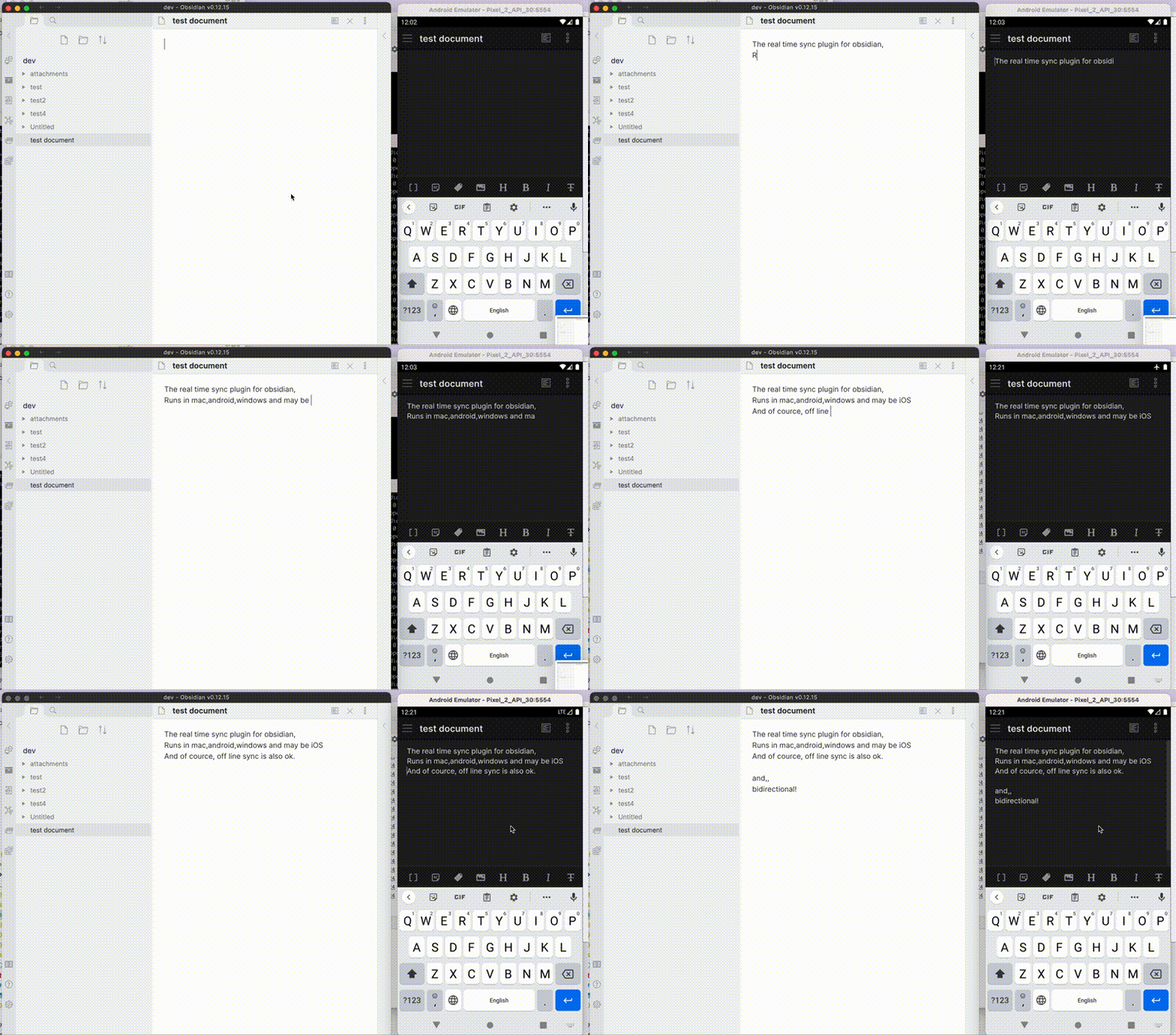
|
||||
|
||||
Before installing or upgrading LiveSync, please back your vault up.
|
||||
>[!IMPORTANT]
|
||||
> This plug-in is not compatible with the official "Obsidian Sync" and cannot synchronise with it.
|
||||
|
||||
## Features
|
||||
- Synchronise vaults efficiently with minimal traffic.
|
||||
- Handle conflicting modifications effectively.
|
||||
- Automatically merge simple conflicts.
|
||||
- Use open-source solutions for the server.
|
||||
- Compatible solutions are supported.
|
||||
- Support end-to-end encryption.
|
||||
- Synchronise settings, snippets, themes, and plug-ins via [Customisation Sync (Beta)](docs/settings.md#6-customisation-sync-advanced) or [Hidden File Sync](docs/tips/hidden-file-sync.md).
|
||||
- Enable supported, opt-in WebRTC peer-to-peer synchronisation.
|
||||
- No central data-storage server is required, but a signalling relay is still required for peer discovery.
|
||||
- At least one device containing the required data must be online while another device synchronises.
|
||||
- Follow the [Peer-to-Peer Setup](docs/setup_p2p.md) after reviewing the [P2P communication model](docs/p2p.md).
|
||||
|
||||
- Visual conflict resolver included.
|
||||
- Bidirectional synchronization between devices nearly in real-time
|
||||
- You can use CouchDB or its compatibles like IBM Cloudant.
|
||||
- End-to-End encryption is supported.
|
||||
- Plugin synchronization(Beta)
|
||||
- Receive WebClip from [obsidian-livesync-webclip](https://chrome.google.com/webstore/detail/obsidian-livesync-webclip/jfpaflmpckblieefkegjncjoceapakdf) (End-to-End encryption will not be applicable.)
|
||||
This plug-in may be particularly useful for researchers, engineers, and developers who need to keep their notes fully self-hosted for security reasons. It is also suitable for anyone seeking the peace of mind that comes with knowing their notes remain entirely private.
|
||||
|
||||
Useful for researchers, engineers and developers with a need to keep their notes fully self-hosted for security reasons. Or just anyone who would like the peace of mind of knowing that their notes are fully private.
|
||||
>[!IMPORTANT]
|
||||
> - Before installing or upgrading this plug-in, please back up your vault.
|
||||
> - Do not enable this plug-in alongside another synchronisation solution (including iCloud and Obsidian Sync).
|
||||
> - For backups, we also provide a plug-in called [Differential ZIP Backup](https://github.com/vrtmrz/diffzip).
|
||||
|
||||
## IMPORTANT NOTICE
|
||||
## How to Use
|
||||
|
||||
- Do not enable this plugin with another synchronization solution at the same time (including iCloud and Obsidian Sync). Before enabling this plugin, make sure to disable all the other synchronization methods to avoid content corruption or duplication. If you want to synchronize to two or more services, do them one by one and never enable two synchronization methods at the same time.
|
||||
This includes not putting your vault inside a cloud-synchronized folder (eg. an iCloud folder or Dropbox folder)
|
||||
- This is a synchronization plugin. Not a backup solution. Do not rely on this for backup.
|
||||
- If the device's storage runs out, database corruption may happen.
|
||||
- Hidden files or any other invisible files wouldn't be kept in the database, and thus won't be synchronized. (**and may also get deleted**)
|
||||
### 3-minute setup - CouchDB on fly.io
|
||||
|
||||
## How to use
|
||||
**Recommended for beginners**
|
||||
|
||||
### Get your database ready.
|
||||
[](https://www.youtube.com/watch?v=7sa_I1832Xc)
|
||||
|
||||
First, get your database ready. IBM Cloudant is preferred for testing. Or you can use your own server with CouchDB. For more information, refer below:
|
||||
1. [Setup IBM Cloudant](docs/setup_cloudant.md)
|
||||
2. [Setup your CouchDB](docs/setup_own_server.md)
|
||||
1. [Set up CouchDB on fly.io](docs/setup_flyio.md)
|
||||
2. Configure plug-in in [Quick Setup](docs/quick_setup.md)
|
||||
|
||||
Note: More information about alternative hosting methods is needed! Currently, [using fly.io](https://github.com/vrtmrz/obsidian-livesync/discussions/85) is being discussed.
|
||||
### Setup workflows
|
||||
|
||||
### Configure the plugin
|
||||
Choose a synchronisation method, prepare its server where required, then follow the corresponding client setup:
|
||||
|
||||
See [Quick setup guide](doccs/../docs/quick_setup.md)
|
||||
1. CouchDB
|
||||
1. Prepare the server:
|
||||
- [Set up your own CouchDB server](docs/setup_own_server.md).
|
||||
- [Set up CouchDB on fly.io](docs/setup_flyio.md).
|
||||
2. Configure the clients by following [CouchDB Quick Setup](docs/quick_setup.md).
|
||||
2. Object Storage
|
||||
1. Prepare the server. A maintained MinIO server installation guide is not currently available here, so set up an S3-compatible service or server of your choice.
|
||||
2. Configure the clients by following [Object Storage Setup](docs/setup_object_storage.md).
|
||||
3. Peer-to-Peer
|
||||
1. No central data-storage server is required. The project's public signalling relay requires no server provisioning; controlled deployments can provide another compatible relay.
|
||||
2. Configure the clients by following [Peer-to-Peer Setup](docs/setup_p2p.md).
|
||||
|
||||
## Something looks corrupted...
|
||||
Each workflow establishes ordinary note synchronisation on the first device, generates a Setup URI for each additional device from that working device, and verifies synchronisation in both directions.
|
||||
|
||||
Please open the configuration link again and Answer below:
|
||||
- If your local database looks corrupted (in other words, when your Obsidian getting weird even standalone.)
|
||||
- Answer `No` to `Keep local DB?`
|
||||
- If your remote database looks corrupted (in other words, when something happens while replicating)
|
||||
- Answer `No` to `Keep remote DB?`
|
||||
> [!TIP]
|
||||
> Fly.io is no longer free. Fortunately, we can still use IBM Cloudant despite some limitations. Refer to [Set up IBM Cloudant](docs/setup_cloudant.md).
|
||||
> We can also use peer-to-peer synchronisation without a central data-storage server; a signalling relay is still used for peer discovery. Alternatively, cheap object storage like Cloudflare R2 can be used for free.
|
||||
> However, most importantly, we can use a server that we trust. Therefore, please set up your own server.
|
||||
> CouchDB can also be run on a Raspberry Pi (please be mindful of your server's security).
|
||||
|
||||
If you answered `No` to both, your databases will be rebuilt by the content on your device. And the remote database will lock out other devices. You have to synchronize all your devices again. (When this time, almost all your files should be synchronized with a timestamp. So you can use an existing vault).
|
||||
|
||||
## Test Server
|
||||
## Information in the Status Bar
|
||||
|
||||
Setting up an instance of Cloudant or local CouchDB is a little complicated, so I set up a [Tasting server for self-hosted-livesync](https://olstaste.vrtmrz.net/). Try it out for free!
|
||||
Note: Please read "Limitations" carefully. Do not send your private vault.
|
||||
|
||||
## Information in StatusBar
|
||||
|
||||
Synchronization status is shown in statusbar.
|
||||
Synchronisation status is shown in the status bar with the following icons.
|
||||
|
||||
- Activity Indicator
|
||||
- 📲 A finite remote operation is in progress
|
||||
- 🌐N Approximate remote requests currently in progress
|
||||
- Status
|
||||
- ⏹️ Stopped
|
||||
- 💤 LiveSync enabled. Waiting for changes.
|
||||
- ⚡️ Synchronization in progress.
|
||||
- ⚠ An error occurred.
|
||||
- ↑ Uploaded chunks and metadata
|
||||
- ↓ Downloaded chunks and metadata
|
||||
- ⏳ Number of pending processes
|
||||
- 🧩 Number of files waiting for their chunks.
|
||||
If you have deleted or renamed files, please wait until ⏳ icon disappeared.
|
||||
- 💤 LiveSync enabled. Waiting for changes
|
||||
- ⚡️ Synchronisation in progress
|
||||
- ⚠ An error occurred
|
||||
- Statistical Indicators
|
||||
- ↑ Uploaded chunks and metadata
|
||||
- ↓ Downloaded chunks and metadata
|
||||
- Progress Indicators
|
||||
- 📥 Unprocessed transferred items
|
||||
- 📄 Working database operation
|
||||
- 💾 Working write storage processes
|
||||
- ⏳ Working read storage processes
|
||||
- 🛫 Pending read storage processes
|
||||
- 📬 Batched read storage processes
|
||||
- ⚙️ Working or pending storage processes for hidden files
|
||||
- 🧩 Waiting chunks
|
||||
- 🔌 Working customisation items (configuration, snippets, and plug-ins)
|
||||
|
||||
To prevent file and database corruption, please avoid closing Obsidian until all progress indicators have disappeared as much as possible (although the plug-in will attempt to resume if interrupted). This is especially important if you have deleted or renamed files.
|
||||
|
||||
## Hints
|
||||
- If a folder becomes empty after a replication, it will be deleted by default. But you can toggle this behaviour. Check the [Settings](docs/settings.md).
|
||||
- LiveSync mode drains more batteries in mobile devices. Periodic sync with some automatic sync is recommended.
|
||||
- Mobile Obsidian can not connect to non-secure (HTTP) or locally-signed servers, even if the root certificate is installed on the device.
|
||||
- There are no 'exclude_folders' like configurations.
|
||||
- While synchronizing, files are compared by their modification time and the older ones will be overwritten by the newer ones. Then plugin checks for conflicts and if a merge is needed, a dialog will open.
|
||||
- Rarely, a file in the database could be corrupted. The plugin will not write to local storage when a file looks corrupted. If a local version of the file is on your device, the corruption could be fixed by editing the local file and synchronizing it. But if the file does not exist on any of your devices, then it can not be rescued. In this case, you can delete these items from the settings dialog.
|
||||
- To stop the boot-up sequence (eg. for fixing problems on databases), you can put a `redflag.md` file at the root of your vault.
|
||||
- Q: The database is growing, how can I shrink it down?
|
||||
A: each of the docs is saved with their past 100 revisions for detecting and resolving conflicts. Picturing that one device has been offline for a while, and comes online again. The device has to compare its notes with the remotely saved ones. If there exists a historic revision in which the note used to be identical, it could be updated safely (like git fast-forward). Even if that is not in revision histories, we only have to check the differences after the revision that both devices commonly have. This is like git's conflict-resolving method. So, We have to make the database again like an enlarged git repo if you want to solve the root of the problem.
|
||||
- And more technical Information is in the [Technical Information](docs/tech_info.md)
|
||||
- If you want to synchronize files without obsidian, you can use [filesystem-livesync](https://github.com/vrtmrz/filesystem-livesync).
|
||||
- WebClipper is also available on Chrome Web Store:[obsidian-livesync-webclip](https://chrome.google.com/webstore/detail/obsidian-livesync-webclip/jfpaflmpckblieefkegjncjoceapakdf)
|
||||
## Tips and Troubleshooting
|
||||
- If you want a faster and simpler initial replication when setting up subsequent devices, see the [Fast Setup Guide](docs/tips/fast-setup.md).
|
||||
- Configure [Hidden File Sync](docs/tips/hidden-file-sync.md) only after ordinary note synchronisation works.
|
||||
- If Obsidian or LiveSync cannot start normally, use [Recovery and flag files](docs/recovery.md) before changing or resetting a remote database.
|
||||
- Self-hosted LiveSync 1.0 requires Obsidian 1.7.2 or later. If you need to use 1.0 on an earlier Obsidian version, please [open an issue](https://github.com/vrtmrz/obsidian-livesync/issues/new?template=issue-report.md) with your version, platform, and reason for remaining on it so that we can assess whether extending support is practical. The standard Community Plugins installer otherwise selects an older compatible plug-in release.
|
||||
- If you are having problems getting the plug-in working, see [Tips and Troubleshooting](docs/troubleshooting.md).
|
||||
|
||||
Repo is here: [obsidian-livesync-webclip](https://github.com/vrtmrz/obsidian-livesync-webclip). (Docs are a work in progress.)
|
||||
## Acknowledgements
|
||||
The project has been in continual progress and harmony thanks to the following:
|
||||
- Many [Contributors](https://github.com/vrtmrz/obsidian-livesync/graphs/contributors).
|
||||
- Many [GitHub Sponsors](https://github.com/sponsors/vrtmrz#sponsors).
|
||||
- JetBrains Community Programs / Support for Open-Source Projects. <img src="https://resources.jetbrains.com/storage/products/company/brand/logos/jetbrains.png" alt="JetBrains logo" height="24">
|
||||
|
||||
May those who have contributed be honoured and remembered for their kindness and generosity.
|
||||
|
||||
## Development Guide
|
||||
Please refer to the [Development Guide](devs.md) for development setup, testing infrastructure, code conventions, and more.
|
||||
|
||||
## License
|
||||
|
||||
The source code is licensed under the MIT License.
|
||||
Licensed under the MIT License.
|
||||
|
||||
+75
-97
@@ -1,9 +1,12 @@
|
||||
# Self-hosted LiveSync
|
||||
|
||||
Self-hosted LiveSync (自搭建在线同步) 是一个社区实现的在线同步插件。
|
||||
使用一个自搭建的或者购买的 CouchDB 作为中转服务器。兼容所有支持 Obsidian 的平台。
|
||||
它利用诸如CouchDB或对象存储系统(例如MinIO、S3、R2等)等强大的服务器解决方案,以确保数据同步的可靠性。。兼容所有支持 Obsidian 的平台。
|
||||
|
||||
注意: 本插件与官方的 "Obsidian Sync" 服务不兼容。
|
||||
此外,它现在支持使用WebRTC进行点对点同步(实验性功能),使您无需依赖服务器即可直接在设备之间同步笔记。
|
||||
|
||||
>[!IMPORTANT]
|
||||
>本插件与官方的 "Obsidian Sync" 服务不兼容。
|
||||
|
||||

|
||||
|
||||
@@ -11,119 +14,94 @@ Self-hosted LiveSync (自搭建在线同步) 是一个社区实现的在线同
|
||||
|
||||
## 功能
|
||||
|
||||
- 可视化的冲突解决器
|
||||
- 接近实时的多设备双向同步
|
||||
- 可使用 CouchDB 以及兼容的服务,如 IBM Cloudant
|
||||
- 支持端到端加密
|
||||
- 插件同步 (Beta)
|
||||
- 从 [obsidian-livesync-webclip](https://chrome.google.com/webstore/detail/obsidian-livesync-webclip/jfpaflmpckblieefkegjncjoceapakdf) 接收 WebClip (本功能不适用端到端加密)
|
||||
- 以最少流量高效同步vault
|
||||
- 有效处理冲突的修改。
|
||||
- 自动合并简单冲突。
|
||||
- 服务端使用开源的解决方案
|
||||
- 支持兼容的解决方案。
|
||||
- 支持端到端加密。
|
||||
- 同步设置、代码片段、主题和插件,通过 [Customisation Sync (Beta)](docs/settings.md#6-customization-sync-advanced) 或者 [Hidden File Sync](docs/settings.md#7-hidden-files-advanced).
|
||||
- 启用 WebRTC 点对点同步,无需指定 `host`(实验性)。
|
||||
- 此功能仍处于试验阶段。请在使用时务必谨慎。
|
||||
- WebRTC 是一种点对点同步方法,因此**至少有一台设备必须在线才能进行同步**。
|
||||
- 与其让您的设备作为稳定的对等节点保持在线,您可以使用两个 pseudo-peers:
|
||||
- [livesync-serverpeer](https://github.com/vrtmrz/livesync-serverpeer): 在服务器上运行的 pseudo-client 用于在设备之间接收和发送数据。
|
||||
- [webpeer](https://github.com/vrtmrz/livesync-commonlib/tree/main/apps/webpeer): 用于在设备之间接收和发送数据的pseudo-client。
|
||||
- 一个预构建的实例现已上线,地址为 [fancy-syncing.vrtmrz.net/webpeer](https://fancy-syncing.vrtmrz.net/webpeer/) (托管于vrtmrz博客网站). 这也是一个点对点的实例。可自由使用。
|
||||
- 欲了解更多信息,请参阅[英文说明文章](https://fancy-syncing.vrtmrz.net/blog/0034-p2p-sync-en.html)或[日文说明文章](https://fancy-syncing.vrtmrz.net/blog/0034-p2p-sync)。
|
||||
|
||||
适用于出于安全原因需要将笔记完全自托管的研究人员、工程师或开发人员,以及任何喜欢笔记完全私密所带来的安全感的人。
|
||||
此插件适用于出于安全原因需要将笔记完全自托管的研究人员、工程师或开发人员,以及任何喜欢笔记完全私密所带来的安全感的人。
|
||||
|
||||
## 重要提醒
|
||||
|
||||
- 请勿与其他同步解决方案(包括 iCloud、Obsidian Sync)一起使用。在启用此插件之前,请确保禁用所有其他同步方法以避免内容损坏或重复。如果要同步到多个服务,请一一进行,切勿同时启用两种同步方法。
|
||||
这包括不能将您的保管库放在云同步文件夹中(例如 iCloud 文件夹或 Dropbox 文件夹)
|
||||
- 这是一个同步插件,不是备份解决方案。不要依赖它进行备份。
|
||||
- 如果设备的存储空间耗尽,可能会发生数据库损坏。
|
||||
- 隐藏文件或任何其他不可见文件不会保存在数据库中,因此不会被同步。(**并且可能会被删除**)
|
||||
>[!IMPORTANT]
|
||||
> - 在安装或升级此插件之前,请务必备份您的保险库。
|
||||
> - 请勿同时启用此插件与其它同步方案(包括iCloud和Obsidian Sync)。
|
||||
> - 对于备份,我们还提供了一款名为[Differential ZIP Backup](https://github.com/vrtmrz/diffzip)的插件。
|
||||
|
||||
## 如何使用
|
||||
|
||||
### 准备好你的数据库
|
||||
### 3分钟搞定——在fly.io上部署CouchDB
|
||||
|
||||
首先,准备好你的数据库。IBM Cloudant 是用于测试的首选。或者,您也可以在自己的服务器上安装 CouchDB。有关更多信息,请参阅以下内容:
|
||||
1. [Setup IBM Cloudant](docs/setup_cloudant.md)
|
||||
2. [Setup your CouchDB](docs/setup_own_server_cn.md)
|
||||
**推荐初学者第一次使用此方法**
|
||||
[](https://www.youtube.com/watch?v=7sa_I1832Xc)
|
||||
|
||||
Note: 正在征集更多搭建方法!目前在讨论的有 [使用 fly.io](https://github.com/vrtmrz/obsidian-livesync/discussions/85)。
|
||||
1. [Setup CouchDB on fly.io](docs/setup_flyio.md)
|
||||
2. 在 [Quick Setup](docs/quick_setup.md) 中配置插件。
|
||||
|
||||
### 第一个设备
|
||||
### 手动设置
|
||||
|
||||
1. 在您的设备上安装插件。
|
||||
2. 配置远程数据库信息。
|
||||
1. 将您的服务器信息填写到 `Remote Database configuration`(远程数据库配置)设置页中。
|
||||
2. 建议启用 `End to End Encryption`(端到端加密)。输入密码后,单击“应用”。
|
||||
3. 点击 `Test Database Connection` 并确保插件显示 `Connected to (你的数据库名称)`。
|
||||
4. 单击 `Check database configuration`(检查数据库配置)并确保所有测试均已通过。
|
||||
3. 在 `Sync Settings`(同步设置)选项卡中配置何时进行同步。(您也可以稍后再设置)
|
||||
1. 如果要实时同步,请启用 `LiveSync`。
|
||||
2. 或者,根据您的需要设置同步方式。默认情况下,不会启用任何自动同步,这意味着您需要手动触发同步过程。
|
||||
3. 其他配置也在这里。建议启用 `Use Trash for deleted files`(删除文件到回收站),但您也可以保持所有配置不变。
|
||||
4. 配置杂项功能。
|
||||
1. 启用 `Show staus inside editor` 会在编辑器右上角显示状态。(推荐开启)
|
||||
5. 回到编辑器。等待初始扫描完成。
|
||||
6. 当状态不再变化并显示 ⏹️ 图标表示 COMPLETED(没有 ⏳ 和 🧩 图标)时,您就可以与服务器同步了。
|
||||
7. 按功能区上的复制图标或从命令面板运行 `Replicate now`(立刻复制)。这会将您的所有数据发送到服务器。
|
||||
8. 打开命令面板,运行 `Copy setup URI`(复制设置链接),并设置密码。这会将您的配置导出到剪贴板,作为您导入其他设备的链接。
|
||||
1. 配置服务器
|
||||
1. [在fly.io上快速搭建CouchDB](docs/setup_flyio.md)
|
||||
2. [自行搭建CouchDB](docs/setup_own_server.md)
|
||||
2. 在[快速设置](docs/quick_setup.md)中配置插件
|
||||
|
||||
> [!提示]
|
||||
> Fly.io现已不再免费。不过,尽管存在一些问题,我们仍可使用IBM Cloudant。请参考[搭建IBM Cloudant](docs/setup_cloudant.md)。
|
||||
> 此外,我们还可以采用点对点同步方式,无需搭建服务器;或者选用价格极低的对象存储——Cloudflare R2可免费使用。
|
||||
> 但最重要的是,我们可以选择自己信任的服务器。因此,建议您搭建自有服务器
|
||||
> CouchDB可在树莓派上运行。(但请务必注意服务器的安全性)。
|
||||
|
||||
**重要: 不要公开本链接,这个链接包含了你的所有认证信息!** (即使没有密码别人读不了)
|
||||
|
||||
### 后续设备
|
||||
|
||||
注意:如果要与非空的 vault 进行同步,文件的修改日期和时间必须互相匹配。否则,可能会发生额外的传输或文件可能会损坏。
|
||||
为简单起见,我们强烈建议同步到一个全空的 vault。
|
||||
## 状态栏中的信息
|
||||
|
||||
1. 安装插件。
|
||||
2. 打开您从第一台设备导出的链接。
|
||||
3. 插件会询问您是否确定应用配置。 回答 `Yes`,然后按照以下说明进行操作:
|
||||
1. 对 `Keep local DB?` 回答 `Yes`。
|
||||
*注意:如果您希望保留本地现有 vault,则必须对此问题回答 `No`,并对 `Rebuild the database?` 回答 `No`。*
|
||||
2. 对 `Keep remote DB?` 回答 `Yes`。
|
||||
3. 对 `Replicate once?` 回答 `Yes`。
|
||||
完成后,您的所有设置将会从第一台设备成功导入。
|
||||
4. 你的笔记应该很快就会同步。
|
||||
|
||||
## 文件看起来有损坏...
|
||||
|
||||
请再次打开配置链接并回答如下:
|
||||
- 如果您的本地数据库看起来已损坏(当你的本地 Obsidian 文件看起来很奇怪)
|
||||
- 对 `Keep local DB?` 回答 `No`
|
||||
- 如果您的远程数据库看起来已损坏(当复制时发生中断)
|
||||
- 对 `Keep remote DB?` 回答 `No`
|
||||
|
||||
如果您对两者都回答“否”,您的数据库将根据您设备上的内容重建。并且远程数据库将锁定其他设备,您必须再次同步所有设备。(此时,几乎所有文件都会与时间戳同步。因此您可以安全地使用现有的 vault)。
|
||||
|
||||
## 测试服务器
|
||||
|
||||
设置 Cloudant 或本地 CouchDB 实例有点复杂,所以我搭建了一个 [self-hosted-livesync 尝鲜服务器](https://olstaste.vrtmrz.net/)。欢迎免费尝试!
|
||||
注意:请仔细阅读“限制”条目。不要发送您的私人 vault。
|
||||
|
||||
## 状态栏信息
|
||||
|
||||
同步状态将显示在状态栏。
|
||||
同步状态显示在状态栏中,采用以下图标。
|
||||
|
||||
- 活动指示器
|
||||
- 📲 网络请求
|
||||
- 状态
|
||||
- ⏹️ 就绪
|
||||
- 💤 LiveSync 已启用,正在等待更改。
|
||||
- ⚡️ 同步中。
|
||||
- ⚠ 一个错误出现了。
|
||||
- ↑ 上传的 chunk 和元数据数量
|
||||
- ↓ 下载的 chunk 和元数据数量
|
||||
- ⏳ 等待的过程的数量
|
||||
- 🧩 正在等待 chunk 的文件数量
|
||||
如果你删除或更名了文件,请等待 ⏳ 图标消失。
|
||||
- ⏹️ 已停止
|
||||
- 💤 LiveSync已启用,正在等待更改
|
||||
- ⚡️ 同步中
|
||||
- ⚠ 发生了错误
|
||||
- 统计指标
|
||||
- ↑ 上传的分块与元数据
|
||||
- ↓ 下载的分块与元数据
|
||||
- 进度指示器
|
||||
- 📥 未处理的传输项
|
||||
- 📄 正在进行的数据库操作
|
||||
- 💾 正在进行的写入存储进程
|
||||
- ⏳ 正在进行的读取存储进程
|
||||
- 🛫 待处理的读取存储进程
|
||||
- 📬 批量处理的读取存储进程
|
||||
- ⚙️ 正在进行或待处理的隐藏文件存储进程
|
||||
- 🧩 等待中的分块
|
||||
- 🔌 正在进行的自定义项(配置、代码片段和插件)
|
||||
|
||||
为避免文件和数据库损坏,请等待所有进度指示器尽可能消失后再关闭 Obsidian(插件也会尝试恢复同步进度)。特别是在您已删除或重命名文件的情况下,请务必遵守此操作。
|
||||
|
||||
|
||||
## 提示
|
||||
|
||||
- 如果文件夹在复制后变为空,则默认情况下该文件夹会被删除。您可以关闭此行为。检查 [设置](docs/settings.md)。
|
||||
- LiveSync 模式在移动设备上可能导致耗电量增加。建议使用定期同步 + 条件自动同步。
|
||||
- 移动平台上的 Obsidian 无法连接到非安全 (HTTP) 或本地签名的服务器,即使设备上安装了根证书。
|
||||
- 没有类似“exclude_folders”的配置。
|
||||
- 同步时,文件按修改时间进行比较,较旧的将被较新的文件覆盖。然后插件检查冲突,如果需要合并,将打开一个对话框。
|
||||
- 数据库中的文件在罕见情况下可能会损坏。当接收到的文件看起来已损坏时,插件不会将其写入本地存储。如果您的设备上有文件的本地版本,则可以通过编辑本地文件并进行同步来覆盖损坏的版本。但是,如果您的任何设备上都不存在该文件,则无法挽救该文件。在这种情况下,您可以从设置对话框中删除这些损坏的文件。
|
||||
- 要阻止插件的启动流程(例如,为了修复数据库问题),您可以在 vault 的根目录创建一个 "redflag.md" 文件。
|
||||
- 问:数据库在增长,我该如何缩小它?
|
||||
答:每个文档都保存了过去 100 次修订,用于检测和解决冲突。想象一台设备已经离线一段时间,然后再次上线。设备必须将其笔记与远程保存的笔记进行比较。如果存在曾经相同的历史修订,则可以安全地直接更新这个文件(和 git 的快进原理一样)。即使文件不在修订历史中,我们也只需检查两个设备上该文件的公有修订版本之后的差异。这就像 git 的冲突解决方法。所以,如果想从根本上解决数据库太大的问题,我们像构建一个扩大版的 git repo 一样去重新设计数据库。
|
||||
- 更多技术信息在 [技术信息](docs/tech_info.md)
|
||||
- 如果你想在没有黑曜石的情况下同步文件,你可以使用[filesystem-livesync](https://github.com/vrtmrz/filesystem-livesync)。
|
||||
- WebClipper 也可在 Chrome Web Store 上使用:[obsidian-livesync-webclip](https://chrome.google.com/webstore/detail/obsidian-livesync-webclip/jfpaflmpckblieefkegjncjoceapakdf)
|
||||
## 使用技巧与故障排除
|
||||
如果您在配置插件时遇到问题,请参阅:[Tips and Troubleshooting](docs/troubleshooting.md).
|
||||
|
||||
|
||||
仓库地址:[obsidian-livesync-webclip](https://github.com/vrtmrz/obsidian-livesync-webclip) (文档施工中)
|
||||
## 致谢
|
||||
本项目得以持续顺利推进,离不开以下各方的贡献:
|
||||
- 众多[贡献者](https://github.com/vrtmrz/obsidian-livesync/graphs/contributors)。
|
||||
- 许多[GitHub 赞助人](https://github.com/sponsors/vrtmrz#sponsors)。
|
||||
- JetBrains 社区计划/对开源项目的支持。<img src="https://resources.jetbrains.com/storage/products/company/brand/logos/jetbrains.png" alt="JetBrains logo" height="24">
|
||||
|
||||
## License
|
||||
愿所有作出贡献的人士因其善良与慷慨而受到尊敬与铭记。
|
||||
|
||||
The source code is licensed under the MIT License.
|
||||
本源代码使用 MIT 协议授权。
|
||||
## 许可协议
|
||||
|
||||
本项目采用 MIT 许可协议授权。
|
||||
|
||||
@@ -0,0 +1,93 @@
|
||||
<!-- For translation: 20240227r0 -->
|
||||
# Self-hosted LiveSync
|
||||
[Documentación en inglés](./README_ja.md) - [Documentación en japonés](./README_ja.md) - [Documentación en chino](./README_cn.md).
|
||||
|
||||
Self-hosted LiveSync es un plugin de sincronización implementado por la comunidad, disponible en todas las plataformas compatibles con Obsidian y utiliza CouchDB o Almacenamiento de Objetos (por ejemplo, MinIO, S3, R2, etc.) como servidor.
|
||||
|
||||

|
||||
|
||||
Nota: Este plugin no puede sincronizarse con el "Obsidian Sync" oficial.
|
||||
|
||||
## Características
|
||||
|
||||
- Sincroniza bóvedas de manera eficiente con menos tráfico.
|
||||
- Buen manejo de modificaciones en conflicto.
|
||||
- Fusión automática para conflictos simples.
|
||||
- Uso de soluciones de código abierto para el servidor.
|
||||
- Pueden usarse soluciones compatibles.
|
||||
- Soporte de cifrado de extremo a extremo.
|
||||
- Sincronización de configuraciones, fragmentos, temas y complementos a través de [Sincronización de personalización \(Beta\)](#customization-sync) o [Sincronización de archivos ocultos](#hiddenfilesync)
|
||||
- WebClip de [obsidian-livesync-webclip](https://chrome.google.com/webstore/detail/obsidian-livesync-webclip/jfpaflmpckblieefkegjncjoceapakdf)
|
||||
|
||||
Este plugin puede ser útil para investigadores, ingenieros y desarrolladores que necesitan mantener sus notas totalmente autoalojadas por razones de seguridad, o para aquellos que deseen tener la tranquilidad de saber que sus notas son totalmente privadas.
|
||||
|
||||
>[!IMPORTANTE]
|
||||
> - Antes de instalar o actualizar este plugin, realice un respaldo de su bóveda.
|
||||
> - No active este plugin junto con otra solución de sincronización al mismo tiempo (incluyendo iCloud y Obsidian Sync).
|
||||
> - Este es un plugin de sincronización, no una solución de respaldo. No confíe en él para realizar respaldos.
|
||||
|
||||
## Cómo usar
|
||||
|
||||
### Configuración en 3 minutos - CouchDB en fly.io
|
||||
|
||||
**Recomendado para principiantes**
|
||||
|
||||
[](https://www.youtube.com/watch?v=7sa_I1832Xc)
|
||||
|
||||
1. [Configurar CouchDB en fly.io](docs/setup_flyio_es.md)
|
||||
2. Configurar el plugin en [Configuración rápida](docs/quick_setup_es.md)
|
||||
|
||||
### Configuración manual
|
||||
|
||||
1. Configurar el servidor
|
||||
1. [Configurar CouchDB en fly.io](docs/setup_flyio_es.md)
|
||||
2. [Configurar su CouchDB](docs/setup_own_server_es.md)
|
||||
2. Configura el plugin en [Configuración rápida](docs/quick_setup_es.md)
|
||||
|
||||
> [!CONSEJO]
|
||||
> Actualmente, fly.io ya no es gratuito. Afortunadamente, aunque hay algunos problemas, aún podemos usar IBM Cloudant. Aquí está como [Configurar IBM Cloudant](docs/setup_cloudant.md). ¡Se actualizará pronto!
|
||||
|
||||
|
||||
## Información en la barra de estado
|
||||
|
||||
El estado de sincronización se muestra en la barra de estado con los siguientes iconos.
|
||||
|
||||
- Indicador de actividad
|
||||
- 📲 Solicitud de red
|
||||
- Estado
|
||||
- ⏹️ Detenido
|
||||
- 💤 LiveSync activado. Esperando cambios
|
||||
- ⚡️ Sincronización en progreso
|
||||
- ⚠ Ocurrió un error
|
||||
- Indicador estadístico
|
||||
- ↑ Chunks y metadatos subidos
|
||||
- ↓ Chunks y metadatos descargados
|
||||
- Indicador de progreso
|
||||
- 📥 Elementos transferidos sin procesar
|
||||
- 📄 Operación de base de datos en curso
|
||||
- 💾 Procesos de escritura en almacenamiento en curso
|
||||
- ⏳ Procesos de lectura en almacenamiento en curso
|
||||
- 🛫 Procesos de lectura en almacenamiento pendientes
|
||||
- 📬 Procesos de lectura en almacenamiento por lotes
|
||||
- ⚙️ Procesos de almacenamiento de archivos ocultos en curso o pendientes
|
||||
- 🧩 Chunks en espera
|
||||
- 🔌 Elementos de personalización en curso (Configuración, fragmentos y plugins)
|
||||
|
||||
Para prevenir la corrupción de archivos y bases de datos, antes de detener Obsidian espere hasta que todos los indicadores de progreso hayan desaparecido (el plugin también intentará reanudar, sin embargo). Especialmente en caso de que haya eliminado o renombrado archivos.
|
||||
|
||||
|
||||
## Consejos y Solución de Problemas
|
||||
Si tienes problemas para hacer funcionar el plugin, consulta: [Consejos y solución de problemas](docs/troubleshooting_es.md).
|
||||
|
||||
## Agradecimientos
|
||||
|
||||
El proyecto ha progresado y mantenido en armonía gracias a:
|
||||
- Muchos [Colaboradores](https://github.com/vrtmrz/obsidian-livesync/graphs/contributors)
|
||||
- Muchos [Patrocinadores de GitHub](https://github.com/sponsors/vrtmrz#sponsors)
|
||||
- Programas comunitarios de JetBrains / Soporte para Proyectos de Código Abierto <img src="https://resources.jetbrains.com/storage/products/company/brand/logos/jetbrains.png" alt="JetBrains logo." height="24">
|
||||
|
||||
Que aquellos que han contribuido sean honrados y recordados por su amabilidad y generosidad.
|
||||
|
||||
## Licencia
|
||||
|
||||
Licenciado bajo la Licencia MIT.
|
||||
+78
-76
@@ -1,84 +1,86 @@
|
||||
<!-- For translation: 20240227r0 -->
|
||||
# Self-hosted LiveSync
|
||||
[英語版ドキュメント](./README.md) - [中国語版ドキュメント](./README_cn.md).
|
||||
|
||||
**旧): obsidian-livesync**
|
||||
Obsidianで利用可能なすべてのプラットフォームで使える、CouchDBをサーバに使用する、コミュニティ版の同期プラグイン
|
||||
|
||||
セルフホストしたデータベースを使って、双方向のライブシンクするObsidianのプラグイン。
|
||||
**公式のSyncとは互換性はありません**
|
||||

|
||||
|
||||
**インストールする前に、Vaultのバックアップを確実に取得してください**
|
||||
|
||||
[英語版](./README.md)
|
||||
|
||||
## こんなことができるプラグインです。
|
||||
- Windows, Mac, iPad, iPhone, Android, Chromebookで動く
|
||||
- セルフホストしたデータベースに同期して
|
||||
- 複数端末で同時にその変更をほぼリアルタイムで配信し
|
||||
- さらに、他の端末での変更も別の端末に配信する、双方向リアルタイムなLiveSyncを実現でき、
|
||||
- 発生した変更の衝突はその場で解決できます。
|
||||
- 同期先のホストにはCouchDBまたはその互換DBaaSのIBM Cloudantをサーバーに使用できます。あなたのデータは、あなたのものです。
|
||||
- もちろんLiveではない同期もできます。
|
||||
- 万が一のために、サーバーに送る内容を暗号化できます(betaです)。
|
||||
- [Webクリッパー](https://chrome.google.com/webstore/detail/obsidian-livesync-webclip/jfpaflmpckblieefkegjncjoceapakdf) もあります(End-to-End暗号化対象外です)
|
||||
|
||||
NDAや類似の契約や義務、倫理を守る必要のある、研究者、設計者、開発者のような方に特にオススメです。
|
||||
特にエンタープライズでは、たとえEnd to Endの暗号化が行われていても、管理下にあるサーバーにのみデータを格納することが求められる場合があります。
|
||||
|
||||
# 重要なお知らせ
|
||||
|
||||
- ❌ファイルの重複や破損を避けるため、複数の同期手段を同時に使用しないでください。
|
||||
これは、Vaultをクラウド管理下のフォルダに置くことも含みます。(例えば、iCloudの管理フォルダ内に入れたり)。
|
||||
- ⚠️このプラグインは、端末間でのノートの反映を目的として作成されました。バックアップ等が目的ではありません。そのため、バックアップは必ず別のソリューションで行うようにしてください。
|
||||
- ストレージの空き容量が枯渇した場合、データベースが破損することがあります。
|
||||
|
||||
# このプラグインの使い方
|
||||
|
||||
1. Community Pluginsから、Self-holsted LiveSyncと検索しインストールするか、このリポジトリのReleasesから`main.js`, `manifest.json`, `style.css` をダウンロードしvaultの中の`.obsidian/plugins/obsidian-livesync`に入れて、Obsidianを再起動してください。
|
||||
2. サーバーをセットアップします。IBM Cloudantがお手軽かつ堅牢で便利です。完全にセルフホストする際にはお持ちのサーバーにCouchDBをインストールする必要があります。詳しくは下記を参照してください
|
||||
1. [IBM Cloudantのセットアップ](docs/setup_cloudant_ja.md)
|
||||
2. [独自のCouchDBのセットアップ](docs/setup_own_server_ja.md)
|
||||
|
||||
備考: IBM Cloudantのアカウント登録が出来ないケースがあるようです。代替を探していて、今 [using fly.io](https://github.com/vrtmrz/obsidian-livesync/discussions/85)を検討しています。
|
||||
|
||||
1. [Quick setup](docs/quick_setup_ja.md)から、セットアップウィザード使ってセットアップしてください。
|
||||
|
||||
# テストサーバー
|
||||
|
||||
もし、CouchDBをインストールしたり、Cloudantのインスタンスをセットアップしたりするのに気が引ける場合、[Self-hosted LiveSyncのテストサーバー](https://olstaste.vrtmrz.net/)を作りましたので、使ってみてください。
|
||||
|
||||
備考: 制限事項をよく確認して使用してください。くれぐれも、本当に使用している自分のVaultを同期しないようにしてください。
|
||||
|
||||
# WebClipperあります
|
||||
Self-hosted LiveSync用にWebClipperも作りました。Chrome Web Storeからダウンロードできます。
|
||||
|
||||
[obsidian-livesync-webclip](https://chrome.google.com/webstore/detail/obsidian-livesync-webclip/jfpaflmpckblieefkegjncjoceapakdf)
|
||||
|
||||
リポジトリはこちらです: [obsidian-livesync-webclip](https://github.com/vrtmrz/obsidian-livesync-webclip)。
|
||||
|
||||
相変わらずドキュメントは間に合っていません。
|
||||
|
||||
# ステータスバーの情報
|
||||
右下のステータスバーに、同期の状態が表示されます
|
||||
|
||||
- 同期状態
|
||||
- ⏹️ 同期は停止しています
|
||||
- 💤 同期はLiveSync中で、なにか起こるのを待っています
|
||||
- ⚡️ 同期中です
|
||||
- ⚠ エラーが発生しています
|
||||
- ↑ 送信したデータ数
|
||||
- ↓ 受信したデータ数
|
||||
- ⏳ 保留している処理の数です
|
||||
ファイルを削除したりリネームした場合、この表示が消えるまでお待ちください。
|
||||
|
||||
# さらなる補足
|
||||
- ファイルは同期された後、タイムスタンプを比較して新しければいったん新しい方で上書きされます。その後、衝突が発生したかによって、マージが行われます。
|
||||
- まれにファイルが破損することがあります。破損したファイルに関してはディスクへの反映を試みないため、実際には使用しているデバイスには少し古いファイルが残っていることが多いです。そのファイルを再度更新してもらうと、データベースが更新されて問題なくなるケースがあります。ファイルがどの端末にも存在しない場合は、設定画面から、削除できます。
|
||||
- データベースの復旧中に再起動した場合など、うまくローカルデータベースを修正できない際には、Vaultのトップに`redflag.md`というファイルを置いてください。起動時のシーケンスがスキップされます。
|
||||
- データベースが大きくなってきてるんだけど、小さくできる?→各ノートは、それぞれの古い100リビジョンとともに保存されています。例えば、しばらくオフラインだったあるデバイスが、久しぶりに同期したと想定してみてください。そのとき、そのデバイスは最新とは少し異なるリビジョンを持ってるはずです。その場合でも、リモートのリビジョン履歴にリモートのものが存在した場合、安全にマージできます。もしリビジョン履歴に存在しなかった場合、確認しなければいけない差分も、対象を存在して持っている共通のリビジョン以降のみに絞れます。ちょうどGitのような方法で、衝突を解決している形になるのです。そのため、肥大化したリポジトリの解消と同様に、本質的にデータベースを小さくしたい場合は、データベースの作り直しが必要です。
|
||||
- その他の技術的なお話は、[技術的な内容](docs/tech_info_ja.md)に書いてあります。
|
||||
※公式のSyncと同期することはできません。
|
||||
|
||||
|
||||
# ライセンス
|
||||
## 機能
|
||||
- 高効率・低トラフィックでVault同士を同期
|
||||
- 競合解決がいい感じ
|
||||
- 単純な競合なら自動マージします
|
||||
- OSSソリューションを同期サーバに使用
|
||||
- 互換ソリューションも使用可能です
|
||||
- End-to-End暗号化実装済み
|
||||
- 設定・スニペット・テーマ、プラグインの同期が可能
|
||||
- [Webクリッパー](https://chrome.google.com/webstore/detail/obsidian-livesync-webclip/jfpaflmpckblieefkegjncjoceapakdf) もあります
|
||||
|
||||
The source code is licensed MIT.
|
||||
|
||||
NDAや類似の契約や義務、倫理を守る必要のある、研究者、設計者、開発者のような方に特にオススメです。
|
||||
|
||||
|
||||
>[!IMPORTANT]
|
||||
> - インストール・アップデート前には必ずVaultをバックアップしてください
|
||||
> - 複数の同期ソリューションを同時に有効にしないでください(これはiCloudや公式のSyncも含みます)
|
||||
> - このプラグインは同期プラグインです。バックアップとして使用しないでください
|
||||
|
||||
|
||||
## このプラグインの使い方
|
||||
|
||||
### 3分セットアップ - CouchDB on fly.io
|
||||
|
||||
**はじめての方におすすめ**
|
||||
|
||||
[](https://www.youtube.com/watch?v=7sa_I1832Xc)
|
||||
|
||||
1. [Fly.ioにCouchDBをセットアップする](docs/setup_flyio.md)
|
||||
2. [Quick Setup](docs/quick_setup_ja.md)でプラグインを設定する
|
||||
|
||||
|
||||
### Manually Setup
|
||||
|
||||
1. サーバのセットアップ
|
||||
1. [Fly.ioにCouchDBをセットアップする](docs/setup_flyio.md)
|
||||
2. [CouchDBをセットアップする](docs/setup_own_server_ja.md)
|
||||
2. [Quick Setup](docs/quick_setup_ja.md)でプラグインを設定する
|
||||
|
||||
> [!TIP]
|
||||
> IBM Cloudantもまだ使用できますが、いくつかの理由で現在はおすすめしていません。[IBM Cloudantのセットアップ](docs/setup_cloudant_ja.md)はまだあります。
|
||||
|
||||
## ステータスバーの説明
|
||||
|
||||
同期ステータスはステータスバーに、下記のアイコンとともに表示されます
|
||||
|
||||
- アクティビティー
|
||||
- 📲 ネットワーク接続中
|
||||
- 同期ステータス
|
||||
- ⏹️ 停止中
|
||||
- 💤 変更待ち(LiveSync中)
|
||||
- ⚡️ 同期の進行中
|
||||
- ⚠ エラー
|
||||
- 統計情報
|
||||
- ↑ アップロードしたチャンクとメタデータ数
|
||||
- ↓ ダウンロードしたチャンクとメタデータ数
|
||||
- 進捗情報
|
||||
- 📥 転送後、未処理の項目数
|
||||
- 📄 稼働中データベース操作数
|
||||
- 💾 稼働中のストレージ書き込み数操作数
|
||||
- ⏳ 稼働中のストレージ読み込み数操作数
|
||||
- 🛫 待機中のストレージ読み込み数操作数
|
||||
- ⚙️ 隠しファイルの操作数(待機・稼働中合計)
|
||||
- 🧩 取得待ちを行っているチャンク数
|
||||
- 🔌 設定同期関連の操作数
|
||||
|
||||
データベースやファイルの破損を避けるため、Obsidianの終了は進捗情報が表示されなくなるまで待ってください(プラグインも復帰を試みますが)。特にファイルを削除やリネームした場合は気をつけてください。
|
||||
|
||||
|
||||
## Tips and Troubleshooting
|
||||
- 2台目以降のセットアップ時に、初期同期をより迅速かつ簡単に行うには、[ファストセットアップガイド](docs/tips/fast-setup_ja.md)をご参照ください。
|
||||
- 何かこまったら、[Tips and Troubleshooting](docs/troubleshooting.md)をご参照ください。
|
||||
|
||||
## License
|
||||
|
||||
Licensed under the MIT License.
|
||||
@@ -0,0 +1,12 @@
|
||||
import { writeFileSync } from "fs";
|
||||
import { allMessages } from "../src/common/messages/combinedMessages.dev.ts";
|
||||
import path from "path";
|
||||
const __dirname = import.meta.dirname;
|
||||
const currentPath = __dirname;
|
||||
const outDir = path.resolve(currentPath, "../src/common/messages/combinedMessages.prod.ts");
|
||||
|
||||
console.log(`Writing to ${outDir}`);
|
||||
writeFileSync(
|
||||
outDir,
|
||||
`export const allMessages: Readonly<Record<string, Readonly<Record<string, string>>>> = ${JSON.stringify(allMessages, null, 4)};`
|
||||
);
|
||||
@@ -0,0 +1,58 @@
|
||||
import { readFile } from "fs/promises";
|
||||
import { join, resolve } from "path";
|
||||
import { glob } from "tinyglobby";
|
||||
import { parse } from "yaml";
|
||||
import { objectToDotted } from "./messagelib.ts";
|
||||
|
||||
const __dirname = import.meta.dirname;
|
||||
const targetDir = resolve(join(__dirname, "../src/common/messagesYAML/"));
|
||||
const files = (await glob(`*.yaml`, { expandDirectories: false, absolute: true, cwd: targetDir })).sort();
|
||||
|
||||
function flattenMessages(src: Record<string, unknown>) {
|
||||
return Object.fromEntries(
|
||||
Object.entries(objectToDotted(src))
|
||||
.map(([key, value]) => [key.endsWith("._value") ? key.slice(0, -7) : key, value] as const)
|
||||
.filter(([, value]) => typeof value === "string")
|
||||
.sort(([a], [b]) => a.localeCompare(b))
|
||||
) as Record<string, string>;
|
||||
}
|
||||
|
||||
const localeData = new Map<string, Record<string, string>>();
|
||||
for (const file of files) {
|
||||
const segments = file.split(/[/\\]/);
|
||||
const locale = segments[segments.length - 1]!.replace(/\.yaml$/, "");
|
||||
const content = await readFile(file, "utf-8");
|
||||
localeData.set(locale, flattenMessages(parse(content) ?? {}));
|
||||
}
|
||||
|
||||
const baseLocale = "en";
|
||||
const base = localeData.get(baseLocale);
|
||||
if (!base) {
|
||||
throw new Error("en.yaml not found");
|
||||
}
|
||||
|
||||
const baseKeys = Object.keys(base);
|
||||
const report = Object.fromEntries(
|
||||
[...localeData.entries()].map(([locale, data]) => {
|
||||
const keys = new Set(Object.keys(data));
|
||||
const missing = baseKeys.filter((key) => !keys.has(key));
|
||||
const identicalToEnglish = baseKeys.filter(
|
||||
(key) => keys.has(key) && locale !== baseLocale && data[key] === base[key]
|
||||
);
|
||||
const translated = baseKeys.length - missing.length;
|
||||
return [
|
||||
locale,
|
||||
{
|
||||
totalBaseKeys: baseKeys.length,
|
||||
translatedKeys: translated,
|
||||
missingKeys: missing.length,
|
||||
identicalToEnglishCount: identicalToEnglish.length,
|
||||
coverage: `${translated}/${baseKeys.length}`,
|
||||
missing,
|
||||
identicalToEnglish,
|
||||
},
|
||||
];
|
||||
})
|
||||
);
|
||||
|
||||
console.log(JSON.stringify(report, null, 2));
|
||||
@@ -0,0 +1,55 @@
|
||||
import { writeFileSync } from "fs";
|
||||
|
||||
import { SUPPORTED_I18N_LANGS, type I18N_LANGS } from "../src/common/rosetta";
|
||||
import { allMessages } from "../src/common/messages/combinedMessages.dev.ts";
|
||||
|
||||
import path from "path";
|
||||
const thisFileDir = __dirname;
|
||||
const outDir = path.join(thisFileDir, "i18n");
|
||||
|
||||
const out = {} as Record<string, { [key: string]: string | undefined }>;
|
||||
|
||||
for (const [key, value] of Object.entries(allMessages)) {
|
||||
for (const lang of [...SUPPORTED_I18N_LANGS, "def"]) {
|
||||
if (!out[lang]) out[lang] = {};
|
||||
if (lang in value) {
|
||||
out[lang][key] = value[lang as I18N_LANGS];
|
||||
} else {
|
||||
if (lang === "def") {
|
||||
out[lang][key] = key;
|
||||
} else {
|
||||
out[lang][key] = undefined;
|
||||
}
|
||||
}
|
||||
}
|
||||
}
|
||||
|
||||
for (const [lang, value] of Object.entries(out)) {
|
||||
const filename = `${lang}.ts`;
|
||||
const escapeString = (prefix: string, key: string, str: string) => {
|
||||
if (str.indexOf("\n") !== -1) {
|
||||
const encoded = JSON.stringify(str);
|
||||
const lineWrapped = encoded.split("\\n").join("\\\n" + prefix);
|
||||
|
||||
return `${prefix}${JSON.stringify(key)}: ${lineWrapped},`;
|
||||
}
|
||||
return `${prefix}${JSON.stringify(key)}: ${JSON.stringify(str)},`;
|
||||
};
|
||||
// const z ="a" "b" "c";
|
||||
const _stringify = (value: Record<string, string | undefined>) => {
|
||||
let res = "{\n";
|
||||
for (const key of Object.keys(value)) {
|
||||
const v = value[key];
|
||||
if (v) {
|
||||
res += escapeString("", key, v) + "\n";
|
||||
} else {
|
||||
res += escapeString("// ", key, out["def"]?.[key] ?? "") + "\n";
|
||||
}
|
||||
}
|
||||
return res + "\n}";
|
||||
};
|
||||
void writeFileSync(
|
||||
path.join(outDir, filename),
|
||||
`export const PartialMessages ={\n "${lang}":${_stringify(value)}\n} as const;`
|
||||
);
|
||||
}
|
||||
@@ -0,0 +1,30 @@
|
||||
import { writeFileSync } from "fs";
|
||||
|
||||
import { allMessages } from "../src/common/messages/combinedMessages.prod.ts";
|
||||
const __dirname = import.meta.dirname;
|
||||
import path from "path";
|
||||
const thisFileDir = __dirname;
|
||||
const outDir = path.resolve(thisFileDir, "../src/common/messagesJson");
|
||||
|
||||
const out = {} as Record<string, { [key: string]: string | undefined }>;
|
||||
|
||||
for (const [key, value] of Object.entries(allMessages)) {
|
||||
//@ts-ignore
|
||||
for (const [lang, langValue] of Object.entries(allMessages[key])) {
|
||||
if (!out[lang]) out[lang] = {};
|
||||
if (lang in value) {
|
||||
out[lang][key] = langValue as string;
|
||||
} else {
|
||||
if (lang === "def") {
|
||||
out[lang][key] = key;
|
||||
} else {
|
||||
out[lang][key] = undefined;
|
||||
}
|
||||
}
|
||||
}
|
||||
}
|
||||
|
||||
for (const [lang, value] of Object.entries(out)) {
|
||||
const filename = `${lang}.json`;
|
||||
void writeFileSync(path.join(outDir, filename), JSON.stringify(value, null, 4));
|
||||
}
|
||||
@@ -0,0 +1,138 @@
|
||||
import { access, readFile } from "node:fs/promises";
|
||||
import { dirname, relative, resolve } from "node:path";
|
||||
import { fileURLToPath, pathToFileURL } from "node:url";
|
||||
|
||||
type InspectionError = {
|
||||
check: "current-label" | "local-reference" | "retired-label";
|
||||
file: string;
|
||||
detail: string;
|
||||
};
|
||||
|
||||
export type TroubleshootingDocsInspection = {
|
||||
ok: boolean;
|
||||
checkedFiles: string[];
|
||||
checkedLocalReferences: number;
|
||||
errors: InspectionError[];
|
||||
};
|
||||
|
||||
const guidePaths = ["docs/troubleshooting.md", "docs/recovery.md", "docs/tips/p2p-sync-tips.md"] as const;
|
||||
const messageCataloguePath = "src/common/messagesJson/en.json";
|
||||
const markdownLinkPattern = /!?\[[^\]]*\]\(([^)\s]+)(?:\s+["'][^)]*["'])?\)/gu;
|
||||
|
||||
function repositoryRootFromThisFile(): string {
|
||||
return resolve(dirname(fileURLToPath(import.meta.url)), "..");
|
||||
}
|
||||
|
||||
function normaliseReferenceTarget(rawTarget: string): string {
|
||||
const withoutAngles = rawTarget.startsWith("<") && rawTarget.endsWith(">") ? rawTarget.slice(1, -1) : rawTarget;
|
||||
return decodeURIComponent(withoutAngles);
|
||||
}
|
||||
|
||||
function isExternalReference(target: string): boolean {
|
||||
return /^(?:https?:|mailto:|obsidian:)/u.test(target);
|
||||
}
|
||||
|
||||
async function inspectLocalReferences(
|
||||
repositoryRoot: string,
|
||||
documentPath: string,
|
||||
document: string,
|
||||
errors: InspectionError[]
|
||||
): Promise<number> {
|
||||
let checked = 0;
|
||||
for (const match of document.matchAll(markdownLinkPattern)) {
|
||||
const rawTarget = match[1];
|
||||
if (!rawTarget) continue;
|
||||
const target = normaliseReferenceTarget(rawTarget);
|
||||
if (isExternalReference(target) || target.startsWith("#")) continue;
|
||||
|
||||
const [pathPart] = target.split("#", 1);
|
||||
if (!pathPart) continue;
|
||||
checked++;
|
||||
const referencedPath = resolve(repositoryRoot, dirname(documentPath), pathPart);
|
||||
try {
|
||||
await access(referencedPath);
|
||||
} catch {
|
||||
errors.push({
|
||||
check: "local-reference",
|
||||
file: documentPath,
|
||||
detail: `Missing local reference: ${relative(repositoryRoot, referencedPath)}`,
|
||||
});
|
||||
}
|
||||
}
|
||||
return checked;
|
||||
}
|
||||
|
||||
export async function inspectTroubleshootingDocs(
|
||||
repositoryRoot = repositoryRootFromThisFile()
|
||||
): Promise<TroubleshootingDocsInspection> {
|
||||
const errors: InspectionError[] = [];
|
||||
const documents = new Map<string, string>();
|
||||
for (const guidePath of guidePaths) {
|
||||
documents.set(guidePath, await readFile(resolve(repositoryRoot, guidePath), "utf8"));
|
||||
}
|
||||
|
||||
const troubleshooting = documents.get("docs/troubleshooting.md")!;
|
||||
const catalogue = JSON.parse(await readFile(resolve(repositoryRoot, messageCataloguePath), "utf8")) as Record<
|
||||
string,
|
||||
string
|
||||
>;
|
||||
const requiredMessageKeys = [
|
||||
"TweakMismatchResolve.Action.UseConfigured",
|
||||
"TweakMismatchResolve.Action.UseMine",
|
||||
"TweakMismatchResolve.Action.UseRemote",
|
||||
"TweakMismatchResolve.Action.Dismiss",
|
||||
"obsidianLiveSyncSettingTab.titleSyncSettingsViaMarkdown",
|
||||
] as const;
|
||||
|
||||
for (const messageKey of requiredMessageKeys) {
|
||||
const label = catalogue[messageKey];
|
||||
if (!label) {
|
||||
errors.push({
|
||||
check: "current-label",
|
||||
file: messageCataloguePath,
|
||||
detail: `The English message catalogue does not define ${messageKey}.`,
|
||||
});
|
||||
continue;
|
||||
}
|
||||
if (!troubleshooting.includes(label)) {
|
||||
errors.push({
|
||||
check: "current-label",
|
||||
file: "docs/troubleshooting.md",
|
||||
detail: `The guide does not include the current UI label '${label}'.`,
|
||||
});
|
||||
}
|
||||
}
|
||||
|
||||
for (const retiredLabel of ["`Update with mine`", "`Use configured`", "`Sync settings via Markdown files`"]) {
|
||||
if (troubleshooting.includes(retiredLabel)) {
|
||||
errors.push({
|
||||
check: "retired-label",
|
||||
file: "docs/troubleshooting.md",
|
||||
detail: `The guide still includes the retired label ${retiredLabel}.`,
|
||||
});
|
||||
}
|
||||
}
|
||||
|
||||
let checkedLocalReferences = 0;
|
||||
for (const [guidePath, document] of documents) {
|
||||
checkedLocalReferences += await inspectLocalReferences(repositoryRoot, guidePath, document, errors);
|
||||
}
|
||||
|
||||
return {
|
||||
ok: errors.length === 0,
|
||||
checkedFiles: [...guidePaths],
|
||||
checkedLocalReferences,
|
||||
errors,
|
||||
};
|
||||
}
|
||||
|
||||
async function runCli(): Promise<void> {
|
||||
const result = await inspectTroubleshootingDocs();
|
||||
process.stdout.write(`${JSON.stringify(result, null, 2)}\n`);
|
||||
if (!result.ok) process.exitCode = 1;
|
||||
}
|
||||
|
||||
const invokedPath = process.argv[1] ? pathToFileURL(resolve(process.argv[1])).href : undefined;
|
||||
if (invokedPath === import.meta.url) {
|
||||
await runCli();
|
||||
}
|
||||
@@ -0,0 +1,17 @@
|
||||
import { describe, expect, it } from "vitest";
|
||||
import { inspectTroubleshootingDocs } from "./inspect-troubleshooting-docs";
|
||||
|
||||
describe("troubleshooting documentation contract", () => {
|
||||
it("uses current English UI labels and resolves every local guide reference", async () => {
|
||||
const result = await inspectTroubleshootingDocs();
|
||||
|
||||
expect(result.checkedFiles).toEqual([
|
||||
"docs/troubleshooting.md",
|
||||
"docs/recovery.md",
|
||||
"docs/tips/p2p-sync-tips.md",
|
||||
]);
|
||||
expect(result.checkedLocalReferences).toBeGreaterThan(0);
|
||||
expect(result.errors).toEqual([]);
|
||||
expect(result.ok).toBe(true);
|
||||
});
|
||||
});
|
||||
@@ -0,0 +1,27 @@
|
||||
// Convert Application convenient Message Resources (JSON) to Human-Editable format (YAML)
|
||||
import { readFile, writeFile } from "fs/promises";
|
||||
import { join, resolve } from "path";
|
||||
import { stringify } from "yaml";
|
||||
import { glob } from "tinyglobby";
|
||||
import { dottedToObject } from "./messagelib";
|
||||
const __dirname = import.meta.dirname;
|
||||
|
||||
const targetDir = resolve(join(__dirname, "../src/common/messagesJson/"));
|
||||
console.log(`Target directory: ${targetDir}`);
|
||||
const files = await glob(`*.json`, { expandDirectories: false, absolute: true, cwd: targetDir });
|
||||
for (const file of files) {
|
||||
const filePath = resolve(file);
|
||||
console.log(`Processing file: ${filePath}`);
|
||||
const content = await readFile(filePath, "utf-8");
|
||||
const jsonDataSrc = JSON.parse(content);
|
||||
const jsonDataD2 = Object.fromEntries(
|
||||
Object.entries(jsonDataSrc).sort(([keyA], [keyB]) => keyA.localeCompare(keyB))
|
||||
);
|
||||
const jsonData = dottedToObject(jsonDataD2);
|
||||
const yamlData = stringify(jsonData, { indent: 2 });
|
||||
const yamlFilePath = filePath.replace(/\.json$/, ".yaml").replace("Json", "YAML");
|
||||
await writeFile(yamlFilePath, yamlData, "utf-8");
|
||||
console.log(`Converted ${filePath} to ${yamlFilePath}`);
|
||||
}
|
||||
|
||||
// console.dir(files, { depth: 0 });
|
||||
@@ -0,0 +1,38 @@
|
||||
export function objectToDotted(obj: any, prefix = ""): Record<string, any> {
|
||||
return Object.entries(obj).reduce(
|
||||
(acc, [key, value]) => {
|
||||
const newKey = prefix ? `${prefix}.${key}` : key;
|
||||
if (typeof value === "object" && value !== null && !Array.isArray(value)) {
|
||||
Object.assign(acc, objectToDotted(value, newKey));
|
||||
} else {
|
||||
acc[newKey] = value;
|
||||
}
|
||||
return acc;
|
||||
},
|
||||
{} as Record<string, any>
|
||||
);
|
||||
}
|
||||
export function dottedToObject(obj: Record<string, any>): Record<string, any> {
|
||||
return Object.entries(obj).reduce(
|
||||
(acc, [key, value]) => {
|
||||
if (key.includes(" ")) {
|
||||
// Return as is.
|
||||
return { ...acc, [key]: value }; // Skip keys with spaces
|
||||
}
|
||||
const keys = key.split(".");
|
||||
keys.reduce((nestedAcc, currKey, index) => {
|
||||
if (currKey in nestedAcc && typeof nestedAcc[currKey] !== "object") {
|
||||
nestedAcc[currKey] = { _value: nestedAcc[currKey] }; // Convert to object if not already
|
||||
}
|
||||
if (index === keys.length - 1) {
|
||||
nestedAcc[currKey] = value;
|
||||
} else {
|
||||
nestedAcc[currKey] = nestedAcc[currKey] || {};
|
||||
}
|
||||
return nestedAcc[currKey];
|
||||
}, acc);
|
||||
return acc;
|
||||
},
|
||||
{} as Record<string, any>
|
||||
);
|
||||
}
|
||||
@@ -0,0 +1,29 @@
|
||||
// Convert Human-Editable format (YAML) to Application convenient Message Resources (JSON)
|
||||
|
||||
import { readFile, writeFile } from "fs/promises";
|
||||
import { join, resolve } from "path";
|
||||
import { parse } from "yaml";
|
||||
import { glob } from "tinyglobby";
|
||||
import { objectToDotted } from "./messagelib";
|
||||
const __dirname = import.meta.dirname;
|
||||
|
||||
const targetDir = resolve(join(__dirname, "../src/common/messagesYAML/"));
|
||||
console.log(`Target directory: ${targetDir}`);
|
||||
const files = await glob(`*.yaml`, { expandDirectories: false, absolute: true, cwd: targetDir });
|
||||
for (const file of files) {
|
||||
const filePath = resolve(file);
|
||||
const content = await readFile(filePath, "utf-8");
|
||||
const jsonDataSrc = parse(content);
|
||||
const jsonDataD2 = objectToDotted(jsonDataSrc);
|
||||
const jsonData = Object.fromEntries(
|
||||
Object.entries(jsonDataD2)
|
||||
.map(([key, value]) => [key.endsWith("._value") ? key.slice(0, -7) : key, value])
|
||||
.sort(([keyA], [keyB]) => keyA.localeCompare(keyB))
|
||||
);
|
||||
const yamlData = JSON.stringify(jsonData, null, 4) + "\n";
|
||||
const yamlFilePath = filePath.replace(/\.yaml$/, ".json").replace("YAML", "Json");
|
||||
await writeFile(yamlFilePath, yamlData, "utf-8");
|
||||
console.log(`Converted ${filePath} to ${yamlFilePath}`);
|
||||
}
|
||||
|
||||
// console.dir(files, { depth: 0 });
|
||||
@@ -0,0 +1,92 @@
|
||||
<!DOCTYPE html>
|
||||
<html lang="en">
|
||||
<head>
|
||||
<meta charset="UTF-8">
|
||||
<meta name="viewport" content="width=device-width, initial-scale=1.0">
|
||||
<title>Self-hosted LiveSync Setup QR Aggregator</title>
|
||||
<style>
|
||||
body { font-family: sans-serif; display: flex; flex-direction: column; align-items: center; justify-content: center; height: 100vh; margin: 0; background-color: #f4f4f9; color: #333; }
|
||||
.container { background: white; padding: 2rem; border-radius: 8px; box-shadow: 0 4px 6px rgba(0,0,0,0.1); text-align: center; max-width: 90%; }
|
||||
.progress { margin: 20px 0; font-size: 1.2rem; font-weight: bold; }
|
||||
.status { margin-bottom: 20px; color: #666; }
|
||||
.btn { display: inline-block; padding: 12px 24px; background-color: #7c4dff; color: white; text-decoration: none; border-radius: 4px; font-weight: bold; transition: background-color 0.2s; border: none; cursor: pointer; }
|
||||
.btn:hover { background-color: #651fff; }
|
||||
.btn:disabled { background-color: #ccc; cursor: not-allowed; }
|
||||
.grid { display: grid; grid-template-columns: repeat(auto-fit, minmax(40px, 1fr)); gap: 8px; margin: 20px 0; }
|
||||
.tile { width: 40px; height: 40px; border: 2px solid #ddd; border-radius: 4px; display: flex; align-items: center; justify-content: center; font-size: 0.8rem; }
|
||||
.tile.filled { background-color: #7c4dff; color: white; border-color: #7c4dff; }
|
||||
</style>
|
||||
</head>
|
||||
<body>
|
||||
<div class="container">
|
||||
<h1>LiveSync Setup</h1>
|
||||
<div id="app">
|
||||
<p>Checking hash data...</p>
|
||||
</div>
|
||||
</div>
|
||||
|
||||
<script>
|
||||
function updateUI() {
|
||||
const hash = window.location.hash.substring(1);
|
||||
const params = new URLSearchParams(hash);
|
||||
|
||||
const id = params.get('id');
|
||||
const total = parseInt(params.get('n') || '0');
|
||||
const index = parseInt(params.get('i') || '-1');
|
||||
const data = params.get('d');
|
||||
|
||||
const app = document.getElementById('app');
|
||||
|
||||
if (!id || total <= 0 || index === -1 || !data) {
|
||||
app.innerHTML = '<p class="status">Invalid setup URL. Please scan the QR code correctly.</p>';
|
||||
return;
|
||||
}
|
||||
|
||||
// Get session data
|
||||
const storageKey = 'ls_agg_' + id;
|
||||
let session = JSON.parse(localStorage.getItem(storageKey) || '{}');
|
||||
|
||||
// Save current data
|
||||
session[index] = data;
|
||||
localStorage.setItem(storageKey, JSON.stringify(session));
|
||||
|
||||
const receivedIndexes = Object.keys(session).map(Number);
|
||||
const count = receivedIndexes.length;
|
||||
|
||||
let html = `
|
||||
<div class="status">Session ID: ${id}</div>
|
||||
<div class="progress">${count} / ${total} Loaded</div>
|
||||
<div class="grid">
|
||||
`;
|
||||
|
||||
for (let i = 0; i < total; i++) {
|
||||
const isFilled = session[i] !== undefined;
|
||||
html += `<div class="tile ${isFilled ? 'filled' : ''}">${i + 1}</div>`;
|
||||
}
|
||||
html += `</div>`;
|
||||
|
||||
if (count === total) {
|
||||
const sortedData = Array.from({length: total}, (_, i) => session[i]).join('');
|
||||
// Use the correct protocol for settings
|
||||
const obsidianUri = `obsidian://setuplivesync?settingsQR=${sortedData}`;
|
||||
|
||||
html += `
|
||||
<p>All parts have been collected!</p>
|
||||
<a href="${obsidianUri}" class="btn">Open Obsidian to complete setup</a>
|
||||
<p style="margin-top:20px; font-size:0.8rem; color: #999;">Note: If the button does not respond, please ensure you are opening this in a browser that can trigger Obsidian.</p>
|
||||
`;
|
||||
} else {
|
||||
html += `
|
||||
<p class="status">Please scan the next QR code.</p>
|
||||
<button class="btn" disabled>Waiting...</button>
|
||||
`;
|
||||
}
|
||||
|
||||
app.innerHTML = html;
|
||||
}
|
||||
|
||||
window.addEventListener('hashchange', updateUI);
|
||||
updateUI();
|
||||
</script>
|
||||
</body>
|
||||
</html>
|
||||
@@ -0,0 +1,309 @@
|
||||
# Self-hosted LiveSync Development Guide
|
||||
|
||||
## Project Overview
|
||||
|
||||
Self-hosted LiveSync is an Obsidian plugin for synchronising vaults across devices using CouchDB, MinIO/S3, or peer-to-peer WebRTC. The codebase uses a modular architecture with TypeScript, Svelte, and PouchDB.
|
||||
|
||||
## Build & Development Workflow
|
||||
|
||||
### Environment Setup
|
||||
|
||||
#### First-time Setup
|
||||
|
||||
```bash
|
||||
git clone https://github.com/vrtmrz/obsidian-livesync
|
||||
cd obsidian-livesync
|
||||
npm ci
|
||||
npm run build
|
||||
```
|
||||
|
||||
#### Branch switching
|
||||
|
||||
When switching branches, reinstall dependencies when the lockfile changes.
|
||||
|
||||
```bash
|
||||
git checkout 0.25.70-patch1 # tag or branch name
|
||||
npm ci
|
||||
npm run build
|
||||
```
|
||||
|
||||
### Commands
|
||||
|
||||
```bash
|
||||
npm run test:unit # Run unit tests with vitest (or `npm run test:unit:coverage` for coverage)
|
||||
npm run check # TypeScript and svelte type checking
|
||||
npm run dev # Development build with auto-rebuild (uses .env for test vault paths)
|
||||
npm run build # Production build
|
||||
npm run buildDev # Development build (one-time)
|
||||
npm run test:integration # Run CouchDB-backed integration tests
|
||||
npm run test:setup-tools # Check provisioning and Setup URI package contracts
|
||||
npm run test:e2e:cli:p2p # Run canonical P2P validation in Compose
|
||||
npm run test:e2e:obsidian:local-suite # Run the real Obsidian local suite
|
||||
```
|
||||
|
||||
### Tips
|
||||
|
||||
Select the narrowest unit, integration, CLI E2E, or real Obsidian E2E command that owns the behaviour being changed. The obsolete mocked browser Harness has been retired.
|
||||
|
||||
### Unreleased change notes
|
||||
|
||||
Keep changes that may belong in a future release under `## Unreleased` at the top of `updates.md` when they do not justify an immediate release. Do not add a date to this virtual version. Move relevant entries under the real version and ordinal release date when preparing that release, then leave an empty `## Unreleased` section for subsequent work.
|
||||
|
||||
Use this section for durable release-note candidates, including compatibility-relevant internal maintenance, rather than tasks, local diagnostics, or implementation journals. Categorise user-visible behaviour separately from internal changes and testing.
|
||||
|
||||
### Auto-copy to test vaults
|
||||
|
||||
To facilitate development and testing, the build process can automatically copy the built plugin to specified test vault
|
||||
|
||||
- Create `.env` file with `PATHS_TEST_INSTALL` pointing to test vault plug-in directories (`:` separated on Unix, `;` on Windows)
|
||||
- Development builds auto-copy to these paths on build whilst `npm run dev` is running (watch mode)
|
||||
|
||||
### Testing Infrastructure
|
||||
|
||||
- **Vitest**:
|
||||
- **Unit Tests** (`vitest.config.unit.ts`): Unit tests run in Node.js (excluding harnesses and integration tests). Unit tests should be `*.unit.spec.ts` and placed alongside the implementation file (e.g., `ChunkFetcher.unit.spec.ts`). Executed via `npm run test:unit`.
|
||||
- **Integration Tests** (`vitest.config.integration.ts`): Tests run in Node.js against a real CouchDB instance. Integration tests should be `*.integration.spec.ts` or `*.integration.test.ts` and placed alongside the implementation file (e.g., `StreamingFetch.integration.spec.ts`). Executed via `npm run test:integration`.
|
||||
- If you add a feature that interacts with the remote database (e.g., replication changes, custom changes feed parameters, or custom HTTP queries), you are strongly expected to write an integration test to verify the behaviour against a real CouchDB server.
|
||||
- **Commonlib Tests**: Commonlib owns unit and package tests for shared RPC, storage, replication, and platform contracts. LiveSync CI verifies the exact packed dependency as a downstream consumer.
|
||||
|
||||
Regression tests remain beside the implementation which owns their contract. Prefix a case or group with `compatibility:` when it protects a persisted input or state which current releases still accept, and with `retirement guard:` when it prevents a removed setting, control, or notification from returning. Remove or replace a compatibility case only when the corresponding input is no longer accepted or an equivalent maintained case preserves the contract. Remove a retirement guard only when another current contract makes the old behaviour unreachable. Do not preserve a disconnected historical test as an executable specification when no maintained runner invokes it; Git history is the reference for retired test infrastructure.
|
||||
|
||||
- **CLI E2E** (`src/apps/cli/testdeno/`): Host-independent consumer workflows. The canonical Compose P2P suite covers ordinary two-peer synchronisation, replacement of the current replicator followed by transfer with the same peer, and explicit relay disconnection followed by paused and resumed reconnection. Its lifecycle entry point is included only in the Docker test build and does not add a public CLI command. Run `npm run test:e2e:cli` for the ordinary suite or `npm run test:e2e:cli:p2p` for P2P validation.
|
||||
- **Self-hosted setup tools** (`utils/couchdb/`, `utils/setup/`, and `utils/flyio/`): Deno contract tests consume the exact locked Commonlib registry package, verify current CouchDB, Object Storage, and random-room P2P Setup URI defaults and remote profiles, and keep CouchDB administration separate from package-owned LiveSync database-version negotiation. `unit-ci` also provisions a real temporary CouchDB database and verifies its version document against the installed Commonlib package. Run `npm run test:setup-tools` for the local contract gate.
|
||||
- **Real Obsidian E2E** (`test/e2e-obsidian/`): Local-first scripts that launch real Obsidian with temporary vaults and the built Self-hosted LiveSync plug-in. Use these for boot-up sequence, vault reflection, RedFlag flows, Fast Setup (Simple Fetch), settings dialogues, restart-sensitive workflows, Object Storage regressions, and other behaviour that depends on Obsidian itself. Run focused scripts such as `npm run test:e2e:obsidian:two-vault-sync`, or use `npm run test:e2e:obsidian:local-suite:services` to run the broader local suite with CouchDB and MinIO fixtures managed by the wrapper.
|
||||
|
||||
- **Docker Services**: Service-backed tests use CouchDB and MinIO (S3). Canonical P2P validation owns its relay through the CLI Compose runner:
|
||||
|
||||
```bash
|
||||
npm run test:docker-all:start # Start all test services
|
||||
npm run test:integration # Run the relevant service-backed suite
|
||||
npm run test:docker-all:stop # Stop services
|
||||
```
|
||||
|
||||
If some services are not needed, start only required ones (e.g., `test:docker-couchdb:start`).
|
||||
Note that if services are already running, starting script will fail. Please stop them first.
|
||||
|
||||
- **Test Structure**:
|
||||
- `test/e2e-obsidian/` - Real Obsidian E2E scripts for local verification
|
||||
- co-located `*.unit.spec.ts` files - Node-based unit tests
|
||||
- co-located `*.integration.spec.ts` files - service-backed integration tests
|
||||
- `src/apps/webapp/obsidianMock.ts` - Webapp-only Obsidian compatibility adapter; it is not an E2E Harness
|
||||
|
||||
### Import Path Normalisation
|
||||
|
||||
The codebase uses the `@/` alias for source owned by this repository. Commonlib imports use explicit `@vrtmrz/livesync-commonlib` package subpaths. To normalise LiveSync-owned imports and exports, use the following utility script:
|
||||
|
||||
```bash
|
||||
npm run pretty:importpath
|
||||
```
|
||||
|
||||
Under the hood, this runs Deno with the script [utilsdeno/normalise-imports.ts](utilsdeno/normalise-imports.ts). You can pass additional flags to this script if required (by running it via Deno directly from the `utilsdeno` directory):
|
||||
|
||||
- `--run`: Applies the changes (the script runs in dry-run mode by default).
|
||||
- `--all-alias`: Normalises sibling/child relative imports starting with `./` to use aliases.
|
||||
|
||||
### Commonlib dependency
|
||||
|
||||
Shared synchronisation code is compiled and typed by the `@vrtmrz/livesync-commonlib` package. `npm ci` installs the exact artefact recorded by the lockfile; this repository does not compile Commonlib source or commit fallback declarations.
|
||||
|
||||
Changes spanning both repositories must first produce a packed Commonlib artefact which passes its standalone package checks. Install that exact artefact in LiveSync, then run the LiveSync type checks, unit tests, application builds, CLI E2E, and any focused real-Obsidian E2E required by the changed boundary. Replace the temporary artefact reference with the reviewed immutable package version before release.
|
||||
|
||||
## Architecture
|
||||
|
||||
### Module System
|
||||
|
||||
The plugin uses a dynamic module system to reduce coupling and improve maintainability:
|
||||
|
||||
- **Service Hub**: Central registry for services using dependency injection
|
||||
- Services are registered, and accessed via `this.services` (in most modules)
|
||||
- **Module Loading**: All modules extend `AbstractModule` or `AbstractObsidianModule` (which extends `AbstractModule`). These modules are loaded in main.ts and some modules.
|
||||
- **Module Categories** (by directory):
|
||||
- `core/` - Platform-independent core functionality
|
||||
- `coreObsidian/` - Obsidian-specific core (e.g., `ModuleFileAccessObsidian`)
|
||||
- `essential/` - Required modules (e.g., `ModuleMigration`, `ModuleKeyValueDB`)
|
||||
- `features/` - Optional features (e.g., `ModuleLog`, `ModuleObsidianSettings`)
|
||||
- `extras/` - Development/testing tools (e.g., `ModuleDev`, ~~`ModuleIntegratedTest`~~)
|
||||
- **Services**: Core services (e.g., `database`, `replicator`, `storageAccess`) are registered in `ServiceHub` and accessed by modules. They provide an extension point for add new behaviour without modifying existing code.
|
||||
- For example, checks before the replication can be added to the `replication.onBeforeReplicate` handler, and the handlers can be return `false` to prevent replication-starting. `vault.isTargetFile` also can be used to prevent processing specific files.
|
||||
- **ServiceModule**: A new type of module that directly depends on services.
|
||||
|
||||
#### Note on Module vs Service
|
||||
|
||||
After v0.25.44 refactoring, the Service will henceforth, as a rule, cease to use setHandler, that is to say, simple lazy binding. - They will be implemented directly in the service. - However, not everything will be middlewarised. Modules that maintain state or make decisions based on the results of multiple handlers are permitted.
|
||||
|
||||
Hence, the new feature should be implemented as follows:
|
||||
|
||||
- If it is a simple extension point (e.g., adding a check before replication), it should be implemented as a handler in the service (e.g., `replication.onBeforeReplicate`).
|
||||
- If it requires maintaining state or making decisions based on multiple handlers, it should be implemented as a serviceModule dependent on the relevant services explicitly.
|
||||
- If you have to implement a new feature without much modification, you can extent existing modules, but it is recommended to implement a new module or serviceModule for better maintainability.
|
||||
- Refactoring existing modules to services is also always welcome!
|
||||
- Please write tests for new features, you will notice that the simple handler approach is quite testable.
|
||||
|
||||
### Key Architectural Components
|
||||
|
||||
- **LiveSyncLocalDB** (`@vrtmrz/livesync-commonlib/compat/pouchdb/LiveSyncLocalDB`): Local PouchDB database wrapper
|
||||
- **Replicators** (`@vrtmrz/livesync-commonlib/compat/replication/*`): CouchDB, Journal, and P2P synchronisation engines
|
||||
- **Service Hub** (`src/modules/services/`): Central service registry using dependency injection
|
||||
- **Common Library** (`@vrtmrz/livesync-commonlib`): Platform-independent synchronisation logic, shared with the CLI, Webapp, WebPeer, and external tools
|
||||
|
||||
Commonlib owns the P2P replicator and Trystero transport lifecycle. Host commands, event handlers, and views must retain the Commonlib service-feature result and resolve its current `replicator` at the point of use. They must not snapshot an instance which can be replaced when settings or the local database change, close Trystero-owned raw peers, or install another Trystero transport generation at the application root.
|
||||
|
||||
### Conflict Merge Policy
|
||||
|
||||
Markdown conflict auto-merge should behave like a conservative three-way merge. The guiding rule is to merge changes when they touch non-overlapping regions, and to keep a manual conflict when the edits overlap semantically.
|
||||
|
||||
When in doubt, prefer the safer outcome: preserve data, keep the conflict visible, and ask the user rather than silently discarding content or choosing one side.
|
||||
|
||||
The detailed contract is documented in [Conflict resolution and revision provenance](docs/specs_conflict_resolution.md). Determine the merge base by intersecting the exact `available` revision IDs from both leaf histories and selecting the nearest shared revision. Do not infer ancestry from revision generation numbers. When a remote resolution reaches a Vault which still contains the exact content of a deleted losing branch, treat that content as known synchronised history so the resolution can be reflected without recreating the conflict.
|
||||
|
||||
File operations made while a conflict is active must use the device-local file-reflection provenance injected into `ServiceFileHandlerBase`. Treat its exact revision as authoritative; use byte equality only to reconstruct a missing record when exactly one available revision matches. If branch identity remains unknown, preserve data and leave the conflict visible. Do not hide key-value database readiness behind an implicit wait: maintained hosts open it through the sequential settings lifecycle before file events or replication begin.
|
||||
|
||||
- If one side deletes a line and the other side leaves that same line unchanged, treat it as a safe deletion. The deleted line must not be reintroduced into the merged result.
|
||||
- If one side inserts new content in a different region while the other side deletes an unchanged old region, preserve the insertion and the deletion.
|
||||
- If one side deletes a line and the other side modifies that same line, keep the conflict for user resolution.
|
||||
- If both sides insert different content at the same position, keep both insertions in a deterministic order unless the surrounding deletion context indicates that they are competing replacements.
|
||||
- Avoid resolving conflicts by simply choosing the newest revision unless the user has explicitly selected that behaviour.
|
||||
|
||||
This policy is intentionally aligned with the conflict checkboxes and compatibility settings: automatic merge should remove avoidable prompts, but it must not silently choose between overlapping user intentions.
|
||||
|
||||
### File Structure Conventions
|
||||
|
||||
- **Platform-specific code**: Use `.platform.ts` suffix (replaced with `.obsidian.ts` in production builds via esbuild)
|
||||
- **Development code**: Use `.dev.ts` suffix (replaced with `.prod.ts` in production)
|
||||
- **Path aliases**: `@/*` maps to `src/*`; Commonlib uses package exports rather than a source alias
|
||||
|
||||
## Code Conventions
|
||||
|
||||
### Internationalisation (i18n)
|
||||
|
||||
- **Translation Workflow**:
|
||||
1. Edit the human-readable YAML files in this repository under `src/common/messagesYAML/`
|
||||
2. Run `npm run i18n:bake` to compile YAML → JSON → TypeScript constants
|
||||
3. Use `$t()`, `$msg()` functions for translations
|
||||
You can also use `$f` for formatted messages with Tagged Template Literals.
|
||||
- **Usage**:
|
||||
```typescript
|
||||
$msg("dialog.someKey"); // Typed key with autocomplete
|
||||
$t("Some message"); // Direct translation
|
||||
$f`Hello, ${userName}`; // Formatted message
|
||||
```
|
||||
- **Supported languages**: `def` (English), `de`, `es`, `fr`, `he`, `ja`, `ko`, `ru`, `zh`, `zh-tw`
|
||||
|
||||
Commonlib owns the typed English fallback for messages requested by its services. LiveSync owns the multilingual application catalogue and injects its translator into the Obsidian, CLI, and browser service compositions. Adding a Commonlib message therefore requires its canonical English definition in Commonlib; LiveSync may provide translations here, while an untranslated key falls back to Commonlib English. Importing a Commonlib language catalogue is not part of the boundary.
|
||||
|
||||
### File Path Handling
|
||||
|
||||
- Use tagged types from `types.ts`: `FilePath`, `FilePathWithPrefix`, `DocumentID`
|
||||
- Prefix constants: `CHeader` (chunks), `ICHeader`/`ICHeaderEnd` (internal data)
|
||||
- Path utilities are supplied by the focused Commonlib compatibility path `@vrtmrz/livesync-commonlib/compat/string_and_binary/path`
|
||||
|
||||
### Logging & Debugging
|
||||
|
||||
- Use `this._log(msg, LOG_LEVEL_INFO)` in modules (automatically prefixes with module name)
|
||||
- Log levels: `LOG_LEVEL_DEBUG`, `LOG_LEVEL_VERBOSE`, `LOG_LEVEL_INFO`, `LOG_LEVEL_NOTICE`, `LOG_LEVEL_URGENT`
|
||||
- LOG_LEVEL_NOTICE and above are reported to the user via Obsidian notices
|
||||
- LOG_LEVEL_DEBUG is for debug only and not shown in default builds
|
||||
- Dev mode creates `ls-debug/` folder in `.obsidian/` for debug outputs (e.g., missing translations)
|
||||
- This causes pretty significant performance overhead.
|
||||
|
||||
## Common Patterns
|
||||
|
||||
### Module Implementation (Now not recommended for new features, use services instead)
|
||||
|
||||
```typescript
|
||||
export class ModuleExample extends AbstractObsidianModule {
|
||||
async _everyOnloadStart(): Promise<boolean> {
|
||||
/* ... */
|
||||
}
|
||||
|
||||
onBindFunction(core: LiveSyncCore, services: typeof core.services): void {
|
||||
services.appLifecycle.handleOnInitialise(this._everyOnloadStart.bind(this));
|
||||
}
|
||||
}
|
||||
```
|
||||
|
||||
### Settings Management
|
||||
|
||||
- Settings are defined by Commonlib (`ObsidianLiveSyncSettings`)
|
||||
- Configuration metadata is supplied by the Commonlib settings exports
|
||||
- Use `this.services.setting.saveSettingData()` instead of using plugin methods directly
|
||||
|
||||
### Database Operations
|
||||
|
||||
- Local database operations through `LiveSyncLocalDB` (wraps PouchDB)
|
||||
- Document types: `EntryDoc` (files), `EntryLeaf` (chunks), `PluginDataEntry` (plugin sync)
|
||||
|
||||
## Important Files
|
||||
|
||||
- [main.ts](src/main.ts) - Plugin entry point, module registration
|
||||
- [esbuild.config.mjs](esbuild.config.mjs) - Build configuration with platform/dev file replacement
|
||||
- [package.json](package.json) - Scripts reference and dependencies
|
||||
|
||||
## Pre-release Policy
|
||||
|
||||
- Use SemVer beta identifiers such as `1.0.0-beta.0` for immutable integration previews. Increment the beta number when a published preview needs a correction. Reserve `1.0.0-rc.0` for the first feature- and contract-frozen release candidate. Historical `-patchedN` releases remain unchanged in the release history.
|
||||
- Publish a pre-release from an immutable reviewed tag, mark its GitHub Release as a pre-release, and do not replace the latest stable release.
|
||||
- A plug-in review release may omit the CLI image when the CLI artefact is not part of the required validation. When a pre-release CLI image is published, it receives immutable version and SHA-qualified tags only; it must not advance `latest` or a stable major-minor tag.
|
||||
- Keep the release pull request in draft until the exact published plug-in has passed BRAT validation. If validation fails, prepare the next pre-release version rather than moving the existing tag.
|
||||
|
||||
## Release Notes
|
||||
|
||||
- Keep the top section of `updates.md` as `## Unreleased` during normal development.
|
||||
- When opening a feature or fix PR, update `## Unreleased` in the same PR if the change is user-facing.
|
||||
- Add only user-facing changes that help users understand what they gain, what has changed, or what they may need to do after updating.
|
||||
- Avoid listing purely internal refactors, maintenance chores, generated-file changes, and dependency updates unless they affect users; group and label them when they are included.
|
||||
- When preparing a release, replace `## Unreleased` with the target version heading (for example, `## 0.25.81`) and add a fresh empty `## Unreleased` section above it for the next cycle.
|
||||
- Review and polish the released section in the release PR before tagging, because the content is embedded into the plug-in and may be reused as the GitHub Release notes.
|
||||
|
||||
## Release Workflow
|
||||
|
||||
This workflow is for maintainers. Contributors should update `## Unreleased` for user-facing feature or fix PRs, but do not need to run the release workflows.
|
||||
The `Finalise Release Tags` and `Release Obsidian Plugin` workflows use the `release` GitHub Environment. Configure Environment protection in the repository settings so tag creation and release publication require maintainer approval.
|
||||
|
||||
- Run the `Prepare Release PR` workflow with the target version and selected base branch. It creates the release branch, updates versions, confirms that Commonlib is locked to an immutable package version, moves the `## Unreleased` notes to the target version, commits the release preparation, pushes the branch, and opens a draft release PR. The base branch may already select the target development version; the workflow still runs the version lifecycle so that release-only metadata such as `versions.json` is recorded in the release commit.
|
||||
- Do not tag the release branch when the PR is first created. Polish the release PR first, especially `updates.md`.
|
||||
- Once the release PR head is fixed, run the `Finalise Release Tags` workflow with its full head commit SHA. It validates the release branch, ensures that the plug-in tag points to that commit, optionally creates the corresponding CLI tag, and dispatches the plug-in release workflow. A CLI tag starts its own container workflow. The finalisation workflow can be retried when existing tags already point to the reviewed commit, but stops if a selected tag points elsewhere.
|
||||
- The plug-in publishing workflow is intentionally dispatch-only. Pushing a plug-in tag directly does not publish a GitHub Release; use `Finalise Release Tags`, or dispatch `Release Obsidian Plugin` explicitly for recovery or a pre-release. The CLI Docker workflow retains its documented branch, tag, and manual triggers.
|
||||
- Approve the `Release Obsidian Plugin` workflow for the `release` environment, then inspect the generated draft GitHub Release. For a selected CLI publication, confirm the image tags appropriate to a stable or pre-release version.
|
||||
- Publish a stable draft as the latest release, or publish a pre-release draft without replacing the latest stable release. In either case, keep the release PR in draft and leave its base branch unchanged until BRAT validation succeeds. Record that state in the PR.
|
||||
- Validate the published release through BRAT. Confirm start-up, ordinary bidirectional synchronisation, and any regression scenario relevant to the release.
|
||||
- After BRAT validation succeeds, mark the release PR ready and merge it into the selected base branch with a merge commit. This keeps the tagged release commit in that branch's history.
|
||||
- If BRAT validation fails, keep the release PR in draft and do not move published tags. Before preparing the next version, add a reviewed metadata-only commit to the selected base branch which records the published version in `versions.json` and moves its exact tagged release notes out of `## Unreleased`. Keep only changes made after that tag under `## Unreleased`. Compare the historical section with `git show <tag>:updates.md`; do not merge the failed release PR or describe it as validated. The next release PR can then rotate only the correction notes while preserving the immutable release history.
|
||||
- Prepare and publish the next patch or pre-release version from that reconciled base. Leave the failed release PR draft until it is deliberately closed as superseded under a separate maintainer action.
|
||||
- For a pre-release, set `prerelease=true` in `Finalise Release Tags`. A hyphenated version is rejected unless that input is enabled.
|
||||
|
||||
### Release Cheat Sheet
|
||||
|
||||
1. Before starting, add user-facing notes under `## Unreleased` in `updates.md`.
|
||||
2. Run `Prepare Release PR` from GitHub Actions.
|
||||
- `version`: the target version, for example `0.25.81`.
|
||||
- `base_branch`: normally `main`, or the reviewed integration branch for an integration preview.
|
||||
- `release_branch`: leave blank to use the default branch name, for example `0_25_81`.
|
||||
- `release_date`: use an ordinal date such as `14th July, 2026`, or leave blank to use the current UTC date.
|
||||
- `allow_empty_updates`: leave disabled unless the release intentionally has no user-facing notes.
|
||||
3. Review the generated draft PR.
|
||||
- Polish `updates.md`.
|
||||
- Confirm `package.json`, `manifest.json`, `versions.json`, workspace package versions, and the locked Commonlib package version.
|
||||
- Confirm that `manifest.json` has the intended `minAppVersion`.
|
||||
- Wait for the necessary CI checks.
|
||||
4. When the PR head is fixed, run `Finalise Release Tags`.
|
||||
- `version`: the same target version.
|
||||
- `release_branch`: leave blank unless the release branch used a custom name.
|
||||
- `expected_head_sha`: the full head commit SHA reviewed in the release PR.
|
||||
- `prerelease`: enable for a version such as `1.0.0-rc.0`.
|
||||
- `publish_cli`: disable when the reviewed release is plug-in-only.
|
||||
5. Approve the `Release Obsidian Plugin` workflow for the `release` environment, then check the generated draft GitHub Release.
|
||||
6. If CLI publication was selected, confirm that the CLI tag event published the expected image tags.
|
||||
7. Publish the draft as a stable release or pre-release as selected, but keep the release PR in draft and leave its base branch unchanged.
|
||||
8. Update the PR state message to describe the published release and state that merging remains on hold until BRAT validation is complete.
|
||||
9. Validate the published release through BRAT, including start-up, ordinary bidirectional synchronisation, and any release-specific regression scenario.
|
||||
10. After BRAT validation succeeds, mark the release PR ready and merge it into the selected base branch with a merge commit.
|
||||
11. If validation fails, leave the PR in draft and do not move the published tags. Reconcile the published version's `updates.md` section and `versions.json` entry into the base branch as metadata only, then prepare the next patch or pre-release version from the remaining `## Unreleased` entries.
|
||||
|
||||
## Contribution Guidelines
|
||||
|
||||
- Follow existing code style and conventions
|
||||
- Write integration tests (`*.integration.spec.ts` or `*.integration.test.ts`) when adding or modifying features that interact with the remote database, and ensure that they pass in the CI workflow.
|
||||
- Please bump dependencies with care, check artifacts after updates, with diff-tools and only expected changes in the build output (to avoid unexpected vulnerabilities).
|
||||
- When adding new features, please consider it has an OSS implementation, and avoid using proprietary services or APIs that may limit usage.
|
||||
- For example, any functionality to connect to a new type of server is expected to either have an OSS implementation available for that server, or to be managed under some responsibilities and/or limitations without disrupting existing functionality, and scope for surveillance reduced by some means (e.g., by client-side encryption, auditing the server ourselves).
|
||||
@@ -0,0 +1,45 @@
|
||||
# For details and other explanations about this file refer to:
|
||||
# https://github.com/vrtmrz/obsidian-livesync/blob/main/docs/setup_own_server.md#traefik
|
||||
|
||||
services:
|
||||
couchdb:
|
||||
image: couchdb:latest
|
||||
container_name: obsidian-livesync
|
||||
user: 1000:1000
|
||||
environment:
|
||||
- COUCHDB_USER=username
|
||||
- COUCHDB_PASSWORD=password
|
||||
volumes:
|
||||
- ./data:/opt/couchdb/data
|
||||
- ./local.ini:/opt/couchdb/etc/local.ini
|
||||
# Ports not needed when already passed to Traefik
|
||||
#ports:
|
||||
# - 5984:5984
|
||||
restart: unless-stopped
|
||||
networks:
|
||||
- proxy
|
||||
labels:
|
||||
- "traefik.enable=true"
|
||||
# The Traefik Network
|
||||
- "traefik.docker.network=proxy"
|
||||
# Don't forget to replace 'obsidian-livesync.example.org' with your own domain
|
||||
- "traefik.http.routers.obsidian-livesync.rule=Host(`obsidian-livesync.example.org`)"
|
||||
# The 'websecure' entryPoint is basically your HTTPS entrypoint. Check the next code snippet if you are encountering problems only; you probably have a working traefik configuration if this is not your first container you are reverse proxying.
|
||||
- "traefik.http.routers.obsidian-livesync.entrypoints=websecure"
|
||||
- "traefik.http.routers.obsidian-livesync.service=obsidian-livesync"
|
||||
- "traefik.http.services.obsidian-livesync.loadbalancer.server.port=5984"
|
||||
- "traefik.http.routers.obsidian-livesync.tls=true"
|
||||
# Replace the string 'letsencrypt' with your own certificate resolver
|
||||
- "traefik.http.routers.obsidian-livesync.tls.certresolver=letsencrypt"
|
||||
- "traefik.http.routers.obsidian-livesync.middlewares=obsidiancors"
|
||||
# The part needed for CORS to work on Traefik 2.x starts here
|
||||
- "traefik.http.middlewares.obsidiancors.headers.accesscontrolallowmethods=GET,PUT,POST,HEAD,DELETE"
|
||||
- "traefik.http.middlewares.obsidiancors.headers.accesscontrolallowheaders=accept,authorization,content-type,origin,referer"
|
||||
- "traefik.http.middlewares.obsidiancors.headers.accesscontrolalloworiginlist=app://obsidian.md,capacitor://localhost,http://localhost"
|
||||
- "traefik.http.middlewares.obsidiancors.headers.accesscontrolmaxage=3600"
|
||||
- "traefik.http.middlewares.obsidiancors.headers.addvaryheader=true"
|
||||
- "traefik.http.middlewares.obsidiancors.headers.accessControlAllowCredentials=true"
|
||||
|
||||
networks:
|
||||
proxy:
|
||||
external: true
|
||||
@@ -0,0 +1,52 @@
|
||||
# Self-hosted LiveSync — Environment Variables
|
||||
# Copy this file to .env and fill in your values.
|
||||
# NEVER commit .env to version control.
|
||||
|
||||
# =============================================================================
|
||||
# REQUIRED — CouchDB credentials
|
||||
# =============================================================================
|
||||
|
||||
# Admin username for CouchDB
|
||||
COUCHDB_USER=admin
|
||||
|
||||
# Admin password — use a strong random password (min 16 chars recommended)
|
||||
COUCHDB_PASSWORD=change_me_use_a_strong_password
|
||||
|
||||
# Name of the database the Obsidian plugin will use
|
||||
COUCHDB_DATABASE=obsidiannotes
|
||||
|
||||
# Host port CouchDB is exposed on (default: 5984)
|
||||
# For tunnel-only deployments you can set this to 127.0.0.1:5984 to block external access
|
||||
COUCHDB_PORT=5984
|
||||
|
||||
# =============================================================================
|
||||
# PROFILE: caddy (--profile caddy)
|
||||
# =============================================================================
|
||||
|
||||
# Your public domain pointing to this server (A record)
|
||||
# Example: couchdb.yourdomain.com
|
||||
COUCHDB_DOMAIN=couchdb.yourdomain.com
|
||||
|
||||
# Email for Let's Encrypt TLS certificate notifications
|
||||
ACME_EMAIL=you@yourdomain.com
|
||||
|
||||
# =============================================================================
|
||||
# PROFILE: tailscale (--profile tailscale)
|
||||
# =============================================================================
|
||||
|
||||
# Tailscale OAuth key (not a regular auth key — must be OAuth for persistent use)
|
||||
# Generate at: https://login.tailscale.com/admin/settings/oauth
|
||||
# Scopes needed: devices:write
|
||||
TS_AUTHKEY=tskey-auth-xxxxxxxxxxxxxxxx-xxxxxxxxxxxxxxxxxxxxxxxxxxxxxxxx
|
||||
|
||||
# Hostname this node will have on your tailnet (becomes <hostname>.<tailnet>.ts.net)
|
||||
TS_HOSTNAME=livesync
|
||||
|
||||
# =============================================================================
|
||||
# PROFILE: cloudflare (--profile cloudflare)
|
||||
# =============================================================================
|
||||
|
||||
# Tunnel token from Cloudflare Zero Trust dashboard
|
||||
# Create at: https://one.dash.cloudflare.com/ → Networks → Tunnels → Create tunnel
|
||||
# Copy the token from the "Install connector" step
|
||||
CF_TUNNEL_TOKEN=eyJhIjoixxxxxxxxxxxxxxxxxxxxxxxxxxxxxxxxxxxxxxxxxxxx
|
||||
@@ -0,0 +1,349 @@
|
||||
# Self-hosted LiveSync — Docker Setup
|
||||
|
||||
A fully self-hosted CouchDB stack for the [obsidian-livesync](https://github.com/vrtmrz/obsidian-livesync) plugin.
|
||||
**No fly.io. No IBM Cloudant. No cloud accounts required for basic use.**
|
||||
|
||||
> ✅ **Tested on Docker Desktop for Windows (Docker 29.2, Compose v5, WSL2 backend)** — full init, CORS, auth, and idempotent restart verified.
|
||||
|
||||
---
|
||||
|
||||
## Architecture
|
||||
|
||||
```
|
||||
Obsidian (desktop / iOS / Android)
|
||||
│ CouchDB Replication Protocol (HTTPS)
|
||||
▼
|
||||
[ Reverse Proxy / Tunnel ] ◄── Choose ONE profile below
|
||||
│
|
||||
▼
|
||||
[ CouchDB container ] ◄── The only required service
|
||||
│ initialized once by couchdb-init container
|
||||
▼
|
||||
[ Named Docker Volume ] ◄── All vault data stored here
|
||||
```
|
||||
|
||||
---
|
||||
|
||||
## Quick Start
|
||||
|
||||
### 1. Prerequisites
|
||||
|
||||
- [Docker Desktop](https://docs.docker.com/desktop/) (Windows/Mac/Linux) or Docker Engine + Compose plugin
|
||||
- A machine that Obsidian devices can reach over HTTPS (see profiles below)
|
||||
|
||||
### 2. Configure
|
||||
|
||||
```bash
|
||||
cd docker/
|
||||
cp .env.example .env
|
||||
# Edit .env — at minimum set COUCHDB_USER and a strong COUCHDB_PASSWORD
|
||||
```
|
||||
|
||||
### 3. Launch
|
||||
|
||||
```bash
|
||||
# Default: CouchDB only (LAN / localhost, no TLS)
|
||||
docker compose up -d
|
||||
|
||||
# With Caddy (public domain + auto Let's Encrypt)
|
||||
docker compose --profile caddy up -d
|
||||
|
||||
# With Tailscale (no domain needed, private mesh or public Funnel)
|
||||
docker compose --profile tailscale up -d
|
||||
|
||||
# With Cloudflare Tunnel (Cloudflare account required)
|
||||
docker compose --profile cloudflare up -d
|
||||
```
|
||||
|
||||
### 4. Verify
|
||||
|
||||
```bash
|
||||
# Should return {"status":"ok"}
|
||||
curl -u admin:yourpassword http://localhost:5984/_up
|
||||
|
||||
# Check CORS headers
|
||||
curl -v -H "Origin: app://obsidian.md" \
|
||||
-u admin:yourpassword \
|
||||
http://localhost:5984/
|
||||
```
|
||||
|
||||
### 5. Connect Obsidian
|
||||
|
||||
In the Obsidian plugin settings (**Self-hosted LiveSync**):
|
||||
|
||||
| Field | Value |
|
||||
|---|---|
|
||||
| URI | `https://your-domain-or-ts-hostname:5984` (or `http://localhost:5984` for LAN-only) |
|
||||
| Username | value of `COUCHDB_USER` |
|
||||
| Password | value of `COUCHDB_PASSWORD` |
|
||||
| Database name | value of `COUCHDB_DATABASE` (default: `obsidiannotes`) |
|
||||
| End-to-end passphrase | *your own chosen passphrase — never stored server-side* |
|
||||
|
||||
---
|
||||
|
||||
## Profile Details
|
||||
|
||||
### Default (no profile) — LAN / Localhost only
|
||||
|
||||
CouchDB is exposed on `http://localhost:5984` (or LAN IP).
|
||||
**Desktop Obsidian works over HTTP.** Mobile Obsidian requires HTTPS — use a tunnel profile.
|
||||
|
||||
### `--profile caddy` — Public Domain + Auto TLS
|
||||
|
||||
**Requires**:
|
||||
- A domain with an A record pointing to this server's public IP
|
||||
- Ports 80 and 443 open in your firewall/router
|
||||
|
||||
**Set in `.env`**:
|
||||
```
|
||||
COUCHDB_DOMAIN=couchdb.yourdomain.com
|
||||
ACME_EMAIL=you@example.com
|
||||
```
|
||||
|
||||
Caddy automatically issues a Let's Encrypt certificate. No manual cert management.
|
||||
|
||||
### `--profile tailscale` — No Domain Required ✅ Recommended for privacy
|
||||
|
||||
**Requires**:
|
||||
- Free [Tailscale account](https://login.tailscale.com/)
|
||||
- Install the Tailscale app on all your Obsidian devices
|
||||
- Generate an **OAuth key** at: https://login.tailscale.com/admin/settings/oauth
|
||||
(Scopes: `devices:write`)
|
||||
|
||||
**Set in `.env`**:
|
||||
```
|
||||
TS_AUTHKEY=tskey-auth-...
|
||||
TS_HOSTNAME=livesync
|
||||
```
|
||||
|
||||
**Two sub-modes**:
|
||||
- **VPN mode** (default): CouchDB accessible only to devices on your Tailnet at
|
||||
`https://livesync.<tailnet>.ts.net` — completely private
|
||||
- **Funnel mode**: public HTTPS at `https://livesync.<tailnet>.ts.net` — no domain purchase
|
||||
Enable in your [Tailscale ACL](https://login.tailscale.com/admin/acls):
|
||||
```json
|
||||
"nodeAttrs": [{"target": ["tag:container"], "attr": ["funnel"]}]
|
||||
```
|
||||
|
||||
> **Note on Windows Docker Desktop**: If `/dev/net/tun` is unavailable, add `TS_USERSPACE=true`
|
||||
> to the tailscale service environment in `docker-compose.yml`.
|
||||
|
||||
### `--profile cloudflare` — Cloudflare Tunnel
|
||||
|
||||
**Requires**:
|
||||
- Free [Cloudflare account](https://www.cloudflare.com/)
|
||||
- A domain managed by Cloudflare DNS (can transfer existing domain for free)
|
||||
- Cloudflare Zero Trust account (free)
|
||||
|
||||
#### Step 1: Create a Cloudflare Tunnel
|
||||
|
||||
1. Log in to [Cloudflare Zero Trust](https://one.dash.cloudflare.com/)
|
||||
2. Navigate to **Networks → Tunnels**
|
||||
3. Click **Create a tunnel**
|
||||
4. Choose **Cloudflared** as tunnel type
|
||||
5. Name your tunnel (e.g., `obsidian-livesync`)
|
||||
6. Click **Save tunnel**
|
||||
7. **Copy the tunnel token** — it looks like `eyJhIjoiZX...` (very long, ~400 characters)
|
||||
|
||||
#### Step 2: Configure Environment
|
||||
|
||||
Edit `docker/.env`:
|
||||
```env
|
||||
CF_TUNNEL_TOKEN=eyJhIjoiZX... # Paste the full token from Step 1
|
||||
COUCHDB_DOMAIN=sync.yourdomain.com # Must be a domain managed by Cloudflare
|
||||
```
|
||||
|
||||
#### Step 3: Add Public Hostname Route
|
||||
|
||||
🚨 **CRITICAL**: Token-based tunnels ignore the local `cloudflared.yml` config file. All routing is controlled from the dashboard.
|
||||
|
||||
Back in the Zero Trust dashboard, **in the same tunnel creation flow** (or edit your tunnel later):
|
||||
|
||||
1. Go to the **Public Hostname** tab
|
||||
2. Click **Add a public hostname**
|
||||
3. Configure:
|
||||
- **Subdomain**: `sync` (or your preferred subdomain)
|
||||
- **Domain**: Select your Cloudflare domain from dropdown
|
||||
- **Type**: `HTTP`
|
||||
- **URL**: `couchdb:5984` ← **Do NOT use `localhost`!**
|
||||
|
||||
**Why `couchdb:5984` not `localhost:5984`?**
|
||||
- The `cloudflared` container runs inside Docker on the same network as `couchdb`
|
||||
- Docker's internal DNS resolves `couchdb` to the correct container
|
||||
- Using `localhost` would look inside the `cloudflared` container (nothing there)
|
||||
|
||||
4. Under **Additional application settings** (expand):
|
||||
- **No TLS Verify**: Leave **OFF** (CouchDB uses plain HTTP internally, that's fine)
|
||||
- Leave other settings at defaults
|
||||
5. Click **Save hostname**
|
||||
|
||||
#### Step 4: Start the Stack
|
||||
|
||||
```bash
|
||||
cd docker/
|
||||
docker compose --profile cloudflare up -d
|
||||
```
|
||||
|
||||
Verify containers are running:
|
||||
```bash
|
||||
docker ps --filter "name=livesync"
|
||||
```
|
||||
|
||||
You should see:
|
||||
- `livesync-couchdb` — Status: Up (healthy)
|
||||
- `livesync-cloudflared` — Status: Up
|
||||
- `livesync-init` — Status: Exited (0)
|
||||
|
||||
#### Step 5: Test the Connection
|
||||
|
||||
```bash
|
||||
# Should return 401 Unauthorized (proves CouchDB auth is working)
|
||||
curl -I https://sync.yourdomain.com
|
||||
|
||||
# Should return {"couchdb":"Welcome",...}
|
||||
curl -u admin:yourpassword https://sync.yourdomain.com
|
||||
```
|
||||
|
||||
If you get **404**, see Troubleshooting below.
|
||||
|
||||
#### Step 6: Configure Obsidian Plugin
|
||||
|
||||
In Obsidian → Settings → **Self-hosted LiveSync**:
|
||||
|
||||
| Field | Value |
|
||||
|---|---|
|
||||
| URI | `https://sync.yourdomain.com` |
|
||||
| Username | value of `COUCHDB_USER` from `.env` |
|
||||
| Password | value of `COUCHDB_PASSWORD` from `.env` |
|
||||
| Database name | value of `COUCHDB_DATABASE` from `.env` (default: `obsidiannotes`) |
|
||||
| End-to-end passphrase | *Choose your own* — never stored server-side |
|
||||
|
||||
Under **Remote Database Configuration → Advanced**:
|
||||
- Enable: ✅ **Use Request API to avoid inevitable CORS problem**
|
||||
(See "Known Issue" below for why this is critical)
|
||||
|
||||
---
|
||||
|
||||
#### 🔧 Troubleshooting Cloudflare Tunnel
|
||||
|
||||
**Problem: 404 Error / Cloud flare Generic Error Page**
|
||||
|
||||
**Diagnosis**:
|
||||
```bash
|
||||
# Check if cloudflared is running
|
||||
docker logs livesync-cloudflared --tail 20
|
||||
|
||||
# Look for: "Registered tunnel connection"
|
||||
# If you see the connector ID, the tunnel is connected but routing is wrong
|
||||
```
|
||||
|
||||
**Fix**: The public hostname rule is missing or incorrect.
|
||||
|
||||
1. Go to Zero Trust → Networks → Tunnels → your tunnel → **Edit**
|
||||
2. Click **Public Hostname** tab
|
||||
3. Verify a hostname exists with:
|
||||
- Service Type: `HTTP`
|
||||
- URL: `couchdb:5984` (NOT `localhost:5984`)
|
||||
4. If no hostname exists, add it (see Step 3 above)
|
||||
5. Wait 30 seconds for changes to propagate, then test again
|
||||
|
||||
**Problem: Connection immediately closes / 502 Bad Gateway**
|
||||
|
||||
**Diagnosis**: CouchDB is not healthy or not on the same Docker network as cloudflared.
|
||||
|
||||
```bash
|
||||
docker ps --filter "name=livesync-couchdb"
|
||||
# Status should be: Up (healthy)
|
||||
|
||||
docker inspect livesync-couchdb -f '{{.NetworkSettings.Networks}}'
|
||||
# Should show: livesync-net
|
||||
|
||||
docker inspect livesync-cloudflared -f '{{.NetworkSettings.Networks}}'
|
||||
# Should also show: livesync-net
|
||||
```
|
||||
|
||||
**Fix**: If CouchDB is unhealthy, check logs:
|
||||
```bash
|
||||
docker logs livesync-couchdb --tail 50
|
||||
```
|
||||
|
||||
**Problem: 524 Timeout Errors During Sync**
|
||||
|
||||
**Root cause**: Cloudflare's proxy has a **100-second idle timeout**. CouchDB's replication protocol uses long-polling on the `_changes` feed, which can idle for longer during quiet periods.
|
||||
|
||||
**Fix**: Switch to short-polling mode in the Obsidian plugin:
|
||||
1. Obsidian → Settings → Self-hosted LiveSync
|
||||
2. **Remote Database Configuration → Advanced**
|
||||
3. Enable: ✅ **Use Request API to avoid inevitable CORS problem**
|
||||
4. Save and restart sync
|
||||
|
||||
This keeps all requests under 100 seconds.
|
||||
|
||||
**Alternative**: Use Tailscale or Caddy profiles instead — neither has aggressive timeouts.
|
||||
|
||||
---
|
||||
|
||||
## Data & Backup
|
||||
|
||||
All vault data lives in the `couchdb-data` Docker named volume.
|
||||
|
||||
```bash
|
||||
# Backup
|
||||
docker run --rm -v obsidian-livesync_couchdb-data:/data \
|
||||
-v $(pwd)/backup:/backup alpine \
|
||||
tar czf /backup/couchdb-backup-$(date +%Y%m%d).tar.gz -C /data .
|
||||
|
||||
# Restore
|
||||
docker run --rm -v obsidian-livesync_couchdb-data:/data \
|
||||
-v $(pwd)/backup:/backup alpine \
|
||||
tar xzf /backup/couchdb-backup-20260218.tar.gz -C /data
|
||||
```
|
||||
|
||||
---
|
||||
|
||||
## Security Notes
|
||||
|
||||
- CouchDB requires authentication for **all** requests (configured by `livesync.ini`)
|
||||
- Enable **End-to-End Encryption** passphrase in the Obsidian plugin — vault data is
|
||||
encrypted before it ever leaves your device
|
||||
- The init container runs once and exits — it has no persistent access
|
||||
- Never expose CouchDB's admin interface (`/_utils`) to the public internet;
|
||||
use a firewall rule or the path-based obfuscation trick from
|
||||
[self-hosted-livesync-server](https://github.com/vrtmrz/self-hosted-livesync-server)
|
||||
|
||||
---
|
||||
|
||||
## Useful Commands
|
||||
|
||||
```bash
|
||||
# View logs
|
||||
docker compose logs -f couchdb
|
||||
docker compose logs couchdb-init
|
||||
|
||||
# Re-run init (e.g. after changing credentials)
|
||||
docker compose restart couchdb-init
|
||||
|
||||
# Stop without removing data
|
||||
docker compose down
|
||||
|
||||
# Stop AND remove all data volumes (DESTRUCTIVE)
|
||||
docker compose down -v
|
||||
|
||||
# Open CouchDB admin UI (Fauxton) in browser
|
||||
open http://localhost:5984/_utils
|
||||
```
|
||||
|
||||
---
|
||||
|
||||
## Troubleshooting
|
||||
|
||||
| Problem | Solution |
|
||||
|---|---|
|
||||
| Init container keeps restarting | CouchDB not healthy yet — wait 30s, check `docker compose logs couchdb` |
|
||||
| `curl: (52) Empty reply` | CouchDB not fully started — the healthcheck should gate this |
|
||||
| Mobile can't connect | Needs HTTPS — use tailscale or caddy profile |
|
||||
| 524 errors with Cloudflare | Enable "Use Request API" toggle in Obsidian plugin |
|
||||
| `Permission denied` on volumes | Run `docker compose down -v` and retry — first-run volume ownership issue |
|
||||
| CORS errors in browser | Confirm CouchDB headers: `curl -v -H "Origin: app://obsidian.md" http://localhost:5984/` |
|
||||
| CouchDB exits immediately, zero logs (Windows) | **Do not add `:ro`** to the `livesync.ini` volume mount. CouchDB's entrypoint runs `chmod 0644` on all files in `/opt/couchdb/etc` — read-only bind mounts cause a silent EPERM crash on Docker Desktop for Windows (WSL2). The compose file is already correct; do not modify it. |
|
||||
| Settings in `livesync.ini` seem ignored | Settings requiring restart (e.g. bind_address) load at start. Runtime-only settings (require_valid_user, enable_cors) are set by the init container via REST API and take effect immediately without restart. |
|
||||
@@ -0,0 +1,26 @@
|
||||
# Caddy config for Self-hosted LiveSync CouchDB
|
||||
# =============================================================================
|
||||
# IMPORTANT: CouchDB handles CORS itself.
|
||||
# Do NOT add CORS headers here — they will conflict with CouchDB's own headers.
|
||||
# Do NOT intercept OPTIONS requests.
|
||||
# =============================================================================
|
||||
|
||||
{
|
||||
# Email used for Let's Encrypt certificate notifications
|
||||
email {$ACME_EMAIL}
|
||||
}
|
||||
|
||||
{$COUCHDB_DOMAIN} {
|
||||
# Forward all traffic to CouchDB, preserving Host and forwarded-for headers
|
||||
reverse_proxy couchdb:5984 {
|
||||
header_up Host {host}
|
||||
header_up X-Forwarded-For {remote_host}
|
||||
header_up X-Forwarded-Proto {scheme}
|
||||
}
|
||||
|
||||
# Logging
|
||||
log {
|
||||
output stdout
|
||||
level WARN
|
||||
}
|
||||
}
|
||||
@@ -0,0 +1,31 @@
|
||||
# cloudflared tunnel configuration for Self-hosted LiveSync
|
||||
# =============================================================================
|
||||
#
|
||||
# Prerequisites:
|
||||
# 1. Create a tunnel in Cloudflare Zero Trust → Networks → Tunnels
|
||||
# 2. Copy the tunnel token to CF_TUNNEL_TOKEN in your .env
|
||||
# 3. Add a public hostname in the tunnel config:
|
||||
# Hostname : couchdb.yourdomain.com (or whatever you set COUCHDB_DOMAIN to)
|
||||
# Service : http://couchdb:5984
|
||||
#
|
||||
# Known issue: Cloudflare's 100-second proxy timeout can interrupt CouchDB's
|
||||
# long-polling replication change feed, causing 524 errors.
|
||||
# MITIGATION: In the Obsidian plugin settings, enable:
|
||||
# "Use Request API to avoid inevitable CORS problem"
|
||||
# This switches from long-poll to short-poll mode.
|
||||
#
|
||||
# =============================================================================
|
||||
|
||||
tunnel: ${CF_TUNNEL_ID}
|
||||
credentials-file: /etc/cloudflared/credentials.json
|
||||
|
||||
ingress:
|
||||
- hostname: ${COUCHDB_DOMAIN}
|
||||
service: http://couchdb:5984
|
||||
originRequest:
|
||||
# Increase timeouts for CouchDB replication streams
|
||||
connectTimeout: 30s
|
||||
keepAliveTimeout: 90s
|
||||
keepAliveConnections: 100
|
||||
noTLSVerify: false
|
||||
- service: http_status:404
|
||||
@@ -0,0 +1,30 @@
|
||||
; CouchDB local configuration for Self-hosted LiveSync
|
||||
; This file is volume-mounted into /opt/couchdb/etc/local.d/livesync.ini
|
||||
;
|
||||
; IMPORTANT: Do NOT set require_valid_user here.
|
||||
; CouchDB needs to start without auth to complete its first-run cluster setup
|
||||
; (_users, _replicator databases must be created first).
|
||||
; The couchdb-init service applies auth lockdown via REST API after first-run.
|
||||
|
||||
[couchdb]
|
||||
; Max size per document (50MB). Large enough for binary attachments.
|
||||
max_document_size = 50000000
|
||||
|
||||
[chttpd]
|
||||
; Bind on all interfaces.
|
||||
bind_address = 0.0.0.0
|
||||
port = 5984
|
||||
; 4 GB max request (handles very large vaults)
|
||||
max_http_request_size = 4294967296
|
||||
|
||||
[httpd]
|
||||
WWW-Authenticate = Basic realm="couchdb"
|
||||
|
||||
[cors]
|
||||
; These are the exact app origins Obsidian uses on desktop + mobile
|
||||
credentials = true
|
||||
origins = app://obsidian.md,capacitor://localhost,http://localhost
|
||||
|
||||
[log]
|
||||
; Reduce noise in Docker logs — set to "debug" if troubleshooting
|
||||
level = warning
|
||||
@@ -0,0 +1,19 @@
|
||||
{
|
||||
"TCP": {
|
||||
"443": {
|
||||
"HTTPS": true
|
||||
}
|
||||
},
|
||||
"Web": {
|
||||
"${TS_CERT_DOMAIN}:443": {
|
||||
"Handlers": {
|
||||
"/": {
|
||||
"Proxy": "http://127.0.0.1:5984"
|
||||
}
|
||||
}
|
||||
}
|
||||
},
|
||||
"AllowFunnel": {
|
||||
"${TS_CERT_DOMAIN}:443": true
|
||||
}
|
||||
}
|
||||
@@ -0,0 +1,187 @@
|
||||
# Self-hosted LiveSync — Docker Compose
|
||||
# =============================================================================
|
||||
# PROFILES
|
||||
# --------
|
||||
# (default) CouchDB only — LAN/localhost access, no TLS
|
||||
# Suitable for desktop-only use or testing.
|
||||
#
|
||||
# --profile caddy CouchDB + Caddy reverse proxy
|
||||
# Auto TLS via Let's Encrypt. Needs public domain + ports 80/443.
|
||||
#
|
||||
# --profile tailscale CouchDB + Tailscale sidecar
|
||||
# No domain required. HTTPS via *.ts.net PKI.
|
||||
# Needs a Tailscale account (free tier works).
|
||||
#
|
||||
# --profile cloudflare CouchDB + cloudflared tunnel daemon
|
||||
# Free public HTTPS via Cloudflare. Needs a CF account + tunnel token.
|
||||
# NOTE: Enable "Use Request API" in the Obsidian plugin to avoid 524 timeouts.
|
||||
#
|
||||
# QUICK START (local test):
|
||||
# cp .env.example .env && edit .env
|
||||
# docker compose up -d
|
||||
# curl -u admin:yourpassword http://localhost:5984/_up
|
||||
# =============================================================================
|
||||
|
||||
name: obsidian-livesync
|
||||
|
||||
services:
|
||||
|
||||
# ---------------------------------------------------------------------------
|
||||
# CouchDB — the only required service
|
||||
# ---------------------------------------------------------------------------
|
||||
couchdb:
|
||||
image: couchdb:latest
|
||||
container_name: livesync-couchdb
|
||||
restart: unless-stopped
|
||||
# NOTE: Do NOT set user: here — the CouchDB entrypoint starts as root to
|
||||
# write docker.ini (from env vars), then drops to uid 5984 automatically.
|
||||
environment:
|
||||
COUCHDB_USER: ${COUCHDB_USER:?Set COUCHDB_USER in .env}
|
||||
COUCHDB_PASSWORD: ${COUCHDB_PASSWORD:?Set COUCHDB_PASSWORD in .env}
|
||||
volumes:
|
||||
- couchdb-data:/opt/couchdb/data
|
||||
# Mount to /opt/couchdb/etc/local.ini (NOT into local.d/).
|
||||
# Do NOT use :ro — the CouchDB entrypoint runs chmod on this file at startup
|
||||
# and will crash with EPERM if the file is read-only. The file is only read
|
||||
# at startup; runtime changes go via the REST API into local.d/docker.ini.
|
||||
- ./config/livesync.ini:/opt/couchdb/etc/local.ini
|
||||
ports:
|
||||
# Exposes CouchDB on the host for LAN/localhost access.
|
||||
# The tunnel profiles (caddy/tailscale/cloudflare) provide HTTPS on top.
|
||||
# You can remove this port mapping once a tunnel profile is in use.
|
||||
- "${COUCHDB_PORT:-5984}:5984"
|
||||
healthcheck:
|
||||
# Test with admin credentials — ensures both CouchDB is up AND auth is ready.
|
||||
# ${COUCHDB_USER} / ${COUCHDB_PASSWORD} are expanded by Docker Compose here.
|
||||
test:
|
||||
- "CMD-SHELL"
|
||||
- "curl -sf -u ${COUCHDB_USER}:${COUCHDB_PASSWORD} http://localhost:5984/_session | grep -q ok || exit 1"
|
||||
interval: 5s
|
||||
timeout: 5s
|
||||
retries: 24
|
||||
start_period: 20s
|
||||
networks:
|
||||
- livesync-net
|
||||
|
||||
# ---------------------------------------------------------------------------
|
||||
# One-shot init container — runs couchdb-init.sh after CouchDB is healthy.
|
||||
# Sets single-node cluster, auth requirements, CORS, size limits, creates DB.
|
||||
# Restarts on failure (e.g. race at first boot) but won't re-run if already done.
|
||||
# ---------------------------------------------------------------------------
|
||||
couchdb-init:
|
||||
image: curlimages/curl:latest
|
||||
container_name: livesync-init
|
||||
restart: on-failure
|
||||
depends_on:
|
||||
couchdb:
|
||||
condition: service_healthy
|
||||
environment:
|
||||
COUCHDB_INTERNAL_URL: http://couchdb:5984
|
||||
COUCHDB_USER: ${COUCHDB_USER}
|
||||
COUCHDB_PASSWORD: ${COUCHDB_PASSWORD}
|
||||
COUCHDB_DATABASE: ${COUCHDB_DATABASE:-obsidiannotes}
|
||||
volumes:
|
||||
- ./scripts/couchdb-init.sh:/couchdb-init.sh:ro
|
||||
entrypoint: ["sh", "/couchdb-init.sh"]
|
||||
networks:
|
||||
- livesync-net
|
||||
|
||||
# ---------------------------------------------------------------------------
|
||||
# PROFILE: caddy — Caddy reverse proxy with automatic Let's Encrypt TLS
|
||||
# Requirements: public domain, ports 80 + 443 open to internet
|
||||
# Usage: docker compose --profile caddy up -d
|
||||
# ---------------------------------------------------------------------------
|
||||
caddy:
|
||||
image: caddy:latest
|
||||
container_name: livesync-caddy
|
||||
profiles: [caddy]
|
||||
restart: unless-stopped
|
||||
depends_on:
|
||||
couchdb:
|
||||
condition: service_healthy
|
||||
environment:
|
||||
COUCHDB_DOMAIN: ${COUCHDB_DOMAIN:?Set COUCHDB_DOMAIN in .env for caddy profile}
|
||||
ACME_EMAIL: ${ACME_EMAIL:?Set ACME_EMAIL in .env for caddy profile}
|
||||
ports:
|
||||
- "80:80"
|
||||
- "443:443"
|
||||
volumes:
|
||||
- ./config/Caddyfile:/etc/caddy/Caddyfile:ro
|
||||
- caddy-data:/data
|
||||
- caddy-config:/config
|
||||
networks:
|
||||
- livesync-net
|
||||
|
||||
# ---------------------------------------------------------------------------
|
||||
# PROFILE: tailscale — Tailscale sidecar for mesh VPN + optional Funnel
|
||||
# Requirements: Tailscale account (free), OAuth key, Funnel enabled in ACL
|
||||
# Usage: docker compose --profile tailscale up -d
|
||||
# The CouchDB port mapping above can be removed for tailscale-only deployments.
|
||||
# ---------------------------------------------------------------------------
|
||||
tailscale:
|
||||
image: tailscale/tailscale:latest
|
||||
container_name: livesync-tailscale
|
||||
profiles: [tailscale]
|
||||
restart: unless-stopped
|
||||
hostname: ${TS_HOSTNAME:-livesync}
|
||||
environment:
|
||||
TS_AUTHKEY: ${TS_AUTHKEY:?Set TS_AUTHKEY in .env for tailscale profile}
|
||||
TS_STATE_DIR: /var/lib/tailscale
|
||||
TS_SERVE_CONFIG: /config/serve.json
|
||||
TS_USERSPACE: "false"
|
||||
TS_ACCEPT_DNS: "false"
|
||||
TS_EXTRA_ARGS: ""
|
||||
volumes:
|
||||
- tailscale-state:/var/lib/tailscale
|
||||
- ./config/ts-serve.json:/config/serve.json:ro
|
||||
- /dev/net/tun:/dev/net/tun
|
||||
cap_add:
|
||||
- NET_ADMIN
|
||||
- SYS_MODULE
|
||||
# Share CouchDB's network namespace so Tailscale can reach it on localhost
|
||||
network_mode: service:couchdb
|
||||
depends_on:
|
||||
- couchdb
|
||||
|
||||
# ---------------------------------------------------------------------------
|
||||
# PROFILE: cloudflare — cloudflared tunnel daemon
|
||||
# Requirements: Cloudflare account, tunnel token from CF Zero Trust dashboard
|
||||
# Usage: docker compose --profile cloudflare up -d
|
||||
# NOTE: Enable "Use Request API" toggle in the Obsidian LiveSync plugin settings
|
||||
# to avoid Cloudflare's 100-second proxy timeout (524 errors).
|
||||
# ---------------------------------------------------------------------------
|
||||
cloudflared:
|
||||
image: cloudflare/cloudflared:latest
|
||||
container_name: livesync-cloudflared
|
||||
profiles: [cloudflare]
|
||||
restart: unless-stopped
|
||||
command: tunnel --no-autoupdate run
|
||||
environment:
|
||||
TUNNEL_TOKEN: ${CF_TUNNEL_TOKEN:?Set CF_TUNNEL_TOKEN in .env for cloudflare profile}
|
||||
volumes:
|
||||
- ./config/cloudflared.yml:/etc/cloudflared/config.yml:ro
|
||||
depends_on:
|
||||
couchdb:
|
||||
condition: service_healthy
|
||||
networks:
|
||||
- livesync-net
|
||||
|
||||
# =============================================================================
|
||||
# Volumes
|
||||
# =============================================================================
|
||||
volumes:
|
||||
couchdb-data:
|
||||
driver: local
|
||||
caddy-data:
|
||||
driver: local
|
||||
caddy-config:
|
||||
driver: local
|
||||
tailscale-state:
|
||||
driver: local
|
||||
|
||||
# =============================================================================
|
||||
# Networks
|
||||
# =============================================================================
|
||||
networks:
|
||||
livesync-net:
|
||||
driver: bridge
|
||||
@@ -0,0 +1,79 @@
|
||||
#!/bin/sh
|
||||
# Self-hosted LiveSync — CouchDB Initialization Script
|
||||
# Runs once on first startup via the couchdb-init service.
|
||||
# Configures single-node cluster, auth, CORS, and size limits.
|
||||
|
||||
set -e
|
||||
|
||||
hostname="${COUCHDB_INTERNAL_URL:-http://couchdb:5984}"
|
||||
username="${COUCHDB_USER:?COUCHDB_USER is required}"
|
||||
password="${COUCHDB_PASSWORD:?COUCHDB_PASSWORD is required}"
|
||||
node="${COUCHDB_NODE:-_local}"
|
||||
|
||||
echo "==> Waiting for CouchDB at ${hostname} ..."
|
||||
# _up is publicly accessible (no auth required) — safe pre-auth wait
|
||||
until curl -sf "${hostname}/_up" 2>/dev/null | grep -q '"status":"ok"'; do
|
||||
printf '.'
|
||||
sleep 2
|
||||
done
|
||||
echo ""
|
||||
echo "==> CouchDB is up. Initializing..."
|
||||
|
||||
# 1. Enable single-node cluster
|
||||
curl -sf -X POST "${hostname}/_cluster_setup" \
|
||||
-H "Content-Type: application/json" \
|
||||
-d "{\"action\":\"enable_single_node\",\"username\":\"${username}\",\"password\":\"${password}\",\"bind_address\":\"0.0.0.0\",\"port\":5984,\"singlenode\":true}" \
|
||||
--user "${username}:${password}" && echo "[OK] cluster_setup"
|
||||
|
||||
# 2. Require valid user on both http interfaces
|
||||
curl -sf -X PUT "${hostname}/_node/${node}/_config/chttpd/require_valid_user" \
|
||||
-H "Content-Type: application/json" -d '"true"' --user "${username}:${password}" && echo "[OK] chttpd/require_valid_user"
|
||||
|
||||
curl -sf -X PUT "${hostname}/_node/${node}/_config/chttpd_auth/require_valid_user" \
|
||||
-H "Content-Type: application/json" -d '"true"' --user "${username}:${password}" && echo "[OK] chttpd_auth/require_valid_user"
|
||||
|
||||
# 3. HTTP auth challenge header
|
||||
curl -sf -X PUT "${hostname}/_node/${node}/_config/httpd/WWW-Authenticate" \
|
||||
-H "Content-Type: application/json" -d '"Basic realm=\"couchdb\""' --user "${username}:${password}" && echo "[OK] httpd/WWW-Authenticate"
|
||||
|
||||
# 4. Enable CORS on both http listeners
|
||||
curl -sf -X PUT "${hostname}/_node/${node}/_config/httpd/enable_cors" \
|
||||
-H "Content-Type: application/json" -d '"true"' --user "${username}:${password}" && echo "[OK] httpd/enable_cors"
|
||||
|
||||
curl -sf -X PUT "${hostname}/_node/${node}/_config/chttpd/enable_cors" \
|
||||
-H "Content-Type: application/json" -d '"true"' --user "${username}:${password}" && echo "[OK] chttpd/enable_cors"
|
||||
|
||||
# 5. Increase size limits for large vaults
|
||||
curl -sf -X PUT "${hostname}/_node/${node}/_config/chttpd/max_http_request_size" \
|
||||
-H "Content-Type: application/json" -d '"4294967296"' --user "${username}:${password}" && echo "[OK] chttpd/max_http_request_size"
|
||||
|
||||
curl -sf -X PUT "${hostname}/_node/${node}/_config/couchdb/max_document_size" \
|
||||
-H "Content-Type: application/json" -d '"50000000"' --user "${username}:${password}" && echo "[OK] couchdb/max_document_size"
|
||||
|
||||
# 6. CORS configuration — allow Obsidian app origins
|
||||
curl -sf -X PUT "${hostname}/_node/${node}/_config/cors/credentials" \
|
||||
-H "Content-Type: application/json" -d '"true"' --user "${username}:${password}" && echo "[OK] cors/credentials"
|
||||
|
||||
curl -sf -X PUT "${hostname}/_node/${node}/_config/cors/origins" \
|
||||
-H "Content-Type: application/json" \
|
||||
-d '"app://obsidian.md,capacitor://localhost,http://localhost"' \
|
||||
--user "${username}:${password}" && echo "[OK] cors/origins"
|
||||
|
||||
# 7. Create the vault database if it doesn't exist
|
||||
db="${COUCHDB_DATABASE:-obsidiannotes}"
|
||||
set +e
|
||||
status=$(curl -sf -o /dev/null -w "%{http_code}" --user "${username}:${password}" "${hostname}/${db}" 2>/dev/null)
|
||||
curl_exit=$?
|
||||
set -e
|
||||
|
||||
if [ "$status" = "200" ]; then
|
||||
echo "[OK] database '${db}' already exists"
|
||||
else
|
||||
curl -sf -X PUT "${hostname}/${db}" --user "${username}:${password}" && echo "[OK] database '${db}' created" || echo "[WARN] database creation returned non-200 — may already exist"
|
||||
fi
|
||||
|
||||
echo ""
|
||||
echo "==> CouchDB initialization complete!"
|
||||
echo " URL : ${hostname}"
|
||||
echo " Database : ${db}"
|
||||
echo " Username : ${username}"
|
||||
@@ -0,0 +1,49 @@
|
||||
# How to add translations
|
||||
|
||||
Self-hosted LiveSync owns its multilingual catalogue. Commonlib supplies only the typed English messages which its services request; the plug-in combines those keys with its application messages and injects the selected translator at each service composition root.
|
||||
|
||||
## Getting ready
|
||||
|
||||
1. Clone this repository.
|
||||
|
||||
```sh
|
||||
git clone https://github.com/vrtmrz/obsidian-livesync
|
||||
cd obsidian-livesync
|
||||
npm ci
|
||||
```
|
||||
|
||||
2. Create an `ls-debug` directory below the test Vault's `.obsidian` directory, for example `.obsidian/ls-debug`.
|
||||
|
||||
## Add translations for existing messages
|
||||
|
||||
1. Edit the human-readable YAML files under `src/common/messagesYAML/`.
|
||||
2. Regenerate the JSON and TypeScript resources.
|
||||
|
||||
```sh
|
||||
npm run i18n:bake
|
||||
```
|
||||
|
||||
3. Build the plug-in in development mode, install it in the test Vault, and run Self-hosted LiveSync.
|
||||
4. Review any `missing-translation-yyyy-mm-dd.jsonl` file written below `.obsidian/ls-debug`, and add the required translations to the YAML catalogue.
|
||||
5. Bake and build again, then confirm the displayed text and placeholder substitution in the relevant workflow.
|
||||
|
||||
Commit the edited YAML and all regenerated JSON and TypeScript resources together.
|
||||
|
||||
## Make a message translatable
|
||||
|
||||
LiveSync-owned messages may first be added to
|
||||
`src/common/messages/LiveSyncProvisionalMessages.ts` while their wording is being
|
||||
exercised. This keeps an application-only message out of Commonlib and provides a
|
||||
typed English fallback without requiring contributors to update every language.
|
||||
|
||||
When the wording is ready for translation:
|
||||
|
||||
1. Move its canonical English entry from
|
||||
`src/common/messages/LiveSyncProvisionalMessages.ts` to
|
||||
`src/common/messagesYAML/en.yaml`. Remove the provisional entry in the same
|
||||
change. Translations in the other LiveSync YAML files may follow as contributor
|
||||
updates.
|
||||
2. Replace the source literal with `$msg()` or another existing translation helper, using the English catalogue key as the typed contract.
|
||||
3. Run `npm run i18n:bake`, build the plug-in, and verify the affected workflow.
|
||||
|
||||
When a new message belongs to Commonlib rather than the application, add its canonical English definition and key type in Commonlib first. Add any available translations to LiveSync when consuming that package; untranslated languages use Commonlib's canonical English fallback.
|
||||
@@ -0,0 +1,252 @@
|
||||
# Architectural Decision Record: Real Obsidian End-to-End Test Runner
|
||||
|
||||
## Status
|
||||
|
||||
Accepted / Implemented
|
||||
|
||||
## Release
|
||||
|
||||
Accepted — implemented as the maintained local E2E layer for the 1.0 release preparation.
|
||||
|
||||
## Context
|
||||
|
||||
When this decision was proposed, the end-to-end tests ran through Vitest browser mode and a mocked Obsidian environment in `test/harness`. This was useful for exercising synchronisation flows without launching Obsidian, but it was no longer a reliable final signal for plug-in behaviour.
|
||||
|
||||
The main issues are:
|
||||
|
||||
- The harness reimplements a large part of the Obsidian API surface, including vault files, workspace events, settings, and lifecycle behaviour. This mock can drift from real Obsidian behaviour without failing.
|
||||
- The tests run inside a browser-style environment, while the desktop plug-in runs inside Obsidian's Electron environment with its own application lifecycle, storage paths, command registry, and event ordering.
|
||||
- Several high-value regressions are about integration boundaries: boot-up sequence timing, real vault file reflection, Obsidian command registration, settings persistence, restart prompts, and file watcher behaviour. These are precisely the areas where a mock harness gives weak confidence.
|
||||
- Maintaining the harness competes with maintaining the plug-in. Adding behaviour to the plug-in often requires teaching the mock another Obsidian detail before the actual regression can be tested.
|
||||
|
||||
The current harness should therefore stop being treated as the primary E2E layer.
|
||||
|
||||
## Decision
|
||||
|
||||
Introduce a new E2E layer that launches real Obsidian with temporary vaults and the built Self-hosted LiveSync plug-in installed into those vaults.
|
||||
|
||||
The long-term test pyramid should be:
|
||||
|
||||
1. Unit tests for deterministic operations and serviceFeature boundaries.
|
||||
2. Integration tests for CouchDB, Object Storage, P2P services, database operations, and replication protocols.
|
||||
3. Real Obsidian E2E tests for boot-up sequence, vault reflection, command registration, settings dialogues, restart scheduling, and user-visible workflows.
|
||||
|
||||
Retain the existing browser Harness only as a transitional compatibility layer while the real Obsidian runner reaches parity for critical flows, then remove it. New high-level E2E coverage targets the real runner.
|
||||
|
||||
## Non-Goals
|
||||
|
||||
- Do not replace unit or integration tests with slow UI tests.
|
||||
- Do not keep extending the Obsidian mock to cover new Obsidian APIs unless a short-term compatibility bridge is required.
|
||||
- Do not require real Obsidian E2E for every pull request initially. The first CI integration should be opt-in or nightly until stability is proven.
|
||||
- Do not test every setting dialogue through UI clicks if the behaviour is already covered by unit or integration tests. Use UI automation only for workflows whose risk is in real Obsidian integration.
|
||||
|
||||
## Proposed Architecture
|
||||
|
||||
### Runner
|
||||
|
||||
Create a dedicated runner under `test/e2e-obsidian/`.
|
||||
|
||||
The runner should:
|
||||
|
||||
- Create one or more temporary vault directories.
|
||||
- Build the plug-in once with `npm run build` or a narrower production build command.
|
||||
- Install `main.js`, `manifest.json`, and `styles.css` when present into `.obsidian/plugins/obsidian-livesync/`.
|
||||
- Prepare `.obsidian/community-plugins.json` and `.obsidian/plugins/obsidian-livesync/data.json` as needed.
|
||||
- Launch Obsidian against the temporary vault.
|
||||
- Wait until the plug-in reports readiness through a deterministic probe.
|
||||
- Drive assertions through a narrow control channel rather than fragile visual selectors wherever possible.
|
||||
- Dispose of Obsidian and temporary vaults after each scenario.
|
||||
|
||||
### Obsidian Launch
|
||||
|
||||
The preferred desktop target is the installed Obsidian application. The launch mechanism should be platform-specific but hidden behind a small adapter:
|
||||
|
||||
- Linux: launch the Obsidian executable with a vault path or Obsidian URI, depending on what is most reliable. If an AppImage is used and FUSE is not available, extract it with `--appimage-extract` and launch the extracted `squashfs-root/obsidian` binary.
|
||||
- macOS: launch the app bundle through `open` or the executable inside the bundle.
|
||||
- Windows: launch the installed executable or the registered application protocol.
|
||||
|
||||
The first implementation can support Linux only if that is the local and CI target. Cross-platform support can be added after the runner contract is stable.
|
||||
|
||||
In headless Linux environments, launch through `xvfb-run`, pass Electron flags such as `--no-sandbox` and `--disable-gpu`, and isolate `HOME`, `XDG_CONFIG_HOME`, and `--user-data-dir` per temporary vault.
|
||||
|
||||
### Control Channel
|
||||
|
||||
The runner needs a stable way to observe readiness and issue test commands. Prefer a test-only plug-in bridge compiled only in test builds or enabled only by an environment variable.
|
||||
|
||||
Possible bridge options:
|
||||
|
||||
- The official Obsidian CLI, using the installed `obsidian-cli` helper to open vaults, reload the plug-in, run `eval`, and call developer commands.
|
||||
- A local HTTP/WebSocket bridge bound to `127.0.0.1` with a random port and token.
|
||||
- A file-based bridge in the vault, where Obsidian writes status files and consumes command files.
|
||||
- A DevTools protocol bridge if Obsidian exposes a stable debugging port in the test environment.
|
||||
|
||||
The first implementation uses Obsidian's CLI for orchestration and readiness checks. The CLI handles vault opening through `obsidian://open?path=...`, enables community plug-ins through `app.plugins.setEnable(true)`, reloads Self-hosted LiveSync through `plugin:reload id=obsidian-livesync`, and verifies that `app.plugins.plugins['obsidian-livesync']` is loaded.
|
||||
|
||||
This keeps E2E-only behaviour out of the production plug-in bundle. The runner should not require Self-hosted LiveSync to write marker files or expose a test server merely to prove that Obsidian loaded it.
|
||||
|
||||
The DevTools protocol remains useful for diagnostics. Obsidian's CLI exposes developer commands such as `dev:cdp`, `dev:errors`, and `dev:console`, so the runner should prefer the CLI path first and fall back to direct DevTools attachment only if the CLI cannot provide the required signal.
|
||||
|
||||
### Test Data and Services
|
||||
|
||||
Keep the existing Docker scripts for CouchDB, MinIO, and P2P services. The real Obsidian runner should reuse these service fixtures instead of creating another service orchestration stack.
|
||||
|
||||
Each test should use unique database names, bucket prefixes, vault names, and P2P room IDs. This prevents tests from depending on cleanup and makes interrupted runs less harmful.
|
||||
|
||||
## Migration Plan
|
||||
|
||||
### Phase 0: Discovery
|
||||
|
||||
- Confirm how Obsidian can be launched reliably on the local development environment.
|
||||
- Confirm whether Obsidian accepts a vault path directly, requires an Obsidian URI, or needs a pre-existing vault registry.
|
||||
- Identify where Obsidian stores per-user state in the test environment and decide how to isolate it.
|
||||
- Decide whether the first bridge is file-based or HTTP/WebSocket.
|
||||
|
||||
Initial discovery on Linux ARM64 found that:
|
||||
|
||||
- `Obsidian-1.12.7-arm64.AppImage` requires `libfuse.so.2` for direct AppImage execution.
|
||||
- Extracting the AppImage with `--appimage-extract` works without FUSE.
|
||||
- Launching the extracted `squashfs-root/obsidian` binary under `xvfb-run` with isolated user data stays alive for the smoke timeout.
|
||||
- No missing shared libraries were reported by `ldd` for the extracted binary in the tested environment.
|
||||
- Obsidian's CLI is disabled unless the global `obsidian.json` contains `cli: true`.
|
||||
- Passing only `.obsidian/community-plugins.json` is not enough to load community plug-ins on Obsidian 1.12. The runner also has to enable the global community plug-in switch through `app.plugins.setEnable(true)`.
|
||||
- The reliable launch sequence is: start Obsidian, send `obsidian://open?path=...` through `obsidian-cli`, wait until the vault-side CLI exposes the plug-in catalogue, enable community plug-ins, reload Self-hosted LiveSync, and verify plug-in readiness through `obsidian-cli eval`.
|
||||
|
||||
### Phase 1: Smoke Runner
|
||||
|
||||
- Add `test/e2e-obsidian/runner` utilities for temporary vault creation, plug-in installation, launch, readiness wait, and cleanup.
|
||||
- Add one smoke test:
|
||||
- launch Obsidian with an empty vault,
|
||||
- load Self-hosted LiveSync,
|
||||
- wait for the boot-up sequence to become ready,
|
||||
- read the plug-in version or status through the control channel,
|
||||
- close Obsidian cleanly.
|
||||
- Add an npm script such as `test:e2e:obsidian`.
|
||||
|
||||
Current implementation status:
|
||||
|
||||
- Added `test/e2e-obsidian/runner` helpers for Obsidian discovery, CLI discovery, temporary vault creation, plug-in installation, process launch, CLI execution, and readiness polling.
|
||||
- Added `test:e2e:obsidian:discover`, `test:e2e:obsidian:cli-help`, `test:e2e:obsidian:smoke`, `test:e2e:obsidian:vault-reflection`, `test:e2e:obsidian:couchdb-upload`, `test:e2e:obsidian:minio-upload`, `test:e2e:obsidian:startup-scan`, `test:e2e:obsidian:two-vault-sync`, `test:e2e:obsidian:hidden-file-snippet-sync`, `test:e2e:obsidian:customisation-sync`, `test:e2e:obsidian:setting-markdown-export`, `test:e2e:obsidian:local-suite`, `test:e2e:obsidian:local-suite:services`, and `test:e2e:obsidian:install-appimage`.
|
||||
- Added `startObsidianLiveSyncSession()` so future workflows can reuse the launch, trusted temporary vault state, vault open, community plug-in reload, and readiness sequence without duplicating smoke runner code.
|
||||
- Added CouchDB runner utilities that reuse `.test.env`/process environment values, create unique temporary databases, query uploaded documents directly, and clean up the database unless `E2E_OBSIDIAN_KEEP_COUCHDB=true` is set.
|
||||
- Added a manual AppImage installer that downloads Obsidian `1.12.7` for `arm64` or `x86_64`, stores it under `_testdata/obsidian`, and extracts it for FUSE-free execution.
|
||||
- Confirmed the smoke runner on Linux ARM64 with the extracted Obsidian `1.12.7` AppImage, `xvfb-run`, and the built Self-hosted LiveSync bundle.
|
||||
- Confirmed the runner can enable the Obsidian CLI through isolated `obsidian.json` state, pre-seed the temporary Chromium local storage so the generated vault ID is trusted for community plug-ins, open the temporary vault through `obsidian-cli`, reload Self-hosted LiveSync, and verify readiness through `obsidian-cli eval`.
|
||||
- Removed the first test-only ready-marker bridge from the plug-in bundle. The current runner observes readiness from outside the plug-in through Obsidian's own CLI, so normal user vaults do not receive E2E marker files.
|
||||
|
||||
Current verification:
|
||||
|
||||
- `npm run tsc-check` passes.
|
||||
- `npm run build` passes with existing Svelte warnings.
|
||||
- `npm run test:e2e:obsidian:discover` finds `_testdata/obsidian/squashfs-root/obsidian` when the extracted AppImage is present.
|
||||
- `E2E_OBSIDIAN_SMOKE_TIMEOUT_MS=1000 npm run test:e2e:obsidian:smoke` passes locally.
|
||||
- `npm run test:e2e:obsidian:vault-reflection` creates a note through Obsidian's vault API, verifies the reflected file on disk, and reads it back through Obsidian.
|
||||
- `npm run test:e2e:obsidian:couchdb-upload` configures a unique CouchDB database, creates a note through Obsidian, commits it into the local database, runs one-shot synchronisation, and verifies that CouchDB contains the metadata document and all referenced chunk documents.
|
||||
- `npm run test:e2e:obsidian:minio-upload` configures a unique Object Storage bucket prefix, creates a note through Obsidian, runs one-shot Journal Sync, and verifies through the AWS SDK that objects were written to the S3-compatible bucket.
|
||||
- `npm run test:e2e:obsidian:startup-scan` verifies that a file written while Obsidian is stopped is picked up during the next real Obsidian boot and uploaded to CouchDB after one-shot synchronisation.
|
||||
- `npm run test:e2e:obsidian:two-vault-sync` verifies two-vault note synchronisation: creation, update, rename, deletion, per-device target-filter differences, and a separate encrypted round-trip with Path Obfuscation enabled. The optional Markdown conflict check creates divergent branches in two real Vaults, conservatively merges them, edits the merged result again, and verifies that the Vault holding the deleted losing revision accepts the propagated result without recreating a conflict. Enable it with `E2E_OBSIDIAN_INCLUDE_MARKDOWN_CONFLICT=true`. A separate `E2E_OBSIDIAN_INCLUDE_CONFLICT_OPERATIONS=true` scope keeps four conflicts active while a Vault edits, deletes, case-renames, and cross-path-renames files, then verifies exact parent revisions and replicated trees. Neither scope is part of the default local suite.
|
||||
- `npm run test:e2e:obsidian:hidden-file-snippet-sync` verifies hidden file synchronisation as a two-vault round-trip: creation, deletion, automatic JSON conflict merging with the merged result propagated by a second synchronisation, manual JSON Resolve dialogue application through Obsidian's UI, and per-device target-pattern differences.
|
||||
- `npm run test:e2e:obsidian:customisation-sync` verifies a two-vault Customisation Sync workflow: scan a real snippet CSS file, config JSON file, and sample plug-in fixture into per-file Customisation Sync data, synchronise them through CouchDB, apply them on the second vault, assert the resulting `.obsidian` files, propagate a snippet update, and verify deletion of the source-vault snippet sync data without confusing it with the target vault's own applied copy.
|
||||
- `npm run test:e2e:obsidian:setting-markdown-export` verifies that setting Markdown export creates a vault file and omits credentials when credential export is disabled.
|
||||
- `npm run test:e2e:obsidian:install-appimage` reuses the existing AppImage and extracted binary when they are already present.
|
||||
- `npm run test:e2e:obsidian:local-suite` runs the local verification sequence for the real Obsidian runner after CouchDB, MinIO, and the P2P relay have been started.
|
||||
- `npm run test:e2e:obsidian:local-suite:services` stops leftover CouchDB, MinIO, and P2P relay fixtures, starts fresh fixtures, runs the local suite, and stops the fixtures again.
|
||||
- `npm run test:e2e:obsidian:local-suite:services` has been verified locally with real Obsidian and all three fixtures. In addition to the core launch and synchronisation scenarios, the maintained suite covers CouchDB, Object Storage, and P2P Setup URI workflows in which the working first device generates the URI imported by the second device.
|
||||
|
||||
Known limits:
|
||||
|
||||
- The smoke runner currently proves only one-vault launch and plug-in load readiness. Broader workflows are covered by separate real Obsidian scripts, including CouchDB upload, startup scan, two-vault note synchronisation, Hidden File Sync, Customisation Sync, and setting Markdown export.
|
||||
- The working path has been validated on Linux ARM64 and on macOS with Obsidian 1.12.7. Windows remains unverified.
|
||||
- CI wiring is intentionally not implemented. The runner depends on a licensed desktop application and is treated as a local verification tool.
|
||||
|
||||
### Phase 2: First Real Workflow
|
||||
|
||||
- Add a one-vault local workflow:
|
||||
- configure a temporary CouchDB database,
|
||||
- create a note in the real vault,
|
||||
- wait for metadata and chunks to be stored,
|
||||
- restart Obsidian,
|
||||
- verify that the plug-in loads and the note remains consistent.
|
||||
|
||||
This validates real boot-up, settings persistence, vault file access, database writes, and restart-sensitive state.
|
||||
|
||||
Current implementation status:
|
||||
|
||||
- Added a pre-CouchDB workflow that creates a note through Obsidian's vault API, confirms the note is reflected as a real vault file, and reads the same note back through Obsidian. This covers the vault reflection part of the Phase 2 path before remote database setup is introduced.
|
||||
- Added a first CouchDB-backed upload workflow, modelled after the CLI Deno tests: reuse the standard CouchDB environment variables, create a unique remote database, apply CouchDB settings through the plug-in's setting service, commit the note through the real Obsidian vault path, run one-shot synchronisation, and assert that remote metadata and chunks exist.
|
||||
- Added an Object Storage-backed upload workflow against MinIO to exercise Journal Sync and the AWS SDK path from real Obsidian.
|
||||
- Added Obsidian-specific workflows for boot-time vault scanning, two-vault note synchronisation, hidden `.obsidian/snippets` file round-tripping, hidden JSON conflict resolution, Customisation Sync application for snippets, config JSON files, and plug-in fixtures, per-device target-filter differences, and setting Markdown export. These scenarios assert against CouchDB documents, vault files, or real Obsidian UI outcomes instead of internal service state.
|
||||
|
||||
### Phase 3: Two-Vault Synchronisation
|
||||
|
||||
- Launch two Obsidian instances with two temporary vaults.
|
||||
- Configure both against the same temporary remote database.
|
||||
- Create, modify, rename, and delete notes in one vault.
|
||||
- Verify reflection in the other vault.
|
||||
- Cover encrypted and non-encrypted configurations separately.
|
||||
|
||||
Current implementation status:
|
||||
|
||||
- `test:e2e:obsidian:two-vault-sync` covers creation, update, rename, deletion, and per-device target-filter behaviour for a non-encrypted CouchDB configuration. Its optional conflict fixtures cover real two-Vault divergence, conservative merge, post-resolution editing, propagation to a Vault whose file still contains the deleted losing revision, and edit, logical deletion, case-only rename, and cross-path rename while conflicts remain active.
|
||||
- The same script creates a separate temporary CouchDB database and temporary vault pair for an encrypted two-vault round-trip with Path Obfuscation enabled.
|
||||
|
||||
### Phase 4: Harness Retirement
|
||||
|
||||
- Mark `test/harness` as deprecated in documentation.
|
||||
- Stop adding new tests to `test/suite` unless they are explicitly transitional.
|
||||
- Do not mechanically port `test/suite` into real Obsidian E2E. Scenarios that can already be exercised and asserted through the CLI test layer should stay there or move to lower-level integration tests.
|
||||
- Prioritise real Obsidian coverage for behaviours that the CLI cannot prove well, especially RedFlag flag-file recovery flows, Fast Setup (Simple Fetch), boot-up sequencing, restart-sensitive initial synchronisation, and user-visible recovery dialogues.
|
||||
- Remove the harness only after the new runner covers the critical boot-up and synchronisation workflows.
|
||||
|
||||
Current implementation status:
|
||||
|
||||
- The mocked Vitest browser suites, their P2P runner, their root-level relay helpers, and the manual `harness-ci` workflow have been removed after maintained suites covered the critical flows.
|
||||
- Headless CouchDB and Object Storage combinations, with and without encryption, remain owned by the CLI two-Vault matrix. P2P transport replacement and relay lifecycle remain owned by the CLI Compose E2E suite. Real Obsidian owns the visible CouchDB, Object Storage, and P2P Setup URI workflows, including URI generation on the first device, import on the second device, and two-way Vault synchronisation.
|
||||
- The Obsidian compatibility implementation still needed by the Webapp has moved to `src/apps/webapp/obsidianMock.ts`; it is not a retained browser E2E Harness.
|
||||
- Remaining high-value scenarios, including RedFlag and Fast Setup (Simple Fetch) variants, should be added according to their owning integration boundary rather than copied line by line from the retired suite.
|
||||
|
||||
## Local Verification Strategy
|
||||
|
||||
Real Obsidian E2E is a local verification layer. It should not be wired into the default CI gate.
|
||||
|
||||
- Keep the scripts individually runnable for focused local debugging.
|
||||
- Provide `test:e2e:obsidian:local-suite` for a broader local pass after the CouchDB, MinIO, and P2P relay fixtures have been started.
|
||||
- Provide `test:e2e:obsidian:local-suite:services` for a broader local pass that manages all three fixtures itself.
|
||||
- Use `OBSIDIAN_BINARY` when testing against an installed desktop application.
|
||||
- Use `test:e2e:obsidian:install-appimage` on Linux when a local AppImage copy is needed, and reuse the extracted `_testdata/obsidian/squashfs-root` directory between local runs.
|
||||
- Capture Obsidian logs, plug-in logs, vault snapshots, and service logs manually when investigating failures.
|
||||
- Fail fast on launch failures, readiness timeouts, and cleanup failures with clear diagnostics.
|
||||
|
||||
## Risks and Mitigations
|
||||
|
||||
- **Obsidian licensing and installation**: Keep the runner local-first and capable of using `OBSIDIAN_BINARY`.
|
||||
- **Flakiness from UI timing**: Prefer a control channel and service-level probes over visual selectors.
|
||||
- **Multiple instances**: Obsidian may not support multiple independent instances cleanly on all platforms. Start with one-instance smoke tests, then validate two-instance behaviour on Linux before expanding scope.
|
||||
- **State leakage**: Isolate vault directories, Obsidian user data, remote database names, and bridge tokens per test.
|
||||
- **Security of E2E controls**: Keep readiness and control outside the production plug-in bundle. Prefer Obsidian CLI probes over E2E-only plug-in code.
|
||||
- **Runtime cost**: Keep real Obsidian E2E out of the default PR gate. Use focused scripts or the local suite when a change touches real Obsidian integration.
|
||||
|
||||
## Open Questions
|
||||
|
||||
- Which launch mechanism is most reliable for Obsidian on each supported desktop platform?
|
||||
- Can two Obsidian instances run with isolated user data at the same time?
|
||||
- Do future scenarios need a richer control channel than Obsidian CLI, or can CLI `eval` and developer commands cover the required workflows?
|
||||
- Should any future E2E-only plug-in code live in a separate test build, or should the production bundle remain free of E2E controls?
|
||||
- Which RedFlag and Fast Setup (Simple Fetch) variants should be added first?
|
||||
|
||||
## Initial Implementation Checklist
|
||||
|
||||
1. Add an Obsidian launch discovery script that prints the detected executable, version, and launch mode.
|
||||
2. Add temporary vault and plug-in installation helpers.
|
||||
3. Add CLI-based plug-in readiness polling.
|
||||
4. Add `test:e2e:obsidian:smoke` for one-vault plug-in load.
|
||||
5. Document required local environment variables, especially `OBSIDIAN_BINARY`.
|
||||
6. Port one CouchDB-backed workflow after the smoke test is stable.
|
||||
7. Retire the browser Harness after critical workflows have replacement coverage.
|
||||
8. Add the local suite script for broader local verification.
|
||||
|
||||
## Consequences
|
||||
|
||||
- Real Obsidian E2E becomes the source of truth for plug-in lifecycle and vault integration.
|
||||
- Unit and integration tests remain the primary fast feedback loops.
|
||||
- The old browser Harness has been deleted now that the replacement coverage owns its critical workflows.
|
||||
- The project will gain slower but higher-confidence tests for the behaviours most likely to differ between mocks and Obsidian itself.
|
||||
@@ -0,0 +1,129 @@
|
||||
# Architectural Decision Record: Bounded Remote Activity
|
||||
|
||||
## Status
|
||||
|
||||
Accepted
|
||||
|
||||
## Context
|
||||
|
||||
Self-hosted LiveSync performs remote work through more than one path:
|
||||
|
||||
- finite, or bounded, replication starts for manual, event-driven, periodic, and start-up synchronisation;
|
||||
- long-running rebuild uploads, standard fetches, and fast fetches;
|
||||
- continuous replication keeps a channel open until the application lifecycle stops it; and
|
||||
- remote chunk fetching can occur independently of replication, for example while reading history.
|
||||
|
||||
The existing API request and response counters do not cover every one of these paths. They therefore cannot, by themselves, provide an accurate remote-work indicator.
|
||||
|
||||
Long-running finite operations can also be interrupted by platform lifecycle behaviour. A mobile or desktop display may sleep while an operation is in progress. Changing Obsidian to a hidden or minimised state normally invokes the suspension lifecycle, which closes the active replicator. The existing desktop-only `keepReplicationActiveInBackground` setting deliberately provides a broader, opt-in policy for continuous and periodic replication, and should not be made a prerequisite for completing a finite operation.
|
||||
|
||||
Screen wake lock and background execution are related platform effects, but they are not equivalent. A screen wake lock prevents display sleep only while the platform and document visibility permit it. It does not guarantee background execution, prevent operating-system suspension, or override an explicit system sleep action.
|
||||
|
||||
## Decision
|
||||
|
||||
`ReplicatorService` owns a reactive `boundedRemoteActivityCount` and a `runBoundedRemoteActivity` closure boundary.
|
||||
|
||||
The boundary has the following contract:
|
||||
|
||||
- increment the count immediately before running a finite remote task;
|
||||
- run the task through an optional host-provided activity runner;
|
||||
- decrement the count in `finally`, including when the task rejects;
|
||||
- allow overlapping tasks, so transitions may be `0 → 1 → 2 → 1 → 0`; and
|
||||
- count logical operations, not physical connections, sockets, HTTP requests, queued work, or retry delays outside the bounded task.
|
||||
|
||||
`ReplicatorService` also owns a narrower `finiteReplicationActivityCount`. Callers enter it through the typed `runFiniteReplicationActivity` method; diagnostic labels do not determine behaviour. The narrower count describes operations which may still place replicated documents in the local database; it excludes rebuilds, chunk-fetch claims, and other bounded work which cannot satisfy an arbitrary missing-chunk read. It is a delivery-lifecycle capability, not a second Wake Lock policy or a connection counter.
|
||||
|
||||
The Obsidian host injects the screen wake-lock manager from the `octagonal-wheels` package in the Fancy Kit monorepo as the activity runner on both mobile and desktop. Unsupported or rejected wake-lock requests remain best effort and do not prevent the remote task from running. The manager is disposed when the plug-in unloads.
|
||||
|
||||
Finite replication enters both counts only after readiness checks have succeeded and leaves them after `openReplication(..., continuous: false, ...)` settles. A successful completion has reached the latest sequence in that operation's scope and is therefore an authoritative quiescence boundary for chunk retrieval. A failed operation does not prove latest state, but can no longer deliver documents from that attempt. Failure handling runs afterwards so a mismatch or recovery dialogue does not retain the activity. This includes the direct start-up synchronisation path as well as manual, event-driven, and periodic calls through `ReplicationService`. The unbounded continuous channel does not enter either boundary, but its finite initial pull-only catch-up does; the one-shot parameter fallback chain remains inside that boundary.
|
||||
|
||||
Delivery into the local database and application to the Obsidian Vault are deliberately separate lifetimes. A mobile device can have only a short opportunity to obtain remote data, while applying a large downloaded batch to the Vault is durable, offline-capable work which can continue or resume later. The replication-result queue and its recovery snapshot therefore remain outside `boundedRemoteActivityCount`. Finite remote activity ends when the transfer operation settles, even when the `📥` queue still contains documents awaiting Vault application.
|
||||
|
||||
This separation also keeps the activity indicators truthful: `📲` describes a finite remote operation and must not remain active solely because local Vault writes are pending. The existing replication-result count continues to describe that local queue. If a future feature offers screen-awake protection while applying downloaded documents, it must use a separately typed local-application activity or power-policy boundary, preserve the current behaviour by default, and avoid incrementing either remote-activity count.
|
||||
|
||||
Manual P2P commands which bypass `ReplicationService` enter the broad boundary. Direct P2P pull and push entry points are therefore both protected as finite remote work, covering the Obsidian panes, CLI, and Webapp. A pull or bidirectional synchronisation also enters the narrower finite-replication boundary because it can place documents in the local database. A push-only request remains broad-only: it cannot satisfy a local missing-chunk read and must not present itself as a delivery source. Automatic synchronisation on peer discovery, a pull requested by a remote peer, and a watched pull following a peer progress notification enter both boundaries because each can deliver local documents. A normal P2P peer-selection dialogue represents one broad finite session: it remains inside the boundary while waiting for a peer and while the person may perform repeated synchronisations, then settles when the dialogue closes and any in-flight synchronisation has finished. Closing without synchronising returns a failed result and releases the boundary. The 'Start Sync & Close' action completes its synchronisation before closing. This deliberately protects peer discovery and selection, because display sleep can interrupt discovery or connection establishment and require the person to start detection again. It may therefore retain a Wake Lock longer than the network transfer alone. A transfer performed inside that session temporarily adds a nested activity; the count remains a logical-operation count rather than a connection total.
|
||||
|
||||
`ChunkFetcher` enters the broad boundary synchronously when it accepts newly missing chunk identifiers, but it does not increment the finite-replication count. A typed per-identifier claim keeps the broad boundary active through queue waiting, interval throttling, `fetchRemoteChunks`, validation, local persistence, and terminal event delivery. Duplicate requests share the existing claim. Explicit absence, failure, cancellation, or a conservative five-minute period without fetcher-observable progress settles the affected claim. The five-minute value is only a last-resort leak fuse: it prevents a never-settling integration from retaining the per-identifier claim and waiter indefinitely and, once the activity runner has entered the claim task, lets the associated Wake Lock, lifecycle deferral, and indicator finish. It is not an arrival estimate, proof of remote absence, or a transport deadline. This scope is defined in detail by the chunk-arrival-quiescence ADR.
|
||||
|
||||
Rebuild operations use the same boundary at their destructive or remote phase:
|
||||
|
||||
- remote rebuild covers settings application, remote reset, and both upload passes, but releases before the completion dialogue;
|
||||
- rebuild everything covers local and remote reset and both upload passes, but releases before the completion dialogue;
|
||||
- standard fetch starts after any user confirmation and covers local reset, both download passes, and automatic reflection resumption; and
|
||||
- fast fetch starts after remote-type selection and covers reset, resumable download retries, reflection resumption when requested, and checkpoint removal. A non-CouchDB fallback enters only the standard-fetch boundary.
|
||||
|
||||
Rebuilder-owned confirmation before destructive work and completion dialogues remain outside the boundary so a person cannot hold a Wake Lock indefinitely merely by leaving a dialogue open. P2P peer discovery and selection during a rebuild deliberately remain inside the boundary. They occur after destructive work has begun, and releasing protection at that point would both leave a partial rebuild unprotected and allow display sleep to interrupt peer detection, forcing the person to repeat it. The protected selection period is therefore part of the rebuild operation rather than an incidental confirmation dialogue.
|
||||
|
||||
The deprecated database-clean-up workflow also places its connection, one-shot replication, balancing, and remote resolution inside one `database-cleanup` boundary after the user's choice. Its preliminary count and choice dialogue remain outside.
|
||||
|
||||
On every platform, a visibility change to hidden defers the normal suspension lifecycle while the bounded count is non-zero. When the last bounded operation ends, the deferred suspension runs if the document is still hidden and the existing desktop background-replication setting does not apply. This does not bypass mobile operating-system restrictions: a hidden document loses its Screen Wake Lock, and the operating system may still pause or terminate the application. LiveSync merely avoids aborting the operation itself while it may still be able to finish.
|
||||
|
||||
Fetch rebuilds temporarily suspend file watching. Their visibility event still records the observed hidden state and a pending lifecycle suspension while bounded activity is in progress, without committing or processing file events. A hidden application is suspended after the rebuild boundary ends and can therefore resume normally when it becomes visible. If it becomes visible before the boundary ends, the pending suspension is cancelled and no unmatched resume lifecycle is emitted.
|
||||
|
||||
If the desktop background setting applies, its existing continuous or periodic policy remains authoritative. When a Desktop LiveSync window becomes visible during bounded activity, the normal continuous-channel teardown and resume sequence is also deferred until that activity ends, so recovery does not abort the finite operation.
|
||||
|
||||
The status bar separates the two meanings. `📲` is shown while the bounded remote activity count is non-zero. It therefore reports a finite logical operation, including periods such as P2P peer selection or chunk-fetch queueing when no request is currently crossing the network. An adjacent `🌐N` reports the approximate number of tracked physical-request units currently in progress. The icon values and the physical indicator's 150 ms minimum display time are named constants so their presentation can be revised without changing the activity contract.
|
||||
|
||||
Each physical HTTP attempt owns one balanced counter pair. The request counter is incremented immediately before invoking the selected fetch implementation, and the response counter is incremented in `finally`, whether the attempt returns or rejects. A web-fetch failure followed by the native fallback is two physical attempts and therefore contributes two balanced pairs. Callers must not add another pair around `performFetch`, because duplicated or missing increments leave the status indicator permanently active.
|
||||
|
||||
Object Storage contributes one approximate unit for each AWS SDK command issued by its adapter, including upload, download, listing, deletion, availability, and usage requests. A download remains active until its response body has been consumed. This boundary is above the request-handler choice, so it covers both the standard SDK handler and Obsidian's internal request API without double counting. SDK-internal retries remain within one reported command. The displayed value is therefore intentionally approximate and is not an exact count of sockets, HTTP exchanges, or bytes transferred.
|
||||
|
||||
P2P does not yet contribute to the physical-request count because it does not have a request unit comparable with CouchDB HTTP attempts or Object Storage SDK commands. Its finite operations remain visible through `📲`. A future P2P transfer metric should be added only when it has a stable meaning, rather than being inferred from the broad logical-operation count.
|
||||
|
||||
## Ownership
|
||||
|
||||
`ReplicatorService` is the shared ownership point because both `ReplicationService` and `ChunkFetcher` already depend on it. It owns the broad activity count and classifies the semantic subset which represents finite replication. Placing either activity state in `ReplicationService` would make chunk fetching depend in the opposite direction and risk a service dependency cycle. Adding another Service Hub service would introduce a wider capability surface without a distinct lifecycle owner.
|
||||
|
||||
The platform activity runner remains injected. Common library and headless consumers can omit it while retaining the same bounded activity count and operation semantics.
|
||||
|
||||
## Non-Goals
|
||||
|
||||
- Do not count continuous replication as a bounded activity.
|
||||
- Do not reinterpret the count as an exact number of network connections or HTTP requests.
|
||||
- Do not use either diagnostic count for replication completion, throttling, protocol correctness, or power-policy decisions.
|
||||
- Do not claim or implement privileged mobile background execution.
|
||||
- Do not guarantee protection against operating-system suspension, closing a laptop lid, forced termination, network loss, or a user-initiated sleep action.
|
||||
- Do not add a lifecycle timeout which would abort an unusually slow rebuild. A genuinely stalled operation may postpone LiveSync's visibility suspension until it settles, but the platform may still suspend or terminate background work.
|
||||
- Do not broaden `keepReplicationActiveInBackground`; it remains an opt-in desktop policy for continuous and periodic operation after finite work has ended.
|
||||
- Do not include offline scans, unrelated local storage reflection, or the durable replication-result queue in this boundary. They are offline-capable and require a separate decision if activity reporting or power policy is added later.
|
||||
|
||||
## Verification
|
||||
|
||||
Before changing the transfer/application separation, add a deterministic regression scenario which leaves downloaded documents queued after finite transfer settles, verifies that remote activity has ended, persists the queued state, and resumes Vault application after suspension or restart. An optional local-application Wake Lock feature requires its own enabled and disabled cases; existing remote-operation E2E is not evidence for that separate policy.
|
||||
|
||||
Unit tests cover:
|
||||
|
||||
- overlapping bounded activities and their reactive count transitions;
|
||||
- count cleanup after rejection;
|
||||
- entry into the boundary only after replication readiness succeeds;
|
||||
- replication failure handling occurring after the finite activity ends;
|
||||
- start-up one-shot replication and continuous start-up's finite pull-only catch-up entering the boundary, while the unbounded live channel does not;
|
||||
- start-up readiness failure avoiding the boundary;
|
||||
- direct P2P commands entering the boundary;
|
||||
- direct P2P pull and push entry points entering the broad boundary, while only pull and bidirectional operations enter the finite-delivery boundary;
|
||||
- automatic synchronisation on peer discovery, remote pull requests, and watched peer progress entering the boundary;
|
||||
- P2P peer-selection sessions settling on close, including cancellation, repeated synchronisation, and a close during in-flight work;
|
||||
- remote chunk fetching remaining inside the shared boundary from synchronous queue acceptance through local persistence and terminal notification;
|
||||
- missing-chunk waiters rechecking local storage when observed per-identifier claims and finite replication have settled;
|
||||
- the finite-replication count excluding other bounded work;
|
||||
- standard, fast, remote, and combined rebuild activity boundaries;
|
||||
- Rebuilder-owned confirmation and completion dialogues remaining outside rebuild activity;
|
||||
- fallback from fast fetch avoiding a nested activity boundary;
|
||||
- fast-fetch reflection resumption and checkpoint removal remaining inside the activity;
|
||||
- visibility suspension being deferred while bounded activity is in progress on desktop and mobile;
|
||||
- rebuild-time file-watching suspension preserving the deferred lifecycle action;
|
||||
- deferred suspension after the final activity ends while the document remains hidden;
|
||||
- hidden-to-visible transitions before the final activity avoiding an unmatched resume; and
|
||||
- continuous-channel recovery being deferred when a desktop window becomes visible during bounded activity.
|
||||
|
||||
Additional tests cover balanced physical-request counters after success and rejection, each Object Storage command boundary, response-body consumption for downloads, the split `📲` and `🌐N` status labels, and a deterministic real-Obsidian CouchDB request held while the physical indicator is observed. The Object Storage integration and real-Obsidian MinIO workflows verify that actual AWS SDK operations advance and rebalance the shared counters.
|
||||
|
||||
The exact Fancy Kit screen wake-lock behaviour is covered by its package and Harness tests. A real Obsidian smoke test remains appropriate when changing the platform adapter or lifecycle integration, but is not required for changes confined to the already-tested injected activity-runner contract.
|
||||
|
||||
## Consequences
|
||||
|
||||
- One finite activity definition drives Wake Lock, lifecycle protection, and status UI without coupling common library code to Obsidian or browser globals.
|
||||
- Callers can observe accurate logical activity even in CLI and Webapp hosts which do not inject a Wake Lock implementation.
|
||||
- Rebuild operations now retain Wake Lock and lifecycle protection across their longest interruption-sensitive phases without retaining them for Rebuilder-owned pre-operation or completion dialogues. Post-reset P2P discovery and selection remain protected as an intentional part of completing the rebuild.
|
||||
- Downloaded documents may remain in the durable Vault-application queue after remote activity has ended, allowing transfer and offline application to follow different mobile lifetimes without presenting local writes as communication.
|
||||
- Users can now distinguish the lifetime of a finite remote operation from approximate request activity within it.
|
||||
@@ -0,0 +1,144 @@
|
||||
# Architectural Decision Record: Chunk Arrival Quiescence
|
||||
|
||||
## Status
|
||||
|
||||
Accepted
|
||||
|
||||
## Context
|
||||
|
||||
A file metadata document refers to one or more content-addressed chunk documents. LiveSync normally writes the chunks before writing the metadata, but those writes are separate database operations and are not replicated as one atomic unit. A local reader can consequently observe metadata before every referenced chunk is locally readable. This is expected when CouchDB on-demand chunk fetching is enabled, and can also occur around conflict resolution, replication event processing, and historical data.
|
||||
|
||||
Before this decision, a missing-chunk waiter used a fixed 5-second or 30-second timeout. Its budget included queueing, throttling, network transfer, validation, local persistence, and event delivery. A healthy operation could therefore time out immediately before it delivered the requested chunk. Conversely, when no operation was capable of delivering the chunk, the timer merely delayed the same unavailable result.
|
||||
|
||||
Finite replication provides a stronger boundary than elapsed wall-clock time. In the absence of an error, a finite replication does not complete until it has reached the latest sequence in its scope. Once it completes, that replication cannot deliver another chunk. An on-demand fetch is a separate finite delivery path and needs its own per-identifier boundary.
|
||||
|
||||
## Decision
|
||||
|
||||
Wait only for a delivery lifecycle which is observable when the local miss is handled. Do not guess how long an unobserved producer might take.
|
||||
|
||||
Two lifecycle signals are relevant:
|
||||
|
||||
- `finiteReplicationActivityCount` records finite replication operations which can still place database documents in the local database; and
|
||||
- a `ChunkDeliveryCoordinator` claim records the complete lifetime of an accepted on-demand request for each missing chunk identifier.
|
||||
|
||||
The finite replication count is distinct from the broader `boundedRemoteActivityCount`. Rebuilds and other bounded remote work may need Wake Lock and lifecycle protection without being able to satisfy an arbitrary missing-chunk read. A P2P push-only operation is broad for the same reason: it sends documents away but cannot place one in the local database. P2P pull and bidirectional operations are finite-delivery sources. `ReplicatorService` updates the narrower count only through the typed `runFiniteReplicationActivity` boundary; the diagnostic activity label is not used as a behavioural discriminator.
|
||||
|
||||
The waiting layer follows these rules:
|
||||
|
||||
1. Register the waiter before requesting on-demand delivery.
|
||||
2. Dispatch `missingChunks` synchronously when direct fetch is permitted. `ChunkFetcher` must claim accepted identifiers before dispatch returns, closing the scheduling gap without a timer.
|
||||
3. If a matching claim or finite replication is active, wait for that observable producer.
|
||||
4. A valid chunk arrival resolves the waiter immediately.
|
||||
5. An explicit remote-missing result resolves it as missing immediately.
|
||||
6. Once every observed producer completes, read the requested identifier from the local database once more, bypassing the cache.
|
||||
7. Return the rechecked chunk, or return unavailable. Do not add a fixed grace period after the producer has stopped.
|
||||
8. If no producer is observable after synchronous dispatch, return unavailable immediately. There is no operation for a duration to represent.
|
||||
|
||||
If new relevant activity starts while the final database recheck is pending, that result is stale. The waiter remains active until the newer producer completes and a current recheck finishes.
|
||||
|
||||
A successful finite replication completion is the authoritative ‘latest’ boundary. A failed operation does not prove that the remote lacks the chunk, but it is still terminal for that attempt: it can no longer deliver data. The same local recheck preserves any documents received before the failure, after which normal replication error and retry handling remains responsible for recovery. Missing-chunk code must not misreport that case as an explicit remote absence.
|
||||
|
||||
### On-demand fetch boundary
|
||||
|
||||
`ChunkFetcher` claims newly requested identifiers synchronously while handling the `missingChunks` event. The claim remains active through:
|
||||
|
||||
- queueing and concurrency scheduling;
|
||||
- configured interval throttling;
|
||||
- entry into the injected bounded-activity runner;
|
||||
- `fetchRemoteChunks`;
|
||||
- response validation;
|
||||
- local database persistence; and
|
||||
- fetched or missing event delivery.
|
||||
|
||||
The claim settles on every terminal path, including explicit absence, no active replicator, rejection, invalid results, destruction, and cancellation. Its completion Promise is the task passed to the bounded `chunk-fetch` activity, keeping Wake Lock, application lifecycle deferral, the remote-work indicator, and missing-chunk delivery aligned.
|
||||
|
||||
### Five-minute leak fuse
|
||||
|
||||
An accepted on-demand claim has a separate five-minute inactivity fuse. This is a last-resort leak safety valve, not a chunk-arrival budget or a remote-request timeout.
|
||||
|
||||
Its purpose is to prevent a faulty integration, a never-settling Promise, or a stalled transport from retaining logical ownership indefinitely. When it fires, the coordinator releases the per-identifier claim and its waiter. If the bounded activity callback has been entered, resolving the claim also allows the associated Wake Lock, application-lifecycle deferral, and remote-work indicator to be released. `ChunkFetcher` refreshes the fuse only at observable progress points, such as entering the activity boundary, beginning and completing throttling or transfer, and completing persistence.
|
||||
|
||||
Five minutes is deliberately a conservative operational limit, not a value derived from a network protocol, a benchmark, or evidence that a missing chunk will arrive within that period. Firing the fuse neither proves remote absence nor makes the underlying request safe to abort. The current `fetchRemoteChunks` contract has no `AbortSignal`, so a physical request may still complete after its logical claim has been released. A future cancellable transport contract should add transport-specific deadlines and explicit cancellation without changing the lifecycle-based wait rule.
|
||||
|
||||
### Continuous replication
|
||||
|
||||
The unbounded live channel is not a quiescence gate because it has no natural end. Its initial pull-only catch-up is finite, however, and must enter `runFiniteReplicationActivity`. This includes the one-shot parameter fallback chain: every retry remains within the catch-up boundary until it succeeds or stops. If continuous replication later restarts with adjusted parameters, the new initial catch-up enters a new finite boundary.
|
||||
|
||||
Once the live channel has begun, a chunk delivered through it still resolves an existing waiter immediately, but the channel itself does not keep a new waiter open. CouchDB on-demand fetching supplies its own per-identifier claim. If a future defect demonstrates a delivery race inside a live batch, that batch lifecycle should be exposed explicitly rather than approximated with another elapsed delay.
|
||||
|
||||
## Ownership
|
||||
|
||||
`ReplicatorService` owns both the broad bounded-operation count and the narrower finite-replication count. It is the common lifecycle owner for CouchDB, sequential, and P2P replicators.
|
||||
|
||||
`LayeredChunkManager` owns one `ChunkDeliveryCoordinator` and supplies it to its arrival layer and `ChunkFetcher`. `ArrivalWaitLayer` owns waiter resolution and the final local database recheck. It depends on the narrow coordinator capability rather than on `ReplicatorService` itself.
|
||||
|
||||
`ChunkFetcher` owns per-identifier claims because it knows when each identifier enters its queue and reaches a terminal result.
|
||||
|
||||
## Compatibility
|
||||
|
||||
- Preserve immediate reads when `waitForDelivery` is false or the deprecated call-site `timeout` is zero or negative.
|
||||
- Treat a positive deprecated `timeout` only as source-compatible opt-in to lifecycle waiting. Its numeric value no longer represents an arrival duration.
|
||||
- Preserve `preventRemoteRequest`: no on-demand request is dispatched, although an already-active finite replication may satisfy the waiter.
|
||||
- Preserve Promise sharing for concurrent reads of the same chunk identifier.
|
||||
- Preserve immediate explicit remote-missing results.
|
||||
- Do not change which remote types support direct on-demand fetching.
|
||||
|
||||
## Historical Evidence and Scope
|
||||
|
||||
This decision addresses the lifecycle-race class rather than treating every ‘Load failed’ report as a timeout:
|
||||
|
||||
- [Issue #166](https://github.com/vrtmrz/obsidian-livesync/issues/166) contained logs where chunk collection failed shortly before related chunk writes appeared. It is evidence for the timing class, although that issue's hidden-file start-up path was repaired separately and is not claimed as a direct regression test here.
|
||||
- The 2021 timing fixes in [commit `39e2eab0`](https://github.com/vrtmrz/obsidian-livesync/commit/39e2eab0238d9c37e3653cdec884cbeed543fc23) and the extended leaf timeout in [commit `9facb577`](https://github.com/vrtmrz/obsidian-livesync/commit/9facb577601d8aceff7df547cd2a6f9357fdaa29) show that elapsed timeout values have historically been used to absorb the same ordering uncertainty. They do not provide a protocol basis for retaining 5-second or 30-second delays.
|
||||
- Replication pacing introduced by [commit `8d66c372`](https://github.com/vrtmrz/obsidian-livesync/commit/8d66c372e15c43a2de84a223c6385077b7724eec) and commonlib [commit `051b50c`](https://github.com/vrtmrz/livesync-commonlib/commit/051b50ca38ec4c05a11e8216ac259b4488b825f0) is a direct precedent for preventing replication progress from outrunning chunk collection. The present design expresses that dependency as an explicit lifecycle and completion recheck.
|
||||
- [Issue #505](https://github.com/vrtmrz/obsidian-livesync/issues/505) was traced to chunks which were genuinely absent after the former bulk-send option broke the chunks-before-metadata guarantee. Waiting cannot recreate missing data, so this decision does not claim to fix it.
|
||||
- [Issue #771](https://github.com/vrtmrz/obsidian-livesync/issues/771) and [Issue #986](https://github.com/vrtmrz/obsidian-livesync/issues/986) contain ambiguous or version-dependent `Load failed` reports. They remain unclaimed until the original writer and database state can be reproduced.
|
||||
|
||||
The detailed setting and replicator matrix is recorded in [Chunk Retrieval and Waiting](../design_docs/chunk_retrieval_and_waiting.md).
|
||||
|
||||
## Alternatives Rejected
|
||||
|
||||
### Increase the fixed timeout constants
|
||||
|
||||
Any fixed total duration can still expire immediately before a queued or progressing operation reports its result. Larger values also make genuine failures slower without defining what the system is waiting for.
|
||||
|
||||
### Start another grace period after finite completion
|
||||
|
||||
A successful finite replication has already reached its latest sequence, and the completion recheck observes documents persisted without a waiter event. Waiting an additional 5 or 30 seconds has no identified producer to wait for and merely retains the historical approximation.
|
||||
|
||||
### Observe all bounded remote activity
|
||||
|
||||
The broad count includes operations which cannot provide the requested chunk. Using it as the delivery gate lets unrelated work delay a read and makes its completion semantically meaningless. A separate finite-replication count avoids that leak.
|
||||
|
||||
### Keep a fallback timer for unobserved delivery
|
||||
|
||||
An unobserved producer has no defined start, progress, or completion semantics. A timer would therefore be a guess rather than a safety property. Relevant delivery paths must claim their work synchronously or expose a finite replication boundary; otherwise the read returns unavailable.
|
||||
|
||||
### Remove every timer
|
||||
|
||||
The arrival wait has no elapsed timer, but an implementation fault can leave a delivery claim unresolved forever. The five-minute inactivity fuse bounds that leaked logical state without being used as a successful delivery condition.
|
||||
|
||||
## Verification
|
||||
|
||||
Unit tests use deterministic clocks and deferred Promises to cover:
|
||||
|
||||
- a finite replication which lasts well beyond the former arrival values;
|
||||
- successful finite completion causing a cache-bypassing local database recheck;
|
||||
- immediate unavailability when no producer is observable;
|
||||
- per-identifier claims covering queueing, throttling, remote fetch, validation, persistence, and event delivery;
|
||||
- explicit missing, no-replicator, rejection, invalid response, cancellation, runner rejection, and teardown paths;
|
||||
- overlapping claims and finite replications;
|
||||
- a runner which never enters the task and a request which never settles;
|
||||
- the five-minute fuse being refreshed by observable progress;
|
||||
- continuous replication's finite initial catch-up, including its parameter fallback path; and
|
||||
- the setting and replicator decision matrix.
|
||||
|
||||
Integration-style unit tests exercise `LayeredChunkManager`, `ChunkFetcher`, a memory-backed PouchDB database, and a deferred fake replicator together. A real Obsidian test is not required because the change remains behind the existing database, service, and event boundaries and does not alter platform UI or an adapter contract.
|
||||
|
||||
## Consequences
|
||||
|
||||
- A healthy finite replication or on-demand request no longer loses a race against an unrelated wall-clock estimate.
|
||||
- Successful finite replication completion provides a precise latest boundary for missing-chunk reads.
|
||||
- The local recheck closes event-delivery and cache timing gaps without extending the wait after completion.
|
||||
- Reads no longer pause for 5 or 30 seconds when no observable operation can deliver the chunk.
|
||||
- Relevant producers must expose a lifecycle and must continue to prove cleanup on every exceptional path.
|
||||
- The five-minute fuse bounds leaked logical activity, but it neither establishes remote absence nor cancels a physical request.
|
||||
@@ -0,0 +1,347 @@
|
||||
# Architectural Decision Record: Package the Common Library Behind Explicit Host Boundaries
|
||||
|
||||
## Status
|
||||
|
||||
Accepted — the package boundary is implemented, published pre-release artefacts have been verified as exact downstream dependencies, and the Community directory scanner preview confirms the intended source boundary. Each later release candidate still requires immutable artefact and downstream validation.
|
||||
|
||||
## Context
|
||||
|
||||
Self-hosted LiveSync currently consumes `livesync-commonlib` as the `src/lib` Git submodule. TypeScript, Vite, Vitest, the CLI, Webapp, and WebPeer resolve `@lib/*` directly to the submodule's TypeScript source. The common-library repository has no package manifest, standalone build, export map, or self-contained test command. Its tests and dependency versions are consequently supplied by the Self-hosted LiveSync repository.
|
||||
|
||||
Source archives do not populate a Git submodule. Self-hosted LiveSync therefore also commits generated declarations under `_types` and resolves `@lib/*` to those declarations as a fallback. This makes one logical dependency appear in the plug-in repository twice: once as a submodule checkout and once as generated declarations. Release preparation must regenerate and commit the fallback, and repository scanners can report generated lint directives as if they were maintained plug-in source.
|
||||
|
||||
The Obsidian community scanner currently inspects repository source beyond the plug-in entry point. Reports include `src/apps/cli`, `src/apps/webapp`, `src/apps/webpeer`, and generated `_types`. Moving the common library from `src/lib` to another source directory or a workspace package inside the Self-hosted LiveSync repository would therefore preserve the scan surface. It could remove the submodule fallback, but it would not create the same dependency boundary as consuming a published npm package.
|
||||
|
||||
The common library is already a substantial shared domain layer. At the time of this decision it contains 270 non-test TypeScript or Svelte source files. At Self-hosted LiveSync revision `e114f66fb2b7c6f3fec2d53701f6638d2557e606`, source outside `src/lib` uses 180 distinct raw `@lib/*` specifiers across plug-in, application, and test source. Normalising optional TypeScript source suffixes leaves 140 migration paths. The plug-in contributes most of those imports, but the CLI, Webapp, and WebPeer also depend on the library. Treating every existing deep path as a permanent public API would make future refactoring impractical.
|
||||
|
||||
The intended external use is not new:
|
||||
|
||||
- [commonlib issue #1](https://github.com/vrtmrz/livesync-commonlib/issues/1) has requested an npm package and an established API since 2022;
|
||||
- [Self-hosted LiveSync issue #87](https://github.com/vrtmrz/obsidian-livesync/issues/87) asks for a client with list, get, submit, and delete operations;
|
||||
- [commonlib issue #10](https://github.com/vrtmrz/livesync-commonlib/issues/10) asks for an API which lets another application add Markdown files to the CouchDB data model; and
|
||||
- [commonlib issue #13](https://github.com/vrtmrz/livesync-commonlib/issues/13) records the integration cost of consuming a Git submodule and compiling its source.
|
||||
|
||||
Existing external consumers use custom TypeScript aliases, loaders, and host stubs to reach `DirectFileManipulator` and other deep modules. The present source shape therefore imposes real integration work without supplying a stable contract.
|
||||
|
||||
The library is close to being self-contained, but it crosses its boundary in a small number of important places:
|
||||
|
||||
- four files depend on Self-hosted LiveSync's event hub or event identifiers;
|
||||
- `KeyValueDBService` imports the host's concrete database-opening function;
|
||||
- `ObsidianServiceContext` imports the plug-in class and Obsidian types from the parent repository; and
|
||||
- `coreEnvFunctions` imports an Obsidian function type even though the module is intended to be host-neutral.
|
||||
|
||||
The library also mixes domain logic with host presentation:
|
||||
|
||||
- Svelte dialogue mounting depends on Svelte, LiveSync service context, application-lifecycle events, translation, and cancellation policy in one implementation;
|
||||
- Obsidian context and setup helpers remain below the common-library directory;
|
||||
- browser dialogue shims and LiveSync Svelte components are shipped alongside headless replication code; and
|
||||
- the translation implementation statically imports the complete generated catalogue. The generated message modules and JSON catalogues account for approximately 1.5 MB of source and generated data, even when a headless consumer does not require them.
|
||||
|
||||
The root `src/index.ts` currently exports only `DirectFileManipulator` and its options. `DirectFileManipulator` is useful evidence for a future SDK, but it is not yet a sufficient stable façade: initialisation starts from its constructor, enumeration remains unfinished, watch ownership and failure semantics are not documented, and conflict and concurrency semantics are not defined as a public guarantee.
|
||||
|
||||
The present process model also assumes one main LiveSync instance. Event dispatch, translation state, environment configuration, offline-scan state, worker pools, synchronisation-parameter handlers, diagnostic counters, and some compatibility caches are module-scoped. Some of these are safe process-wide facilities, while others can allow two client instances to influence each other. Publishing a package makes concurrent clients in one process a supported possibility, so this state must be classified rather than carried across accidentally.
|
||||
|
||||
## Decision
|
||||
|
||||
Maintain `livesync-commonlib` as the authoritative independent repository and publish its compiled output as the scoped, pre-1.0 npm package `@vrtmrz/livesync-commonlib`.
|
||||
|
||||
Self-hosted LiveSync, its CLI, Webapp, WebPeer, and external tools will consume the compiled package and declarations through package export maps. They must not compile the common library's source through a path alias. The package lock records the exact resolved artefact used to build a plug-in release.
|
||||
|
||||
The common-library repository may become a small workspace if independently useful artefacts emerge, but it does not move into the Fancy Kit repository or the Self-hosted LiveSync plug-in repository. This preserves its domain ownership, existing history, issues, and independent release cadence while making the plug-in repository a package consumer.
|
||||
|
||||
The first package release is an infrastructure and compatibility release, not a declaration that every internal service is stable. It exposes:
|
||||
|
||||
- a small documented root API;
|
||||
- named, task-oriented public subpaths;
|
||||
- explicitly marked compatibility subpaths required to migrate current Self-hosted LiveSync imports; and
|
||||
- no unrestricted source-directory wildcard as a permanent contract.
|
||||
|
||||
Compatibility subpaths may be exported during the migration, but they remain pre-1.0 and are documented as internal. New external integrations should use the high-level client façade rather than reproduce Self-hosted LiveSync's internal Service Hub composition.
|
||||
|
||||
### Domain ownership
|
||||
|
||||
The common library continues to own behaviour which defines the Self-hosted LiveSync data and synchronisation model:
|
||||
|
||||
- document, metadata, chunk, setting, and protocol types;
|
||||
- path and identifier encoding;
|
||||
- chunk splitting, hashing, compression, encryption, and content reconstruction;
|
||||
- PouchDB-facing data access and replication primitives;
|
||||
- CouchDB, Object Storage, and P2P replication domain logic;
|
||||
- conflict, chunk-delivery, storage-event, and replication managers;
|
||||
- platform-neutral storage and service contracts;
|
||||
- headless composition; and
|
||||
- the future high-level client façade.
|
||||
|
||||
The Self-hosted LiveSync repository owns plug-in and product integration:
|
||||
|
||||
- `ObsidianServiceContext` and every reference to the plug-in class, `App`, `Plugin`, or Obsidian lifecycle;
|
||||
- Setup Wizard components and LiveSync-specific presentation policy;
|
||||
- Obsidian menus, notices, settings panes, and dialogue composition;
|
||||
- plug-in event wiring which is not part of the replication protocol; and
|
||||
- the concrete initialisation of injected environment, translation, storage, key-value database, and UI capabilities.
|
||||
|
||||
Browser-only implementations may remain in the common-library repository only when they implement a documented host-neutral contract used by more than one browser consumer. LiveSync-specific Webapp and WebPeer composition remains application code even if it later moves out of the plug-in repository.
|
||||
|
||||
Neutral utilities which do not express LiveSync data, storage, replication, or UI policy may move to `octagonal-wheels` after more than one consumer proves the abstraction. Reusable Obsidian adapters may move to `@vrtmrz/obsidian-plugin-kit`. Neither package becomes an owner of LiveSync domain behaviour.
|
||||
|
||||
### Dependency inversion
|
||||
|
||||
The package must contain no `@/` import and no direct Obsidian import. The current reverse dependencies are removed as follows:
|
||||
|
||||
- common protocol and service events live with their common-library contracts;
|
||||
- host-only event reactions are registered by Self-hosted LiveSync at its composition root;
|
||||
- `KeyValueDBService` receives an `openKeyValueDatabase` factory through constructor or service dependencies;
|
||||
- `ObsidianServiceContext` moves to Self-hosted LiveSync;
|
||||
- the language getter uses a local function type rather than importing the Obsidian declaration; and
|
||||
- browser globals, fetch, crypto, timers, storage, and document access are obtained through explicit host capabilities where behaviour varies by runtime.
|
||||
|
||||
Temporary package-level configuration is acceptable where converting every call site in one change would be unsafe, but configuration must be instance-scoped wherever multiple clients can coexist. Importing the package must not patch `HTMLElement`, `SVGElement`, or another global prototype. Webapp compatibility patches belong in Webapp bootstrap code.
|
||||
|
||||
Every mutable module-level value is classified as one of:
|
||||
|
||||
- immutable or safely shared process infrastructure;
|
||||
- an explicitly keyed cache with bounded ownership and disposal; or
|
||||
- client state which moves behind an instance-owned service or dependency.
|
||||
|
||||
In particular, event subscriptions, translation selection, offline-scan maps and timers, synchronisation-parameter handlers, and database transformation policy must not leak between independent client instances. A high-level client owns an explicit asynchronous disposal path which removes subscriptions, cancels work it owns, and releases its instance state.
|
||||
|
||||
### Translation resources
|
||||
|
||||
Translation lookup is separated from the application catalogue. Commonlib owns a typed canonical English definition for the messages requested by its services and uses it when a host omits the optional translator capability. This ensures that another consumer receives meaningful English rather than symbolic keys.
|
||||
|
||||
Self-hosted LiveSync owns the complete multilingual catalogue, generation tools, selected-language state, and translator implementation. It injects that translator into the Obsidian, CLI, and browser composition roots. Commonlib does not publish `compat/common/i18n`, `compat/common/rosetta`, generated language modules, or JSON catalogues.
|
||||
|
||||
The canonical Commonlib key type and English fallback change with Commonlib. LiveSync may add translations for those keys without duplicating every English definition; its translator delegates absent keys to Commonlib's canonical English fallback. A separate language package remains possible only if independent consumers and release cadence later justify it; core must never depend on an application catalogue.
|
||||
|
||||
LiveSync-owned wording may remain in a typed, application-local provisional English map while it is being exercised. The LiveSync translator composes those keys with the generated application catalogue and the Commonlib key type. Moving a stable message into LiveSync's YAML catalogue makes it available for translation without changing Commonlib.
|
||||
|
||||
### Svelte dialogue hosting
|
||||
|
||||
The present Svelte dialogue implementation is split into three responsibilities:
|
||||
|
||||
1. an Obsidian `Modal` host which owns content, title, close, one-shot settlement, and disposal;
|
||||
2. a Svelte adapter which mounts and unmounts a component in that host; and
|
||||
3. Self-hosted LiveSync policy which supplies service context, reacts to plug-in unload, requires explicit cancellation in selected workflows, translates messages, and styles Setup Wizard content.
|
||||
|
||||
Fancy Kit is an appropriate owner for the first responsibility when the contract is useful beyond this migration. The Kit API should be framework-neutral: it accepts a mount callback, exposes typed `resolve`, `cancel`, `close`, and `setTitle` controls, and accepts a disposer returned by the callback. It returns a `Promise<TResult | null>` which settles once, and it owns safe-area, viewport, focus, and Obsidian Modal lifecycle guarantees.
|
||||
|
||||
Fancy Kit does not add Svelte to its core dependencies for this migration. Self-hosted LiveSync initially owns the small Svelte adapter which calls Svelte's `mount` and `unmount` through the framework-neutral host. The browser dialogue host also remains outside the Obsidian plug-in kit. If a second Obsidian plug-in needs the same Svelte adapter, it can be promoted to an optional Kit subpath with an optional Svelte peer dependency, or to a separate `@vrtmrz/obsidian-svelte-kit` package. That promotion must preserve the existing `sideEffects: false` and focused-import guarantees for consumers which do not use Svelte.
|
||||
|
||||
Self-hosted LiveSync's `openWithExplicitCancel` retry policy, application service context, and Setup Wizard components do not move to Fancy Kit.
|
||||
|
||||
Arbitrary component mounting is not added to the neutral `UiInteractions` contract. A component instance is a framework and host integration detail rather than a portable interaction request which a generic driver can serialise or answer. A LiveSync workflow which needs a hosted component defines and receives its own narrow, typed dialogue capability; Self-hosted LiveSync composes that capability from the Kit Modal host and its local Svelte adapter.
|
||||
|
||||
### Package artefacts
|
||||
|
||||
The common-library package publishes compiled ESM and generated declaration files. Consumers do not receive raw TypeScript as the runtime entry point. The package must provide:
|
||||
|
||||
- an explicit `exports` map;
|
||||
- declaration maps where they remain useful for debugging;
|
||||
- browser and Node entry points where implementations differ;
|
||||
- accurate `sideEffects` metadata;
|
||||
- explicit runtime, peer, and optional dependencies;
|
||||
- no unresolved `@lib/*`, `@/*`, Vite query, or source `.ts` import in published JavaScript or declarations;
|
||||
- an `npm pack` contents check; and
|
||||
- clean-install consumer fixtures for Node, a browser bundle, and Self-hosted LiveSync.
|
||||
|
||||
Svelte source, worker query imports, AWS SDK adapters, PouchDB adapters, and Node-only crypto must not leak through the root entry point. Optional feature subpaths may carry their own heavier dependency surface.
|
||||
|
||||
### Platform host entries
|
||||
|
||||
Platform-specific host access is explicit rather than inferred. `@vrtmrz/livesync-commonlib/node` supplies Node-only capabilities and `createNodeStorage({ rootPath })`. `@vrtmrz/livesync-commonlib/browser` supplies `createFileSystemAccessStorage({ rootHandle })` for the browser File System Access API. Browser bundles cannot resolve the Node implementation through the browser entry.
|
||||
|
||||
Both storage factories receive an existing root from their host. Commonlib does not choose a process directory, present a browser directory picker, request browser permission, or persist a `FileSystemDirectoryHandle`. The CLI owns path selection and configuration. The Webapp owns user activation, permission, handle persistence, and re-authorisation. The adapters own only path containment and storage operations below the injected root.
|
||||
|
||||
Here, the browser capability means the browser File System Access API, not Node's `fs` API. The package proof deliberately moves the rooted `IStorageAdapter` implementation first. The Webapp retains its LiveSync-specific `IFileSystemAdapter` composition, file-object cache, Vault semantics, picker flow, and storage-event policy. Those responsibilities can move later only with their own documented contracts; they are not implied by the low-level browser entry point.
|
||||
|
||||
A later composition may place the constructed storage contract on a host-specific `ServiceContext` subtype, so services depend only on the injected capability while each platform owns context initialisation. This proof does not add storage or raw platform objects to the base `ServiceContext`: doing so would make an optional application capability mandatory for Obsidian, CLI, Webapp, WebPeer, and test contexts at the same time. A future change should inject the narrow `IStorageAdapter` contract rather than expose `FileSystemDirectoryHandle`, Node `fs`, or environment detection through the shared context.
|
||||
|
||||
The paired adapters run against the same contract suite for metadata, text and binary access, append, listing, removal, missing paths, parent creation, empty-root handling, and traversal rejection. Timestamp fidelity remains platform-specific because the File System Access API does not provide the same creation-time and timestamp-setting facilities as Node.
|
||||
|
||||
The Node adapter rejects symbolic-link components which it observes in adapter paths before an operation and opens file entries without following the final link where the platform supports that flag. The CLI delegates its Vault reads, writes, discovery, deletion, and atomic rename to this rooted adapter rather than maintaining a second direct `fs` path. This rejects traversal paths and symbolic links which already exist when a remote-derived operation begins, while retaining case-only and cross-directory rename behaviour.
|
||||
|
||||
This adapter is not an operating-system filesystem sandbox. The CLI assumes that the host-selected Vault root and its local filesystem are trusted and are not concurrently rewritten by an untrusted local process. A privileged CLI must therefore not use a Vault root which is writable by a less-trusted local actor.
|
||||
|
||||
The Node entry also centralises direct Node built-in access needed by trusted headless application code. This is a package and scanner boundary, not an assertion that Node and browser APIs are interchangeable. Cross-platform behaviour belongs in a shared contract with separate implementations, as demonstrated by rooted storage.
|
||||
|
||||
### Standard input and output
|
||||
|
||||
Commonlib's `context` entry exposes a narrow `StandardIo` contract for command-line composition. It reads UTF-8 standard input, asks one line-oriented question, and writes text or binary chunks to standard output and standard error without adding delimiters. Commonlib's `node` entry supplies `createNodeStandardIo()`, which binds that contract to host-selected Node streams and defaults to the current process streams.
|
||||
|
||||
Self-hosted LiveSync constructs the Node implementation at the CLI composition root and places the exact instance on `NodeServiceContext`. `NodeServiceHub` must receive that Context rather than silently constructing one. Command handlers reach input, prompts, and protocol output through the Context, so unit tests can inject memory I/O without replacing process globals. Obsidian and browser Contexts do not acquire a fictitious terminal capability, and the base `ServiceContextContract` remains limited to capabilities required by every composition.
|
||||
|
||||
Standard I/O does not own command-line arguments, exit codes, signals, stream lifecycle, log levels, or log persistence. Diagnostic logging remains the responsibility of the existing API and Logger composition. CLI adapters receive a narrow diagnostic callback wired to the service logging API instead of calling `console` directly. A CLI host may render selected logs on standard error, but Logger is not added to `StandardIo` or made mandatory on the base Context.
|
||||
|
||||
Commonlib verifies memory injection, split UTF-8 decoding, object-mode rejection, text and binary output, and prompting against injected Node streams. The downstream CLI verifies Context identity and exact injected I/O in unit tests, then runs the built Node artefact through its Deno command E2E.
|
||||
|
||||
### Context and result compatibility
|
||||
|
||||
`ServiceContextContract` is the minimum host-neutral composition contract. It supplies an event channel and message translator selected by the host. Obsidian and CLI contexts extend the default implementation with their own capabilities; the Webapp currently uses the default implementation. Every Service Hub and every service in one composition must retain the exact Context object supplied by that host.
|
||||
|
||||
Compatibility is established through observable results, not only structural TypeScript compatibility. A shared probe verifies event delivery, translation results, and Context identity across the public Service Hub surface. Commonlib separately verifies that default contexts isolate their event channels and translators. Real Obsidian runs the same invariants against the loaded plug-in through `obsidian-cli eval`; the CLI runs its composition contract in unit tests and then exercises the built Node artefact through Deno E2E; and the Webapp composition runs the shared contract directly without depending on its currently stale Playwright workflow.
|
||||
|
||||
The same rule applies as more APIs move: define the shared result set first, run the same cases against each implementation, and document platform-specific behaviour outside that result set. Matching method names or return types alone does not establish behavioural compatibility. The contract runner remains test support during this proof rather than becoming a new public package API.
|
||||
|
||||
### Barrels and export surfaces
|
||||
|
||||
The migration does not prohibit every barrel. A small root entry point or task-oriented subpath entry point is an intentional package contract when it has one documented responsibility, uses explicit named exports, and does not load unrelated implementations or optional dependencies. The root client entry point, a focused RPC entry point, and type-only storage-adapter entry points are examples which may remain after review.
|
||||
|
||||
An existing barrel or forwarding façade is removed when the migration provides a clearer import and the barrel:
|
||||
|
||||
- aggregates unrelated domains or exposes implementation layout as API;
|
||||
- hides a platform, UI framework, worker, database adapter, or another optional dependency;
|
||||
- makes side effects or tree-shaking behaviour difficult to determine;
|
||||
- merely re-exports another package without adding a LiveSync-owned contract; or
|
||||
- exists only to preserve the present `@lib/*` source alias or Service Hub composition.
|
||||
|
||||
In particular, the broad `common/types` barrel is retained only as a temporary compatibility path while focused settings, model, protocol, and path contracts are extracted. The `InjectableServices` forwarding barrel is removed in favour of explicit compatibility imports. Forwarding exports for `octagonal-wheels` facilities are removed where consumers can import the owning package directly; mixed modules such as conversion and utility modules are split when this prevents neutral dependencies from being presented as LiveSync-owned API.
|
||||
|
||||
Every retained barrel must correspond to an explicit `exports` entry, list named exports rather than use an unrestricted wildcard, and have a packed-consumer or bundle test proving that unrelated optional code is not loaded. Removing a barrel is not sufficient reason to expose every underlying file as a public subpath.
|
||||
|
||||
## Migration Plan
|
||||
|
||||
### Phase 0: Record and enforce the boundary
|
||||
|
||||
- Add a package-boundary check which rejects `@/` and direct Obsidian imports in common-library production source.
|
||||
- Record the current Self-hosted LiveSync `@lib/*` import inventory and classify each path as public, compatibility-only, host-owned, or obsolete.
|
||||
- Inventory mutable module-level state and add a two-client isolation test before promising a public client API.
|
||||
- Add standalone test and type-check configuration to the common-library repository while retaining downstream Self-hosted LiveSync CI.
|
||||
- Add a packed-consumer fixture before changing Self-hosted LiveSync resolution.
|
||||
|
||||
### Phase 1: Remove host leaks
|
||||
|
||||
- Move `ObsidianServiceContext` and `setupObsidian` presentation code to Self-hosted LiveSync.
|
||||
- Inject the key-value database factory and host event reactions.
|
||||
- Replace the Obsidian language type import with a local contract.
|
||||
- Move global DOM compatibility mutation to the browser application bootstrap.
|
||||
- Introduce translator injection and detach core imports from the full catalogue.
|
||||
- Split the generic dialogue host, Svelte adapter, and LiveSync policy without changing visible behaviour.
|
||||
|
||||
### Phase 2: Build the package
|
||||
|
||||
- Add the package manifest, compiled ESM build, declarations, export map, and package documentation.
|
||||
- Keep the root export deliberately small.
|
||||
- Remove accidental and forwarding barrels where focused imports are clearer; retain only reviewed package entry points with explicit named exports.
|
||||
- Add temporary compatibility subpaths required by the classified 140-path migration inventory.
|
||||
- Test Node, browser, worker, PouchDB, Object Storage, P2P, and headless entry points independently.
|
||||
- Verify that installing a core entry does not pull Svelte UI or language catalogue code into a representative bundle.
|
||||
|
||||
### Phase 3: Publish and validate a pre-release
|
||||
|
||||
- Publish an immutable pre-1.0 version to a pre-release npm dist-tag.
|
||||
- Verify its package name, provenance, checksum, export map, and packed files.
|
||||
- Run common-library tests against the packed artefact rather than the source checkout.
|
||||
- Run downstream Self-hosted LiveSync type checks, unit tests, integration tests, CLI tests, Webapp tests, WebPeer tests, production builds, and focused real-Obsidian E2E against the exact package version.
|
||||
- Validate at least one external consumer which currently uses a submodule or custom loader.
|
||||
|
||||
### Phase 4: Convert Self-hosted LiveSync
|
||||
|
||||
- Replace `@lib/*` source aliases with package imports.
|
||||
- Remove the `src/lib` submodule, `_types`, `tsconfig.types.json`, `generate-types.mjs`, and release-workflow steps which regenerate fallback declarations.
|
||||
- Move the multilingual catalogue and its generation tooling into Self-hosted LiveSync, while retaining only Commonlib's typed English fallback in the package.
|
||||
- Keep application-owned source under `src/apps` until a separate decision moves an application.
|
||||
- Run the community scanner's branch or commit preview before releasing the converted plug-in.
|
||||
|
||||
### Phase 5: Stabilise the SDK
|
||||
|
||||
- Design a high-level asynchronous client around explicit `create`, `list`, `get`, `put`, `delete`, `watch`, and `close` lifecycles.
|
||||
- Specify path normalisation, encryption negotiation, conflict handling, conditional writes, deletion, history, and resource disposal before declaring the façade stable.
|
||||
- Adapt `DirectFileManipulator` behind that façade or deprecate it; do not treat its current constructor and deep dependencies as the final API.
|
||||
- Narrow or remove compatibility-only export paths as Self-hosted LiveSync imports migrate to documented package modules.
|
||||
|
||||
## Implementation Proof
|
||||
|
||||
The package proof builds Commonlib as one compiled ESM package with a small root, `context`, `settings`, `remote-configurations`, `browser`, `node`, and `rpc` entries, plus only the explicit compatibility exports required by the reviewed downstream inventory. It publishes neither raw TypeScript nor Svelte source, uses no unrestricted export wildcard, and can be installed into a clean consumer, imported in Node, type-checked from declarations, and bundled independently for browser context, browser storage, browser services, and workers. Release validation records and compares the immutable registry version and checksum.
|
||||
|
||||
The compatibility inventory is regenerated from the maintained Self-hosted LiveSync consumer. Focused entries replace compatibility imports when their contracts are proven; obsolete paths are removed from the next candidate rather than retained merely because an earlier immutable release contained them. The multilingual `common/i18n` and `common/rosetta` paths have been removed in this way after ownership moved to the host.
|
||||
|
||||
The proof found and fixed three boundary defects which source-alias consumption had hidden: compiled JSON imports required explicit output extensions, precompiled Svelte output could not safely be treated as source by the downstream Svelte pipeline, and Vite's default client conditions selected Commonlib's browser worker while building the Node CLI. Packed-consumer regressions cover the first two. The CLI now uses Vite's server conditions and treats every Node built-in reported by Commonlib's Node entry as external; the built CLI is exercised through Deno E2E. Importing root or context also no longer patches DOM prototypes, translator injection prevents the context entry from loading the complete language catalogue, and standard input and protocol output are supplied by the package-owned host contract rather than direct stream access in command handlers.
|
||||
|
||||
Self-hosted LiveSync, its CLI, Webapp, WebPeer, plug-in source, and tests compile against that exact registry artefact without `@lib/*`. Focused downstream storage tests pass against the package-owned Node and File System Access API implementations. Commonlib also owns the Trystero implementation and version; the host retains no direct Trystero dependency, preventing two transport generations from entering one application graph. The old `src/lib` Git submodule, generated `_types` fallback, type-generation scripts, and source aliases are removed by the proof branch.
|
||||
|
||||
Commonlib's contract and complete suites cover Context results, both platform storage implementations, standard I/O, replication, settings, and package consumption. Self-hosted LiveSync runs the same host-composition result contract for Obsidian, CLI, and browser compositions against the exact packed artefact, followed by its unit, integration, application-build, CLI E2E, and focused real-Obsidian gates.
|
||||
|
||||
The package-owned Trystero transport also completes the canonical Compose P2P synchronisation workflow with a local relay and two isolated CLI peers. In real Obsidian, the plug-in starts with one consistent `ObsidianServiceContext`, the representative server-selection and Setup URI Svelte dialogues mount and close through their normal controls, their mobile variants satisfy viewport, safe-area, and touch-target assertions, and the settings pane exposes only the effective deletion controls. These runtime checks complement the package tests without making Webapp maintenance the primary release gate.
|
||||
|
||||
The Community directory scanner preview completes with no source-code errors. The former findings attributed to generated `_types`, raw `src/lib` source, Node built-ins, forbidden rule suppressions, unsupported Obsidian APIs, and undescribed directive comments are absent. This confirms that the registry dependency is recognised as a package boundary. The preview identified behaviour-neutral redundant CLI candidate types and Webapp File System Access API assertions; these are corrected in the host source rather than carried as known warnings.
|
||||
|
||||
The remaining source warnings belong to application code. Browser dialogue visibility now uses DOM state instead of inline static styling, so the earlier styling warning is absent. Direct diagnostic output was resolved at its existing ownership boundaries: Webapp components use an injected log function backed by `BrowserAPIService`, WebPeer retains output in its Svelte log store, Obsidian modules use the established Logger path, and duplicate console emission was removed from `ModuleLog`. The later Webapp and WebPeer recomposition around maintained Context and serviceFeature APIs should preserve these explicit output paths.
|
||||
|
||||
The final Community lint inventory for this boundary has no errors and 126 warnings: 67 sentence-case findings, 58 deprecated-API findings, and one declarative setting-definition suggestion. The sentence-case strings and deprecated interfaces are retained deliberately to avoid an unrelated localisation and host-lifecycle change. Declarative definitions would migrate the complete Obsidian setting tab into the 1.13 settings-search model; that is a separate visible UI project after LiveSync 1.0, not a hidden package-boundary release gate. Revisit each category through focused UI and compatibility work rather than suppressing the rules or treating the warning count as zero.
|
||||
|
||||
WebPeer's production build still reports that Vite externalises the guarded Node `crypto` fallback reached through a compatibility path. Browser execution selects `globalThis.crypto`, and the focused root, `context`, and `browser` bundle checks do not include the Node fallback, so this is not a leak in the reviewed public browser entries. Removing the compatibility-build warning requires a focused crypto-capability contract or a platform-specific implementation split and remains part of compatibility-surface narrowing.
|
||||
|
||||
The dependency preview also reports `uuid`, but the installed and locked graph resolves PouchDB's UUID dependency to the patched `uuid@11.1.1` through the repository override, and `npm audit` does not report the UUID advisory. The scanner appears to infer the older declared PouchDB range rather than the resolved override, so this warning is treated as a scanner false positive unless a packed-artefact inspection shows otherwise.
|
||||
|
||||
The 1.0 dependency review found newly disclosed parser and denial-of-service advisories with compatible fixes. All locked `brace-expansion` generations now use their patched releases, including the production generation reached by Commonlib path matching and the CLI's user-configured ignore patterns. The development-only ESLint and Istanbul `js-yaml` generations likewise use patched releases. The production Markdown parser uses the patched `linkify-it` release to avoid quadratic processing of maliciously structured `mailto:` links, while the development-only JSON Schema toolchain uses the patched `fast-uri` release for unambiguous hostname parsing. A clean install and both complete and production-only `npm audit` checks no longer report these packages.
|
||||
|
||||
The remaining audit report is the existing `werift` and `werift-ice` dependency on `ip`, for which npm offers no patched version. The advisory concerns `ip.isPublic()` misclassifying unusual loopback representations. The locked werift implementation uses `ip` for address encoding, decoding, format detection, and loopback filtering, but does not call `isPublic()` or `isPrivate()`. LiveSync reaches werift only through the Node CLI's injected `RTCPeerConnection`; the Obsidian plug-in and browser applications use their platform WebRTC implementation, and the plug-in artefact does not contain werift. The package-level finding is therefore accepted for the 1.0 integration preview as a non-reachable advisory in the reviewed call path, not as a general waiver. Revisit it when werift or `ip` publishes a replacement, or before any change which delegates address trust, routing, or URL access decisions to that dependency.
|
||||
|
||||
The local real-Obsidian suite verifies the actual loaded `ObsidianServiceContext`, all 18 services, Vault reflection, CouchDB and Object Storage transfer, remote-activity accounting, CLI-to-Obsidian encrypted synchronisation, startup scanning, two-Vault create, update, delete, ordinary rename, case-only rename, target mismatch, Hidden File Sync, Customisation Sync, setting Markdown export, and two-device CouchDB, Object Storage, and P2P Setup URI workflows. These checks establish observable results and host composition rather than relying on declaration compatibility alone.
|
||||
|
||||
The obsolete mocked browser Harness and its `harness-ci` workflow have been removed. Webapp production builds and the direct browser composition contract remain part of the package-boundary proof; future Webapp browser automation is a Webapp-owned workflow rather than a substitute for real Obsidian E2E.
|
||||
|
||||
## Scanner and Repository Consequences
|
||||
|
||||
Consuming the npm package removes the common-library source and generated `_types` from the plug-in repository's Community directory scan, because package dependencies are treated as dependencies rather than maintained plug-in source. The branch preview confirms this expected boundary.
|
||||
|
||||
The change does not hide or resolve warnings in Self-hosted LiveSync-owned source. The scanner will continue to inspect the plug-in, CLI, Webapp, and WebPeer while those applications remain in the repository. Moving those applications to a LiveSync-family application repository may be considered after the package boundary is stable, but it is not part of this decision because the CLI and Webapp still import shared plug-in composition code.
|
||||
|
||||
Package extraction also does not resolve release-asset attestation verification, unsupported release assets, declarative settings migration, or other scanner findings which are independent of source ownership.
|
||||
|
||||
## Alternatives Rejected
|
||||
|
||||
### Move the common library into the Self-hosted LiveSync monorepo
|
||||
|
||||
This would permit atomic source changes and remove the Git submodule, but the community scanner already examines non-plug-in application source. A source workspace would remain in scope, and every library directive and platform dependency would be attributed to the plug-in repository. It would also make independent consumers depend on the plug-in repository's release cadence.
|
||||
|
||||
### Move the common library into Fancy Kit
|
||||
|
||||
Fancy Kit owns reusable framework-neutral interactions, Obsidian adapters, test infrastructure, and neutral utilities. Replication protocols, chunk and metadata formats, PouchDB composition, conflict rules, and LiveSync storage policy are a different domain. Moving them would obscure ownership and make general plug-in tooling carry Self-hosted LiveSync release concerns.
|
||||
|
||||
### Publish the current source tree without changing boundaries
|
||||
|
||||
This would expose accidental deep imports, global mutations, Svelte and browser code, Node-only modules, and parent-repository imports. Consumers would still need source aliases and bundler-specific behaviour, while maintainers would be unable to distinguish public API from implementation.
|
||||
|
||||
### Split every concern into a separate npm package immediately
|
||||
|
||||
Core, language, UI, browser, Node, P2P, Object Storage, and SDK packages could make dependency graphs precise, but the present source has not yet proven those release boundaries. Starting with one compiled package and explicit optional subpaths allows measurement without creating a coordinated release matrix. Additional packages remain possible after their contracts and consumers are demonstrated.
|
||||
|
||||
## Verification
|
||||
|
||||
The package-boundary conversion is ready for acceptance only when:
|
||||
|
||||
- common-library production source has no parent-repository or Obsidian dependency;
|
||||
- the package builds and tests from a standalone clean checkout;
|
||||
- `npm pack` contains only intended compiled artefacts and documentation;
|
||||
- packed Node and browser consumers resolve only exported paths;
|
||||
- a headless client does not bundle Svelte or the full language catalogue;
|
||||
- retained entry-point barrels do not load unrelated optional implementations, and no removed barrel is replaced by unrestricted deep exports;
|
||||
- Self-hosted LiveSync verifies its local Svelte adapter and workflow policy through injected tests and a focused composition smoke test;
|
||||
- Self-hosted LiveSync no longer has `src/lib`, `_types`, or `@lib/*` source aliases;
|
||||
- the Commonlib owner and packed-consumer suites, Self-hosted LiveSync unit and integration tests, Deno CLI E2E, plug-in and application production builds, and focused real-Obsidian E2E pass against the reviewed package artefact;
|
||||
- common-library downstream CI records and tests the exact Self-hosted LiveSync ref;
|
||||
- a Community directory scanner preview confirms the expected change in source findings; and
|
||||
- compatibility exports are explicitly enumerated from a reviewed downstream inventory rather than exposed through a wildcard.
|
||||
|
||||
The following are later SDK-stabilisation gates, not blockers for accepting the package boundary:
|
||||
|
||||
- two clients with different database, encryption, language, and lifecycle settings can coexist without sharing mutable client state;
|
||||
- an external consumer can replace its submodule or custom loader with the documented high-level package API; and
|
||||
- if the framework-neutral Modal host is promoted to Fancy Kit, Kit-owned lifecycle, viewport, safe-area, and touch-target guarantees replace duplicated device tests in LiveSync.
|
||||
|
||||
## Consequences
|
||||
|
||||
- The common library gains an independently consumable and testable artefact while retaining its domain ownership and history.
|
||||
- Self-hosted LiveSync release archives no longer need generated fallback declarations for an absent submodule.
|
||||
- Community directory scanning distinguishes plug-in source from the reviewed dependency.
|
||||
- Changes which span the package and plug-in require coordinated package and downstream validation rather than one atomic source commit.
|
||||
- Temporary compatibility exports increase the first package surface, but their pre-1.0 status and explicit classification prevent them from becoming silent permanent contracts.
|
||||
- Application translation, Svelte, and platform dependencies become optional composition concerns rather than root-package side effects; Commonlib's small English fallback remains safe by default.
|
||||
- Fancy Kit may gain a generally useful typed Obsidian Modal host without acquiring LiveSync policy or a mandatory Svelte dependency.
|
||||
|
||||
## Later Open Questions
|
||||
|
||||
- Define the minimum conflict and conditional-write guarantees required by the first public high-level client.
|
||||
- Continue narrowing the broad model, service-composition, and replication compatibility paths as focused result contracts become available.
|
||||
- Confirm whether another Fancy Kit consumer needs the framework-neutral Modal host before it is added to the Kit, or whether LiveSync should pilot the contract first.
|
||||
@@ -0,0 +1,49 @@
|
||||
# Feature maturity for 1.0
|
||||
|
||||
## Status
|
||||
|
||||
Proposed for the 1.0 integration branch.
|
||||
|
||||
## Context
|
||||
|
||||
Self-hosted LiveSync accumulated several labels such as 'experimental', 'Beta', 'obsolete', and 'sunset' over the 0.x line. Those labels did not consistently describe the current implementation. Some formerly experimental features now have maintained unit, Compose, and real-Obsidian coverage, while some old database-format options remain executable only because existing data must still be opened safely.
|
||||
|
||||
Version 1.0 needs to distinguish supported opt-in features from previews and from compatibility paths. Removing a label does not make a network environment reliable, and retaining a setting key does not make it a recommendation.
|
||||
|
||||
## Decision
|
||||
|
||||
### Supported opt-in features
|
||||
|
||||
- Peer-to-Peer Synchronisation is supported. Commonlib owns the transport lifecycle, the Compose suite covers transfer, replacement, disconnect, and reconnect behaviour, and the Obsidian host verifies its current pane boundary. Documentation must describe environmental WebRTC limitations without calling the feature experimental.
|
||||
- Hidden File Sync is supported as an advanced, separately initialised feature. It remains disabled during ordinary Setup URI initialisation and has its own two-Vault, conflict, filtering, and notification acceptance workflow.
|
||||
- Customisation Sync is supported as an advanced opt-in feature. Its maintained two-Vault real-Obsidian workflow covers snippets, configuration files, and plug-in files, including updates and deletion of source synchronisation data. It remains separate from Hidden File Sync and must not manage the same files concurrently.
|
||||
- Data Compression is maintained as an advanced opt-in storage and bandwidth trade-off. It remains disabled by default. The three-repeat CLI and CouchDB benchmark reduced stored chunk data and upload bodies by about 9% for the mixed fixture, but processing and worker-memory costs remained substantial. The [Data Compression specification](../specs_data_compression.md) records the contract, measurements, compatibility behaviour, execution model, and reproduction path for future default-setting decisions.
|
||||
- The real-Obsidian E2E runner is maintained release infrastructure rather than an experimental Harness.
|
||||
|
||||
### Retained previews
|
||||
|
||||
- JWT authentication remains experimental because it depends on specialised CouchDB server configuration and does not yet have a maintained server-backed authentication matrix. The current implementation, Setup URI transport, focused unit coverage, and reported ES512 use justify retaining it.
|
||||
- Ignore files remain Beta. They have focused target-filter tests, but nested rules, hidden-file expectations, and open user reports still require review.
|
||||
- Automatic newer-file conflict resolution remains Beta and disabled by default because it can deliberately overwrite one side of a conflict.
|
||||
- Garbage Collection V3 remains Beta and explicitly initiated. Its algorithm and safety protocol are outside this classification change and require a separate decision.
|
||||
|
||||
### Compatibility-only and sunset paths
|
||||
|
||||
- E2EE V1 and its dynamic iteration-count setting remain for existing encrypted databases. E2EE V2 is the new-Vault contract.
|
||||
- The old IndexedDB adapter remains only with its migration path back to IDB.
|
||||
- `xxhash64` is the current hash contract. Other hash algorithms remain available for existing databases and edge-case recovery, not as experimental alternatives for new Vaults.
|
||||
- Eden chunks remain accepted at runtime and in transported settings, but are not offered in the settings interface.
|
||||
- `doNotUseFixedRevisionForChunks` remains an inert compatibility input. Chunk revisions are always content-derived.
|
||||
- The deprecated cleaned-database reconciliation callback remains internal while an old IndexedDB client may still encounter that remote state. It is not a user-selectable maintenance action and is omitted from the settings reference.
|
||||
|
||||
### Already removed
|
||||
|
||||
The obsolete mocked browser Harness, automatic bulk chunk pre-send, legacy trash toggle, and fixed-revision control have no supported 1.0 UI path. Their compatibility data, where required, remains accepted independently of their removed controls.
|
||||
|
||||
## Consequences
|
||||
|
||||
- Supported opt-in features retain focused release gates and user documentation.
|
||||
- Preview features remain off by default and keep explicit maturity labels.
|
||||
- Compatibility-only settings must not silently change existing data formats. New configuration should not expose retired formats merely because their decoders remain available.
|
||||
- Commonlib setting types and Setup URI decoding remain broad enough to read existing configurations. Removing those package contracts requires a separately versioned compatibility decision.
|
||||
- Deprecated host accessors and Community directory API warnings are a separate refactoring boundary. This decision does not authorise removing broadly used internal access paths.
|
||||
@@ -0,0 +1,88 @@
|
||||
# Architectural Decision Record: Make Onboarding Profile-Aware
|
||||
|
||||
## Status
|
||||
|
||||
Accepted — implemented and verified against the locked Commonlib package.
|
||||
|
||||
## Context
|
||||
|
||||
Self-hosted LiveSync stores multiple remote connections in `remoteConfigurations` and selects the ordinary replication target with `activeConfigurationId`. P2P features have a separate `P2P_ActiveRemoteConfigurationId`. Existing replication implementations still consume the older flat CouchDB, Object Storage, and P2P fields, so selecting a profile projects its connection settings onto those compatibility fields.
|
||||
|
||||
The settings pane already creates and edits profiles directly. The Setup Wizard was inconsistent:
|
||||
|
||||
- modern Setup URI and QR payloads retained a supplied profile map;
|
||||
- legacy imports relied on `SettingService` to migrate flat connection fields into `legacy-*` profiles;
|
||||
- manual CouchDB and Object Storage setup wrote only the flat fields and relied on that same migration; and
|
||||
- manual P2P setup partly updated the profile map itself.
|
||||
|
||||
Legacy migration deliberately runs only when the profile map is empty. If a Vault already had one or more profiles, manually configuring another CouchDB or Object Storage connection changed the flat fields but did not add a profile. The selected stored profile could subsequently project its older values back onto those fields. Fresh P2P onboarding could also finish without a profile when no P2P profile ID existed beforehand.
|
||||
|
||||
## Decision
|
||||
|
||||
The profile map is authoritative persisted state for every newly configured remote. The compatibility fields remain the runtime projection of a selected profile and the input accepted from an older settings payload.
|
||||
|
||||
### Manual onboarding
|
||||
|
||||
A successful manual CouchDB, Object Storage, or P2P setup creates or deliberately updates a profile through Commonlib's focused `@vrtmrz/livesync-commonlib/remote-configurations` entry.
|
||||
|
||||
- Existing profiles are preserved.
|
||||
- A newly created profile receives an opaque generated ID.
|
||||
- CouchDB and Object Storage setup select the new profile as the main remote.
|
||||
- P2P setup selects the profile through `P2P_ActiveRemoteConfigurationId`.
|
||||
- P2P setup also selects it as the main remote when P2P is being configured as the main remote.
|
||||
- Configuring P2P alongside another main remote changes only the P2P selection.
|
||||
- A known profile ID is supplied only when an existing profile is deliberately being updated; omitting the ID creates another profile.
|
||||
|
||||
The onboarding dialogue does not add a naming step. Commonlib proposes a concise type-specific display name and adds a numeric suffix when necessary. The settings pane can rename it later.
|
||||
|
||||
### Identity and naming
|
||||
|
||||
Profile names are presentation only. They are neither unique identity nor a marker for the selected profile. No entry receives a special `default` ID or name. Opaque IDs establish identity, `activeConfigurationId` establishes the main selection, and `P2P_ActiveRemoteConfigurationId` establishes the P2P selection.
|
||||
|
||||
Generated names describe the connection without exposing credentials, for example `CouchDB couch.example`, `S3 notes`, or `P2P team-room`.
|
||||
|
||||
### Setup URI and QR import
|
||||
|
||||
A modern payload preserves its profile IDs, display names, profile URIs, main selection, and P2P selection. Setup does not rename or recreate those profiles.
|
||||
|
||||
A legacy payload containing only flat connection fields remains supported. `SettingService` migrates it into clearly labelled `legacy-couchdb`, `legacy-s3`, or `legacy-p2p` profiles only when no modern profile map exists. This is the only onboarding path which intentionally relies on the compatibility migration.
|
||||
|
||||
### Persistence and restart ordering
|
||||
|
||||
Profile construction happens before the settings are submitted to the onboarding completion boundary. Existing-device and new-device setup reserve Fetch or Rebuild respectively before enabling and saving the settings. Profile awareness does not change that initialisation ownership or restart ordering.
|
||||
|
||||
Commonlib produces an in-memory plaintext profile URI. The standard setting service applies its configured at-rest encryption during persistence.
|
||||
|
||||
## Alternatives rejected
|
||||
|
||||
### Keep relying on legacy migration
|
||||
|
||||
This works only while the profile map is empty. It silently fails to register a newly configured connection once multiple-remote settings are already in use and leaves P2P with a separate implementation.
|
||||
|
||||
### Create a special `default` profile
|
||||
|
||||
The special meaning would duplicate `activeConfigurationId`, make a user-visible name carry identity, and become ambiguous as soon as the user selects another profile. Selection IDs already express the required state.
|
||||
|
||||
### Add profile naming and full list editing to onboarding
|
||||
|
||||
That would make the first-run path longer and duplicate the established Remote Databases interface. Automatic descriptive names and later renaming keep this change limited to data integrity and consistent selection.
|
||||
|
||||
### Replace the compatibility fields immediately
|
||||
|
||||
Replication, diagnostics, and older settings paths still consume the projected fields. Removing them belongs to a broader runtime migration and is not required to make onboarding correctly profile-aware.
|
||||
|
||||
## Verification
|
||||
|
||||
Commonlib unit tests cover preserving existing profiles, opaque-ID insertion, generated display names, duplicate-name suffixes, main activation, independent P2P selection, and URI serialisation. Its packed-consumer test imports the focused entry point from the generated package.
|
||||
|
||||
Self-hosted LiveSync unit tests cover preserving modern Setup URI profiles and their active selection, retaining legacy Setup URI and QR migration, adding CouchDB and Object Storage profiles beside an existing profile, independent P2P selection, fresh P2P selection as both main and P2P remote, and cancellation without mutation.
|
||||
|
||||
The real-Obsidian onboarding E2E owns the invitation, dialogue presentation, safe-area and touch-target checks, cancellation, and command reopening. It does not contact a remote or submit credentials. Remote connection correctness remains owned by the CouchDB, Object Storage, P2P, and two-Vault suites. The end-to-end Setup URI and provisioning acceptance workflow remains a separate release gate.
|
||||
|
||||
## Consequences
|
||||
|
||||
- Manual onboarding and the Remote Databases pane share one Commonlib profile contract.
|
||||
- Existing profiles survive reconfiguration, and a newly configured connection becomes explicitly selectable.
|
||||
- Modern imports retain user-assigned profile identity and names.
|
||||
- Legacy Setup URIs continue to work through an isolated compatibility boundary.
|
||||
- Runtime consumers may keep using projected flat fields while the persisted model and new APIs use the 1.0 multiple-remote contract.
|
||||
@@ -0,0 +1,91 @@
|
||||
# Architectural Decision Record: P2P Room and Transport Lifecycle
|
||||
|
||||
## Status
|
||||
|
||||
Accepted — implemented and verified through Commonlib owner tests, the Compose transport suite, and the real-Obsidian setup workflow.
|
||||
|
||||
## Context
|
||||
|
||||
Self-hosted LiveSync uses Trystero's Nostr strategy for P2P discovery, signalling, and WebRTC transport. Three related resources have different owners and lifetimes:
|
||||
|
||||
- a LiveSync P2P service instance owns its commands, RPC sessions, advertisements, and room membership;
|
||||
- Trystero owns the underlying WebRTC peers and may share one physical peer across more than one room; and
|
||||
- Trystero's Nostr relay manager owns WebSocket clients shared by relay URL.
|
||||
|
||||
Closing every `RTCPeerConnection` returned by `room.getPeers()` bypasses Trystero's shared-peer manager. The manager may then retain a stale shared peer and prevent a replacement LiveSync replicator from discovering the same remote peer again.
|
||||
|
||||
Room departure and physical transport destruction are not equivalent. `room.leave()` sends the room-leave action, removes that room's actions and callbacks, and detaches its shared-peer binding. Trystero may retain a healthy physical WebRTC peer for later reuse after the last room binding has gone. The retained peer cannot carry actions for the room which has been left.
|
||||
|
||||
Relay WebSockets have a separate lifecycle. LiveSync's explicit disconnect operation must close them and prevent automatic reconnection. A later explicit connect must allow reconnection before joining the room again.
|
||||
|
||||
## Decision
|
||||
|
||||
Normal P2P shutdown delegates physical peer ownership to Trystero:
|
||||
|
||||
1. Stop LiveSync broadcast, replication, watch, client, and RPC state.
|
||||
2. Leave the active Trystero room through `room.leave()`.
|
||||
3. Remove LiveSync's room, advertisement, diagnostic-listener, and active-instance references.
|
||||
4. Pause Trystero relay reconnection and close the current relay WebSockets.
|
||||
|
||||
LiveSync does not call `close()` on the `RTCPeerConnection` values returned by `room.getPeers()` during normal shutdown or from a peer-leave callback. A peer-leave callback removes LiveSync-owned advertisement and client state only. Trystero remains responsible for deciding whether an underlying shared peer is reusable, stale, or ready for idle destruction.
|
||||
|
||||
The explicit disconnect operation therefore has the following contract:
|
||||
|
||||
| Resource | State after the operation |
|
||||
| --------------------------------- | ------------------------------------------------------------------------------------------------- |
|
||||
| LiveSync P2P service and RPC room | Closed immediately. |
|
||||
| Trystero room membership | Left; room actions and advertisements are no longer available. |
|
||||
| Nostr relay WebSockets | Closed, with automatic reconnection paused. |
|
||||
| Underlying WebRTC peer | May remain idle under Trystero ownership for reuse, but cannot carry the departed room's traffic. |
|
||||
|
||||
This operation is a logical LiveSync disconnection and a physical signalling-server disconnection. It does not promise that every browser-owned WebRTC object has been destroyed synchronously.
|
||||
|
||||
An explicit connect resumes relay reconnection before opening a new room. Settings application and database lifecycle replacement close the current LiveSync replicator, discard it, construct a new instance from the current settings, and open that current instance when the configured policy requires it. Commands, event handlers, and panes resolve the current service-feature result at the point of use rather than retaining an obsolete replicator.
|
||||
|
||||
Lifecycle operations on one `LiveSyncTrysteroReplicator` are serialised. A close requested while an open is in progress must leave no orphan room serving, and repeated opens must not create parallel rooms. No fixed delay is inserted between close and open: readiness is determined by the actual lifecycle operation and peer discovery.
|
||||
|
||||
Relay sockets retain their Trystero-provided close handlers. LiveSync pauses relay reconnection, closes the sockets, and later resumes reconnection through Trystero's public functions. It does not replace `socket.onclose`, because Trystero uses that handler to retire and recreate shared relay clients correctly.
|
||||
|
||||
P2P setup follows the transport's actual ownership model. Initialising the first device resets and scans the local database, but does not attempt to lock, reset, or upload to a non-existent central remote database. Its confirmation dialogues therefore describe preparing this device and do not present warnings about overwriting a central server or an option to fetch its configuration. An additional device selects a peer once, performs Fetch once, then resumes database and Vault reflection. The generic second convergence pass remains reserved for central remote types because repeating it for P2P would ask the user to select the same peer twice.
|
||||
|
||||
## Ownership
|
||||
|
||||
Commonlib owns the LiveSync-specific P2P service, RPC, command, and lifecycle composition. Trystero owns WebRTC peer creation, sharing, reuse, stale detection, and destruction, as well as relay-client reconstruction. The Self-hosted LiveSync host owns the current Commonlib service-feature result and supplies the platform services used by its current replicator.
|
||||
|
||||
Self-hosted LiveSync does not add a separate root Trystero dependency. Tests which must observe relay sockets resolve the exact Trystero generation owned by the locked Commonlib package, avoiding two independent transport singletons in one process.
|
||||
|
||||
## Alternatives rejected
|
||||
|
||||
### Close every value returned by `room.getPeers()`
|
||||
|
||||
This bypasses Trystero's shared-peer manager and can prevent a replacement replicator from rediscovering the same peer.
|
||||
|
||||
### Add a fixed close-to-open delay
|
||||
|
||||
A timing guess does not repair stale ownership and would make ordinary settings application slower.
|
||||
|
||||
### Keep raw close behaviour behind a force command
|
||||
|
||||
Changing the command name does not make the lifecycle safe. A force command which cannot reconnect predictably has no reliable operational value.
|
||||
|
||||
### Override relay `onclose` to suppress reconnection
|
||||
|
||||
This interferes with Trystero's shared relay clients. The public pause and resume functions provide the intended control boundary.
|
||||
|
||||
## Verification
|
||||
|
||||
Commonlib unit tests prove that normal P2P host closure calls `room.leave()` without directly closing Trystero-owned peer connections. Additional package tests cover the action API, replaceable peer-event subscriptions, multiple RPC transport disposers, serialised open and close operations, initialisation of the first device without a central remote, and Fetch running once for an additional device.
|
||||
|
||||
Self-hosted LiveSync unit tests prove that settings and database replacement leave panes on the current replicator, and that an explicit P2P rebuild bypasses the policy intended for ordinary replication.
|
||||
|
||||
The canonical Compose P2P suite uses a real local Nostr relay and WebRTC implementation. It covers ordinary two-peer synchronisation, replacement of the active LiveSync replicator followed by discovery and transfer with the same peer, and explicit relay disconnection followed by paused and resumed reconnection. The lifecycle scenario is exposed only through a Docker test build and an injected CLI command runner; it is not part of the public CLI command surface.
|
||||
|
||||
The real-Obsidian P2P Setup URI workflow creates the first device, generates the second-device URI from it, accepts each peer visibly, and verifies a two-way note round-trip through a local relay. A separate focused pane test covers the principal connection control and teardown without requiring a remote peer. Transport replacement and relay-socket lifecycle remain owned by the package and Compose tests rather than being duplicated in Obsidian.
|
||||
|
||||
## Consequences
|
||||
|
||||
- Replacing a P2P replicator no longer leaves host views or commands bound to an obsolete instance.
|
||||
- Explicit signalling-server disconnection has a testable socket-level meaning without claiming immediate destruction of idle WebRTC objects.
|
||||
- Settings which change the relay, room, passphrase, or TURN configuration can replace the whole LiveSync room safely.
|
||||
- Trystero may reuse healthy peers across room lifecycles, reducing unnecessary renegotiation.
|
||||
- Strict physical WebRTC teardown remains unavailable until Trystero exposes a safe ownership-aware operation.
|
||||
@@ -0,0 +1,103 @@
|
||||
# Release notes and database compatibility gates
|
||||
|
||||
## Status
|
||||
|
||||
Accepted for the 1.0 release line.
|
||||
|
||||
## Context
|
||||
|
||||
Self-hosted LiveSync historically used several unrelated kinds of version and settings state during start-up.
|
||||
|
||||
The plug-in SemVer was converted into a numeric major/minor value and stored in `lastReadUpdates`. The settings dialogue used that value to open the change log automatically, and offered a button which marked the release line as read. Patch versions were intentionally ignored. Pre-release identifiers containing an additional dot did not fit this numeric representation and could be interpreted as a much larger release line.
|
||||
|
||||
Separately, the internal database compatibility constant `VER` is recorded in device-local storage under a Vault-scoped key. Crossing this internal version used to set `versionUpFlash` and permanently change several automatic synchronisation settings to `false`. Replication services already reject work while `versionUpFlash` is non-empty, so changing the user's saved choices duplicated the runtime safety gate and required manual reconstruction after acknowledgement.
|
||||
|
||||
The remote `obsydian_livesync_version` document also carries the internal database version. It is a protocol and data-compatibility mechanism, not a copy of the plug-in SemVer.
|
||||
|
||||
Commonlib's `settingVersion` describes the stored settings shape, while `DEFAULT_SETTINGS` was historically used both to complete missing values in an existing document and to initialise a new Vault. Those operations require different defaults: an existing Vault needs conservative completion, while a genuinely new Vault can use current recommendations without changing an established configuration.
|
||||
|
||||
## Decision
|
||||
|
||||
### Release notes
|
||||
|
||||
- Keep the change-log pane and render the current release history whenever it is opened.
|
||||
- Remove automatic unread-version tracking, the acknowledgement button for ordinary release notes, and automatic navigation to the change-log pane.
|
||||
- Do not derive data-compatibility behaviour from the plug-in's major, minor, patch, or pre-release identifiers.
|
||||
- Retain the saved `lastReadUpdates` field in the settings schema for backwards compatibility, but do not use it in the plug-in. It can be removed through a separately reviewed settings-schema migration if retaining it later becomes burdensome.
|
||||
|
||||
### Settings schema and initial settings
|
||||
|
||||
- Keep the Commonlib settings schema version independent of the plug-in SemVer and the internal database version `VER`. Increment it only for an ordered change to the stored settings shape.
|
||||
- Use Commonlib's conservative schema defaults to complete an existing settings document. Explicit stored values take precedence, and an ordinary migration does not disable or replace the person's synchronisation choices.
|
||||
- Use `createNewVaultSettings()` only for a store which has never held Self-hosted LiveSync settings, explicit new-user onboarding, a factory reset, or CLI settings creation. Setup URI, QR, Markdown, and other existing-setting imports retain conservative completion semantics.
|
||||
- Apply remote-specific preferred values only when that remote is explicitly selected during setup. Do not infer and merge new recommendations into an existing configuration.
|
||||
- Keep settings saved by a future Commonlib schema fail-closed and do not persist an apparent downgrade migration.
|
||||
|
||||
The current new-Vault base selects a 50 MB maximum synchronised file size, Rabin–Karp chunk splitting, Plug-in Sync V2, case-insensitive file-name handling, and E2EE V2. It does not enable synchronisation, encryption, or a remote connection without user action. Chunk revisions are always content-derived; `doNotUseFixedRevisionForChunks` remains only as deprecated compatibility input and is not a recommendation or review setting.
|
||||
|
||||
Relative to the conservative existing-setting fallbacks, only Plug-in Sync V2 and the explicit case-insensitive value differ for a new Vault. The 50 MB limit, Rabin–Karp splitter, and E2EE V2 already match the legacy fallback values. Data Compression, Eden, V1 dynamic iteration, the legacy IndexedDB adapter, Hidden File Sync, and automatic synchronisation remain disabled when absent from an existing settings document.
|
||||
|
||||
An existing settings document without an explicit `handleFilenameCaseSensitive` choice is normalised to `false` and saved. This preserves the effective case-insensitive branch used by earlier releases when the value was absent, and does not require a review or rebuild. An explicit `true` or `false` choice remains unchanged.
|
||||
|
||||
Keep configured-state inference separate from new-Vault initialisation. If an existing legacy document has no `isConfigured` value, repeat the pre-1.0 comparison with the conservative defaults: a default-equivalent document remains unconfigured, while a non-default stored value is evidence that it was configured. Persist that inferred boolean so a migration cannot turn an unconfigured Vault into an irreversible configured state merely because its settings document was non-empty.
|
||||
|
||||
### Database compatibility
|
||||
|
||||
- Continue to use the internal database version `VER` for changes which require explicit compatibility review. Changing the plug-in SemVer alone does not increment `VER`.
|
||||
- Store the last acknowledged internal database version through Commonlib's device-local small-configuration contract under `database-compatibility-version`. Copy the legacy raw local-storage value into that contract once, then remove the legacy key after the copy has completed.
|
||||
- Initialise the marker to the current `VER` only when Commonlib identifies a genuinely new Vault with no pending review. A configured existing Vault with a missing or invalid marker requires review instead of being silently accepted.
|
||||
- Defer database compatibility evaluation for an existing unconfigured Vault. It cannot replicate, so do not persist a misleading pause or acknowledge its missing marker while onboarding is still pending. Keep the marker absent so a later configured start evaluates the same state before ordinary synchronisation.
|
||||
- Treat a missing marker on a configured Vault as an ambiguous device transition. Copying or restoring a Vault, or opening it with a new Obsidian profile, can preserve settings and database files without preserving device-local storage. Do not infer acknowledgement from an empty local database: a recovery operation, partial copy, or remote-first setup can also produce that state. Explain these cases and require an explicit decision in the compatibility dialogue.
|
||||
- Derive one structured pause from the acknowledged database version, Commonlib's settings-migration state, and any persisted legacy review message. Persist the generic `versionUpFlash` message without changing any automatic synchronisation setting, because Commonlib already treats that field as a replication gate.
|
||||
- Treat non-empty `versionUpFlash` as a runtime replication gate. Standard and one-shot replication must stop before remote work begins.
|
||||
- Apply the same ordinary replication policy to P2P pull, push, and peer-requested synchronisation. An explicitly confirmed Fetch or Rebuild may bypass the ordinary policy because it is the operation selected to construct or recover the local state.
|
||||
- Present the reason in a dedicated dialogue after the Obsidian layout is ready. The details view is explanatory only and returns to the summary before any decision can be made. The safe default and closing either dialogue keep synchronisation paused. A persistent Notice and a command allow the dialogue to be reopened without using the settings pane.
|
||||
- Let the person read focused compatibility details without presenting the whole release history as a safety instruction. The Change Log remains a manually opened release-history pane and contains no compatibility acknowledgement control.
|
||||
- Offer an explicit resume action only when every reason is recoverable in the running implementation. An upgrade, a missing or invalid marker on an existing Vault, and a reviewed migration from an older settings schema are resumable after all devices have been updated. A downgrade from a newer acknowledged `VER`, or settings saved by a future schema, cannot be acknowledged by the older installation.
|
||||
- On resume, clear `versionUpFlash` and persist that fail-closed change before recording the current `VER` as acknowledged. If saving fails, restore the gate. Reapply settings only after the marker has advanced so that the previously configured synchronisation behaviour can resume without reconstruction.
|
||||
- Preserve the original legacy review message as a structured reason when no more specific database or settings-schema reason is available. Escape it before including it in Markdown UI.
|
||||
- Continue to reject a remote version document which is newer than the running implementation. That receiver-side check is independent of the local upgrade review.
|
||||
|
||||
### Onboarding activation and initialisation
|
||||
|
||||
- Keep an unconfigured Vault outside database initialisation, offline scanning, and configured-only checks. Offer setup through the long-lived onboarding Notice and the permanent command instead of opening a competing dialogue automatically.
|
||||
- For new-device onboarding, reserve Rebuild before enabling and saving the accepted settings.
|
||||
- For an unconfigured existing device, reserve Fetch before enabling and saving imported or manually confirmed settings.
|
||||
- Suspend the current runtime after the flag has been written, apply the accepted settings through the scheduler's preparation callback, and request restart only after that callback succeeds.
|
||||
- If the flag cannot be written, do not enable the settings. If preparation fails, remove the flag, resume the current runtime, and leave the transition incomplete.
|
||||
- Applying compatible settings to an already configured device remains an ordinary edit and does not schedule Fetch automatically.
|
||||
|
||||
`isConfigured`, the Fetch and Rebuild flags, and in-memory suspension therefore retain separate meanings. `isConfigured` controls participation in ordinary processing, a flag selects a one-shot operation for the next start, and suspension prevents the old process from observing newly enabled settings before that selected restart.
|
||||
|
||||
### Flag-file recovery order
|
||||
|
||||
- For a configured Vault, evaluate and persist the compatibility gate after settings load, before Obsidian layout-ready recovery begins. This blocks ordinary and one-shot replication even while the review dialogue has not yet opened. An existing unconfigured Vault follows the deferred rule above instead.
|
||||
- Preserve the existing ordered flag-file recovery handlers: SCRAM at priority 5, fetch-all at priority 10, and rebuild-all at priority 20. These files express an explicit recovery instruction and may invoke their focused storage or rebuild service while ordinary replication remains gated.
|
||||
- Present the compatibility review at priority 30, after any selected recovery operation. A recovery handler which cancels start-up, keeps SCRAM active, or schedules a restart returns `false`, so the current process does not open a competing compatibility dialogue. If recovery completes and start-up continues, the dialogue opens before normal synchronisation is allowed to resume.
|
||||
- Keep database preparation independent of an unanswered compatibility dialogue, because the compatibility gate already blocks replication. Before Config Doctor begins its interactive checks, await the active initial review so that the two update dialogues cannot overlap.
|
||||
- Never mark compatibility as acknowledged merely because fetch, rebuild, or local database reset completed. The person must still use the explicit resume action. This keeps destructive recovery intent separate from protocol and settings compatibility acknowledgement.
|
||||
|
||||
## Consequences
|
||||
|
||||
- Ordinary releases no longer force the settings dialogue to show release notes. Important operational instructions must be clear in the published release notes and any explicit migration notice.
|
||||
- SemVer pre-releases such as `1.0.0-rc.0` no longer require a special numeric encoding inside plug-in settings.
|
||||
- An internal compatibility change remains fail-closed for replication, but it no longer destroys the person's synchronisation preferences.
|
||||
- A new installation has no previous internal-version marker and therefore does not show an upgrade review. Its initial settings and onboarding remain responsible for keeping replication disabled until configuration is complete.
|
||||
- An existing unconfigured installation also remains on onboarding without a compatibility warning. Unlike a genuinely new Vault, it does not receive an acknowledgement marker; activation leaves the compatibility decision for its next configured start.
|
||||
- A copied or restored configured Vault can show a one-time compatibility review on its new device or profile. This is intentional even when its local database appears empty, because emptiness does not prove how the Vault was produced.
|
||||
- A genuinely new Vault receives current recommendations without applying them as fallbacks to an existing configuration. It remains inert until onboarding is accepted.
|
||||
- Accepted new-device and existing-device setup cannot enable ordinary processing before the selected Rebuild or Fetch has been reserved.
|
||||
- An older installation cannot dismiss evidence that a newer implementation or settings schema has already been used on the device.
|
||||
- The Obsidian-specific dialogue depends only on a host-neutral compatibility result and the injected confirmation capability. Commonlib remains responsible for settings migration, device-local storage, and the replication gate.
|
||||
- A future incompatible database change must increment `VER`, provide an actionable review message, verify the remote version negotiation, and test both the pending and acknowledged states. A major SemVer increase without those changes has no database-compatibility effect.
|
||||
|
||||
## Verification
|
||||
|
||||
- Unit tests verify new-Vault initialisation, upgrades, missing and invalid markers, downgrades, future settings schemas, legacy marker migration, acknowledgement ordering, and save-failure recovery while retaining automatic synchronisation choices.
|
||||
- Commonlib package tests verify conservative stored-setting completion, independently mutable new-Vault settings, legacy file-name case normalisation, future-schema protection, and the focused settings entry from a clean consumer.
|
||||
- Host unit tests verify new-Vault factory use, conservative import paths, the unconfigured start-up gate, deferred compatibility evaluation and later re-evaluation, flag-before-settings ordering, rollback when the flag cannot be reserved, ordinary configured edits, and compatibility acknowledgement persistence.
|
||||
- Unit tests verify that a pending review is honoured by the packaged Commonlib replication service before remote activity begins.
|
||||
- Unit and Compose tests verify that ordinary P2P replication observes the policy, explicit P2P rebuild uses the setup bypass, and replacement leaves host actions on the current replicator.
|
||||
- A real-Obsidian settings test verifies the dedicated summary and details dialogues, captures representative screenshots, confirms that the acknowledged internal version advances only after explicit resume, and confirms that the Change Log contains no acknowledgement control.
|
||||
- The real-Obsidian CouchDB workflow starts from configured plug-in data without a device-local marker, verifies the copied-or-restored Vault explanation, resumes through the actual dialogue, and then completes remote metadata, chunk, and activity checks. The two-Vault workflow performs the same review once per isolated Vault before reusing the acknowledged device state for later process launches.
|
||||
- Unit tests fix the layout-ready priority after the three flag-file recovery priorities, so a recovery which stops start-up cannot race the compatibility dialogue.
|
||||

Binary file not shown.
|
After Width: | Height: | Size: 7.3 KiB |
@@ -0,0 +1,169 @@
|
||||
# Data Structures of Self-Hosted LiveSync
|
||||
|
||||
## Overview
|
||||
|
||||
Self-hosted LiveSync uses the following types of documents:
|
||||
|
||||
- Metadata
|
||||
- Legacy Metadata
|
||||
- Binary Metadata
|
||||
- Plain Metadata
|
||||
- Chunk
|
||||
- Versioning
|
||||
- Synchronise Information
|
||||
- Synchronise Parameters
|
||||
- Milestone Information
|
||||
|
||||
## Description of Each Data Structure
|
||||
|
||||
All documents inherit from the `DatabaseEntry` interface. This is necessary for conflict resolution and deletion flags.
|
||||
|
||||
```ts
|
||||
export interface DatabaseEntry {
|
||||
_id: DocumentID;
|
||||
_rev?: string;
|
||||
_deleted?: boolean;
|
||||
}
|
||||
```
|
||||
|
||||
### Versioning Document
|
||||
|
||||
This document stores version information for Self-hosted LiveSync.
|
||||
The ID is fixed as `obsydian_livesync_version` [VERSIONING_DOCID]. Yes, the typo has become a curse.
|
||||
When Self-hosted LiveSync detects changes to this document via Replication, it reads the version information and checks compatibility.
|
||||
This internal database version is independent of the plug-in's SemVer version. The last version explicitly acknowledged on a device is stored through Commonlib's device-local configuration contract. When that version differs, or when a settings migration requires review, Self-hosted LiveSync presents a dedicated compatibility dialogue and blocks replication without changing the user's automatic synchronisation choices. A supported upgrade can resume only after explicit review. A downgrade from a newer acknowledged database version, or settings written by a future schema, remains blocked until a compatible plug-in is installed.
|
||||
Please refer to negotiation.ts.
|
||||
|
||||
### Synchronise Information Document
|
||||
|
||||
This document stores information that should be verified in synchronisation settings.
|
||||
The ID is fixed as `syncinfo` [SYNCINFO_ID].
|
||||
The information stored in this document is only the conditions necessary for synchronisation to succeed, and as of v0.25.43, only a random string is stored.
|
||||
This document is only used during rebuilds from the settings screen for CouchDB-based synchronisation, making it like an appendix. It may be removed in the future.
|
||||
|
||||
### Synchronise Parameters Document
|
||||
|
||||
This document stores synchronisation parameters.
|
||||
Synchronisation parameters include the protocol version and salt used for encryption, but do not include chunking settings.
|
||||
|
||||
The ID is fixed as `_local/obsidian_livesync_sync_parameters` [DOCID_SYNC_PARAMETERS] or `_obsidian_livesync_journal_sync_parameters.json` [DOCID_JOURNAL_SYNC_PARAMETERS].
|
||||
|
||||
This document exists only on the remote and not locally.
|
||||
This document stores the following information.
|
||||
It is read each time before connecting and is used to verify that E2EE settings match.
|
||||
This mismatch cannot be ignored and synchronisation will be stopped.
|
||||
|
||||
```ts
|
||||
export interface SyncParameters extends DatabaseEntry {
|
||||
_id: typeof DOCID_SYNC_PARAMETERS;
|
||||
type: (typeof EntryTypes)["SYNC_PARAMETERS"];
|
||||
protocolVersion: ProtocolVersion;
|
||||
pbkdf2salt: string;
|
||||
}
|
||||
```
|
||||
|
||||
#### protocolVersion
|
||||
|
||||
This field indicates the protocol version used by the remote. Mostly, this value should be `2` (ProtocolVersions.ADVANCED_E2EE), which indicates safer E2EE support.
|
||||
|
||||
#### pbkdf2salt
|
||||
|
||||
This field stores the salt used for PBKDF2 key derivation on the remote. This salt and the passphrase provides E2EE encryption keys.
|
||||
|
||||
### Milestone Information Document
|
||||
|
||||
This document stores information about how the remote accepts and recognises clients.
|
||||
The ID is fixed as `_local/obsidian_livesync_milestone` [MILESTONE_DOCID].
|
||||
This document exists only on the remote and not locally.
|
||||
This document is used to indicate synchronisation progress and includes the version range of accepted chunks for each node and adjustment values for each node.
|
||||
Tweak Mismatched is determined based on the information in this document.
|
||||
|
||||
For details, please refer to LiveSyncReplicator.ts, LiveSyncJournalReplicator.ts, and LiveSyncDBFunctions.ts.
|
||||
|
||||
```ts
|
||||
export interface EntryMilestoneInfo extends DatabaseEntry {
|
||||
_id: typeof MILESTONE_DOCID;
|
||||
type: EntryTypes["MILESTONE_INFO"];
|
||||
created: number;
|
||||
accepted_nodes: string[];
|
||||
node_info: { [key: NodeKey]: NodeData };
|
||||
locked: boolean;
|
||||
cleaned?: boolean;
|
||||
node_chunk_info: { [key: NodeKey]: ChunkVersionRange };
|
||||
tweak_values: { [key: NodeKey]: TweakValues };
|
||||
}
|
||||
```
|
||||
|
||||
### locked
|
||||
|
||||
If the remote has been requested to lock out from any client, this is set to true.
|
||||
When set to true, clients will stop synchronisation unless they are included in accepted_nodes.
|
||||
|
||||
### cleaned
|
||||
|
||||
If the remote has been cleaned up from any client, this is set to true.
|
||||
In this case, clients will stop synchronisation as they need to rebuild again.
|
||||
|
||||
### Metadata Document
|
||||
|
||||
Metadata documents store metadata for Obsidian notes.
|
||||
|
||||
```ts
|
||||
export interface MetadataDocument extends DatabaseEntry {
|
||||
_id: DocumentID;
|
||||
ctime: number;
|
||||
mtime: number;
|
||||
size: number;
|
||||
deleted?: boolean;
|
||||
eden: Record<string, EdenChunk>; // Obsolete
|
||||
path: FilePathWithPrefix;
|
||||
children: string[];
|
||||
type: EntryTypes["NOTE_LEGACY" | "NOTE_BINARY" | "NOTE_PLAIN"];
|
||||
}
|
||||
```
|
||||
|
||||
### type
|
||||
|
||||
This field indicates the type of Metadata document.
|
||||
By convention, Self-hosted LiveSync does not save the mime type of the file, but distinguishes them with this field. Please note this.
|
||||
Possible values are as follows:
|
||||
|
||||
- NOTE_LEGACY: Legacy metadata document
|
||||
- Please do not use
|
||||
- NOTE_BINARY: Binary metadata document (newnote)
|
||||
- NOTE_PLAIN: Plain metadata document (plain)
|
||||
|
||||
#### children
|
||||
|
||||
This field stores an array of Chunk Document IDs.
|
||||
|
||||
#### \_id, path
|
||||
|
||||
\_id is generated based on the path of the Obsidian note.
|
||||
|
||||
- If the path starts with `_`, it is converted to `/_` for convenience.
|
||||
- If Case Sensitive is disabled, it is converted to lowercase.
|
||||
|
||||
When Obfuscation is enabled, the path field contains `f:{obfuscated path}`.
|
||||
The path field stores the path as is. However, when Obfuscation is enabled, the obfuscated path is stored.
|
||||
|
||||
When Property Encryption is enabled, the path field stores all properties including children, mtime, ctime, and size in an encrypted state. Please refer to encryption.ts.
|
||||
|
||||
### Chunk Document
|
||||
|
||||
```ts
|
||||
export type EntryLeaf = DatabaseEntry & {
|
||||
_id: DocumentID;
|
||||
type: EntryTypes["CHUNK"];
|
||||
data: string;
|
||||
};
|
||||
```
|
||||
|
||||
Chunk documents store parts of note content.
|
||||
|
||||
- The type field is always `[CHUNK]`, `leaf`.
|
||||
- The data field stores the chunk content.
|
||||
- The \_id field is generated based on a hash of the content and the passphrase.
|
||||
|
||||
Hash functions used include xxHash and SHA-1, depending on settings.
|
||||
Chunking methods used include Contextual Chunking and Rabin-Karp Chunking, depending on settings.
|
||||
@@ -0,0 +1,122 @@
|
||||
# [WITHDRAWN] Chunk Aggregation by Prefix
|
||||
|
||||
## Goal
|
||||
|
||||
To address the "document explosion" and storage bloat issues caused by the current chunking mechanism, while preserving the benefits of content-addressable storage and efficient delta synchronisation. This design aims to significantly reduce the number of documents in the database and simplify Garbage Collection (GC).
|
||||
|
||||
## Motivation
|
||||
|
||||
Our current synchronisation solution splits files into content-defined chunks, with each chunk stored as a separate document in CouchDB, identified by its hash. This architecture effectively leverages CouchDB's replication for automatic deduplication and efficient transfer.
|
||||
|
||||
However, this approach faces significant challenges as the number of files and edits increases:
|
||||
1. **Document Explosion:** A large vault can generate millions of chunk documents, severely degrading CouchDB's performance, particularly during view building and replication.
|
||||
2. **Storage Bloat & GC Difficulty:** Obsolete chunks generated during edits are difficult to identify and remove. Since CouchDB's deletion (`_deleted: true`) is a soft delete, and compaction is a heavy, space-intensive operation, unused chunks perpetually consume storage, making GC impractical for many users.
|
||||
3. **The "Eden" Problem:** A previous attempt, "Keep newborn chunks in Eden", aimed to mitigate this by embedding volatile chunks within the parent document. While it reduced the number of standalone chunks, it introduced a new issue: the parent document's history (`_revs_info`) became excessively large, causing its own form of database bloat and making compaction equally necessary but difficult to manage.
|
||||
|
||||
This new design addresses the root cause—the sheer number of documents—by aggregating chunks into sets.
|
||||
|
||||
## Prerequisites
|
||||
|
||||
- The new implementation must maintain the core benefit of deduplication to ensure efficient synchronisation.
|
||||
- The solution must not introduce a single point of bottleneck and should handle concurrent writes from multiple clients gracefully.
|
||||
- The system must provide a clear and feasible strategy for Garbage Collection.
|
||||
- The design should be forward-compatible, allowing for a smooth migration path for existing users.
|
||||
|
||||
## Outlined Methods and Implementation Plans
|
||||
|
||||
### Abstract
|
||||
|
||||
This design introduces a two-tiered document structure to manage chunks: **Index Documents** and **Data Documents**. Chunks are no longer stored as individual documents. Instead, they are grouped into `Data Documents` based on a common hash prefix. The existence and location of each chunk are tracked by `Index Documents`, which are also grouped by the same prefix. This approach dramatically reduces the total document count.
|
||||
|
||||
### Detailed Implementation
|
||||
|
||||
**1. Document Structure:**
|
||||
|
||||
- **Index Document:** Maps chunk hashes to their corresponding Data Document ID. Identified by a prefix of the chunk hash.
|
||||
- `_id`: `idx:{prefix}` (e.g., `idx:a9f1b`)
|
||||
- Content:
|
||||
```json
|
||||
{
|
||||
"_id": "idx:a9f1b",
|
||||
"_rev": "...",
|
||||
"chunks": {
|
||||
"a9f1b12...": "dat:a9f1b-001",
|
||||
"a9f1b34...": "dat:a9f1b-001",
|
||||
"a9f1b56...": "dat:a9f1b-002"
|
||||
}
|
||||
}
|
||||
```
|
||||
- **Data Document:** Contains the actual chunk data as base64-encoded strings. Identified by a prefix and a sequential number.
|
||||
- `_id`: `dat:{prefix}-{sequence}` (e.g., `dat:a9f1b-001`)
|
||||
- Content:
|
||||
```json
|
||||
{
|
||||
"_id": "dat:a9f1b-001",
|
||||
"_rev": "...",
|
||||
"chunks": {
|
||||
"a9f1b12...": "...", // base64 data
|
||||
"a9f1b34...": "..." // base64 data
|
||||
}
|
||||
}
|
||||
```
|
||||
|
||||
**2. Configuration:**
|
||||
|
||||
- `chunk_prefix_length`: The number of characters from the start of a chunk hash to use as a prefix (e.g., `5`). This determines the granularity of aggregation.
|
||||
- `data_doc_size_limit`: The maximum size for a single Data Document to prevent it from becoming too large (e.g., 1MB). When this limit is reached, a new Data Document with an incremented sequence number is created.
|
||||
|
||||
**3. Write/Save Operation Flow:**
|
||||
|
||||
When a client creates new chunks:
|
||||
1. For each new chunk, determine its hash prefix.
|
||||
2. Read the corresponding `Index Document` (e.g., `idx:a9f1b`).
|
||||
3. From the index, determine which of the new chunks already exist in the database.
|
||||
4. For the **truly new chunks only**:
|
||||
a. Read the last `Data Document` for that prefix (e.g., `dat:a9f1b-005`).
|
||||
b. If it is nearing its size limit, create a new one (`dat:a9f1b-006`).
|
||||
c. Add the new chunk data to the Data Document and save it.
|
||||
5. Update the `Index Document` with the locations of the newly added chunks.
|
||||
|
||||
**4. Handling Write Conflicts:**
|
||||
|
||||
Concurrent writes to the same `Index Document` or `Data Document` from multiple clients will cause conflicts (409 Conflict). This is expected and must be handled gracefully. Since additions are incremental, the client application must implement a **retry-and-merge loop**:
|
||||
1. Attempt to save the document.
|
||||
2. On a conflict, re-fetch the latest version of the document from the server.
|
||||
3. Merge its own changes into the latest version.
|
||||
4. Attempt to save again.
|
||||
5. Repeat until successful or a retry limit is reached.
|
||||
|
||||
**5. Garbage Collection (GC):**
|
||||
|
||||
GC becomes a manageable, periodic batch process:
|
||||
1. Scan all file metadata documents to build a master set of all *currently referenced* chunk hashes.
|
||||
2. Iterate through all `Index Documents`. For each chunk listed:
|
||||
a. If the chunk hash is not in the master reference set, it is garbage.
|
||||
b. Remove the garbage entry from the `Index Document`.
|
||||
c. Remove the corresponding data from its `Data Document`.
|
||||
3. If a `Data Document` becomes empty after this process, it can be deleted.
|
||||
|
||||
## Test Strategy
|
||||
|
||||
1. **Unit Tests:** Implement tests for the conflict resolution logic (retry-and-merge loop) to ensure robustness.
|
||||
2. **Integration Tests:**
|
||||
- Verify that concurrent writes from multiple simulated clients result in a consistent, merged state without data loss.
|
||||
- Run a full synchronisation scenario and confirm the resulting database has a significantly lower document count compared to the previous implementation.
|
||||
3. **GC Test:** Simulate a scenario where files are deleted, run the GC process, and verify that orphaned chunks are correctly removed from both Index and Data documents, and that storage is reclaimed after compaction.
|
||||
4. **Migration Test:** Develop and test a "rebuild" process for existing users, which migrates their chunk data into the new aggregated structure.
|
||||
|
||||
## Documentation Strategy
|
||||
|
||||
- This design document will be published to explain the new architecture.
|
||||
- The configuration options (`chunk_prefix_length`, etc.) will be documented for advanced users.
|
||||
- A guide for the migration/rebuild process will be provided.
|
||||
|
||||
## Future Work
|
||||
|
||||
The separation of index and data opens up a powerful possibility. While this design initially implements both within CouchDB, the `Data Documents` could be offloaded to a dedicated object storage service such as **S3, MinIO, or Cloudflare R2**.
|
||||
|
||||
In such a hybrid model, CouchDB would handle only the lightweight `Index Documents` and file metadata, serving as a high-speed synchronisation and coordination layer. The bulky chunk data would reside in a more cost-effective and scalable blob store. This would represent the ultimate evolution of this architecture, combining the best of both worlds.
|
||||
|
||||
## Consideration and Conclusion
|
||||
|
||||
This design directly addresses the scalability limitations of the original chunk-per-document model. By aggregating chunks into sets, it significantly reduces the document count, which in turn improves database performance and makes maintenance feasible. The explicit handling of write conflicts and a clear strategy for garbage collection make this a robust and sustainable long-term solution. It effectively resolves the problems identified in previous approaches, including the "Eden" experiment, by tackling the root cause of database bloat. This architecture provides a solid foundation for future growth and scalability.
|
||||
@@ -0,0 +1,118 @@
|
||||
# Chunk Retrieval and Waiting
|
||||
|
||||
## Purpose
|
||||
|
||||
This document records how LiveSync retrieves chunks after file metadata has been found, which operation provides each terminal condition, and what the remaining time value means. It is an implementation specification for developers; it is not a user configuration guide.
|
||||
|
||||
The architectural decision and historical rationale are in [Chunk Arrival Quiescence](../adr/2026_07_chunk_arrival_quiescence.md).
|
||||
|
||||
## Invariants and Sources of Apparent Reordering
|
||||
|
||||
A normal local save creates and persists the chunks before it writes the metadata document which refers to them. LiveSync must preserve this invariant: publishing metadata first can expose a reference which no client can satisfy.
|
||||
|
||||
This ordering is not an atomic transaction across documents. A reader may still see metadata before a referenced chunk for these reasons:
|
||||
|
||||
- CouchDB replication transfers individual documents and does not expose the chunk and metadata writes as one atomic unit.
|
||||
- With `readChunksOnline` enabled, CouchDB pull replication deliberately excludes chunk documents. Seeing metadata first is then the intended design, and the chunk is fetched by identifier.
|
||||
- A winning metadata conflict revision may refer to chunks created by another revision or client which have not yet reached the local database.
|
||||
- Replication persists documents before every downstream change callback and file-reflection task has necessarily observed them.
|
||||
- Historical versions and removed transfer modes may have produced data which did not preserve the normal ordering invariant.
|
||||
|
||||
Waiting may resolve temporary visibility and processing gaps only when a known operation can still deliver the chunk. It cannot repair a chunk which is absent from every available source.
|
||||
|
||||
## Retrieval Capabilities
|
||||
|
||||
Direct on-demand fetch is currently available only for CouchDB when `useOnlyLocalChunk` is false. This capability deliberately does not depend on `readChunksOnline`:
|
||||
|
||||
- when `readChunksOnline` is true, direct fetch is the normal way to obtain a chunk omitted from pull replication; and
|
||||
- when `readChunksOnline` is false, direct fetch remains a recovery path if a normally replicated chunk is locally absent.
|
||||
|
||||
MinIO's sequential replicator and P2P do not implement direct `fetchRemoteChunks` delivery through this path. Their chunks must arrive through a finite replication operation. A P2P pull or bidirectional synchronisation is such a producer. A push-only P2P request remains broad remote activity for Wake Lock and lifecycle reporting, but it is deliberately excluded from `finiteReplicationActivityCount` because it cannot deliver a local document.
|
||||
|
||||
`waitForReady` is a call-site policy, not a persisted user setting. `true` permits waiting for an already-observable producer. `false` normally requests an immediate local result, except that CouchDB on-demand delivery still waits for the claim which synchronous dispatch creates.
|
||||
|
||||
## Policy Matrix
|
||||
|
||||
The matrix selects whether lifecycle waiting is permitted and whether the waiter may dispatch a direct request. It does not assign elapsed arrival budgets.
|
||||
|
||||
| Remote | `waitForReady` | `useOnlyLocalChunk` | Direct fetch | Wait for observed producer | Intended behaviour |
|
||||
| ------- | -------------: | ------------------: | -----------: | -------------------------: | --------------------------------------------------------------------------------------- |
|
||||
| CouchDB | `false` | `false` | Yes | Yes | Dispatch on-demand fetch and finish at its per-identifier claim boundary. |
|
||||
| CouchDB | `true` | `false` | Yes | Yes | Accept an active finite replication or dispatch direct fetch. |
|
||||
| CouchDB | `false` | `true` | No | No | Return immediately after the local miss. |
|
||||
| CouchDB | `true` | `true` | No | Yes | Wait for an already-active finite replication; otherwise return unavailable. |
|
||||
| MinIO | `false` | Either | No | No | Return immediately after the local miss. |
|
||||
| MinIO | `true` | Either | No | Yes | Wait for an already-active finite sequential replication; otherwise return unavailable. |
|
||||
| P2P | `false` | Either | No | No | Return immediately after the local miss. |
|
||||
| P2P | `true` | Either | No | Yes | Wait for an already-active finite P2P replication; otherwise return unavailable. |
|
||||
|
||||
For CouchDB, `readChunksOnline` changes what normal replication includes, not the direct-fetch capability or this matrix:
|
||||
|
||||
| `readChunksOnline` | CouchDB pull contains chunks | Role of direct fetch |
|
||||
| -----------------: | ---------------------------: | ------------------------------------------------------------------------ |
|
||||
| `true` | No | Primary chunk delivery after metadata arrives. |
|
||||
| `false` | Yes | Recovery fallback for a chunk which is unexpectedly unavailable locally. |
|
||||
|
||||
`concurrencyOfReadChunksOnline` and `minimumIntervalOfReadChunksOnline` affect only the scheduling of CouchDB on-demand requests. They do not change whether a request may be dispatched or which lifecycle a reader observes. Accepted identifiers remain claimed while they wait for a concurrency slot and while the configured interval is applied. A minimum interval of five minutes or more is an exceptional value: the inactivity fuse may release the logical claim before that deliberate pause completes. This safety precedence does not abort the delayed physical request.
|
||||
|
||||
## Wait State Machine
|
||||
|
||||
1. Read the cache and local database.
|
||||
2. If every requested chunk is present, return it without entering a wait.
|
||||
3. Register one shared waiter per missing identifier.
|
||||
4. If policy permits direct fetch, emit `missingChunks`. `ChunkFetcher` synchronously creates the per-identifier claim before the event dispatch returns.
|
||||
5. Observe both the matching claim and `finiteReplicationActivityCount`.
|
||||
6. Resolve immediately if a valid chunk or explicit remote-missing event arrives.
|
||||
7. If an observed producer remains active, do not charge elapsed time against an arrival budget.
|
||||
8. When all observed producers end, bypass the cache and read the identifiers from the local database once.
|
||||
9. Return the rechecked chunk, or return unavailable. Do not add another fixed grace after the authoritative boundary.
|
||||
10. If no producer is observable after synchronous dispatch, return unavailable immediately.
|
||||
|
||||
If new relevant activity starts while the final database recheck is pending, that result becomes stale. The waiter remains active until the newer producer completes and a current recheck finishes.
|
||||
|
||||
## Meaning of Finite Replication Completion
|
||||
|
||||
Finite replication enters the typed `runFiniteReplicationActivity` boundary and is represented by the narrower `finiteReplicationActivityCount`. The optional `replication` label remains diagnostic and does not control this behaviour.
|
||||
|
||||
For a successful finite operation, completion means that its replicator has reached the latest sequence in the operation's scope and processed its replication change callbacks. No more database documents can arrive from that operation. This is the primary semantic cutoff.
|
||||
|
||||
If the operation fails, it has not proved remote absence or latest state. It has nevertheless stopped being a producer. The waiting layer rechecks documents which may have arrived before the failure and then returns unavailable; the replication error and retry workflow owns further recovery.
|
||||
|
||||
Overlapping finite replications keep the count above zero until the final operation settles. The local recheck therefore occurs only after every observed finite producer is quiescent.
|
||||
|
||||
The continuous live channel is intentionally excluded because it has no completion boundary and would otherwise make a chunk read unbounded. The pull-only catch-up run before opening that channel is finite and enters the same typed boundary. Its one-shot batch-size fallback remains inside that boundary. A live-channel fallback starts another continuous attempt and therefore another bounded initial catch-up.
|
||||
|
||||
## Meaning of an On-demand Claim
|
||||
|
||||
An accepted identifier remains claimed from synchronous queue acceptance through throttling, physical fetch, validation, local persistence, and terminal event delivery. The claim is identifier-scoped because a global remote-work count cannot say whether unrelated work can provide this chunk.
|
||||
|
||||
The claim finishes when the fetcher has recorded an outcome for the identifier. A transport error, missing active replicator, or invalid result releases the claim without emitting an explicit remote-missing result unless the remote actually supplied that information.
|
||||
|
||||
## Meaning of the Five-minute Value
|
||||
|
||||
The five-minute value is an inactivity leak fuse for an accepted on-demand claim. It is the only elapsed duration in this state machine, and it is not a normal terminal condition.
|
||||
|
||||
The fuse bounds retention if a faulty activity runner never enters its task, a Promise never settles, or a transport stops making observable progress. It prevents the per-identifier claim and waiter from remaining live forever. Once the bounded activity callback has entered, releasing the claim also allows Wake Lock, application-lifecycle deferral, and the remote-work indicator associated with that callback to finish. Observable progress rearms the fuse.
|
||||
|
||||
Five minutes is a conservative operational ceiling rather than a measured chunk-arrival expectation. It must not be used to infer that the remote lacks a chunk, and it does not abort the physical request. `fetchRemoteChunks` does not yet accept an `AbortSignal`, so the request may complete after the logical state has been released. Transport cancellation and transport-specific deadlines are separate future work.
|
||||
|
||||
The old 5-second and 30-second constants remain exported for source compatibility only. A positive deprecated `ChunkReadOptions.timeout` opts into lifecycle waiting, but its numeric value is ignored. Zero or a negative value still requests an immediate result. New code uses `waitForDelivery` explicitly.
|
||||
|
||||
## Test Obligations
|
||||
|
||||
Changes to this behaviour must keep automated coverage for:
|
||||
|
||||
- chunks-before-metadata save ordering;
|
||||
- every row in the retrieval policy matrix;
|
||||
- a finite replication which remains active well beyond the former 5-second and 30-second values;
|
||||
- successful completion with the chunk already persisted but no arrival event delivered;
|
||||
- immediate unavailability when no producer is observable;
|
||||
- overlapping finite operations and overlapping per-identifier claims;
|
||||
- activity restarting while a local recheck is pending;
|
||||
- direct fetch queueing, throttling, persistence, and terminal notification;
|
||||
- explicit remote absence versus transport or replicator failure;
|
||||
- runner rejection, cancellation, teardown, and an operation which never enters its task;
|
||||
- leak-fuse refresh at observable progress points; and
|
||||
- continuous replication's finite initial catch-up and parameter fallback.
|
||||
|
||||
The service, database, and event boundaries are testable with memory-backed PouchDB and injected activity sources. A real Obsidian test is required only when a change crosses into the platform adapter, application lifecycle, or visible UI rather than for this retrieval state machine alone.
|
||||
@@ -0,0 +1,127 @@
|
||||
# [WIP] The design intent explanation for using metadata and chunks
|
||||
|
||||
## Abstract
|
||||
|
||||
## Goal
|
||||
|
||||
- To explain the following:
|
||||
- What metadata and chunks are
|
||||
- The design intent of using metadata and chunks
|
||||
|
||||
## Background and Motivation
|
||||
|
||||
We are using PouchDB and CouchDB for storing files and synchronising them. PouchDB is a JavaScript database that stores data on the device (browser, and of course, Obsidian), while CouchDB is a NoSQL database that stores data on the server. The two databases can be synchronised to keep data consistent across devices via the CouchDB replication protocol. This is a powerful and flexible way to store and synchronise data, including conflict management, but it is not well suited for files. Therefore, we needed to manage how to store files and synchronise them.
|
||||
|
||||
## Terminology
|
||||
|
||||
- Password:
|
||||
- A string used to authenticate the user.
|
||||
|
||||
- Passphrase:
|
||||
- A string used to encrypt and decrypt data.
|
||||
- This is not a password.
|
||||
|
||||
- Encrypt:
|
||||
- To convert data into a format that is unreadable to anyone.
|
||||
- Can be decrypted by the user who has the passphrase.
|
||||
- Should be 1:n, containing random data to ensure that even the same data, when encrypted, results in different outputs.
|
||||
|
||||
- Obfuscate:
|
||||
- To convert data into a format that is not easily readable.
|
||||
- Can be decrypted by the user who has the passphrase.
|
||||
- Should be 1:1, containing no random data, and the same data is always obfuscated to the same result. It is necessarily unreadable.
|
||||
|
||||
- Hash:
|
||||
- To convert data into a fixed-length string that is not easily readable.
|
||||
- Cannot be decrypted.
|
||||
- Should be 1:1, containing no random data, and the same data is always hashed to the same result.
|
||||
|
||||
## Designs
|
||||
|
||||
### Principles
|
||||
|
||||
- To synchronise and handle conflicts, we should keep the history of modifications.
|
||||
- No data should be lost. Even though some extra data may be stored, it should be removed later, safely.
|
||||
- Each stored data item should be as small as possible to transfer efficiently, but not so small as to be inefficient.
|
||||
- Any type of file should be supported, including binary files.
|
||||
- Encryption should be supported efficiently.
|
||||
- This method should not depart too far from the PouchDB/CouchDB philosophy. It needs to leave room for other `remote`s, to benefit from custom replicators.
|
||||
|
||||
As a result, we have adopted the following design.
|
||||
|
||||
- Files are stored as one metadata entry and multiple chunks.
|
||||
- Chunks are content-addressable, and the metadata contains the ids of the chunks.
|
||||
- Chunks may be referenced from multiple metadata entries. They should be efficiently managed to avoid redundancy.
|
||||
|
||||
### Metadata Design
|
||||
|
||||
The metadata contains the following information:
|
||||
|
||||
| Field | Type | Description | Note |
|
||||
| -------- | -------------------- | ---------------------------- | ----------------------------------------------------------------------------------------------------- |
|
||||
| _id | string | The id of the metadata | It is created from the file path |
|
||||
| _rev | string | The revision of the metadata | It is created by PouchDB |
|
||||
| children | [string] | The ids of the chunks | |
|
||||
| path | string | The path of the file | If Obfuscate path has been enabled, it has been encrypted |
|
||||
| size | number | The size of the metadata | Not respected; for troubleshooting |
|
||||
| ctime | string | The creation timestamp | This is not used to compare files, but when writing to storage, it will be used |
|
||||
| mtime | string | The modification timestamp | This will be used to compare files, and will be written to storage |
|
||||
| type | `plain` \| `newnote` | The type of the file | Children of type `plain` will not be base64 encoded, while `newnote` will be |
|
||||
| e_ | boolean | The file is encrypted | Encryption is processed during transfer to the remote. In local storage, this property does not exist |
|
||||
|
||||
#### Decision Rule for `_id` of Metadata
|
||||
|
||||
```ts
|
||||
// Note: This is pseudo code.
|
||||
let _id = PATH;
|
||||
if (!HANDLE_FILES_AS_CASE_SENSITIVE) {
|
||||
_id = _id.toLowerCase();
|
||||
}
|
||||
if (_id.startsWith("_")) {
|
||||
_id = "/" + _id;
|
||||
}
|
||||
if (OBFUSCATE_PATH) {
|
||||
_id = `f:${OBFUSCATE_PATH(_id, E2EE_PASSPHRASE)}`;
|
||||
}
|
||||
return _id;
|
||||
```
|
||||
|
||||
#### Expected Questions
|
||||
|
||||
- Why do we need to handle files as case-sensitive?
|
||||
- Some filesystems are case-sensitive, while others are not. For example, Windows is not case-sensitive, while Linux is. Therefore, we need to handle files as case-sensitive to manage conflicts.
|
||||
- The trade-off is that you will not be able to manage files with different cases, so this can be disabled if you only have case-sensitive terminals.
|
||||
- Why obfuscate the path?
|
||||
- E2EE only encrypts the content of the file, not metadata. Hence, E2EE alone is not enough to protect the vault completely. The path is also part of the metadata, so it should be obfuscated. This is a trade-off between security and performance. However, if you title a note with sensitive information, you should obfuscate the path.
|
||||
- What is `f:`?
|
||||
- It is a prefix to indicate that the path is obfuscated. It is used to distinguish between normal paths and obfuscated paths. Due to file enumeration, Self-hosted LiveSync should scan the files to find the metadata, excluding chunks and other information.
|
||||
- Why does an unobfuscated path not start with `f:`?
|
||||
- For compatibility. Self-hosted LiveSync, by its nature, must also be able to handle files created with newer versions as far as possible.
|
||||
|
||||
### Chunk Design
|
||||
|
||||
#### Chunk Structure
|
||||
|
||||
The chunk contains the following information:
|
||||
|
||||
| Field | Type | Description | Note |
|
||||
| ----- | ------------ | ------------------------- | ----------------------------------------------------------------------------------------------------- |
|
||||
| _id | `h:{string}` | The id of the chunk | It is created from the hash of the chunk content |
|
||||
| _rev | string | The revision of the chunk | It is created by PouchDB |
|
||||
| data | string | The content of the chunk | |
|
||||
| type | `leaf` | Fixed | |
|
||||
| e_ | boolean | The chunk is encrypted | Encryption is processed during transfer to the remote. In local storage, this property does not exist |
|
||||
|
||||
**SORRY, TO BE WRITTEN, BUT WE HAVE IMPLEMENTED `v2`, WHICH REQUIRES MORE INFORMATION.**
|
||||
|
||||
### How they are unified
|
||||
|
||||
## Deduplication and Optimisation
|
||||
|
||||
## Synchronisation Strategy
|
||||
|
||||
## Performance Considerations
|
||||
|
||||
## Security and Privacy
|
||||
|
||||
## Edge Cases
|
||||
@@ -0,0 +1,117 @@
|
||||
# [IN DESIGN] Tiered Chunk Storage with Live Compaction
|
||||
|
||||
** VERY IMPORTANT NOTE: This design must be used with the new journal synchronisation method. Otherwise, we risk introducing the bloat of changes from hot-pack into the Bucket. (CouchDB/PouchDB can synchronise only the most recent changes, or resolve conflicts.) Previous Journal Sync **IS NOT**. Please proceed with caution. **
|
||||
|
||||
## Goal
|
||||
|
||||
To establish a highly efficient, robust, and scalable synchronisation architecture by introducing a tiered storage system inspired by Log-Structured Merge-Trees (LSM-Trees). This design aims to address the challenges of real-time synchronisation, specifically the massive generation of transient data, while minimising storage bloat and ensuring high performance.
|
||||
|
||||
## Motivation
|
||||
|
||||
Our previous designs, including "Chunk Aggregation by Prefix", successfully addressed the "document explosion" problem. However, the introduction of real-time editor synchronisation exposed a new, critical challenge: the constant generation of short-lived "garbage" chunks during user input. This "garbage storm" places immense pressure on storage, I/O, and the Garbage Collection (GC) process.
|
||||
|
||||
A simple aggregation strategy is insufficient because it treats all data equally, mixing valuable, stable chunks with transient, garbage chunks in permanent storage. This leads to storage bloat and inefficient compaction. We require a system that can intelligently distinguish between "hot" (volatile) and "cold" (stable) data, processing them in the most efficient manner possible.
|
||||
|
||||
## Outlined Methods and Implementation Plans
|
||||
|
||||
### Abstract
|
||||
|
||||
This design implements a two-tiered storage system within CouchDB.
|
||||
1. **Level 0 – Hot Storage:** A set of "Hot-Packs", one for each active client. These act as fast, append-only logs for all newly created chunks. They serve as a temporary staging area, absorbing the "garbage storm" of real-time editing.
|
||||
2. **Level 1 – Cold Storage:** The permanent, immutable storage for stable chunks, consisting of **Index Documents** for fast lookups and **Data Documents (Cold-Packs)** for storing chunk data.
|
||||
|
||||
A background "Compaction" process continuously promotes stable chunks from Hot Storage to Cold Storage, while automatically discarding garbage. This keeps the permanent storage clean and highly optimised.
|
||||
|
||||
### Detailed Implementation
|
||||
|
||||
**1. Document Structure:**
|
||||
|
||||
- **Hot-Pack Document (Level 0):** A per-client, append-only log.
|
||||
- `_id`: `hotpack:{client_id}` (`client_id` could be the same as the `deviceNodeID` used in the `accepted_nodes` in MILESTONE_DOC; enables database 'lockout' for safe synchronisation)
|
||||
- Content: A log of chunk creation events.
|
||||
```json
|
||||
{
|
||||
"_id": "hotpack:a9f1b12...",
|
||||
"_rev": "...",
|
||||
"log": [
|
||||
{ "hash": "abc...", "data": "...", "ts": ..., "file_id": "file1" },
|
||||
{ "hash": "def...", "data": "...", "ts": ..., "file_id": "file2" }
|
||||
]
|
||||
}
|
||||
```
|
||||
|
||||
- **Index Document (Level 1):** A fast, prefix-based lookup table for stable chunks.
|
||||
- `_id`: `idx:{prefix}` (e.g., `idx:a9f1b`)
|
||||
- Content: Maps a chunk hash to the ID of the Cold-Pack it resides in.
|
||||
```json
|
||||
{
|
||||
"_id": "idx:a9f1b",
|
||||
"chunks": { "a9f1b12...": "dat:1678886400" }
|
||||
}
|
||||
```
|
||||
|
||||
- **Cold-Pack Document (Level 1):** An immutable data block created by the compaction process.
|
||||
- `_id`: `dat:{timestamp_or_uuid}` (e.g., `dat:1678886400123`)
|
||||
- Content: A collection of stable chunks.
|
||||
```json
|
||||
{
|
||||
"_id": "dat:1678886400123",
|
||||
"chunks": { "a9f1b12...": "...", "c3d4e5f...": "..." }
|
||||
}
|
||||
```
|
||||
|
||||
- **Hot-Pack List Document:** A central registry of all active Hot-Packs. This might be a computed document that clients maintain in memory on startup.
|
||||
- `_id`: `hotpack_list`
|
||||
- Content: `{"active_clients": ["hotpack:a9f1b12...", "hotpack:c3d4e5f..."]}`
|
||||
|
||||
**2. Write/Save Operation Flow (Real-time Editing):**
|
||||
|
||||
1. A client generates a new chunk.
|
||||
2. It **immediately appends** the chunk object (`{hash, data, ts, file_id}`) to its **own** Hot-Pack document's `log` array within its local PouchDB. This operation is extremely fast.
|
||||
3. The PouchDB synchronisation process replicates this change to the remote CouchDB and other clients in the background. No other Hot-Packs are consulted during this write operation.
|
||||
|
||||
**3. Read/Load Operation Flow:**
|
||||
|
||||
To find a chunk's data:
|
||||
1. The client first consults its in-memory list of active Hot-Pack IDs (see section 5).
|
||||
2. It searches for the chunk hash in all **Hot-Pack documents**, starting from its own, then others. It reads them in reverse log order (newest first).
|
||||
3. If not found, it consults the appropriate **Index Document (`idx:...`)** to get the ID of the Cold-Pack.
|
||||
4. It then reads the chunk data from the corresponding **Cold-Pack document (`dat:...`)**.
|
||||
|
||||
**4. Compaction & Promotion Process (The "GC"):**
|
||||
|
||||
This is a background task run periodically by clients, or triggered when the number of unprocessed log entries exceeds a threshold (to maintain the ability to synchronise with the remote database, which has a limited document size).
|
||||
1. The client takes its own Hot-Pack (`hotpack:{client_id}`) and scans its `log` array from the beginning (oldest first).
|
||||
2. For each chunk in the log, it checks if the chunk is still referenced in the latest revision of any file.
|
||||
- **If not referenced (Garbage):** The log entry is simply discarded.
|
||||
- **If referenced (Stable):** The chunk is added to a "promotion batch".
|
||||
3. After scanning a certain number of log entries, the client takes the "promotion batch".
|
||||
4. It creates one or more new, immutable **Cold-Pack (`dat:...`)** documents to store the chunk data from the batch.
|
||||
5. It updates the corresponding **Index (`idx:...`)** documents to point to the new Cold-Pack(s).
|
||||
6. Once the promotion is successfully saved to the database, it **removes the processed entries from its Hot-Pack's `log` array**. This is a critical step to prevent reprocessing and keep the Hot-Pack small.
|
||||
|
||||
**5. Hot-Pack List Management:**
|
||||
|
||||
To know which Hot-Packs to read, clients will:
|
||||
1. On startup, load the `hotpack_list` document into memory.
|
||||
2. Use PouchDB's live `changes` feed to monitor the creation of new `hotpack:*` documents.
|
||||
3. Upon detecting an unknown Hot-Pack, the client updates its in-memory list and attempts to update the central `hotpack_list` document (on a best-effort basis, with conflict resolution).
|
||||
|
||||
## Planned Test Strategy
|
||||
|
||||
1. **Unit Tests:** Test the Compaction/Promotion logic extensively. Ensure garbage is correctly identified and stable chunks are promoted correctly.
|
||||
2. **Integration Tests:** Simulate a multi-client real-time editing session.
|
||||
- Verify that writes are fast and responsive.
|
||||
- Confirm that transient garbage chunks do not pollute the Cold Storage.
|
||||
- Confirm that after a period of inactivity, compaction runs and the Hot-Packs shrink.
|
||||
3. **Stress Tests:** Simulate many clients joining and leaving to test the robustness of the `hotpack_list` management.
|
||||
|
||||
## Documentation Strategy
|
||||
|
||||
- This design document will serve as the core architectural reference.
|
||||
- The roles of each document type (Hot-Pack, Index, Cold-Pack, List) will be clearly explained for future developers.
|
||||
- The logic of the Compaction/Promotion process will be detailed.
|
||||
|
||||
## Consideration and Conclusion
|
||||
|
||||
This tiered storage design is a direct evolution, born from the lessons of previous architectures. It embraces the ephemeral nature of data in real-time applications. By creating a "staging area" (Hot-Packs) for volatile data, it protects the integrity and performance of the permanent "cold" storage. The Compaction process acts as a self-cleaning mechanism, ensuring that only valuable, stable data is retained long-term. This is not just an optimisation; it is a fundamental shift that enables robust, high-performance, and scalable real-time synchronisation on top of CouchDB.
|
||||
@@ -0,0 +1,97 @@
|
||||
# [IN DESIGN] Tiered Chunk Storage for Bucket Sync
|
||||
|
||||
## Goal
|
||||
|
||||
To evolve the "Journal Sync" mechanism by integrating the Tiered Storage architecture. This design aims to drastically reduce the size and number of sync packs, minimise storage consumption on the backend bucket, and establish a clear, efficient process for Garbage Collection, all while remaining protocol-agnostic.
|
||||
|
||||
## Motivation
|
||||
|
||||
The original "Journal Sync" liberates us from CouchDB's protocol, but it still packages and transfers entire document changes, including bulky and often transient chunk data. In a real-time or frequent-editing scenario, this results in:
|
||||
1. **Bloated Sync Packs:** Packs become large with redundant or short-lived chunk data, increasing upload and download times.
|
||||
2. **Inefficient Storage:** The backend bucket stores numerous packs containing overlapping and obsolete chunk data, wasting space.
|
||||
3. **Impractical Garbage Collection:** Identifying and purging obsolete *chunk data* from within the pack-based journal history is extremely difficult.
|
||||
|
||||
This new design addresses these problems by fundamentally changing *what* is synchronised in the journal packs. We will synchronise lightweight metadata and logs, while handling bulk data separately.
|
||||
|
||||
## Outlined methods and implementation plans
|
||||
|
||||
### Abstract
|
||||
|
||||
This design adapts the Tiered Storage model for a bucket-based backend. The backend bucket is partitioned into distinct areas for different data types. The "Journal Sync" process is now responsible for synchronising only the "hot" volatile data and lightweight metadata. A separate, asynchronous "Compaction" process, which can be run by any client, is responsible for migrating stable data into permanent, deduplicated "cold" storage.
|
||||
|
||||
### Detailed Implementation
|
||||
|
||||
**1. Bucket Structure:**
|
||||
|
||||
The backend bucket will have four distinct logical areas (prefixes):
|
||||
- `packs/`: For "Journal Sync" packs, containing the journal of metadata and Hot-Log changes.
|
||||
- `hot_logs/`: A dedicated area for each client's "Hot-Log," containing newly created, volatile chunks.
|
||||
- `indices/`: For prefix-based Index files, mapping chunk hashes to their permanent location in Cold Storage.
|
||||
- `cold_chunks/`: For deduplicated, stable chunk data, stored by content hash.
|
||||
|
||||
**2. Data Structures (Client-side PouchDB & Backend Bucket):**
|
||||
|
||||
- **Client Metadata:** Standard file metadata documents, kept in the client's PouchDB.
|
||||
- **Hot-Log (in `hot_logs/`):** A per-client, append-only log file on the bucket.
|
||||
- Path: `hot_logs/{client_id}.jsonlog`
|
||||
- Content: A sequence of JSON objects, one per line, representing chunk creation events. `{"hash": "...", "data": "...", "ts": ..., "file_id": "..."}`
|
||||
|
||||
- **Index File (in `indices/`):** A JSON file for a given hash prefix.
|
||||
- Path: `indices/{prefix}.json`
|
||||
- Content: Maps a chunk hash to its content hash (which is its key in `cold_chunks/`). `{"hash_abc...": true, "hash_def...": true}`
|
||||
|
||||
- **Cold Chunk (in `cold_chunks/`):** The raw, immutable, deduplicated chunk data.
|
||||
- Path: `cold_chunks/{chunk_hash}`
|
||||
|
||||
**3. "Journal Sync" - Send/Receive Operation (Not Live):**
|
||||
|
||||
This process is now extremely lightweight.
|
||||
1. **Send:**
|
||||
a. The client takes all newly generated chunks and **appends them to its own Hot-Log file (`hot_logs/{client_id}.jsonlog`)** on the bucket.
|
||||
b. The client updates its local file metadata in PouchDB.
|
||||
c. It then creates a "Journal Sync" pack containing **only the PouchDB journal of the file metadata changes.** This pack is very small as it contains no chunk data.
|
||||
d. The pack is uploaded to `packs/`.
|
||||
|
||||
2. **Receive:**
|
||||
a. The client downloads new packs from `packs/` and applies the metadata journal to its local PouchDB.
|
||||
b. It downloads the latest versions of all **other clients' Hot-Log files** from `hot_logs/`.
|
||||
c. Now the client has a complete, up-to-date view of all metadata and all "hot" chunks.
|
||||
|
||||
**4. Read/Load Operation Flow:**
|
||||
|
||||
To find a chunk's data:
|
||||
1. The client searches for the chunk hash in its local copy of all **Hot-Logs**.
|
||||
2. If not found, it downloads and consults the appropriate **Index file (`indices/{prefix}.json`)**.
|
||||
3. If the index confirms existence, it downloads the data from **`cold_chunks/{chunk_hash}`**.
|
||||
|
||||
**5. Compaction & Promotion Process (Asynchronous "GC"):**
|
||||
|
||||
This is a deliberate, offline-capable process that any client can choose to run.
|
||||
1. The client "leases" its own Hot-Log for compaction.
|
||||
2. It reads its entire `hot_logs/{client_id}.jsonlog`.
|
||||
3. For each chunk in the log, it checks if the chunk is referenced in the *current, latest state* of the file metadata.
|
||||
- **If not referenced (Garbage):** The log entry is discarded.
|
||||
- **If referenced (Stable):** The chunk is added to a "promotion batch."
|
||||
4. For each chunk in the promotion batch:
|
||||
a. It checks the corresponding `indices/{prefix}.json` to see if the chunk already exists in Cold Storage.
|
||||
b. If it does not exist, it **uploads the chunk data to `cold_chunks/{chunk_hash}`** and updates the `indices/{prefix}.json` file.
|
||||
5. Once the entire Hot-Log has been processed, the client **deletes its `hot_logs/{client_id}.jsonlog` file** (or truncates it to empty), effectively completing the cycle.
|
||||
|
||||
## Test strategy
|
||||
|
||||
1. **Component Tests:** Test the Compaction process independently. Ensure it correctly identifies stable versus garbage chunks and populates the `cold_chunks/` and `indices/` areas correctly.
|
||||
2. **Integration Tests:**
|
||||
- Simulate a multi-client sync cycle. Verify that sync packs in `packs/` are small.
|
||||
- Confirm that `hot_logs/` are correctly created and updated.
|
||||
- Run the Compaction process and verify that data migrates correctly to cold storage and the hot log is cleared.
|
||||
3. **Conflict Tests:** Simulate two clients trying to compact the same index file simultaneously and ensure the outcome is consistent (for example, via a locking mechanism or last-write-wins).
|
||||
|
||||
## Documentation strategy
|
||||
|
||||
- This design document will be the primary reference for the bucket-based architecture.
|
||||
- The structure of the backend bucket (`packs/`, `hot_logs/`, etc.) will be clearly defined.
|
||||
- A detailed description of how to run the Compaction process will be provided to users.
|
||||
|
||||
## Consideration and Conclusion
|
||||
|
||||
By applying the Tiered Storage model to "Journal Sync", we transform it into a remarkably efficient system. The synchronisation of everyday changes becomes extremely fast and lightweight, as only metadata journals are exchanged. The heavy lifting of data deduplication and permanent storage is offloaded to a separate, asynchronous Compaction process. This clear separation of concerns makes the system highly scalable, minimises storage costs, and finally provides a practical, robust solution for Garbage Collection in a protocol-agnostic, bucket-based environment.
|
||||
@@ -0,0 +1,50 @@
|
||||
## The design document of the journal sync
|
||||
|
||||
Original title: Synchronise without CouchDB
|
||||
|
||||
### Goal
|
||||
- Synchronise vaults without CouchDB
|
||||
|
||||
### Motivation
|
||||
- Serving CouchDB is not pretty easy.
|
||||
- Full spec DBaaS (Paid IBM Cloudant) is a bit expensive and lacking of alternatives.
|
||||
- Securing alternatives, from just one protocol.
|
||||
|
||||
### Prerequisite
|
||||
- We should have multiple implementations of the server software.
|
||||
- We should also be able to use SaaS, with a choice of options.
|
||||
- We should require them a reasonable sense of cost, ideally free of charge for trials.
|
||||
- We should be able to serve some instance of the server software, as OSS — with transparency, availability of auditing, and the fact that they actually took place.
|
||||
|
||||
### Methods and implementations
|
||||
|
||||
Ordinarily, local pouchDB and the remote CouchDB are synchronised by sending each missing document through several conversations in their replication protocol. However, to achieve this plan, we cannot rely on CouchDB and its protocols. This limitation is so harsh. However, Overcoming this means gaining new possibilities. After some trials, It was concluded that synchronisation could be completed even if the actions that could be performed were limited to uploading, downloading, and retrieving the list. This means we can use any old-fashioned WebDAV server, and sophisticated 'object storages' such as Self-hosted MinIO, S3, and R2, or any we like. This is realised by sharing and complementing the differences of the journal by each client. Therefore, The focus is therefore on how to identify which are the differences and send them without dynamic communication.
|
||||
|
||||
All clients manage their data in PouchDB. I know this is probably known information, but it has its own journal.
|
||||
|
||||
First, all clients should record to what point in the journal they sent themselves last time. The client then packs from the previous point to the latest when sending and also updates their record. This pack is uploaded to the server with the name starting with the timestamp of its creation. This is the send operation.
|
||||
|
||||
Conversely, when receiving, the packs uploaded to the server that have not yet been received are received in order. This is easy as their names are in date order. When the process is successfully completed, the names of the files received are recorded. The journals from this pack are then reflected in their own database. Conflict resolution is left to PouchDB, so the client only needs to do the work of applying any differences. And here is the key: the client records the ID and revision of the document that was in the journal and applied.
|
||||
|
||||
This key works when creating a pack. When creating a pack, the client omits this 'document recorded as received and used'. This is because received and applied means that it has already been sent by another client and exists on the server. This ensures that unnecessary transmissions do not take place.
|
||||
|
||||
Synchronisation is then always started by receiving. This is a little trick to avoid including unnecessary documents in the pack.
|
||||
|
||||
These behaviours allow clients to voluntarily send and receive only the missing parts of the journal that are not stored on the server, without having to communicate with each other, and still keep a single, consistent journal on the server.
|
||||
|
||||
Source codes actually implemented this is already committed into the repository.
|
||||
|
||||
### Test strategy
|
||||
|
||||
This implementation replaces the synchronisation performed by CouchDB. Therefore, testing was simply done by comparing the same changes to the same vault, replicated in CouchDB, with those done by this implementation.
|
||||
|
||||
### Documentation strategy
|
||||
|
||||
- Documentation should be done in a quick setup, at least.
|
||||
- As several server implementations can be selected, the description is omitted with regard to specific configuration values.
|
||||
- A MinIO set-up might be nice to have. However, it is not considered essential.
|
||||
- It would be a good opportunity to also publish these design documents.
|
||||
|
||||
### Consideration and Conclusion
|
||||
|
||||
This design offers a novel approach to journal synchronisation without relying on CouchDB. It leverages PouchDB's journaling capabilities and leverages simple server-side storage for efficient data exchange. Hence, the new design could be said to have gotten a broader outlook.
|
||||
@@ -0,0 +1,94 @@
|
||||
## The design document of the Journal Replicator 2nd Edition
|
||||
|
||||
### Goal
|
||||
- Build a robust and memory-efficient replication foundation that decouples the physical storage layer by leveraging the Web Streams API.
|
||||
- Maintain strict compliance with the data consistency and replication protocols of CouchDB/PouchDB.
|
||||
- Introduce the `IJournalStorage` abstraction to ensure easy extensibility. This allows the core to seamlessly interact with Object Storages (MinIO, S3, R2, etc.) while opening the door for entirely new Storage Engines and Mocks for testing.
|
||||
|
||||
### Motivation
|
||||
- The original Journal Replicator used a custom queue mechanism called `Trench` to manage backpressure, which had limitations regarding memory efficiency when dealing with a massive number of files.
|
||||
- The storage operation logic was tightly coupled with `JournalSyncAbstract`, making it difficult to swap out the physical storage layer (e.g., S3 and WebDAV).
|
||||
- The transfer of revision trees (`_revisions`) conforming to PouchDB's replication protocol was implicitly managed. There was a need for a stricter, more deterministic application of document histories.
|
||||
|
||||
### Differences from v1 (Original)
|
||||
|
||||
The overall architecture and mechanisms have been drastically modernised from the first version. Here are the key differences:
|
||||
|
||||
| Feature / Mechanism | v1 (Original) | v2 (2nd Edition) | Key Benefits in v2 |
|
||||
| :--- | :--- | :--- | :--- |
|
||||
| **Backpressure / Queueing** | Custom `Trench` mechanism | Native **Web Streams API** | Prevents memory exhaustion during massive transfers; extremely stable sustained throughput. |
|
||||
| **Storage Architecture** | Tightly coupled in `JournalSyncAbstract` | Abstracted via **`IJournalStorage`** | Easy to plug in new Storage Engines (WebDAV, etc.) and testing Mocks without altering the core logic. |
|
||||
| **Document Application** | Sometimes evaluated as new local edits | Strict `bulkDocs` with **`new_edits: false`** | Drastically faster insertions; prevents redundant conflict branches and "echo" network traffic. |
|
||||
|
||||
#### Class Structure Changes (Diff from v1)
|
||||
|
||||
Looking at the Git diff from the `main` branch, the class structure has undergone a significant refactoring to achieve the aforementioned decoupling:
|
||||
|
||||
- **`JournalSyncAbstract.ts` -> `JournalSyncCore.ts`**: The core logic was renamed. Instead of being an abstract base class for specific storages, it is now a concrete core class that manages the Web Streams API pipelines.
|
||||
- **`JournalSyncMinio.ts` -> `MinioStorageAdapter.ts`**: The MinIO-specific implementation was decoupled from the core logic and converted into a dedicated storage adapter.
|
||||
- **`IJournalStorage` (New)**: Introduced in `JournalStorageAdapter.ts` to define the interface that all storage adapters must implement.
|
||||
|
||||
### Methods and implementations
|
||||
|
||||
#### Pipeline Construction using Web Streams API
|
||||
We replaced `Trench` with standard Web Streams APIs (`ReadableStream`, `TransformStream`, and `WritableStream`) to build the sending and receiving pipelines.
|
||||
- **Sending Pipeline**: Reads documents from the PouchDB changes stream, passes them through a compression `TransformStream`, and pipes them to an upload `WritableStream`. This enables automatic backpressure, keeping memory consumption stable even during large-scale synchronisation.
|
||||
- **Receiving Pipeline**: Processes storage file listing, downloading/decompression, and bulk application to PouchDB in a streamlined manner.
|
||||
|
||||
#### Decoupling the Physical Layer via IJournalStorage
|
||||
To detach the storage operations from the core synchronisation logic (`JournalSyncCore`), we introduced the `IJournalStorage` interface.
|
||||
This ensures extensibility not only to Object Storages (MinIO, S3, R2, etc., handled via `MinioStorageAdapter` and Connection Strings) but also to entirely new Storage Engines (e.g., WebDAV, Google Drive) and Mocks for testing. When adding a new backend, developers only need to add an Adapter that implements this interface, without modifying the core replicator.
|
||||
|
||||
```mermaid
|
||||
classDiagram
|
||||
class LiveSyncAbstractReplicator {
|
||||
<<abstract>>
|
||||
}
|
||||
class LiveSyncJournalReplicator {
|
||||
+setupJournalSyncClient()
|
||||
}
|
||||
class JournalSyncCore {
|
||||
-IJournalStorage storage
|
||||
+sendLocalJournal()
|
||||
+receiveRemoteJournal()
|
||||
}
|
||||
class IJournalStorage {
|
||||
<<interface>>
|
||||
+upload()
|
||||
+download()
|
||||
}
|
||||
class MinioStorageAdapter {
|
||||
+upload()
|
||||
+download()
|
||||
}
|
||||
|
||||
LiveSyncAbstractReplicator <|-- LiveSyncJournalReplicator : Extends
|
||||
LiveSyncJournalReplicator *-- JournalSyncCore : Instantiates & delegates
|
||||
LiveSyncJournalReplicator ..> MinioStorageAdapter : Creates
|
||||
JournalSyncCore --> IJournalStorage : Uses for backend I/O
|
||||
IJournalStorage <|.. MinioStorageAdapter : Implements
|
||||
```
|
||||
|
||||
#### Strict Application of PouchDB Replication Protocols
|
||||
To synchronise precisely according to the CouchDB/PouchDB protocol, the following steps were optimised:
|
||||
1. **Transferring History**: Using `bulkGet({ revs: true })`, the replicator transfers not only the latest revision of a document but its entire history tree (`_revisions`) alongside the deletion flag (`_deleted`).
|
||||
2. **Applying History**: On the receiving end, the replicator uses `revsDiff` to identify which incoming revisions are missing locally. It then applies them using `bulkDocs(saveDocs, { new_edits: false })`.
|
||||
By specifying `new_edits: false`, PouchDB integrates the received history exactly as it is without treating them as new local edits. This prevents unexpected conflicts and redundant branching of the revision tree.
|
||||
|
||||
|
||||
### Performance and Speed Characteristics
|
||||
|
||||
By migrating from the previous `Trench` architecture to the Web Streams API and strict PouchDB protocol compliance, the replication speed characteristics have changed in the following ways:
|
||||
|
||||
1. **On-Demand Generation and Consistent Throughput**:
|
||||
In the previous `Trench` architecture, the system would eagerly generate or download all 'Changes' in bulk before processing them. This batch processing became a significant bottleneck and caused massive memory spikes (Even though, some of them have been stored into the idb temporally). The Web Streams API fundamentally shifts this to **on-demand (lazy) generation**. Data is pulled and processed only as much as the next pipeline stage (Compress -> Upload/Write) can handle. While this on-demand approach might appear slightly slower in terms of peak burst speed compared to in-memory batching, it completely eliminates the 'create-everything-at-once' bottleneck. This makes the **sustained throughput far more stable** and prevents out-of-memory crashes on mobile devices.
|
||||
|
||||
2. **Faster Receive-Side Application (`new_edits: false`)**:
|
||||
In the previous version, incoming documents were sometimes evaluated as new local edits. By utilising PouchDB's `bulkDocs({ new_edits: false })` alongside the proper `_revisions` tree, we bypass unnecessary conflict generation and local revision hashing. This drastically **speeds up the document insertion process** on the receiving end.
|
||||
|
||||
3. **Optimised Network Traffic**:
|
||||
Because conflicts are resolved deterministically and revision trees are replicated exactly as they exist, the system avoids generating 'echoes' (redundant synchronisations triggered by a device misunderstanding a history tree). This reduces unnecessary background traffic significantly.
|
||||
|
||||
### Consideration and Conclusion
|
||||
The Journal Replicator 2nd Edition achieves robust and scalable storage synchronisation through enhanced memory efficiency (via Web Streams), decoupled extensibility (via IJournalStorage), and strict protocol compliance (via `new_edits: false`).
|
||||
Moving forward, this foundation will make it much easier to officially support a wider variety of backend storages.
|
||||
@@ -0,0 +1,106 @@
|
||||
# Keep newborn chunks in Eden
|
||||
|
||||
Notice: deprecated. please refer to the result section of this document.
|
||||
|
||||
## Goal
|
||||
|
||||
Reduce the number of chunks which in volatile, and reduce the usage of storage of the remote database in middle or long term.
|
||||
|
||||
## Motivation
|
||||
|
||||
- In the current implementation, Self-hosted LiveSync splits documents into metadata and multiple chunks. In particular, chunks are split so that they do not exceed a certain length.
|
||||
- This is to optimise the transfer and take advantage of the properties of CouchDB. This also complies with the restriction of IBM Cloudant on the size of a single document.
|
||||
- However, creating chunks halfway through each editing operation increases the number of unnecessary chunks.
|
||||
- Chunks are shared by several documents. For this reason, it is not clear whether these chunks are needed or not unless all revisions of all documents are checked. This makes it difficult to remove unnecessary data.
|
||||
- On the other hand, chunks are done in units that can be neatly divided as markdown to ensure relatively accurate de-duplication, even if they are created simultaneously on multiple terminals. Therefore, it is unlikely that the data in the editing process will be reused.
|
||||
- For this reason, we have made features such as Batch save available, but they are not a fundamental solution.
|
||||
- As a result, there is a large amount of data that cannot be erased and is probably unused. Therefore, `Fetch chunks on demand` is currently performed for optimal communication.
|
||||
- If the generation of unnecessary chunks is sufficiently reduced, this function will become unnecessary.
|
||||
- The problem is that this unnecessary chunking slows down both local and remote operations.
|
||||
|
||||
## Prerequisite
|
||||
|
||||
- The implementation must be able to control the size of the document appropriately so that it does not become non-transferable (1).
|
||||
- The implementation must be such that data corruption can be avoided even if forward compatibility is not maintained; due to the nature of Self-hosted LiveSync, backward version connexions are expected.
|
||||
- Viewed as a feature:
|
||||
- This feature should be disabled for migration users.
|
||||
- This feature should be enabled for new users and after rebuilds of migrated users.
|
||||
- Therefore, back into the implementation view, Ideally, the implementation should be such that data recovery can be achieved by immediately upgrading after replication.
|
||||
|
||||
## Outlined methods and implementation plans
|
||||
|
||||
### Abstract
|
||||
|
||||
To store and transfer only stable chunks independently and share them from multiple documents after stabilisation, new chunks, i.e. chunks that are considered non-stable, are modified to be stored in the document and transferred with the document. In this case, care should be taken not to exceed prerequisite (1).
|
||||
|
||||
If this is achieved, the non-leaf document will not be transferred, and even if it is, the chunk will be stored in the document, so that the size can be reduced by the compaction.
|
||||
|
||||
Details are given below.
|
||||
|
||||
1. The document will henceforth have the property eden.
|
||||
```typescript
|
||||
// Paritally Type
|
||||
type EntryWithEden = {
|
||||
eden: {
|
||||
[key: DocumentID]: {
|
||||
data: string;
|
||||
epoch: number; // The document revision which this chunk has been born.
|
||||
};
|
||||
};
|
||||
};
|
||||
```
|
||||
2. The following configuration items are added:
|
||||
Note: These configurations should be shared as `Tweaks value` between each client.
|
||||
- useEden : boolean
|
||||
- Max chunks in eden : number
|
||||
- Max Total chunk lengths in eden: number
|
||||
- Max age while in eden: number
|
||||
3. In the document saving operation, chunks are added to Eden within each document, having the revision number of the existing document. And if some chunks in eden are not used in the operating revision, they would be removed.
|
||||
Then after being so chosen, a few chunks are also chosen to be graduated as an independent `chunk` in following rules, and they would be left the eden:
|
||||
- Those that have already been confirmed to exist as independent chunks.
|
||||
- This confirmation of existence may ideally be determined by a fast first-order determination, e.g. by a Bloom filter.
|
||||
- Those whose length exceeds the configured maximum length.
|
||||
- Those have aged over the configured value, since epoch at the operating revision.
|
||||
- Those whose total length, when added up when they are arranged in reverse order of the revision in which they were generated, is after the point at which they exceed the max length in the configuration. Or, those after the configured maximum items.
|
||||
4. In the document loading operation, chunks are firstly read from these eden.
|
||||
5. In End-to-End Encryption, property `eden` of documents will also be encrypted.
|
||||
|
||||
### Note
|
||||
|
||||
- When this feature has been enabled, forward compatibility is temporarily lost. However, it is detected as missing chunks, and this data is not reflected in the storage in the old version. Therefore, no data loss will occur.
|
||||
|
||||
## Test strategy
|
||||
|
||||
1. Confirm that synchronisation with the previous version is possible with this feature disabled.
|
||||
2. With this feature enabled, connect from the previous version and confirm that errors are detected in the previous version but the files are not corrupted.
|
||||
3. Ensure that the two versions with this feature enabled can withstand normal use.
|
||||
|
||||
## Documentation strategy
|
||||
|
||||
- This document is published, and will be referred from the release note.
|
||||
- Indeed, we lack a fulfilled configuration table. Efforts will be made and, if they can be produced, this document will then be referenced. But not required while in the experimental or beta feature.
|
||||
- However, this might be an essential feature. Further efforts are desired.
|
||||
|
||||
## Results from actual operation
|
||||
|
||||
After implementing this feature, we have been using it for a while. The following results were obtained.
|
||||
|
||||
- Drawbacks were thought not to be a problem, but they were actually a problem:
|
||||
- A document with `Eden` has a quite larger history compared to a document without `Eden`.
|
||||
- Self-hosted LiveSync does not perform compaction aggressively, which results in the remote database becoming partially bloated.
|
||||
- Compaction of the Remote Database (CouchDB) requires the same amount of free space as the size of the database. Therefore, it is not possible to perform compaction on a remote database if we reached to the maximum size of the database. It means that when we detect it, it is too late.
|
||||
- We have mentioned that `We need compaction` in previous sections. However, but it was so hard to be determined whether the compaction is required or not, until the database is bloated. (Of course, it requires some time to compact the database, and, literally, some document loses its history. It is not a good idea to perform frequently and meaninglessly. We need manual decision, but indeed difficult to normal users).
|
||||
|
||||
### Consideration and Conclusion
|
||||
|
||||
This feature results in two aspects:
|
||||
|
||||
- For the users who are familiar with the CouchDB, this feature is a bit useful. They can watch and handle the database by themselves.
|
||||
- For the users who are not familiar with the CouchDB, i.e., normal users, this feature is not so useful, either. They are not familiar with the database, and they do not know how to handle it. Therefore, they cannot decide whether the compaction is required or not.
|
||||
|
||||
Hence, this feature would be kept as an experimental feature, but it is not enabled by default. In addition to that, it is marked as deprecated. Detailed notice will be noisy for the users who are not familiar with the CouchDB. Details would be kept in this document, for the future.
|
||||
It is not recommended to use this feature, unless the person who is familiar with the CouchDB and the database management.
|
||||
|
||||
Vorotamoroz has written this document. Bias: I am the first author of this plug-in, familiar with the CouchDB.
|
||||
|
||||
Research and development has been frozen on 2025-04-11. But, bugs will be fixed if they are found. Please feel free to report them.
|
||||
@@ -0,0 +1,206 @@
|
||||
# The design document of remote configuration management
|
||||
|
||||
## Goal
|
||||
|
||||
- Allow us to manage multiple remote connections in a single vault.
|
||||
- Keep the existing synchronisation implementations working without requiring a large rewrite.
|
||||
- Provide a safe migration path from the previous single-remote configuration model.
|
||||
- Allow connections to be imported and exported in a compact and reusable format.
|
||||
|
||||
## Motivation
|
||||
|
||||
Historically, Self-hosted LiveSync stored one effective remote configuration directly in the main settings. This was simple, but it had several limitations.
|
||||
|
||||
- We could only keep one CouchDB, one bucket, or one Peer-to-Peer target as the effective configuration at a time.
|
||||
- Switching between same-type-remotes required manually rewriting the active settings.
|
||||
- Setup URI, QR code, CLI setup, and similar entry points all restored settings differently, which made migration logic easy to miss.
|
||||
- The internal settings shape had gradually become a mix of user-facing settings, transport-specific credentials, and compatibility-oriented values.
|
||||
|
||||
Once multiple remotes of the same type became desirable, the previous model no longer scaled well enough. We therefore needed a structure that could store many remotes, still expose one effective remote to the replication logic, and keep migration and import behaviour consistent.
|
||||
|
||||
## Prerequisite
|
||||
|
||||
- Existing synchronisation features must continue to read an effective remote configuration from the current settings.
|
||||
- Existing vaults must continue to work without requiring manual reconfiguration.
|
||||
- Setup URI, QR code, CLI setup, protocol handlers, and other imported settings must be normalised in the same way.
|
||||
- Import and export must be compact enough to be shared easily.
|
||||
- We must be explicit that exported connection strings may contain credentials or secrets.
|
||||
|
||||
## Outlined methods and implementation plans
|
||||
|
||||
### Abstract
|
||||
|
||||
The current settings now have two layers for remote configuration.
|
||||
|
||||
1. A stored collection of named remotes.
|
||||
2. One active remote projected into the legacy flat settings fields.
|
||||
|
||||
This means the replication and database layers can continue to read the effective remote from the existing settings fields, while the settings dialogue and migration logic can manage many stored remotes.
|
||||
|
||||
In short, the list is the source of truth for saved remotes, and the legacy fields remain the runtime compatibility layer.
|
||||
|
||||
### Data model
|
||||
|
||||
The main settings now contain the following properties.
|
||||
|
||||
```typescript
|
||||
type RemoteConfiguration = {
|
||||
id: string;
|
||||
name: string;
|
||||
uri: string;
|
||||
isEncrypted: boolean;
|
||||
};
|
||||
|
||||
type RemoteConfigurations = {
|
||||
remoteConfigurations: Record<string, RemoteConfiguration>;
|
||||
activeConfigurationId: string;
|
||||
};
|
||||
```
|
||||
|
||||
Each entry stores a connection string in `uri`.
|
||||
|
||||
- `sls+http://` or `sls+https://` for CouchDB-compatible remotes
|
||||
- `sls+s3://` for bucket-style remotes
|
||||
- `sls+p2p://` for Peer-to-Peer remotes
|
||||
|
||||
This structure allows multiple remotes of the same type to be stored without adding a large number of duplicated settings fields.
|
||||
|
||||
### Runtime compatibility
|
||||
|
||||
The replication logic still reads the effective remote from legacy flat settings such as the following.
|
||||
|
||||
- `remoteType`
|
||||
- `couchDB_URI`, `couchDB_USER`, `couchDB_PASSWORD`, `couchDB_DBNAME`
|
||||
- `endpoint`, `bucket`, `accessKey`, `secretKey`, and related bucket fields
|
||||
- `P2P_roomID`, `P2P_passphrase`, and related Peer-to-Peer fields
|
||||
|
||||
When a remote is activated, its connection string is parsed and projected into these legacy fields. Therefore, existing services do not need to know whether the remote came from an old vault, a Setup URI, or the new remote list.
|
||||
|
||||
This projection is intentionally one-way at runtime. The stored remote list is the persistent catalogue, while the flat fields describe the remote currently in use.
|
||||
|
||||
### Connection string format
|
||||
|
||||
The connection string is the transport-neutral storage format for a remote entry.
|
||||
|
||||
Benefits:
|
||||
|
||||
- It is compact enough for clipboard-based workflows.
|
||||
- It can be used for import and export in the settings dialogue.
|
||||
- It avoids introducing a separate serialisation format only for the remote list.
|
||||
- It can be parsed into the legacy settings shape whenever the active remote changes.
|
||||
|
||||
This is not equivalent to Setup URI.
|
||||
|
||||
- Setup URI represents a broader settings transfer workflow.
|
||||
- A remote connection string represents one remote only.
|
||||
|
||||
### Import and export
|
||||
|
||||
The settings dialogue now supports the following workflows.
|
||||
|
||||
- Add connection: create a new remote by using the remote setup dialogues.
|
||||
- Import connection: paste a connection string, validate it, and save it as a named remote.
|
||||
- Export: copy a stored remote connection string to the clipboard.
|
||||
|
||||
Import normalises the string by parsing and serialising it again before saving. This ensures that equivalent but differently formatted URIs are saved in a canonical form.
|
||||
|
||||
Export is intentionally simple. It copies the connection string itself, because this is the most direct representation of one remote entry.
|
||||
|
||||
### Security note
|
||||
|
||||
Connection strings may include credentials, secrets, JWT-related values, or Peer-to-Peer passphrases.
|
||||
|
||||
Therefore:
|
||||
|
||||
- Export is a deliberate clipboard operation.
|
||||
- Import trusts the supplied connection string as-is after parsing.
|
||||
- We should regard exported connection strings as sensitive information, much like Setup URI or a credentials-bearing configuration file.
|
||||
|
||||
The `isEncrypted` field is currently reserved for future expansion. At present, the connection string itself is stored plainly inside the settings data, in the same sense that the effective runtime configuration can contain usable remote credentials.
|
||||
|
||||
### Migration strategy
|
||||
|
||||
Older vaults store only one effective remote in the flat settings fields. The migration creates a first remote list from those values.
|
||||
|
||||
Rules:
|
||||
|
||||
- If no remote list exists and the legacy fields contain a CouchDB configuration, create `legacy-couchdb`.
|
||||
- If no remote list exists and the legacy fields contain a bucket configuration, create `legacy-s3`.
|
||||
- If no remote list exists and the legacy fields contain a Peer-to-Peer configuration, create `legacy-p2p`.
|
||||
- If more than one legacy remote is populated, create all possible entries and select the active one according to `remoteType`.
|
||||
|
||||
This migration is intentionally additive. It does not remove the flat fields because they remain necessary as the active runtime projection.
|
||||
|
||||
### Normalisation and application paths
|
||||
|
||||
One important design lesson from this work is that migration cannot rely only on loading `data.json`.
|
||||
|
||||
Settings may enter the system from several routes:
|
||||
|
||||
- normal settings load
|
||||
- Setup URI
|
||||
- QR code
|
||||
- protocol handler
|
||||
- CLI setup
|
||||
- Peer-to-Peer remote configuration retrieval
|
||||
- red flag based remote adjustment
|
||||
- settings markdown import
|
||||
|
||||
To keep behaviour consistent, normalisation is centralised in the settings service.
|
||||
|
||||
- `adjustSettings` is responsible for in-place normalisation and migration of a settings object.
|
||||
- `applyExternalSettings` is responsible for applying imported or externally supplied settings after passing them through the same normalisation flow.
|
||||
|
||||
This ensures that imported settings can migrate to the current remote list model even if they never passed through the ordinary `loadSettings` path.
|
||||
|
||||
### Why not store only the remote list
|
||||
|
||||
It would be possible to let all consumers parse the active remote every time and stop using the flat fields entirely. However, this would require broader changes across replication, diagnostics, and compatibility layers.
|
||||
|
||||
The current design keeps the change set limited.
|
||||
|
||||
- The remote list improves storage and UX.
|
||||
- The flat fields preserve compatibility and reduce migration risk.
|
||||
|
||||
This is a pragmatic transitional architecture, not an accidental duplication.
|
||||
|
||||
## Test strategy
|
||||
|
||||
The feature should be tested from four viewpoints.
|
||||
|
||||
1. Migration from old settings.
|
||||
- A vault with only legacy flat remote settings should gain a remote list automatically.
|
||||
- The correct active remote should be selected according to `remoteType`.
|
||||
|
||||
2. Runtime activation.
|
||||
- Activating a stored remote should correctly project its values into the effective flat settings.
|
||||
|
||||
3. External import paths.
|
||||
- Setup URI, QR code, CLI setup, Peer-to-Peer remote config, red flag adjustment, and settings markdown import should all pass through the same normalisation path.
|
||||
|
||||
4. Import and export.
|
||||
- Imported connection strings should be parsed, canonicalised, named, and stored correctly.
|
||||
- Export should copy the exact saved connection string.
|
||||
|
||||
## Documentation strategy
|
||||
|
||||
- This document explains the design and compatibility model of remote configuration management.
|
||||
- User-facing setup documents should explain only how to add, import, export, and activate remotes.
|
||||
- Release notes may refer to this document when changes in remote handling are significant.
|
||||
|
||||
## Outlook
|
||||
|
||||
Import/export configuration strings should also be encrypted in the future, but this is a separate feature that can be added on top of the current design.
|
||||
|
||||
## Consideration and conclusion
|
||||
|
||||
The remote configuration list solves the practical need to manage multiple remotes without forcing the whole codebase to abandon the previous effective-settings model at once.
|
||||
|
||||
Its core idea is modest but effective.
|
||||
|
||||
- Store named remotes as connection strings.
|
||||
- Select one active remote.
|
||||
- Project it into the legacy settings for runtime use.
|
||||
- Normalise every imported settings object through the same path.
|
||||
|
||||
This keeps the implementation understandable and migration-friendly. It also opens the door for future work, such as encrypted per-remote storage, richer remote metadata, or remote-scoped options, without forcing another large redesign of how remotes are represented.
|
||||
@@ -0,0 +1,55 @@
|
||||
# Sharing `Tweak values`
|
||||
|
||||
NOTE: This is the planned feature design document. This is planned, but not be implemented now (v0.23.3). This has not reached the design freeze and will be added to from time to time.
|
||||
|
||||
## Goal
|
||||
|
||||
Share `Tweak values` between clients to match the chunk lengths, and match per-server configurations for better performance.
|
||||
|
||||
## Motivation
|
||||
|
||||
- In the current implementation, Self-hosted LiveSync splits documents into metadata and multiple chunks. In particular, chunks are split so that they do not exceed a certain length.
|
||||
- This is to optimise the transfer and take advantage of the properties of CouchDB. This also complies with the restriction of IBM Cloudant on the size of a single document.
|
||||
- The length of this chunk is adjusted according to a configured factor. Therefore, if this is inconsistent between clients, de-duplication will not work. This is because, in fact, they point to the same content in total, but are split in different places. This results in unnecessary transfers or storage consumption.
|
||||
- The same applies to hash algorithms.
|
||||
- There are more configurations which `preferred to be matched`, even if it is not required. such as the maximum size of files to be handled and the interval between requests to the remote database, unless there are specific circumstances.
|
||||
- To avoid the tragedy of "Too many toggles", "Unexpected transfer amount", or "Poor performance" at once, the plug-in should know these problems or potential problems and be able to let us know.
|
||||
|
||||
## Prerequisite
|
||||
- We must be informed of a discrepancy in a configured value that is required to be absolutely consistent and be able to make a decision on the spot.
|
||||
- We should be able to see on the configuration dialogue, that there is a discrepancy between configured values that should be matched, and it should be possible to adjust them to a specific one of them (or default).
|
||||
- We must not be exposed to unexpected; such as leaking credentials or their secrets.
|
||||
|
||||
## Outlined methods and implementation plans
|
||||
### Abstract
|
||||
- In the current implementation, each client checks the remote database for the existence of their node information, to detect whether the remote database accepts them.
|
||||
- This is what 'Lock' is all about.
|
||||
- To achieve this feature, the client will also send each configuration value. However, the configuration contains credentials and/or secret values. Hence we cannot send all of them.
|
||||
- With a favourable prediction, Self-hosted LiveSync will continue to increase in feature. Each time this happens, the number of configuration values to be kept secret will also increase. Therefore, they must be handled by an allow-list.
|
||||
- This allow-listed configuration are the `Tweak values`.
|
||||
- If the plug-in detects mismatched `Tweak values` on checking the remote database, the plug-in will ask us to decide which is win (Mine, or theirs).
|
||||
- Node information is one of the documents. Therefore, it will be replicated and saved locally. While showing dialogue, show the notice on each `Match preferred` configuration.
|
||||
|
||||
## Note
|
||||
This feature should be mostly harmless. We will not be able to disable this.
|
||||
|
||||
## Test strategy
|
||||
|
||||
A: During synchronisation.
|
||||
1. No message shall be displayed with all settings matched.
|
||||
2. Message shall be displayed when there are mismatched, required match items.
|
||||
1. The setting values can be changed according to the message.
|
||||
2. The message can be ignored.
|
||||
3. The message shall not be displayed even if there are mismatched items which is recommended to be matched.
|
||||
|
||||
B: On the setting dialogue.
|
||||
1. All mismatched items shall be highlighted in some way.
|
||||
|
||||
## Documentation strategy
|
||||
|
||||
- This document is published, and will be referred from the release note.
|
||||
- Indeed, we lack a fulfilled configuration table. Efforts will be made and, if they can be produced, this document will then be referenced. But not required while in the experimental or beta feature.
|
||||
- However, this might be an essential feature. Further efforts are desired.
|
||||
|
||||
### Consideration and Conclusion
|
||||
To be described after implemented, tested, and, released.
|
||||
+98
@@ -0,0 +1,98 @@
|
||||
# How peer-to-peer synchronisation works
|
||||
|
||||
Peer-to-peer (P2P) synchronisation transfers Vault data between LiveSync devices through WebRTC. It does not require a central database containing a copy of the Vault. It does require a signalling relay so that devices can discover one another and establish a connection.
|
||||
|
||||
For the procedure for the first and additional devices, see [Set up peer-to-peer synchronisation](setup_p2p.md). For connection problems, see [Peer-to-Peer Synchronisation Tips](tips/p2p-sync-tips.md).
|
||||
|
||||
## Connection model
|
||||
|
||||
```mermaid
|
||||
flowchart LR
|
||||
A["Device A"] <-->|"Discovery and connection signalling"| S["Signalling relay"]
|
||||
S <-->|"Discovery and connection signalling"| B["Device B"]
|
||||
A <-->|"Encrypted Vault synchronisation"| B
|
||||
A -.->|"Fallback encrypted WebRTC traffic"| T["TURN server"]
|
||||
T -.-> B
|
||||
```
|
||||
|
||||
The signalling relay and TURN server have different roles:
|
||||
|
||||
- The **signalling relay** is required for peer discovery and connection negotiation. LiveSync uses Nostr-compatible WebSocket relays for this role. The relay does not store or transfer Vault contents.
|
||||
- A **TURN server** is an optional fallback. WebRTC uses it to relay the encrypted peer connection only when the devices cannot establish a direct path through their networks.
|
||||
|
||||
## The project's public signalling relay
|
||||
|
||||
The project author operates a public signalling relay as a best-effort convenience. Selecting **Use the project's public signalling relay** means that no signalling server needs to be provisioned for an ordinary setup.
|
||||
|
||||
The public relay:
|
||||
|
||||
- is not a Vault storage service;
|
||||
- may observe signalling metadata, such as connection timing and network addresses;
|
||||
- has no availability or log-retention guarantee; and
|
||||
- can be replaced with another compatible relay at any time by updating every device in the P2P group.
|
||||
|
||||
Use a signalling relay which is acceptable for your privacy and availability requirements. A controlled deployment may use its own Nostr-compatible relay.
|
||||
|
||||
## Signalling relay and TURN server
|
||||
|
||||
Both settings contain server addresses, but they are not interchangeable.
|
||||
|
||||
| Setting | Required | Carries Vault contents | Purpose |
|
||||
| --- | --- | --- | --- |
|
||||
| **Signalling relay URLs** | Yes | No | Finds peers and exchanges the information needed to establish WebRTC connections. |
|
||||
| **TURN server URLs** | Only when direct WebRTC connectivity fails | Encrypted WebRTC traffic | Relays traffic between peers when NAT or firewall rules prevent a direct path. |
|
||||
|
||||
A TURN provider cannot read LiveSync's encrypted Vault contents, but it can observe connection metadata and traffic volume. Use a provider you trust. The project does not operate an official TURN service.
|
||||
|
||||
## P2P Status
|
||||
|
||||
The **P2P Status** pane is the current Obsidian interface for P2P connections.
|
||||
|
||||
- The command **Self-hosted LiveSync: P2P Sync : Open P2P Status** remains available from the command palette.
|
||||
- The P2P ribbon icon appears only after a P2P configuration exists.
|
||||
- LiveSync does not open the pane merely because Obsidian has started. If the pane was already part of the saved Obsidian workspace, Obsidian may restore it.
|
||||
- Workspaces containing the retired P2P pane are migrated to the current status pane. The retired command is no longer exposed.
|
||||
|
||||
The active P2P remote is selected independently from the main CouchDB or Object Storage remote. Devices can therefore use P2P alongside their main remote without replacing it.
|
||||
|
||||

|
||||
|
||||

|
||||
|
||||
**Open connection** joins the signalling room and makes the device available for discovery. **Disconnect** leaves the LiveSync room, stops its P2P replication service, and closes the signalling connections. It does not delete the saved P2P profile.
|
||||
|
||||
Every participating device must use the same signalling relay set, Group ID, and P2P passphrase. Each device should have a distinct device name. A peer which joins after another device is already connected is advertised to that device; use **Refresh**, or reconnect the device which should be discovered, if a peer is not yet listed.
|
||||
|
||||
## Manual and automatic data movement
|
||||
|
||||
**Replicate now** performs an explicit bidirectional synchronisation with the selected peer. This is the clearest option when proving a new configuration.
|
||||
|
||||
**Announce changes** and **Follow changes** provide a more continuous experience:
|
||||
|
||||
- The source device must enable **Announce changes** before it dispatches change notifications.
|
||||
- A receiving device must enable **Follow changes** for that peer before it fetches in response to those notifications.
|
||||
- A notification contains no Vault data. It only asks the following peer to fetch through the encrypted P2P connection.
|
||||
- Missing a notification does not make an explicit later synchronisation unsafe; **Replicate now** still compares the available data.
|
||||
|
||||
The peer's **More actions** menu can save these choices for that device:
|
||||
|
||||
- **Synchronise when this device connects** runs one synchronisation when that named peer is discovered.
|
||||
- **Follow whenever this device connects** restores following for that named peer.
|
||||
- **Include in the P2P synchronisation command** includes that peer when the command for registered targets is run.
|
||||
|
||||

|
||||
|
||||
Configure these only after a manual round trip has succeeded. Device names used by persistent rules should remain unique and stable.
|
||||
|
||||
## Approval and privacy
|
||||
|
||||
A device must approve a peer before serving its data. Permanent approval is stored; session approval lasts only for the current Obsidian session. Check the displayed device name before approving a request.
|
||||
|
||||
The encrypted Setup URI contains the shared P2P configuration but deliberately omits the device-specific name. Store the Setup URI and its passphrase separately, and generate a Setup URI for another device from a first device which has completed setup.
|
||||
|
||||
## Operational limits
|
||||
|
||||
- At least one device which already has the required data must be online while another device fetches it.
|
||||
- P2P does not provide the continuously available central copy offered by CouchDB or Object Storage. Keep independent backups.
|
||||
- Mobile operating systems may pause Obsidian in the background. Keep Obsidian visible and the device awake during initial transfer, rebuild, or a large synchronisation.
|
||||
- Changing from CouchDB to P2P is not a repair operation for a stopped CouchDB setup. Diagnose the existing transport first.
|
||||
@@ -0,0 +1,7 @@
|
||||
# Peer-to-peer synchronisation
|
||||
|
||||
This address is retained for links to an earlier P2P guide. The time-specific interface description has been replaced by stable documentation:
|
||||
|
||||
- [Set up peer-to-peer synchronisation](setup_p2p.md) for configuring the first device, generating a Setup URI for another device, approving the connection, and verifying synchronisation in both directions.
|
||||
- [How peer-to-peer synchronisation works](p2p.md) for signalling, TURN, privacy, the P2P Status pane, and automatic behaviour.
|
||||
- [Peer-to-Peer Synchronisation Tips](tips/p2p-sync-tips.md) for connection troubleshooting.
|
||||
+99
-56
@@ -1,97 +1,140 @@
|
||||
# Quick setup
|
||||
The Setup wizard has been implemented since v0.15.0. This simplifies the initial setup.
|
||||
|
||||
Note: The subsequent devices should be set up using the `Copy setup URI` and `Open setup URI`.
|
||||
[Japanese docs](./quick_setup_ja.md) - [Chinese docs](./quick_setup_cn.md).
|
||||
|
||||
## How to open and use wizard
|
||||
Open from `🪄 Setup wizard` in the setting dialogue. If there is no configuration or no synchronisation settings have been activated, it should already be open.
|
||||
This guide establishes ordinary note synchronisation on the first device and then adds another device. Optional features are configured only after this basic path works.
|
||||
|
||||

|
||||
Before starting:
|
||||
|
||||
### Discard the existing configuration and set up
|
||||
If you have made any settings, this button allows you to discard them all before setting up.
|
||||
- back up every Vault involved;
|
||||
- disable Obsidian Sync, iCloud synchronisation, and any other service which writes to the same Vault;
|
||||
- prepare the remote service and a Setup URI; and
|
||||
- keep the Setup URI and its passphrase separate from each other.
|
||||
|
||||
### Do not discard the existing configuration and set up
|
||||
Simply reconfigure. Be careful. In wizard mode, you cannot see all configuration items, even if they have been configured.
|
||||
This walkthrough covers the recommended provisioned CouchDB path. Follow [Set up a CouchDB server](./setup_own_server.md) to prepare the server and Setup URI.
|
||||
|
||||
Pressing `Next` on any of these will put the configuration dialog into wizard mode.
|
||||
## What a Setup URI contains
|
||||
|
||||
### Wizard mode
|
||||
A Setup URI starts with `obsidian://setuplivesync?settings=`. It contains encrypted connection settings, including credentials, and must be protected even though it is encrypted.
|
||||
|
||||

|
||||
The Setup URI passphrase decrypts the URI. It is different from the Vault encryption passphrase which protects synchronised data. Store both securely, and do not send the Setup URI and its passphrase through the same channel.
|
||||
|
||||
We can set it up step by step.
|
||||
## Set up the first device
|
||||
|
||||
## Remote Database configuration
|
||||
Use this path only when the remote database is new, or when this device is intentionally the source of truth for a full server rebuild.
|
||||
|
||||
### Remote database configuration
|
||||
1. Install and enable Self-hosted LiveSync in the intended Vault.
|
||||
2. Select the `Welcome to Self-hosted LiveSync` Notice to open onboarding.
|
||||
3. Select `I am setting this up for the first time`, then confirm that you want to set up a new synchronisation.
|
||||
4. On `Connection Method`, select `Use a Setup URI (Recommended)`.
|
||||
5. Paste the Setup URI, enter its Setup URI passphrase, and select `Test Settings and Continue`.
|
||||
|
||||
Enter the information in the database we have set up.
|
||||

|
||||
|
||||

|
||||
6. Review `Setup Complete: Preparing to Initialise Server`, then select `Restart and Initialise Server`.
|
||||
|
||||
### End to End Encryption
|
||||

|
||||
|
||||

|
||||
7. Read the final overwrite warning carefully. Select `I Understand, Overwrite Server` only after checking that backups exist and that replacing the remote data is intended.
|
||||
|
||||
If End to End encryption is enabled, the possibility of a third party who does not know the Passphrase being able to read the contents of the Remote database if they are leaked is reduced. So we strongly recommend enabling it.
|
||||
Encryption is based on 256-bit AES-GCM.
|
||||
This setting can be disabled if you are inside a closed network and it is clear that you will not be accessed by third parties.
|
||||

|
||||
|
||||
### Test database connection and Check database configuration
|
||||
8. A newly provisioned database may show `Fetch Remote Configuration Failed` because it does not contain a saved preferred configuration yet. If this is a genuinely new setup, select `Skip and proceed`. Otherwise, stop and investigate before continuing.
|
||||
|
||||
Here we can check the status of the connection to the database and the database settings.
|
||||

|
||||
|
||||

|
||||
9. Acknowledge `All optional features are disabled`. Optional features remain off until the ordinary synchronisation path has been verified.
|
||||
10. Allow initialisation and any requested restart to finish. Keep Obsidian open until the LiveSync progress indicators have cleared.
|
||||
|
||||
#### Test Database Connection
|
||||
Check whether we can connect to the database. If it fails, there are several reasons, but once you have done the `Check database configuration`, check if it fails there too.
|
||||
Create an ordinary test note and allow it to upload before adding another device.
|
||||
|
||||
#### Check database configuration
|
||||
## Create a Setup URI for another device
|
||||
|
||||
Check the database settings and fix any deficiencies on the spot.
|
||||
Generate a Setup URI for another device from the working first device. This captures the settings which that device is actually using, rather than asking another device to reuse the Setup URI produced during server provisioning.
|
||||
|
||||

|
||||
1. Open the Obsidian command palette on the first device.
|
||||
2. Run `Self-hosted LiveSync: Copy settings as a new Setup URI`.
|
||||
3. Enter a new passphrase which will protect this Setup URI, then select `OK`.
|
||||
|
||||
This item may vary depending on the connection. In the above case, press all three Fix buttons.
|
||||
If the Fix buttons disappear and all become check marks, we are done.
|
||||

|
||||
|
||||

|
||||
4. Copy the resulting Setup URI, then select `OK`.
|
||||
|
||||
### Next
|
||||
Go to the Local Database configuration.
|
||||

|
||||
|
||||
### Discard exist database and proceed
|
||||
Discard the contents of the Remote database and go to the Local Database configuration.
|
||||
Store the new Setup URI and its passphrase separately. The URI is encrypted, but it contains credentials and Vault settings, so continue to protect it.
|
||||
|
||||
## Local Database configuration
|
||||
## Add another device
|
||||
|
||||

|
||||
Start with a new or separately backed-up Vault. Do not use a production Vault containing unsynchronised notes unless you have reviewed the [Fast Setup choices](./tips/fast-setup.md).
|
||||
|
||||
Configure the local database. If we already have a Vaults with Self-hosted LiveSync installed and having the same directory name as currently we are setting up, please specify a different suffix than the Vault you have already set up here.
|
||||
1. Install and enable Self-hosted LiveSync.
|
||||
2. Open onboarding from the `Welcome to Self-hosted LiveSync` Notice.
|
||||
3. Select `I am adding a device to an existing synchronisation setup`, then confirm that you want to add the device.
|
||||
4. On `Device Setup Method`, select `Use a Setup URI (Recommended)`.
|
||||
5. Paste the new Setup URI generated by the first device, enter its Setup URI passphrase, and select `Test Settings and Continue`.
|
||||
6. Review `Setup Complete: Preparing to Fetch Synchronisation Data`, then select `Restart and Fetch Data`.
|
||||
|
||||
## Miscellaneous
|
||||
Finally, finish the miscellaneous configurations and select a preset for synchronisation.
|
||||

|
||||
|
||||

|
||||
7. For a new or empty Vault, select `Overwrite all with remote files`. For a Vault with local work, stop and choose the appropriate strategy from the [Fast Setup guide](./tips/fast-setup.md).
|
||||
|
||||
The `Show status inside editor` can be enabled to your liking. If enabled, the status is displayed in the top right-hand corner of the editor.
|
||||

|
||||
|
||||

|
||||
8. When asked how to handle extra local files, the conservative choice is `Keep local files even if not on remote`. Select the delete option only when the local Vault is disposable and an exact remote copy is intended.
|
||||
|
||||
From Presets, select the synchronisation method we want to use and `Apply` to initialise and build the local and remote databases as required.
|
||||
If `All done!' is displayed, we are done. Automatically, `Copy setup URI` will open and we will be asked for a passphrase to encrypt the `Setup URI`.
|
||||

|
||||
|
||||

|
||||
9. Allow retrieval, file reflection, and any requested restart to finish. Keep Obsidian open until the LiveSync progress indicators have cleared.
|
||||
|
||||
Set the passphrase as you like.
|
||||
The Setup URI will be copied to the clipboard, which you can then transfer to the second and subsequent devices in some way.
|
||||
Confirm that the ordinary test note from the first device appears unchanged. Then edit or create a second ordinary note on the new device, and confirm that it reaches the first device.
|
||||
|
||||
# How to set up the second and subsequent units
|
||||
After installing Self-hosted LiveSync on the device, select `Open setup URI` from the command palette and enter the setup URI you transferred. Afterwards, enter your passphrase and a setup wizard will open.
|
||||
Answer the following.
|
||||

|
||||
|
||||
- `Yes` to `Importing LiveSync's conf, OK?`
|
||||
- `Set it up as secondary or subsequent device` to `How would you like to set it up?`.
|
||||
## After ordinary synchronisation works
|
||||
|
||||
Then, The configuration will now take effect and replication will start. Your files will be synchronised soon!
|
||||
Add optional features separately so that their ownership and initialisation direction are explicit:
|
||||
|
||||
- [Hidden File Sync](./tips/hidden-file-sync.md) for selected hidden files and folders; or
|
||||
- [Customisation Sync](./settings.md#6-customisation-sync-advanced) for managed Obsidian customisations.
|
||||
|
||||
Do not enable both features for the same files.
|
||||
|
||||
## Configure CouchDB manually on the first device
|
||||
|
||||
Use this path when CouchDB is ready but a Setup URI is unavailable. It configures one first device through the visible onboarding dialogue; it does not provision or repair the CouchDB server. Add later devices with a Setup URI generated by this working first device instead of entering the credentials again.
|
||||
|
||||
1. Install and enable Self-hosted LiveSync in the intended Vault.
|
||||
2. Select the `Welcome to Self-hosted LiveSync` Notice, choose `I am setting this up for the first time`, then confirm that you want to set up a new synchronisation.
|
||||
3. On `Connection Method`, select `Configure a remote manually`, then select `Proceed with manual configuration`.
|
||||
|
||||

|
||||
|
||||
4. On `End-to-End Encryption`, decide how the synchronised data will be protected.
|
||||
- For an ordinary new Vault, enable `End-to-End Encryption` and enter a strong Vault encryption passphrase.
|
||||
- Enable `Obfuscate Properties` if remote document properties should also be concealed.
|
||||
- Store the Vault encryption passphrase securely. It is separate from the passphrase used to protect a Setup URI.
|
||||
|
||||

|
||||
|
||||
5. On `Choose a synchronisation remote`, select `CouchDB`, then select `Continue to CouchDB setup`.
|
||||
|
||||

|
||||
|
||||
6. Enter the complete CouchDB URL, username, password, and database name.
|
||||
- Obsidian Mobile requires HTTPS. Plain HTTP is suitable only for a trusted local connection from a desktop device.
|
||||
- Use credentials which are allowed to connect to the selected database and, when configuring the first device, create it if it does not exist.
|
||||
|
||||

|
||||
|
||||
7. `Check server requirements` is optional. It sends the displayed credentials to the configured server through Obsidian's internal request API, and some checks require CouchDB administrator access. The initial check is read-only. If it offers a server change, review and confirm that individual change separately.
|
||||
|
||||

|
||||
|
||||
8. Select `Create or connect to database and continue`. Onboarding requires this connection test to succeed.
|
||||
9. Review `Setup Complete: Preparing to Initialise Server`, then select `Restart and Initialise Server`.
|
||||
10. Read the final overwrite warning. Select `I Understand, Overwrite Server` only when this device is intentionally the source of truth and a current backup exists.
|
||||
11. A newly created database can show `Fetch Remote Configuration Failed` because it does not yet contain a saved preferred configuration. Select `Skip and proceed` only for this known new database.
|
||||
12. Acknowledge `All optional features are disabled`, then keep Obsidian open until the initialisation progress has cleared.
|
||||
|
||||
Create and synchronise an ordinary test note. Once it has reached CouchDB, follow [Create a Setup URI for another device](#create-a-setup-uri-for-another-device), then [Add another device](#add-another-device). This keeps the second device aligned with the remote profile and encryption settings which the first device actually applied.
|
||||
|
||||
@@ -0,0 +1,93 @@
|
||||
# 快速配置 (Quick setup)
|
||||
|
||||
该插件有较多配置项, 可以应对不同的情况. 不过, 实际使用的设置并不多. 因此, 我们采用了 "设置向导 (The Setup wizard)" 来简化初始设置.
|
||||
|
||||
Note: 建议使用 `Copy setup URI` and `Open setup URI` 来设置后续设备.
|
||||
|
||||
## 设置向导 (The Setup wizard)
|
||||
|
||||
在设置对话框中打开 `🧙♂️ Setup wizard`. 如果之前未配置插件, 则会自动打开该页面.
|
||||
|
||||

|
||||
|
||||
- 放弃现有配置并进行设置
|
||||
如果您先前有过任何设置, 此按钮允许您在设置前放弃所有更改.
|
||||
|
||||
- 保留现有配置和设置
|
||||
快速重新配置. 请注意, 在向导模式下, 您无法看到所有已经配置过的配置项.
|
||||
|
||||
在上述选项中按下 `Next`, 配置对话框将进入向导模式 (wizard mode).
|
||||
|
||||
### 向导模式 (Wizard mode)
|
||||
|
||||

|
||||
|
||||
接下来将介绍如何逐步使用向导模式.
|
||||
|
||||
## 配置远程数据库
|
||||
|
||||
### 开始配置远程数据库
|
||||
|
||||
输入已部署好的数据库的信息.
|
||||
|
||||

|
||||
|
||||
#### 测试数据库连接并检查数据库配置
|
||||
|
||||
我们可以检查数据库的连接性和数据库设置.
|
||||
|
||||

|
||||
|
||||
#### 测试数据库连接
|
||||
|
||||
检查是否能成功连接数据库. 如果连接失败, 可能是多种原因导致的, 但请先点击 `Check database configuration` 来检查数据库配置是否有问题.
|
||||
|
||||
#### 检查数据库配置
|
||||
|
||||
检查数据库设置并修复问题.
|
||||
|
||||

|
||||
|
||||
Config check 的显示内容可能因不同连接而异. 在上图情况下, 按下所有三个修复按钮.
|
||||
如果修复按钮消失, 全部变为复选标记, 则表示修复完成.
|
||||
|
||||
### 加密配置
|
||||
|
||||

|
||||
|
||||
为您的数据库加密, 以防数据库意外曝光; 启用端到端加密后, 笔记内容在离开设备时就会被加密. 我们强烈建议启用该功能. `路径混淆 (Path Obfuscation)` 还能混淆文件名. 现已稳定并推荐使用.
|
||||
加密基于 256 位 AES-GCM.
|
||||
如果你在一个封闭的网络中, 而且很明显第三方不会访问你的文件, 则可以禁用这些设置.
|
||||
|
||||

|
||||
|
||||
#### Next
|
||||
|
||||
转到同步设置.
|
||||
|
||||
#### 放弃现有数据库并继续
|
||||
|
||||
清除远程数据库的内容, 然后转到同步设置.
|
||||
|
||||
### 同步设置
|
||||
|
||||
最后, 选择一个同步预设完成向导.
|
||||
|
||||

|
||||
|
||||
选择我们要使用的任何同步方法, 然后 `Apply` 初始化并按要求建立本地和远程数据库. 如果显示 `All done!`, 我们就完成了. `Copy setup URI` 将自动打开,并要求我们输入密码以加密 `Setup URI`.
|
||||
|
||||

|
||||
|
||||
根据需要设置密码。.
|
||||
设置 URI (Setup URI) 将被复制到剪贴板, 然后您可以通过某种方式将其传输到第二个及后续设备.
|
||||
|
||||
## 如何设置第二单元和后续单元 (the second and subsequent units)
|
||||
|
||||
在第一台设备上安装 Self-hosted LiveSync 后, 从命令面板上选择 `Open setup URI`, 然后输入您传输的设置 URI (Setup URI). 然后输入密码,安装向导就会打开.
|
||||
在弹窗中选择以下内容.
|
||||
|
||||
- `Importing LiveSync's conf, OK?` 选择 `Yes`
|
||||
- `How would you like to set it up?`. 选择 `Set it up as secondary or subsequent device`
|
||||
|
||||
然后, 配置将生效并开始复制. 您的文件很快就会同步! 您可能需要关闭设置对话框并重新打开, 才能看到设置字段正确填充, 但它们都将设置好.
|
||||
+25
-26
@@ -1,10 +1,10 @@
|
||||
# Quick setup
|
||||
v0.15.0からSetup wizardが実装されました。これで、初回セットアップがシンプルになります。
|
||||
※なお、次のデバイスからは、`Copy setup URI`と`Open setup URI`を使ってセットアップしてください。
|
||||
このプラグインには、いろいろな状況に対応するための非常に多くの設定オプションがあります。しかし、実際に使用する設定項目はそれほど多くはありません。そこで、初期設定を簡略化するために、「セットアップウィザード」を実装しています。
|
||||
※なお、次のデバイスからは、`現在の設定をセットアップURIにコピー`と`セットアップURIで接続`を使ってセットアップしてください。
|
||||
|
||||
|
||||
## Wizardの使い方
|
||||
`🪄 Setup wizard` から開きます。もしセットアップされていなかったり、同期設定が何も有効になっていない場合はデフォルトで開いています。
|
||||
`🧙♂️ Setup wizard` から開きます。もしセットアップされていなかったり、同期設定が何も有効になっていない場合はデフォルトで開いています。
|
||||
|
||||

|
||||
|
||||
@@ -32,20 +32,12 @@ v0.15.0からSetup wizardが実装されました。これで、初回セット
|
||||
|
||||
これらはデータベースをセットアップした際に決めた情報です。
|
||||
|
||||
### End to End暗号化の設定
|
||||
|
||||

|
||||
|
||||
End to End暗号化を有効にした場合、万が一Remote databaseの内容が流出してもPassphraseを知らない第三者にそれを読まれる可能性が低くなります。そのため、有効化を強く推奨します。
|
||||
暗号化は256bitのAES-GCMを採用しています。
|
||||
この設定は、あなたが閉じたネットワークの内側にいて、かつ第三者からアクセスされない事が明確な場合には無効にできます。
|
||||
|
||||
### Test database connectionとCheck database configuraion
|
||||
### Test database connectionとCheck database configuration
|
||||
ここで、データベースへの接続状況と、データベース設定を確認します。
|
||||

|
||||
|
||||
#### Test Database Connection
|
||||
データベースに接続出来るか自体を確認します。失敗する場合はいくつか理由がありますが、一度Check database configurationを行ってそちらでも失敗するか確認してください。
|
||||
データベースに接続できるか自体を確認します。失敗する場合はいくつか理由がありますが、一度Check database configurationを行ってそちらでも失敗するか確認してください。
|
||||
|
||||
#### Check database configuration
|
||||
データベースの設定を確認し、不備がある場合はその場で修正します。
|
||||
@@ -55,6 +47,15 @@ End to End暗号化を有効にした場合、万が一Remote databaseの内容
|
||||
この項目は接続先によって異なる場合があります。上記の場合、みっつのFixボタンを順にすべて押してください。
|
||||
Fixボタンがなくなり、すべてチェックマークになれば完了です。
|
||||
|
||||
### 機密性設定
|
||||
|
||||

|
||||
|
||||
意図しないデータベースの暴露に備えて、End to End Encryptionを有効にします。この項目を有効にした場合、デバイスを出る瞬間にノートの内容が暗号化されます。`Path Obfuscation`を有効にすると、ファイル名も難読化されます。現在は安定しているため、こちらも推奨されます。
|
||||
暗号化には256bitのAES-GCMを採用しています。
|
||||
これらの設定は、あなたが閉じたネットワークの内側にいて、かつ第三者からアクセスされない事が明確な場合には無効にできます。
|
||||
|
||||
|
||||

|
||||
|
||||
### Next
|
||||
@@ -63,21 +64,15 @@ Fixボタンがなくなり、すべてチェックマークになれば完了
|
||||
### Discard exist database and proceed
|
||||
すでにRemote databaseがある場合、Remote databaseの内容を破棄してから次へ進みます
|
||||
|
||||
## Local Database confiuration
|
||||

|
||||
ローカルのデータベースを設定します。もし、すでにSelf-hosted LiveSyncをインストールしたVaultがあり、そのVaultと同じデータベース名を使用している場合は、ここですでに設定したVaultとは異なるsuffixを指定してください。
|
||||
|
||||
## Miscellaneous
|
||||
最後にその他の設定を行います。
|
||||
## Sync Settings
|
||||
最後に同期方法の設定を行います。
|
||||
|
||||

|
||||
|
||||
`Show status inside editor`はお好みで有効化してください。有効にするとエディターの右上にステータスが表示されます。
|
||||
|
||||

|
||||
|
||||
Presetsから、使用する同期方法を選び`Apply`を行うと、必要に応じてローカル・リモートのデータベースを初期化・構築します。
|
||||
All done! と表示されれば完了です。自動的に、`Copy setup URI`が開き、`Setup URI`を暗号化するパスフレーズを聞かれます。
|
||||
Presetsから、いずれかの同期方法を選び`Apply`を行うと、必要に応じてローカル・リモートのデータベースを初期化・構築します。
|
||||
「All done!」(日本語環境では「完了!」)と表示されれば完了です。自動的に、「現在の設定をセットアップURIにコピー」のダイアログが開き、Setup URIを暗号化するためのパスフレーズを求められます(このパスフレーズはSetup URIを暗号化するためのもので、Vault自体の暗号化キーではありません)。
|
||||
パスフレーズを入力すると、クリップボードにSetup URIが保存されますので、これを2台目以降のデバイスに何らかの方法で転送してください。
|
||||
|
||||

|
||||
|
||||
@@ -85,10 +80,14 @@ All done! と表示されれば完了です。自動的に、`Copy setup URI`が
|
||||
クリップボードにSetup URIが保存されますので、これを2台目以降のデバイスに何らかの方法で転送してください。
|
||||
|
||||
# 2台目以降の設定方法
|
||||
2台目の端末にSelf-hosted LiveSyncをインストールしたあと、コマンドパレットから`Open setup URI`を選択し、転送したsetup URIを入力します。その後、パスフレーズを入力するとセットアップ用のウィザードが開きます。
|
||||
2台目の端末にSelf-hosted LiveSyncをインストールしたあと、コマンドパレットから`Use the copied setup URI (Formerly Open setup URI)`を選択し、転送したsetup URIを入力します。その後、パスフレーズを入力するとセットアップ用のウィザードが開きます。
|
||||
下記のように答えてください。
|
||||
|
||||
- `Importing LiveSync's conf, OK?` に `Yes`
|
||||
- `How would you like to set it up?` に `Set it up as secondary or subsequent device`
|
||||
|
||||
これで設定が反映され、レプリケーションが開始されます。
|
||||
これで設定が反映され、レプリケーションが開始されます。
|
||||
|
||||
> [!TIP]
|
||||
> **ファストセットアップ (Fast Setup)**
|
||||
> 近年のバージョンでは、セットアップURIの読み込みやデータの全取得(Fetch All)を実行した際、より簡単に同期戦略を選択して即座に初期同期を完了できる **ファストセットアップ (Simple Fetch)** フローが利用できます。詳細は [ファストセットアップガイド](./tips/fast-setup_ja.md) をご参照ください。
|
||||
@@ -0,0 +1,98 @@
|
||||
# Recovery and flag files
|
||||
|
||||
This guide covers emergency suspension, local database recovery, and deliberate remote reconstruction. These operations are not ordinary synchronisation.
|
||||
|
||||
> [!IMPORTANT]
|
||||
> Back up every available Vault before recovery. If a central remote is involved, back up that database or bucket as well. Stop or suspend other LiveSync devices until you have chosen the authoritative copy.
|
||||
|
||||
If Obsidian will not start normally, do not give up. Flag files can be created or removed with the operating system's file manager while Obsidian is closed. They are the only supported way to intervene before the ordinary LiveSync boot-up sequence reaches its database and synchronisation work.
|
||||
|
||||
## First choose the authoritative copy
|
||||
|
||||
Use the least destructive operation which matches the evidence:
|
||||
|
||||
- If the correct data is uncertain, suspend all work with `redflag.md`, preserve every copy, and inspect them before proceeding.
|
||||
- If the central remote is healthy and should win, use **Reset Synchronisation on This Device** or `flag_fetch.md`.
|
||||
- If this device's Vault is healthy and should replace a damaged or unwanted central remote, use **Overwrite Server Data with This Device's Files** or `flag_rebuild.md`.
|
||||
- If both the Vault and local database are healthy and the only concern is unused storage, Garbage Collection may be appropriate. It does not repair a damaged database.
|
||||
|
||||
Do not switch transport, enable P2P, or run Garbage Collection as a substitute for diagnosing a stopped CouchDB or Object Storage setup.
|
||||
|
||||
## Suspend before diagnosis
|
||||
|
||||
Close Obsidian completely, then create an empty file or directory named `redflag.md` at the root of the Vault. On the next start, LiveSync enters its emergency suspension state before ordinary database, file-watching, and synchronisation work continues.
|
||||
|
||||
While suspended:
|
||||
|
||||
1. Back up the Vault and any available remote data.
|
||||
2. Check which device or remote contains the intended files.
|
||||
3. Correct only the identified configuration or storage problem.
|
||||
4. Remove `redflag.md`.
|
||||
5. Start Obsidian and review the remaining suspension controls under `Hatch` -> `Scram Switches`.
|
||||
|
||||
The flag deliberately enables file logging, which may affect performance. Remove it after the emergency has been understood.
|
||||
|
||||
## Reset synchronisation on this device
|
||||
|
||||
Use this when the remote copy is trusted but this device's local LiveSync database is incomplete, corrupt, or no longer aligned with it.
|
||||
|
||||
The readable flag is `flag_fetch.md`; the legacy name `redflag3.md` remains accepted.
|
||||
|
||||
On the next start, LiveSync:
|
||||
|
||||
1. pauses ordinary start-up work;
|
||||
2. asks which remote to use when more than one remote profile exists;
|
||||
3. asks how to treat existing Vault files;
|
||||
4. discards and reconstructs the local LiveSync database from the selected remote; and
|
||||
5. resumes only after the scheduled operation has completed or been cancelled safely.
|
||||
|
||||
For P2P, a source peer must be online, discovered, and selected in `P2P Rebuild`. Merely opening an empty signalling room does not complete Fetch. Closing the rebuild dialogue without selecting a peer reports failure and does not treat the local database as restored.
|
||||
|
||||
Review the [Fast Setup guide](tips/fast-setup.md) before using this operation on a Vault which contains unsynchronised local work.
|
||||
|
||||
## Overwrite server data with this device's files
|
||||
|
||||
Use this only when this device's Vault is the authoritative copy and the central remote should be reconstructed from it.
|
||||
|
||||
The readable flag is `flag_rebuild.md`; the legacy name `redflag2.md` remains accepted.
|
||||
|
||||
For CouchDB and Object Storage, this is destructive to the selected remote state. Other devices may still contain revisions or files which are not present in the authoritative Vault, so keep them stopped until the new remote has been verified and then reset them from that remote.
|
||||
|
||||
For a P2P-only setup, there is no central remote database to overwrite. Preparing the first device instead rebuilds its local LiveSync database from its Vault.
|
||||
|
||||
## Garbage Collection is not Rebuild
|
||||
|
||||
Garbage Collection removes unreferenced chunks while preserving the current database and its revision model. Use it only when:
|
||||
|
||||
- the Vault is healthy;
|
||||
- the local LiveSync database is healthy;
|
||||
- all relevant devices have synchronised; and
|
||||
- the remaining historical and deletion state is understood.
|
||||
|
||||
Deleted documents and tombstones are not free, and historical revisions may keep chunks reachable. Garbage Collection therefore cannot promise the smallest possible remote.
|
||||
|
||||
Rebuild is a different operation. It reconstructs the database from a chosen authoritative state and is the more certain way to remove unwanted history or repair a damaged remote, but it is also more disruptive and can discard changes which exist only elsewhere.
|
||||
|
||||
## Flag-file reference
|
||||
|
||||
Create only the flag required for the chosen operation.
|
||||
|
||||
| File at the Vault root | Effect |
|
||||
| --- | --- |
|
||||
| `redflag.md` | Suspend ordinary LiveSync work for diagnosis. It remains until removed manually. |
|
||||
| `flag_fetch.md` or `redflag3.md` | Schedule **Reset Synchronisation on This Device** from the selected remote. |
|
||||
| `flag_rebuild.md` or `redflag2.md` | Schedule **Overwrite Server Data with This Device's Files**, or local P2P preparation when no central remote exists. |
|
||||
|
||||
Flag files themselves are excluded from synchronisation. Fetch and rebuild flags are removed by the scheduled workflow after completion or cancellation; `redflag.md` is a manual emergency stop.
|
||||
|
||||
## When the warning continues
|
||||
|
||||
If LiveSync still reports emergency suspension after a recovery dialogue has closed:
|
||||
|
||||
1. close Obsidian completely;
|
||||
2. inspect the Vault root for every name in the table above;
|
||||
3. remove only flags whose intended operation has finished or been abandoned;
|
||||
4. restart Obsidian; and
|
||||
5. check `Hatch` -> `Scram Switches` for remaining suspended file watching or database reflection.
|
||||
|
||||
If the intended authoritative copy is still uncertain, leave synchronisation suspended and collect a [full report](troubleshooting.md#collect-a-report) before changing the databases again.
|
||||
File diff suppressed because it is too large
Load Diff
File diff suppressed because it is too large
Load Diff
@@ -0,0 +1,67 @@
|
||||
# Review Harness
|
||||
|
||||
The Review Harness is an opt-in, real-device review tool for Self-hosted LiveSync maintainers. It replaces the disabled legacy Test Pane with fixed, auditable scenarios, a device-local one-shot continuation, and a Markdown report which can be pasted into a pull request.
|
||||
|
||||
It supplies supporting evidence rather than a release gate by itself. Unit, integration, Compose, CLI E2E, and real-Obsidian E2E remain authoritative for the boundaries they own.
|
||||
|
||||
## Enabling the Harness
|
||||
|
||||
1. Use a dedicated test Vault.
|
||||
2. Enable **Power users → Enable Developers' Debug Tools**.
|
||||
3. Restart Obsidian.
|
||||
4. Run **Self-hosted LiveSync: Open review harness** from the command palette.
|
||||
|
||||
The command and view are registered only when developer tools are enabled. Disabling the setting and restarting removes the entry point from an ordinary user session.
|
||||
|
||||
## Scenarios and access
|
||||
|
||||
| Scenario | Mode | Access | Purpose |
|
||||
| --- | --- | --- | --- |
|
||||
| Settings lifecycle | Automatic | Read-only | Exposes the seven synchronisation choices as typed observations and, for a genuinely new Vault, compares the selected recommendations with Commonlib's new-Vault contract. Existing-Vault setting preservation remains an automated migration and `settings-ui` E2E responsibility. |
|
||||
| Compatibility review boundary | Guided | Device-local state | Observes the current dedicated compatibility controller and opens its actual review action. The Harness does not restore Change Log acknowledgement, `lastReadUpdates`, or a separate manual Pass or Fail result. |
|
||||
| P2P composition | Automatic | Read-only | Confirms that the live P2P result resolves one replicator bound to the active Obsidian services. Peer discovery, replacement, reconnection, and transfer remain unit, CLI, and Compose E2E responsibilities. |
|
||||
| Vault fixture round trip | Automatic, explicit | Dedicated Vault fixtures | After explicit confirmation, creates, reads, modifies, renames, and removes one owned fixture tree. General Vault reflection remains covered by its separate real-Obsidian E2E workflow. |
|
||||
|
||||
**Automatic** runs only the two read-only local observations. **Full review** also starts the guided compatibility observation and asks before the Vault fixture scenario writes anything. A scenario can also be run individually.
|
||||
|
||||
These observations deliberately do not repeat stronger automated workflows. They exist to record which contracts the current real-device composition exposes while a maintainer reviews an immutable artefact.
|
||||
|
||||
### Vault fixture boundary
|
||||
|
||||
The Vault scenario owns only `__self-hosted-livesync-review-harness__`. It refuses to run if that path already exists, so it cannot assume ownership of a user's existing file or folder. Once it creates the root, it removes the complete owned tree from a `finally` block whether the round trip passes or fails.
|
||||
|
||||
The Harness accepts no path, command, code, remote configuration, or credential through plug-in data or its continuation state. New write scenarios must use a distinct fixed fixture root, describe their side effects in the interface, require confirmation, and clean up in `finally`.
|
||||
|
||||
## Restart continuation
|
||||
|
||||
The restart action writes a small device-local record under `review-harness-v1`, then asks Obsidian to reload. The record permits only:
|
||||
|
||||
- the fixed `compatibility-review` scenario;
|
||||
- the fixed `awaiting-restart` stage;
|
||||
- a canonical ISO request time; and
|
||||
- a request identifier derived exactly as `compatibility-review-<request time>`.
|
||||
|
||||
On the next settings load, the Harness deletes the record before parsing and acting on it. A valid record reopens the Harness after layout is ready and leaves the compatibility observation waiting for the reviewer. Invalid state is removed and reported as a failed continuation. The record is not stored in `data.json`, copied through a Setup URI, or synchronised to another device.
|
||||
|
||||
The compatibility controller does not require an Obsidian restart to acknowledge a pause. This continuation belongs to the review tool and proves its one-shot reload boundary; it is not a second compatibility lifecycle.
|
||||
|
||||
## Reports and privacy
|
||||
|
||||
**Copy Markdown report** includes:
|
||||
|
||||
- the plug-in and Obsidian versions;
|
||||
- the platform, user agent, and viewport;
|
||||
- each scenario's status and bounded summary; and
|
||||
- a bounded event transcript.
|
||||
|
||||
The formatter has no inputs for Vault identifiers, paths, file names, file contents, remote configuration, or secrets. The report is copied locally and is never transmitted by the plug-in. Review the environment information before posting it because a user agent and viewport may identify a device or operating system.
|
||||
|
||||
Unexpected runtime errors are written to the local LiveSync log, while copied reports retain only a generic failure summary. This prevents an adapter error from copying a local path or file name into a pull request by accident.
|
||||
|
||||
## Automated real-Obsidian coverage
|
||||
|
||||
External automation drives the stable `data-testid` attributes beginning with `review-harness-`. The dedicated workflow checks only Harness-owned behaviour: debug-only registration, consume-before-use continuation handling, fixed Vault fixture clean-up, report privacy, and mobile layout.
|
||||
|
||||
Compatibility dialogue behaviour and persistence belong to `test:e2e:obsidian:settings-ui`. Real P2P transport belongs to the Compose P2P suite. General Vault reflection belongs to `test:e2e:obsidian:vault-reflection`. Keeping those responsibilities separate prevents the review tool from becoming a second, weaker copy of the acceptance suite.
|
||||
|
||||
The mobile checks use `app.emulateMobile(true)`, a representative viewport, and safe-area and touch-target assertions. They do not claim to reproduce native operating-system overlays.
|
||||
+958
-181
File diff suppressed because it is too large
Load Diff
+305
-28
@@ -3,23 +3,133 @@
|
||||
# このプラグインの設定項目
|
||||
|
||||
## Remote Database Configurations
|
||||
同期先のデータベース設定を行います。何らかの同期が有効になっている場合は編集できないため、同期を解除してから行ってください。
|
||||
同期先のデータベース設定(Remote Server)を行います。
|
||||
|
||||
### URI
|
||||
CouchDBのURIを入力します。Cloudantの場合は「External Endpoint(preferred)」になります。
|
||||
**スラッシュで終わってはいけません。**
|
||||
こちらにデータベース名を含めてもかまいません。
|
||||
現在のバージョンでは、複数のリモート接続設定(接続プロファイル)を登録・管理し、切り替えて使用することが可能です(「Remote Databases」リスト)。
|
||||
|
||||
### Username
|
||||
ユーザー名を入力します。このユーザーは管理者権限があることが望ましいです。
|
||||
- **➕ 新規接続を追加 (Add new connection)**: 新しい接続設定を作成し、各セットアップダイアログを起動します。
|
||||
- **📥 接続をインポート (Import connection)**: 接続文字列(`sls+https://...`、`sls+s3://...`、`sls+p2p://...`など)を貼り付けてインポートします。
|
||||
- **🔧 設定 (Configure)**: セットアップダイアログを開き、選択した接続プロファイルの設定を編集します。
|
||||
- **✅ 有効化 (Activate)**: 選択したプロファイルをアクティブな同期先として有効化します。
|
||||
- **🗑️ 削除 (Delete)**: 接続プロファイルを一覧から削除します。
|
||||
|
||||
### Password
|
||||
パスワードを入力します。
|
||||
これらの接続プロファイルを追加・編集する際、選択したデータベースの種類(CouchDB、S3互換オブジェクトストレージ、P2Pなど)に応じたセットアップダイアログが開きます。
|
||||
|
||||
### Database Name
|
||||
同期するデータベース名を入力します。
|
||||
⚠️存在しない場合は、テストや接続を行った際、自動的に作成されます[^1]。
|
||||
[^1]:権限がない場合は自動作成には失敗します。
|
||||
何らかの同期が有効になっている場合は編集できないため、同期を解除してから行ってください。
|
||||
|
||||
### CouchDB の設定
|
||||
CouchDBの各設定項目は、接続プロファイルを追加 (➕) または設定 (🔧) する際に開く **CouchDB セットアップダイアログ** 内で設定します。
|
||||
|
||||
#### URI
|
||||
設定キー: couchDB_URI
|
||||
|
||||
CouchDBの接続先URIです。ダイアログ内では **URL** と表記されます。Cloudantの場合は「External Endpoint (preferred)」になります。
|
||||
注意: Obsidian Mobileではセキュア接続 (HTTPS) のみが使用可能です。また、末尾にスラッシュ(`/`)を付けてはいけません。
|
||||
|
||||
#### Username
|
||||
設定キー: couchDB_USER
|
||||
|
||||
CouchDBのログインユーザー名です。ダイアログ内では **Username** と表記されます。このユーザーには管理者権限があることが望ましいです。
|
||||
|
||||
#### Password
|
||||
設定キー: couchDB_PASSWORD
|
||||
|
||||
CouchDBのログインパスワードです。ダイアログ内では **Password** と表記されます。
|
||||
|
||||
#### Database Name
|
||||
設定キー: couchDB_DBNAME
|
||||
|
||||
同期先のデータベース名です。ダイアログ内では **Database Name** と表記されます。
|
||||
注意: データベース名には大文字、スペース、および一部の特殊文字(`_$()+/-` 以外)は使用できません。また、アンダースコア(`_`)から始めることはできません。存在しない場合は、接続テスト時または設定適用時に自動作成されます(作成権限が必要です)。
|
||||
|
||||
#### CORS回避のためにRequest APIを使用する
|
||||
設定キー: useRequestAPI
|
||||
|
||||
この項目はセットアップダイアログ内では **Use Internal API** と表記されます。有効な場合、不可避なCORS問題を回避するためにObsidianの内部Request APIを使用します。これはWeb標準に準拠していない回避策であり、すべての環境での動作を保証するものではありません。安全性が低下する可能性がある点にご注意ください。将来のObsidianのアップデートによって動作しなくなる可能性があります。
|
||||
|
||||
#### カスタムヘッダー
|
||||
設定キー: couchDB_CustomHeaders
|
||||
|
||||
CouchDBサーバーに送信するすべてのリクエストに含めるカスタムHTTPヘッダーを設定します。ダイアログ内では **Custom Headers** と表記されます。`ヘッダー名: 値` の形式で、1行に1つずつ入力してください。
|
||||
|
||||
#### JWT認証の使用 (実験的機能)
|
||||
設定キー: useJWT
|
||||
|
||||
CouchDBでのJSON Web Token (JWT) 認証を有効にします。ダイアログ内では **Use JWT Authentication** と表記されます。十分に検証されていない実験的機能であるため、ご注意ください。
|
||||
|
||||
#### JWTアルゴリズム
|
||||
設定キー: jwtAlgorithm
|
||||
|
||||
JWTの署名に使用するアルゴリズムを選択します。ダイアログ内では **JWT Algorithm** と表記されます。対応アルゴリズム: `HS256`, `HS512`, `ES256`, `ES512`
|
||||
|
||||
#### JWT有効期限 (分)
|
||||
設定キー: jwtExpDuration
|
||||
|
||||
トークンの有効期限を分単位で指定します。ダイアログ内では **JWT Expiration Duration (minutes)** と表記されます。`0` を指定すると有効期限は無効になります。
|
||||
|
||||
#### JWTキー
|
||||
設定キー: jwtKey
|
||||
|
||||
JWTの署名に使用する秘密鍵またはプライベートキーを指定します。ダイアログ内では **JWT Key** と表記されます。`HS256/HS512` の場合は共通鍵を、`ES256/ES512` の場合は pkcs8 PEM形式の秘密鍵を入力してください。
|
||||
|
||||
#### JWTキーID (kid)
|
||||
設定キー: jwtKid
|
||||
|
||||
JWTヘッダーに含めるキーIDを指定します。ダイアログ内では **JWT Key ID (kid)** と表記されます。
|
||||
|
||||
#### JWTサブジェクト (sub)
|
||||
設定キー: jwtSub
|
||||
|
||||
JWTのサブジェクト (CouchDBユーザー名) を指定します。ダイアログ内では **JWT Subject (sub)** と表記されます。
|
||||
|
||||
### Object Storage (Minio, S3, R2) の設定
|
||||
Object Storageの各設定項目は、接続プロファイルを追加 (➕) または設定 (🔧) する際に開く **S3/MinIO/R2 セットアップダイアログ** 内で設定します。
|
||||
|
||||
#### エンドポイントURL
|
||||
設定キー: endpoint
|
||||
|
||||
S3互換ストレージのエンドポイントURLです。ダイアログ内では **Endpoint URL** と表記されます。
|
||||
注意: Obsidian Mobileではセキュア接続 (HTTPS) のみが使用可能です。
|
||||
|
||||
#### アクセスキー ID
|
||||
設定キー: accessKey
|
||||
|
||||
認証に使用するアクセスキーIDです。ダイアログ内では **Access Key ID** と表記されます。
|
||||
|
||||
#### シークレットアクセスキー
|
||||
設定キー: secretKey
|
||||
|
||||
認証に使用するシークレットアクセスキーです。ダイアログ内では **Secret Access Key** と表記されます。
|
||||
|
||||
#### リージョン
|
||||
設定キー: region
|
||||
|
||||
ストレージのリージョンを指定します(例: `us-east-1`、Cloudflare R2の場合は `auto`)。ダイアログ内では **Region** と表記されます。
|
||||
|
||||
#### バケット名
|
||||
設定キー: bucket
|
||||
|
||||
同期データを保存するバケット名です。ダイアログ内では **Bucket Name** と表記されます。
|
||||
|
||||
#### カスタムHTTPハンドラーを使用する
|
||||
設定キー: useCustomRequestHandler
|
||||
|
||||
この項目はセットアップダイアログ内では **Use internal API** と表記されます。オブジェクトストレージがCORSをサポートしていない場合に有効にします。Obsidianの内部APIを使用してS3サーバーと通信することでCORS制約を回避します。Web標準には準拠していないため、将来のObsidianのアップデートによって動作しなくなる可能性があります。
|
||||
|
||||
#### バケット内のファイルプレフィックス
|
||||
設定キー: bucketPrefix
|
||||
|
||||
この項目はセットアップダイアログ内では **Folder Prefix** と表記されます。実質的なディレクトリ指定です。末尾は `/` である必要があります(例:`vault-name/`)。バケットのルートに保存する場合は空欄のままにしてください。
|
||||
|
||||
#### forcePathStyleを有効にする
|
||||
設定キー: forcePathStyle
|
||||
|
||||
この項目はセットアップダイアログ内では **Use Path-Style Access** と表記されます。有効な場合、バケット操作でforcePathStyleオプションを使用します。
|
||||
|
||||
#### カスタムヘッダー
|
||||
設定キー: bucketCustomHeaders
|
||||
|
||||
オブジェクトストレージバケットに送信するすべてのリクエストに含めるカスタムHTTPヘッダーを設定します。ダイアログ内では **Custom Headers** と表記されます。`ヘッダー名: 値` の形式で、1行に1つずつ入力してください。
|
||||
|
||||
|
||||
|
||||
@@ -30,6 +140,18 @@ CouchDBのURIを入力します。Cloudantの場合は「External Endpoint(prefe
|
||||
### Passphrase
|
||||
暗号化を行う際に使用するパスフレーズです。充分に長いものを使用してください。
|
||||
|
||||
### パスの難読化
|
||||
設定キー: usePathObfuscation
|
||||
|
||||
ダイアログ内では **Obfuscate Properties** と表記されます。有効な場合、リモートサーバー上でのファイルパスやフォルダ名を難読化(暗号化)します。これによりプライバシーが向上しますが、パフォーマンスがわずかに低下する可能性があります。
|
||||
|
||||
### 暗号化アルゴリズム
|
||||
設定キー: E2EEAlgorithm
|
||||
|
||||
ダイアログ内では **Encryption Algorithm** と表記されます。エンドツーエンド暗号化に使用する暗号化アルゴリズムのバージョンを選択します。
|
||||
- `v2` (V2: AES-256-GCM With HKDF): 推奨されるデフォルトのバージョンです。
|
||||
- `forceV1` または `""` (V1: Legacy): レガシーな暗号化バージョンです。古いバージョンで暗号化された既存の保管庫(Vault)を同期する場合にのみ使用してください。
|
||||
|
||||
### Apply
|
||||
End to End 暗号化を行うに当たって、異なるパスフレーズで暗号化された同一の内容を入手されることは避けるべきです。また、Self-hosted LiveSyncはコンテンツのcrc32を重複回避に使用しているため、その点でも攻撃が有効になってしまいます。
|
||||
|
||||
@@ -53,12 +175,66 @@ End to End 暗号化を行うに当たって、異なるパスフレーズで暗
|
||||
どちらのオペレーションも、実行するとすべての同期設定が無効化されます。
|
||||
|
||||
|
||||
|
||||
|
||||
### Test Database connection
|
||||
上記の設定でデータベースに接続できるか確認します。
|
||||
|
||||
### Check database configuration
|
||||
ここから直接CouchDBの設定を確認・変更できます。
|
||||
|
||||
### Peer-to-Peer (P2P) 同期の設定
|
||||
|
||||
#### P2P同期を有効にする
|
||||
設定キー: P2P_Enabled
|
||||
|
||||
WebRTCを介したデバイス間での直接的なP2P同期を有効にします。ダイアログ内では **Enabled** と表記されます。
|
||||
|
||||
#### リレーサーバーのURL
|
||||
設定キー: P2P_relays
|
||||
|
||||
WebRTCによるP2P接続を仲介・調整するためのWebSocketリレーサーバーのURLを指定します。ダイアログ内では **Relay URL** と表記されます。複数のURLを指定する場合はカンマで区切ります。ダイアログ内のボタンをクリックすると、デフォルトのリレーサーバーを設定できます。
|
||||
|
||||
#### グループID
|
||||
設定キー: P2P_roomID
|
||||
|
||||
同期するデバイス群を識別するためのルームIDまたはグループIDを指定します。ダイアログ内では **Group ID** と表記されます。同期させたいすべてのデバイスで同じグループIDを指定する必要があります。任意のカスタム文字列を入力するか、ランダム生成ボタンで生成できます。
|
||||
|
||||
#### パスフレーズ
|
||||
設定キー: P2P_passphrase
|
||||
|
||||
P2P通信の認証および暗号化に使用するパスワード(パスフレーズ)を指定します。ダイアログ内では **Passphrase** と表記されます。同期するすべてのデバイスで同じパスフレーズを指定する必要があります。
|
||||
|
||||
#### デバイス名
|
||||
設定キー: P2P_DevicePeerName
|
||||
|
||||
P2Pネットワーク上でこのデバイスを識別するための名前を指定します。ダイアログ内では **Device Peer ID** と表記されます。グループ内のデバイス間で重複しない一意の値を設定してください。
|
||||
|
||||
#### 起動時のP2P自動接続開始
|
||||
設定キー: P2P_AutoStart
|
||||
|
||||
有効な場合、プラグインの起動時に自動的にP2P接続を開始します。ダイアログ内では **Auto Start P2P Connection** と表記されます。
|
||||
|
||||
#### 接続済みピアへの変更の自動ブロードキャスト
|
||||
設定キー: P2P_AutoBroadcast
|
||||
|
||||
有効な場合、ローカルでの変更が接続済みのピアに自動的にブロードキャストされます。ダイアログ内では **Auto Broadcast Changes** と表記されます。通知されたピアは変更の取得を開始します。
|
||||
|
||||
#### TURNサーバーのURL (カンマ区切り)
|
||||
設定キー: P2P_turnServers
|
||||
|
||||
ダイアログ内では **TURN Server URLs (comma-separated)** と表記されます。厳しいNATやファイアウォールがある環境で、WebRTCの直接接続が確立できない場合にP2P接続を中継するためのTURN/STUNサーバーのURLをカンマ区切りで指定します。通常は空欄のままで問題ありません。
|
||||
|
||||
#### TURNユーザー名
|
||||
設定キー: P2P_turnUsername
|
||||
|
||||
TURNサーバーでの認証に使用するユーザー名を設定します。ダイアログ内では **TURN Username** と表記されます。
|
||||
|
||||
#### TURNパスワード
|
||||
設定キー: P2P_turnCredential
|
||||
|
||||
TURNサーバーでの認証に使用するパスワード(クレデンシャル)を設定します。ダイアログ内では **TURN Credential** と表記されます。
|
||||
|
||||
## Local Database Configurations
|
||||
端末内に作成されるデータベースの設定です。
|
||||
|
||||
@@ -71,7 +247,8 @@ End to End 暗号化を行うに当たって、異なるパスフレーズで暗
|
||||
このオプションはLiveSyncと同時には使用できません。
|
||||
|
||||
### minimum chunk size と LongLine threshold
|
||||
チャンクの分割についての設定です。
|
||||
チャンクの分割についての設定です。※現在これらの項目はUIから直接設定することはできません(デフォルト値で自動処理されます)。
|
||||
|
||||
Self-hosted LiveSyncは一つのチャンクのサイズを最低minimum chunk size文字確保した上で、できるだけ効率的に同期できるよう、ノートを分割してチャンクを作成します。
|
||||
これは、同期を行う際に、一定の文字数で分割した場合、先頭の方を編集すると、その後の分割位置がすべてずれ、結果としてほぼまるごとのファイルのファイル送受信を行うことになっていた問題を避けるために実装されました。
|
||||
具体的には、先頭から順に直近の下記の箇所を検索し、一番長く切れたものを一つのチャンクとします。
|
||||
@@ -88,6 +265,11 @@ Self-hosted LiveSyncは一つのチャンクのサイズを最低minimum chunk s
|
||||
改行文字と#を除き、すべて●に置換しても、アルゴリズムは有効に働きます。
|
||||
デフォルトは20文字と、250文字です。
|
||||
|
||||
### チャンクスプリッター
|
||||
設定キー: chunkSplitterVersion
|
||||
|
||||
チャンク分割アルゴリズムを選択します。V3が最も効率的です。問題が発生した場合はDefaultまたはLegacyに設定してください。
|
||||
|
||||
## General Settings
|
||||
一般的な設定です。
|
||||
|
||||
@@ -97,18 +279,35 @@ Self-hosted LiveSyncは一つのチャンクのサイズを最低minimum chunk s
|
||||
### Vervose log
|
||||
詳細なログをログに出力します。
|
||||
|
||||
### ファイル警告バナーの代わりにステータスアイコンを表示
|
||||
設定キー: hideFileWarningNotice
|
||||
|
||||
有効な場合、ファイル警告バナーの代わりにステータス表示内に ⛔ アイコンが表示されます(詳細情報は非表示になります)。
|
||||
|
||||
### ネットワーク警告のスタイル
|
||||
設定キー: networkWarningStyle
|
||||
|
||||
同期サーバーに接続できない場合のネットワークエラーの表示方法。
|
||||
|
||||
## Sync setting
|
||||
同期に関する設定です。
|
||||
|
||||
### LiveSync
|
||||
LiveSyncを行います。
|
||||
他の同期方法では、同期の順序が「バージョン確認を行い、ロックが行われていないか確認した後、リモートの変更を受信した後、デバイスの変更を送信する」という挙動になります。
|
||||
### 同期モード (Sync Mode)
|
||||
設定キー: syncMode
|
||||
|
||||
### Periodic Sync
|
||||
定期的に同期を行います。
|
||||
同期処理を実行するトリガーとなる条件を設定します。
|
||||
- **LiveSync** (`LIVESYNC`): リアルタイムかつ継続的な双方向同期を行います。
|
||||
注意: このモードには CouchDB または WebRTC P2P リモートサーバーが必要です。S3互換オブジェクトストレージではサポートされていません。
|
||||
- **Periodic Sync** (`PERIODIC`): **Periodic Sync Interval** で指定した一定の間隔ごとに同期処理を実行します。
|
||||
- **On Events** (`ONEVENTS`): ファイルの保存、ファイルを開く、起動時など、特定のイベントが発生した際に同期をトリガーします(詳細は下部の設定スイッチで制御します)。
|
||||
|
||||
### Periodic Sync Interval
|
||||
定期的に同期を行う場合の間隔です。
|
||||
定期的に同期を行う場合の間隔(秒単位)です。
|
||||
|
||||
### 同期の最小間隔
|
||||
設定キー: syncMinimumInterval
|
||||
|
||||
イベント時の自動同期の最小間隔(ミリ秒)。
|
||||
|
||||
### Sync on Save
|
||||
ファイルが保存されたときに同期を行います。
|
||||
@@ -146,6 +345,11 @@ Self-hosted LiveSyncは通常、フォルダ内のファイルがすべて削除
|
||||
- Scan hidden files periodicaly.
|
||||
このオプションを有効にすると、n秒おきに隠しファイルをスキャンします。
|
||||
|
||||
#### 非表示ファイルの変更通知を抑制
|
||||
設定キー: suppressNotifyHiddenFilesChange
|
||||
|
||||
有効な場合、非表示ファイルの変更に関する通知を抑制します。
|
||||
|
||||
隠しファイルは能動的に検出されないため、スキャンが必要です。
|
||||
スキャンでは、ファイルと共にファイルの変更時刻を保存します。もしファイルが消された場合は、その事実も保存します。このファイルを記録したエントリーがレプリケーションされた際、ストレージよりも新しい場合はストレージに反映されます。
|
||||
|
||||
@@ -176,6 +380,45 @@ Self-hosted LiveSyncはPouchDBを使用し、リモートと[このプロトコ
|
||||
### Batch limit
|
||||
一度に処理するBatchの数です。デフォルトは40です。
|
||||
|
||||
### 1回のリクエストで送信するチャンクの最大サイズ
|
||||
設定キー: sendChunksBulkMaxSize
|
||||
|
||||
メガバイト(MB)単位で指定します。
|
||||
|
||||
## Customisation Sync (カスタマイズ同期)
|
||||
プラグイン、ホットキー、テーマ、スニペットなどのObsidianのカスタマイズ設定を同期する機能です(以前は **Plugin Sync** と呼ばれていました)。
|
||||
|
||||
### デバイス名 (Device name)
|
||||
設定キー: deviceAndVaultName
|
||||
|
||||
同期するすべてのデバイス間で一意となるデバイス名です。この設定を編集するには、一度カスタマイズ同期を無効にする必要があります。
|
||||
|
||||
### ファイル保存ごとのカスタマイズ同期 (Per-file-saved customisation sync)
|
||||
設定キー: usePluginSyncV2
|
||||
|
||||
有効な場合、ファイルごとの効率的なカスタマイズ同期が使用されます。有効にする際には簡単な移行作業が必要であり、すべてのデバイスを v0.23.18 以降にアップデートする必要があります。この機能を有効にすると、古いバージョンとの互換性が失われます。
|
||||
|
||||
### カスタマイズ同期を有効にする (Enable customisation sync)
|
||||
設定キー: usePluginSync
|
||||
|
||||
テーマ、スニペット、ホットキー、プラグイン設定などの同期を有効にします。
|
||||
注意: 安全上の理由から、この機能を使用するにはエンドツーエンド暗号化(End-to-End Encryption)が有効になっている必要があります。
|
||||
|
||||
### カスタマイズの自動スキャン (Scan customisation automatically)
|
||||
設定キー: autoSweepPlugins
|
||||
|
||||
レプリケーション(同期処理)を実行する前に、カスタマイズ設定の変更をスキャンします。
|
||||
|
||||
### 定期的なカスタマイズのスキャン (Scan customisation periodically)
|
||||
設定キー: autoSweepPluginsPeriodic
|
||||
|
||||
1分ごとにカスタマイズ設定の変更を定期的にスキャンします。
|
||||
|
||||
### カスタマイズ更新の通知 (Notify customised)
|
||||
設定キー: notifyPluginOrSettingUpdated
|
||||
|
||||
他のデバイスで新しくカスタマイズ設定が更新されたときに通知を表示します。
|
||||
|
||||
## Miscellaneous
|
||||
その他の設定です
|
||||
### Show status inside editor
|
||||
@@ -195,8 +438,8 @@ Self-hosted LiveSyncはPouchDBを使用し、リモートと[このプロトコ
|
||||

|
||||
データベースがロックされていて、端末が「解決済み」とマークされていない場合、警告が表示されます。
|
||||
他のデバイスで、End to End暗号化を有効にしたか、Drop Historyを行った等、他の端末がそのまま同期を行ってはいない状態に陥った場合表示されます。
|
||||
暗号化を有効化した場合は、パスフレーズを設定してApply and recieve、Drop Historyを行った場合は、Drop and recieveを行うと自動的に解除されます。
|
||||
手動でこのロックを解除する場合は「mark this device as resolved」をクリックしてください。
|
||||
暗号化を有効化した場合は、パスフレーズを設定して「このデバイスの同期状態をリセット」、または「このデバイスのファイルでサーバーデータを上書き」を行うと自動的に解除されます。
|
||||
手動でこのロックを解除する場合は「I've made a backup, mark this device 'resolved'」をクリックしてください。
|
||||
|
||||
- パターン2
|
||||

|
||||
@@ -207,18 +450,52 @@ Self-hosted LiveSyncはPouchDBを使用し、リモートと[このプロトコ
|
||||
### Verify and repair all files
|
||||
Vault内のファイルを全て読み込み直し、もし差分があったり、データベースから正常に読み込めなかったものに関して、データベースに反映します。
|
||||
|
||||
- Drop and send
|
||||
デバイスとリモートのデータベースを破棄し、ロックしてからデバイスのファイルでデータベースを構築後、リモートに上書きします。
|
||||
- Drop and receive
|
||||
デバイスのデータベースを破棄した後、リモートから、操作しているデバイスに関してロックを解除し、データを受信して再構築します。
|
||||
- このデバイスの同期状態をリセット (Reset Synchronisation on This Device)
|
||||
ローカルのデータベースを破棄し、リモートのデータから再構築します。
|
||||
- このデバイスのファイルでサーバーデータを上書き (Overwrite Server Data with This Device's Files)
|
||||
ローカルおよびリモートのデータベースをこのデバイス上のファイルで再構築(上書き)します。
|
||||
|
||||
### Lock remote database
|
||||
リモートのデータベースをロックし、他の端末で同期を行おうとしてもエラーとともに同期がキャンセルされるように設定します。これは、データベースの再構築を行った場合、自動的に設定されるものと同じものです。
|
||||
|
||||
万が一同期に不具合が発生していて、使用しているデバイスのデータ+サーバーのデータを保護する場合などに、緊急避難的に使用してください。
|
||||
|
||||
### Suspend file watching
|
||||
ファイルの更新の監視を止めます。
|
||||
### Scram スイッチ (Scram Switches)
|
||||
データベースの破損や予期しないデータ喪失を防ぐために、同期処理を緊急停止するためのスイッチです。重大な設定不一致や同期エラーが発生した場合、プラグインは自動的に Scram 状態に移行し、同期動作を一時停止することがあります。
|
||||
|
||||
#### ファイルの更新監視を一時停止 (Suspend file watching)
|
||||
設定キー: suspendFileWatching
|
||||
|
||||
ローカルファイル変更の監視と検知を停止します。
|
||||
|
||||
#### データベース反映を一時停止 (Suspend database reflecting)
|
||||
設定キー: suspendParseReplicationResult
|
||||
|
||||
データベースでの変更をストレージファイル(Vault内のファイル)へ書き戻す処理を停止します。
|
||||
|
||||
### 互換性(メタデータ)(Compatibility (Metadata))
|
||||
|
||||
#### 削除済みファイルのメタデータを保持しない (Do not keep metadata of deleted files.)
|
||||
設定キー: deleteMetadataOfDeletedFiles
|
||||
|
||||
ファイルを削除した際に、そのファイルの同期履歴メタデータも即座にデータベースから削除し、保持しないようにします。
|
||||
|
||||
#### 削除済みデータのメタデータをクリーンナップする (Delete old metadata of deleted files on start-up)
|
||||
設定キー: automaticallyDeleteMetadataOfDeletedFiles
|
||||
|
||||
ファイルを削除した際のメタデータを保持する期間(日数)を設定します。指定した日数を経過した古い削除済みファイルのメタデータは、プラグイン起動時にデータベースから自動的に削除(クリーンナップ)されます。`0` を指定すると自動削除は無効になります。
|
||||
|
||||
### 破損している可能性があるファイルも処理する
|
||||
設定キー: processSizeMismatchedFiles
|
||||
|
||||
サイズ不一致のあるファイルを処理します。特定のAPIや外部連携によって作成されたファイルを同期する際に役立ちます。
|
||||
|
||||
### Remediation
|
||||
|
||||
#### イベント反映時の最大ファイル更新日時
|
||||
設定キー: maxMTimeForReflectEvents
|
||||
|
||||
この値(Unixエポックからの秒数)より新しい更新日時を持つファイルについては、イベントの反映を無視します。0を指定すると制限が無効になります。
|
||||
|
||||
### Corrupted data
|
||||

|
||||
|
||||
@@ -13,7 +13,7 @@ In these instructions, create IBM Cloudant Instance for trial.
|
||||
1. You can choose "Lite plan" for free.
|
||||

|
||||
|
||||
1. Select Multitenant(it's the default) and the region as you like.
|
||||
1. Select Multitenant (it is the default) and the region as you like.
|
||||

|
||||
|
||||
1. Be sure to select "IAM and Legacy credentials" for "Authentication Method".
|
||||
@@ -28,20 +28,20 @@ In these instructions, create IBM Cloudant Instance for trial.
|
||||
1. When all of the above steps have been done, open "Resource list" on the left pane. you can see the Cloudant instance in the "Service and software". Click it.
|
||||

|
||||
|
||||
1. In resource details, there's information to connect from Self-hosted LiveSync.
|
||||
Copy the "External Endpoint(preferred)" address. <sup>(\*1)</sup>. We use this address later, with the database name.
|
||||
1. In resource details, there is information to connect from Self-hosted LiveSync.
|
||||
Copy the "External Endpoint (preferred)" address. <sup>(\*1)</sup>. We use this address later, with the database name.
|
||||

|
||||
|
||||
## Database setup
|
||||
|
||||
1. Hit the "Launch Dashboard" button, Cloudant dashboard will be shown.
|
||||
Yes, it's almost CouchDB's fauxton.
|
||||
Yes, it is almost CouchDB's fauxton.
|
||||

|
||||
|
||||
1. First, you have to enable the CORS option.
|
||||
Hit the Account menu and open the "CORS" tab.
|
||||
Initially, "Origin Domains" is set to "Restrict to specific domains"., so set to "All domains(\*)"
|
||||
_NOTE: of course We want to set "app://obsidian.md" but it's not acceptable on Cloudant._
|
||||
_NOTE: of course We want to set "app://obsidian.md" but it is not acceptable on Cloudant._
|
||||

|
||||
|
||||
1. Next, Open the "Databases" tab and hit the "Create Database" button.
|
||||
@@ -55,10 +55,10 @@ In these instructions, create IBM Cloudant Instance for trial.
|
||||
|
||||
### Credentials Setup
|
||||
|
||||
1. Back into IBM Cloud, Open the "Service credentials". You'll get an empty list, hit the "New credential" button.
|
||||
1. Back into IBM Cloud, Open the "Service credentials". You will get an empty list, hit the "New credential" button.
|
||||

|
||||
|
||||
1. The dialog to create a credential will be shown.
|
||||
1. The dialogue to create a credential will be shown.
|
||||
type any name or leave it default, hit the "Add" button.
|
||||

|
||||
_NOTE: This "name" is not related to your username that uses in Self-hosted LiveSync._
|
||||
@@ -68,14 +68,14 @@ In these instructions, create IBM Cloudant Instance for trial.
|
||||

|
||||
The username and password pair is inside this JSON.
|
||||
"username" and "password" are so.
|
||||
follow the figure, it's
|
||||
follow the figure, it is
|
||||
"apikey-v2-2unu15184f7o8emr90xlqgkm2ncwhbltml6tgnjl9sd5"<sup>(\*3)</sup> and "c2c11651d75497fa3d3c486e4c8bdf27"<sup>(\*4)</sup>
|
||||
|
||||
## Self-hosted LiveSync settings
|
||||
|
||||

|
||||
|
||||
The Setting should be as below:
|
||||
The settings should be as follows:
|
||||
|
||||
| Items | Value | example |
|
||||
| ------------- | ----- | ----------------------------------------------------------------- |
|
||||
|
||||
@@ -0,0 +1,252 @@
|
||||
<!-- For translation: 20240209r0 -->
|
||||
# Setup CouchDB on fly.io
|
||||
|
||||
This is how to configure fly.io and CouchDB on it for Self-hosted LiveSync.
|
||||
|
||||
> [!WARNING]
|
||||
> It is **your** instance. In Obsidian, we have files locally. Hence, do not hesitate to destroy the remote database if you feel something have got weird. We can launch and switch to the new CouchDB instance anytime[^1].
|
||||
>
|
||||
[^1]: Actually, I am always building the database for reproduction of the issue like so.
|
||||
|
||||
> [!NOTE]
|
||||
> **What and why is the Fly.io?**
|
||||
> At some point, we started to experience problems related to our IBM Cloudant account. At the same time, Self-hosted LiveSync started to improve its functionality, requiring CouchDB in a more natural state to use all its features.
|
||||
>
|
||||
> Then we found Fly.io. Fly.io is the PaaS Platform, which can be useable for a very reasonable price. It generally falls within the `Free Allowances` range in most cases.
|
||||
|
||||
## Required materials
|
||||
|
||||
- A valid credit or debit card.
|
||||
|
||||
## Setup CouchDB instance
|
||||
|
||||
### A. Very automated setup
|
||||
|
||||
[](https://www.youtube.com/watch?v=7sa_I1832Xc)
|
||||
|
||||
1. Open [setup-flyio-on-the-fly-v2.ipynb](../setup-flyio-on-the-fly-v2.ipynb).
|
||||
2. Press the `Open in Colab` button.
|
||||
3. Choose a region and run all blocks (Refer to video).
|
||||
1. If you do not have the account yet, the sign-up page will be shown, please follow the instructions. The [Official document is here](https://fly.io/docs/hands-on/sign-up/).
|
||||
4. Copy the Setup-URI and Use it in the Obsidian.
|
||||
5. You have been synchronised. Use the Setup-URI in subsequent devices.
|
||||
|
||||
Steps 4 and 5 are detailed in the [Quick Setup](./quick_setup.md#1-using-setup-uris).
|
||||
|
||||
> [!NOTE]
|
||||
> Your automatically configured configurations will be shown on the result in the Colab note like below, and **it will not be saved**. Please make a note of it somewhere.
|
||||
> ```
|
||||
> -- YOUR CONFIGURATION --
|
||||
> URL : https://billowing-dawn-6619.fly.dev
|
||||
> username: billowing-cherry-22580
|
||||
> password: misty-dew-13571
|
||||
> region : nrt
|
||||
> ```
|
||||
|
||||
### B. Scripted Setup
|
||||
|
||||
Please refer to the document of [deploy-server.sh](../utils/readme.md#deploy-serversh).
|
||||
|
||||
### C. Manual Setup
|
||||
|
||||
| Used in the text | Meaning and where to use | Memo |
|
||||
| ---------------- | --------------------------- | ------------------------------------------------------------------------ |
|
||||
| campanella | Username | It is less likely to fail if it consists only of letters and numbers. |
|
||||
| dfusiuada9suy | Password | |
|
||||
| nrt | Region to make the instance | We can use any [region](https://fly.io/docs/reference/regions/) near us. |
|
||||
|
||||
#### 1. Install flyctl
|
||||
|
||||
- Mac or Linux
|
||||
|
||||
```sh
|
||||
$ curl -L https://fly.io/install.sh | sh
|
||||
```
|
||||
|
||||
- Windows
|
||||
|
||||
```powershell
|
||||
$ iwr https://fly.io/install.ps1 -useb | iex
|
||||
```
|
||||
|
||||
#### 2. Sign up or Sign in to fly.io
|
||||
|
||||
- Sign up
|
||||
|
||||
```bash
|
||||
$ fly auth signup
|
||||
```
|
||||
|
||||
- Sign in
|
||||
|
||||
```bash
|
||||
$ fly auth login
|
||||
```
|
||||
|
||||
For more information, please refer to [Sign up](https://fly.io/docs/hands-on/sign-up/) and [Sign in](https://fly.io/docs/hands-on/sign-in/).
|
||||
|
||||
#### 3. Make a configuration file
|
||||
|
||||
1. Make `fly.toml` from template `fly.template.toml`.
|
||||
We can simply copy and rename the file. The template is on [utils/flyio/fly.template.toml](../utils/flyio/fly.template.toml)
|
||||
2. Decide the instance name, initialize the App, and set credentials.
|
||||
|
||||
>[!TIP]
|
||||
> - The name `billowing-dawn-6619` is randomly decided name, and it will be a part of the CouchDB URL. It should be globally unique. Therefore, it is recommended to use something random for this name.
|
||||
> - Explicit naming is very good for humans. However, we do not often get the chance to actually enter this manually (have designed so). This database may contain important information for you. The needle should be hidden in the haystack.
|
||||
|
||||
|
||||
```bash
|
||||
$ fly launch --name=billowing-dawn-6619 --env="COUCHDB_USER=campanella" --copy-config=true --detach --no-deploy --region nrt --yes
|
||||
$ fly secrets set COUCHDB_PASSWORD=dfusiuada9suy
|
||||
```
|
||||
|
||||
#### 4. Deploy
|
||||
|
||||
```
|
||||
$ flyctl deploy
|
||||
An existing fly.toml file was found
|
||||
Using build strategies '[the "couchdb:latest" docker image]'. Remove [build] from fly.toml to force a rescan
|
||||
Creating app in /home/vorotamoroz/dev/obsidian-livesync/utils/flyio
|
||||
We're about to launch your app on Fly.io. Here's what you're getting:
|
||||
|
||||
Organization: vorotamoroz (fly launch defaults to the personal org)
|
||||
Name: billowing-dawn-6619 (specified on the command line)
|
||||
Region: Tokyo, Japan (specified on the command line)
|
||||
App Machines: shared-cpu-1x, 256MB RAM (specified on the command line)
|
||||
Postgres: <none> (not requested)
|
||||
Redis: <none> (not requested)
|
||||
|
||||
Created app 'billowing-dawn-6619' in organization 'personal'
|
||||
Admin URL: https://fly.io/apps/billowing-dawn-6619
|
||||
Hostname: billowing-dawn-6619.fly.dev
|
||||
Wrote config file fly.toml
|
||||
Validating /home/vorotamoroz/dev/obsidian-livesync/utils/flyio/fly.toml
|
||||
Platform: machines
|
||||
✓ Configuration is valid
|
||||
Your app is ready! Deploy with `flyctl deploy`
|
||||
Secrets are staged for the first deployment
|
||||
==> Verifying app config
|
||||
Validating /home/vorotamoroz/dev/obsidian-livesync/utils/flyio/fly.toml
|
||||
Platform: machines
|
||||
✓ Configuration is valid
|
||||
--> Verified app config
|
||||
==> Building image
|
||||
Searching for image 'couchdb:latest' remotely...
|
||||
image found: img_ox20prk63084j1zq
|
||||
|
||||
Watch your deployment at https://fly.io/apps/billowing-dawn-6619/monitoring
|
||||
|
||||
Provisioning ips for billowing-dawn-6619
|
||||
Dedicated ipv6: 2a09:8280:1::37:fde9
|
||||
Shared ipv4: 66.241.124.163
|
||||
Add a dedicated ipv4 with: fly ips allocate-v4
|
||||
|
||||
Creating a 1 GB volume named 'couchdata' for process group 'app'. Use 'fly vol extend' to increase its size
|
||||
This deployment will:
|
||||
* create 1 "app" machine
|
||||
|
||||
No machines in group app, launching a new machine
|
||||
|
||||
WARNING The app is not listening on the expected address and will not be reachable by fly-proxy.
|
||||
You can fix this by configuring your app to listen on the following addresses:
|
||||
- 0.0.0.0:5984
|
||||
Found these processes inside the machine with open listening sockets:
|
||||
PROCESS | ADDRESSES
|
||||
-----------------*---------------------------------------
|
||||
/.fly/hallpass | [fdaa:0:73b9:a7b:22e:3851:7f28:2]:22
|
||||
|
||||
Finished launching new machines
|
||||
|
||||
NOTE: The machines for [app] have services with 'auto_stop_machines = true' that will be stopped when idling
|
||||
|
||||
-------
|
||||
Checking DNS configuration for billowing-dawn-6619.fly.dev
|
||||
|
||||
Visit your newly deployed app at https://billowing-dawn-6619.fly.dev/
|
||||
```
|
||||
|
||||
#### 5. Apply CouchDB configuration
|
||||
|
||||
After the initial setup, CouchDB needs some more customisations to be used from Self-hosted LiveSync. It can be configured in browsers or by HTTP-REST APIs.
|
||||
|
||||
This section is set up using the REST API.
|
||||
|
||||
1. Prepare environment variables.
|
||||
|
||||
- Mac or Linux:
|
||||
|
||||
```bash
|
||||
export couchHost=https://billowing-dawn-6619.fly.dev
|
||||
export couchUser=campanella
|
||||
export couchPwd=dfusiuada9suy
|
||||
```
|
||||
|
||||
- Windows
|
||||
|
||||
```powershell
|
||||
set couchHost https://billowing-dawn-6619.fly.dev
|
||||
set couchUser campanella
|
||||
set couchPwd dfusiuada9suy
|
||||
$creds = [System.Convert]::ToBase64String([System.Text.Encoding]::UTF8.GetBytes("${couchUser}:${couchPwd}"))
|
||||
```
|
||||
|
||||
2. Perform cluster setup
|
||||
|
||||
- Mac or Linux
|
||||
|
||||
```bash
|
||||
curl -X POST "${couchHost}/_cluster_setup" -H "Content-Type: application/json" -d "{\"action\":\"enable_single_node\",\"username\":\"${couchUser}\",\"password\":\"${couchPwd}\",\"bind_address\":\"0.0.0.0\",\"port\":5984,\"singlenode\":true}" --user "${couchUser}:${couchPwd}"
|
||||
```
|
||||
|
||||
- Windows
|
||||
|
||||
```powershell
|
||||
iwr -UseBasicParsing -Method 'POST' -ContentType 'application/json; charset=utf-8' -Headers @{ 'Authorization' = 'Basic ' + $creds } "${couchHost}/_cluster_setup" -Body "{""action"":""enable_single_node"",""username"":""${couchUser}"",""password"":""${couchPwd}"",""bind_address"":""0.0.0.0"",""port"":5984,""singlenode"":true}"
|
||||
```
|
||||
|
||||
Note: if the response code is not 200. We have to retry the request once again.
|
||||
If you run the request several times and it does not result in 200, something is wrong. Please report it.
|
||||
|
||||
3. Configure parameters
|
||||
|
||||
- Mac or Linux
|
||||
|
||||
```bash
|
||||
curl -X PUT "${couchHost}/_node/nonode@nohost/_config/chttpd/require_valid_user" -H "Content-Type: application/json" -d '"true"' --user "${couchUser}:${couchPwd}"
|
||||
curl -X PUT "${couchHost}/_node/nonode@nohost/_config/chttpd_auth/require_valid_user" -H "Content-Type: application/json" -d '"true"' --user "${couchUser}:${couchPwd}"
|
||||
curl -X PUT "${couchHost}/_node/nonode@nohost/_config/httpd/WWW-Authenticate" -H "Content-Type: application/json" -d '"Basic realm=\"couchdb\""' --user "${couchUser}:${couchPwd}"
|
||||
curl -X PUT "${couchHost}/_node/nonode@nohost/_config/httpd/enable_cors" -H "Content-Type: application/json" -d '"true"' --user "${couchUser}:${couchPwd}"
|
||||
curl -X PUT "${couchHost}/_node/nonode@nohost/_config/chttpd/enable_cors" -H "Content-Type: application/json" -d '"true"' --user "${couchUser}:${couchPwd}"
|
||||
curl -X PUT "${couchHost}/_node/nonode@nohost/_config/chttpd/max_http_request_size" -H "Content-Type: application/json" -d '"4294967296"' --user "${couchUser}:${couchPwd}"
|
||||
curl -X PUT "${couchHost}/_node/nonode@nohost/_config/couchdb/max_document_size" -H "Content-Type: application/json" -d '"50000000"' --user "${couchUser}:${couchPwd}"
|
||||
curl -X PUT "${couchHost}/_node/nonode@nohost/_config/cors/credentials" -H "Content-Type: application/json" -d '"true"' --user "${couchUser}:${couchPwd}"
|
||||
curl -X PUT "${couchHost}/_node/nonode@nohost/_config/cors/origins" -H "Content-Type: application/json" -d '"app://obsidian.md,capacitor://localhost,http://localhost"' --user "${couchUser}:${couchPwd}"
|
||||
```
|
||||
|
||||
- Windows
|
||||
|
||||
```powershell
|
||||
iwr -UseBasicParsing -Method 'PUT' -ContentType 'application/json; charset=utf-8' -Headers @{ 'Authorization' = 'Basic ' + $creds } "${couchHost}/_node/nonode@nohost/_config/chttpd/require_valid_user" -Body '"true"'
|
||||
iwr -UseBasicParsing -Method 'PUT' -ContentType 'application/json; charset=utf-8' -Headers @{ 'Authorization' = 'Basic ' + $creds } "${couchHost}/_node/nonode@nohost/_config/chttpd_auth/require_valid_user" -Body '"true"'
|
||||
iwr -UseBasicParsing -Method 'PUT' -ContentType 'application/json; charset=utf-8' -Headers @{ 'Authorization' = 'Basic ' + $creds } "${couchHost}/_node/nonode@nohost/_config/httpd/WWW-Authenticate" -Body '"Basic realm=\"couchdb\""'
|
||||
iwr -UseBasicParsing -Method 'PUT' -ContentType 'application/json; charset=utf-8' -Headers @{ 'Authorization' = 'Basic ' + $creds } "${couchHost}/_node/nonode@nohost/_config/httpd/enable_cors" -Body '"true"'
|
||||
iwr -UseBasicParsing -Method 'PUT' -ContentType 'application/json; charset=utf-8' -Headers @{ 'Authorization' = 'Basic ' + $creds } "${couchHost}/_node/nonode@nohost/_config/chttpd/enable_cors" -Body '"true"'
|
||||
iwr -UseBasicParsing -Method 'PUT' -ContentType 'application/json; charset=utf-8' -Headers @{ 'Authorization' = 'Basic ' + $creds } "${couchHost}/_node/nonode@nohost/_config/chttpd/max_http_request_size" -Body '"4294967296"'
|
||||
iwr -UseBasicParsing -Method 'PUT' -ContentType 'application/json; charset=utf-8' -Headers @{ 'Authorization' = 'Basic ' + $creds } "${couchHost}/_node/nonode@nohost/_config/couchdb/max_document_size" -Body '"50000000"'
|
||||
iwr -UseBasicParsing -Method 'PUT' -ContentType 'application/json; charset=utf-8' -Headers @{ 'Authorization' = 'Basic ' + $creds } "${couchHost}/_node/nonode@nohost/_config/cors/credentials" -Body '"true"'
|
||||
iwr -UseBasicParsing -Method 'PUT' -ContentType 'application/json; charset=utf-8' -Headers @{ 'Authorization' = 'Basic ' + $creds } "${couchHost}/_node/nonode@nohost/_config/cors/origins" -Body '"app://obsidian.md,capacitor://localhost,http://localhost"'
|
||||
```
|
||||
|
||||
Note: Each of these should also be repeated until finished in 200.
|
||||
|
||||
#### 6. Use it from Self-hosted LiveSync
|
||||
|
||||
Now the CouchDB is ready to use from Self-hosted LiveSync. We can use `https://billowing-dawn-6619.fly.dev` in URI, `campanella` in `Username` and `dfusiuada9suy` in `Password` on Self-hosted LiveSync. The `Database name` could be anything you want.
|
||||
Please refer to the [Minimal Setup of the Quick Setup](./quick_setup.md#2-minimal-setup).
|
||||
|
||||
## Delete the Instance
|
||||
|
||||
If you want to delete the CouchDB instance, you can do that in [fly.io Dashboard](https://fly.io/dashboard/personal)
|
||||
|
||||
If you have done with [B. Scripted Setup](#b-scripted-setup), we can use [delete-server.sh](../utils/readme.md#delete-serversh).
|
||||
@@ -0,0 +1,108 @@
|
||||
# Set up Object Storage
|
||||
|
||||
This guide establishes Object Storage synchronisation on a first device, generates a Setup URI for another device from that working device, and verifies synchronisation in both directions.
|
||||
|
||||
Object Storage uses the S3-compatible API. Prepare the following before starting:
|
||||
|
||||
- an HTTPS endpoint reachable by every device;
|
||||
- an access key and secret key with access to the selected bucket;
|
||||
- a bucket name and region;
|
||||
- a unique bucket prefix when the bucket is shared; and
|
||||
- separate passphrases for Vault encryption and Setup URI encryption.
|
||||
|
||||
Back up every Vault involved, and do not use Obsidian Sync, iCloud synchronisation, or another synchronisation service on the same Vault.
|
||||
|
||||
## Generate the initial Setup URI
|
||||
|
||||
The public generator applies the Object Storage preset and records the connection as the selected remote profile. Run it from a trusted terminal:
|
||||
|
||||
```sh
|
||||
export remote_type=s3
|
||||
export endpoint=https://objects.example.com
|
||||
export access_key=<ACCESS KEY>
|
||||
export secret_key=<SECRET KEY>
|
||||
export bucket=vault-data
|
||||
export region=auto
|
||||
export bucket_prefix=my-vault
|
||||
export passphrase=<A STRONG VAULT ENCRYPTION PASSPHRASE>
|
||||
export uri_passphrase=<A SEPARATE SETUP URI PASSPHRASE>
|
||||
deno run --minimum-dependency-age=0 --allow-env https://raw.githubusercontent.com/vrtmrz/obsidian-livesync/main/utils/setup/generate_setup_uri.ts
|
||||
```
|
||||
|
||||
For providers which require them, set `force_path_style`, `use_custom_request_handler`, or `bucket_custom_headers` as described in the [setup utility reference](../utils/readme.md#object-storage).
|
||||
|
||||
Store the generated Setup URI and Setup URI passphrase separately. The URI is encrypted, but it contains the Object Storage credentials.
|
||||
|
||||
## Set up the first device
|
||||
|
||||
Use a new bucket prefix, or a prefix whose contents you deliberately intend to replace.
|
||||
|
||||
1. Install and enable Self-hosted LiveSync in the intended Vault.
|
||||
2. Open onboarding from the `Welcome to Self-hosted LiveSync` Notice.
|
||||
3. Select `I am setting this up for the first time`, then choose the recommended Setup URI method.
|
||||
4. Paste the initial Setup URI, enter its passphrase, and select `Test Settings and Continue`.
|
||||
|
||||

|
||||
|
||||
5. Select `Restart and Initialise Server`, then read and accept the final overwrite confirmation only when this Vault is the intended source of truth.
|
||||
|
||||

|
||||
|
||||

|
||||
|
||||
6. A new prefix may show `Fetch Remote Configuration Failed` because it has no saved configuration. Select `Skip and proceed` only for a genuinely new prefix. Otherwise, stop and check the endpoint, credentials, bucket, and prefix.
|
||||
|
||||

|
||||
|
||||
7. Keep optional features disabled until ordinary note synchronisation works.
|
||||
8. Create an ordinary test note, and keep Obsidian open until the LiveSync progress indicators have cleared.
|
||||
|
||||
## Generate the second-device Setup URI
|
||||
|
||||
Generate a fresh Setup URI from the working first device:
|
||||
|
||||
1. Run `Self-hosted LiveSync: Copy settings as a new Setup URI` from the command palette.
|
||||
2. Enter a new Setup URI passphrase.
|
||||
|
||||

|
||||
|
||||
3. Copy the resulting URI.
|
||||
|
||||

|
||||
|
||||
Store this URI and its passphrase separately.
|
||||
|
||||
## Add another device
|
||||
|
||||
Start with a new or separately backed-up Vault.
|
||||
|
||||
1. Install and enable Self-hosted LiveSync.
|
||||
2. Open onboarding, select `I am adding a device to an existing synchronisation setup`, and choose the recommended Setup URI method.
|
||||
3. Enter the URI generated by the first device and its passphrase.
|
||||
|
||||

|
||||
|
||||
4. Select `Restart and Fetch Data`.
|
||||
|
||||

|
||||
|
||||
5. For a new or empty Vault, choose `Overwrite all with remote files`, then `Keep local files even if not on remote`. Review the [Fast Setup guide](./tips/fast-setup.md) before choosing a different policy for a Vault containing local work.
|
||||
|
||||

|
||||
|
||||

|
||||
|
||||
6. Keep Obsidian open until retrieval and file reflection finish.
|
||||
|
||||
Confirm that the first device's test note appears unchanged. Create a second ordinary note on the new device, wait for its journal synchronisation to finish, and confirm that it reaches the first device. Configure optional features only after this two-way check passes.
|
||||
|
||||

|
||||
|
||||

|
||||
|
||||
## Safety notes
|
||||
|
||||
- Treat the endpoint, bucket, prefix, access key, secret key, Vault passphrase, Setup URI, and Setup URI passphrase as sensitive.
|
||||
- Use a distinct prefix per synchronisation set unless shared data is explicitly intended.
|
||||
- Do not initialise the first device against an existing prefix unless replacing its contents is deliberate.
|
||||
- Object Storage is not a Vault backup. Keep independent backups and test restoration separately.
|
||||
+366
-76
@@ -1,92 +1,212 @@
|
||||
# Setup CouchDB to your server
|
||||
# Setup a CouchDB server
|
||||
|
||||
## Table of Contents
|
||||
|
||||
## Install CouchDB and access from a PC or Mac
|
||||
- [Setup a CouchDB server](#setup-a-couchdb-server)
|
||||
- [Table of Contents](#table-of-contents)
|
||||
- [1. Prepare CouchDB](#1-prepare-couchdb)
|
||||
- [A. Using Docker](#a-using-docker)
|
||||
- [1. Prepare](#1-prepare)
|
||||
- [2. Run docker container](#2-run-docker-container)
|
||||
- [B. Using Docker Compose](#b-using-docker-compose)
|
||||
- [1. Prepare](#1-prepare-1)
|
||||
- [2. Creating Compose file](#2-create-a-docker-composeyml-file-with-the-following-added-to-it)
|
||||
- [3. Boot check](#3-run-the-docker-compose-file-to-boot-check)
|
||||
- [4. Starting Docker Compose in background](#4-run-the-docker-compose-file-in-the-background)
|
||||
- [C. Install CouchDB directly](#c-install-couchdb-directly)
|
||||
- [2. Run couchdb-init.sh for initialise](#2-run-couchdb-initsh-for-initialise)
|
||||
- [3. Expose CouchDB to the Internet](#3-expose-couchdb-to-the-internet)
|
||||
- [4. Client Setup](#4-client-setup)
|
||||
- [1. Generate the setup URI on a desktop device or server](#1-generate-the-setup-uri-on-a-desktop-device-or-server)
|
||||
- [2. Setup Self-hosted LiveSync to Obsidian](#2-setup-self-hosted-livesync-to-obsidian)
|
||||
- [Manual setup information](#manual-setup-information)
|
||||
- [Setting up your domain](#setting-up-your-domain)
|
||||
- [Reverse Proxies](#reverse-proxies)
|
||||
- [Traefik](#traefik)
|
||||
- [Nginx](#nginx)
|
||||
---
|
||||
|
||||
The easiest way to set up the CouchDB is using the [docker image]((https://hub.docker.com/_/couchdb)).
|
||||
## 1. Prepare CouchDB
|
||||
### A. Using Docker
|
||||
|
||||
But some additional configurations are required in `local.ini` to use from Self-hosted LiveSync, like below:
|
||||
#### 1. Prepare
|
||||
```bash
|
||||
|
||||
```
|
||||
[couchdb]
|
||||
single_node=true
|
||||
max_document_size = 50000000
|
||||
# Adding environment variables.
|
||||
export hostname=http://localhost:5984
|
||||
export username=goojdasjdas #Please change as you like.
|
||||
export password=kpkdasdosakpdsa #Please change as you like
|
||||
|
||||
[chttpd]
|
||||
require_valid_user = true
|
||||
max_http_request_size = 4294967296
|
||||
|
||||
[chttpd_auth]
|
||||
require_valid_user = true
|
||||
authentication_redirect = /_utils/session.html
|
||||
|
||||
[httpd]
|
||||
WWW-Authenticate = Basic realm="couchdb"
|
||||
enable_cors = true
|
||||
|
||||
[cors]
|
||||
origins = app://obsidian.md,capacitor://localhost,http://localhost
|
||||
credentials = true
|
||||
headers = accept, authorization, content-type, origin, referer
|
||||
methods = GET, PUT, POST, HEAD, DELETE
|
||||
max_age = 3600
|
||||
# Creating the save data & configuration directories.
|
||||
mkdir couchdb-data
|
||||
mkdir couchdb-etc
|
||||
```
|
||||
|
||||
Make `local.ini` and run with docker run like this, you can launch the CouchDB.
|
||||
#### 2. Run docker container
|
||||
1. Boot Check.
|
||||
```
|
||||
$ docker run --rm -it -e COUCHDB_USER=admin -e COUCHDB_PASSWORD=password -v /path/to/local.ini:/opt/couchdb/etc/local.ini -p 5984:5984 couchdb
|
||||
$ docker run --name couchdb-for-ols --rm -it -e COUCHDB_USER=${username} -e COUCHDB_PASSWORD=${password} -v ${PWD}/couchdb-data:/opt/couchdb/data -v ${PWD}/couchdb-etc:/opt/couchdb/etc/local.d -p 5984:5984 couchdb
|
||||
```
|
||||
*Remember to replace the path with the path to your local.ini*
|
||||
Note: At this time, the file owner of local.ini became 5984:5984. It's the limitation docker image. please change the owner before editing local.ini again.
|
||||
> [!WARNING]
|
||||
> If your container threw an error or exited unexpectedly, please check the permission of couchdb-data, and couchdb-etc.
|
||||
> Once CouchDB starts, these directories will be owned by uid:`5984`. Please chown it for that uid again.
|
||||
|
||||
If you could confirm that Self-hosted LiveSync can sync with the server, launch the docker image as a background as you like.
|
||||
|
||||
Example to run docker in detached mode:
|
||||
2. Enable it in the background
|
||||
```
|
||||
$ docker run -d --restart always -e COUCHDB_USER=admin -e COUCHDB_PASSWORD=password -v /path/to/local.ini:/opt/couchdb/etc/local.ini -p 5984:5984 couchdb
|
||||
```
|
||||
*Remember to replace the path with the path to your local.ini*
|
||||
|
||||
## Access from a mobile device
|
||||
If you want to access Self-hosted LiveSync from mobile devices, you need a valid SSL certificate.
|
||||
|
||||
### Testing from a mobile
|
||||
In the testing phase, [localhost.run](http://localhost.run/) or something like services is very useful.
|
||||
|
||||
example on using localhost.run)
|
||||
```
|
||||
$ ssh -R 80:localhost:5984 nokey@localhost.run
|
||||
Warning: Permanently added the RSA host key for IP address '35.171.254.69' to the list of known hosts.
|
||||
|
||||
===============================================================================
|
||||
Welcome to localhost.run!
|
||||
|
||||
Follow your favourite reverse tunnel at [https://twitter.com/localhost_run].
|
||||
|
||||
**You need a SSH key to access this service.**
|
||||
If you get a permission denied follow Gitlab's most excellent howto:
|
||||
https://docs.gitlab.com/ee/ssh/
|
||||
*Only rsa and ed25519 keys are supported*
|
||||
|
||||
To set up and manage custom domains go to https://admin.localhost.run/
|
||||
|
||||
More details on custom domains (and how to enable subdomains of your custom
|
||||
domain) at https://localhost.run/docs/custom-domains
|
||||
|
||||
To explore using localhost.run visit the documentation site:
|
||||
https://localhost.run/docs/
|
||||
|
||||
===============================================================================
|
||||
|
||||
|
||||
** your connection id is xxxxxxxxxxxxxxxxxxxxxxxxxxxx, please mention it if you send me a message about an issue. **
|
||||
|
||||
xxxxxxxx.localhost.run tunneled with tls termination, https://xxxxxxxx.localhost.run
|
||||
Connection to localhost.run closed by remote host.
|
||||
Connection to localhost.run closed.
|
||||
$ docker run --name couchdb-for-ols -d --restart always -e COUCHDB_USER=${username} -e COUCHDB_PASSWORD=${password} -v ${PWD}/couchdb-data:/opt/couchdb/data -v ${PWD}/couchdb-etc:/opt/couchdb/etc/local.d -p 5984:5984 couchdb
|
||||
```
|
||||
|
||||
https://xxxxxxxx.localhost.run is the temporary server address.
|
||||
Congrats, move on to [step 2](#2-run-couchdb-initsh-for-initialise)
|
||||
### B. Using Docker Compose
|
||||
|
||||
#### 1. Prepare
|
||||
|
||||
```
|
||||
# Creating the save data & configuration directories.
|
||||
mkdir couchdb-data
|
||||
mkdir couchdb-etc
|
||||
|
||||
# Changing perms to user 5984.
|
||||
chown -R 5984:5984 ./couchdb-data
|
||||
chown -R 5984:5984 ./couchdb-etc
|
||||
```
|
||||
|
||||
#### 2. Create a `docker-compose.yml` file with the following added to it
|
||||
```
|
||||
services:
|
||||
couchdb:
|
||||
image: couchdb:latest
|
||||
container_name: couchdb-for-ols
|
||||
user: 5984:5984
|
||||
environment:
|
||||
- COUCHDB_USER=<INSERT USERNAME HERE> #Please change as you like.
|
||||
- COUCHDB_PASSWORD=<INSERT PASSWORD HERE> #Please change as you like.
|
||||
volumes:
|
||||
- ./couchdb-data:/opt/couchdb/data
|
||||
- ./couchdb-etc:/opt/couchdb/etc/local.d
|
||||
ports:
|
||||
- 5984:5984
|
||||
restart: unless-stopped
|
||||
```
|
||||
|
||||
#### 3. Run the Docker Compose file to boot check
|
||||
|
||||
```
|
||||
docker compose up
|
||||
# Or if using the old version
|
||||
docker-compose up
|
||||
```
|
||||
> [!WARNING]
|
||||
> If your container threw an error or exited unexpectedly, please check the permission of couchdb-data, and couchdb-etc.
|
||||
> Once CouchDB starts, these directories will be owned by uid:`5984`. Please chown it for that uid again.
|
||||
|
||||
#### 4. Run the Docker Compose file in the background
|
||||
If all went well and didn't throw any errors, `CTRL+C` out of it, and then run this command
|
||||
```
|
||||
docker compose up -d
|
||||
# Or if using the old version
|
||||
docker-compose up -d
|
||||
```
|
||||
|
||||
Congrats, move on to [step 2](#2-run-couchdb-initsh-for-initialise)
|
||||
|
||||
|
||||
### C. Install CouchDB directly
|
||||
Please refer to the [official document](https://docs.couchdb.org/en/stable/install/index.html). However, we do not have to configure it fully. Just the administrator needs to be configured.
|
||||
|
||||
## 2. Run couchdb-init.sh for initialise
|
||||
|
||||
Deno 2 is required. Export the CouchDB connection and database details, then run the provisioning wrapper:
|
||||
|
||||
```
|
||||
export hostname=http://localhost:5984
|
||||
export username=<INSERT USERNAME HERE>
|
||||
export password=<INSERT PASSWORD HERE>
|
||||
export database=obsidiannotes
|
||||
curl -s https://raw.githubusercontent.com/vrtmrz/obsidian-livesync/main/utils/couchdb/couchdb-init.sh | bash
|
||||
```
|
||||
|
||||
If it results like the following:
|
||||
```
|
||||
CouchDB provisioning completed.
|
||||
```
|
||||
|
||||
The wrapper runs the exact registry-pinned Commonlib consumer. When `database` is supplied, it creates the database and initialises its LiveSync database-version document through Commonlib. Without `database`, it configures only the CouchDB server.
|
||||
|
||||
If you are using Docker Compose and the above command does not work or displays `ERROR: Hostname missing`, you can try running the following command, replacing the placeholders with your own values:
|
||||
```
|
||||
curl -s https://raw.githubusercontent.com/vrtmrz/obsidian-livesync/main/utils/couchdb/couchdb-init.sh | hostname=http://<YOUR SERVER IP>:5984 username=<INSERT USERNAME HERE> password=<INSERT PASSWORD HERE> database=obsidiannotes bash
|
||||
```
|
||||
|
||||
## 3. Expose CouchDB to the Internet
|
||||
|
||||
- You can skip this instruction if you using only in intranet and only with desktop devices.
|
||||
- For mobile devices, Obsidian requires a valid SSL certificate. Usually, it needs exposing the internet.
|
||||
|
||||
Whatever solutions we can use. For simplicity, the following sample uses Cloudflare Zero Trust for testing.
|
||||
|
||||
```
|
||||
cloudflared tunnel --url http://localhost:5984
|
||||
```
|
||||
|
||||
You will then get the following output:
|
||||
|
||||
```
|
||||
2024-02-14T10:35:25Z INF Thank you for trying Cloudflare Tunnel. Doing so, without a Cloudflare account, is a quick way to experiment and try it out. However, be aware that these account-less Tunnels have no uptime guarantee. If you intend to use Tunnels in production you should use a pre-created named tunnel by following: https://developers.cloudflare.com/cloudflare-one/connections/connect-apps
|
||||
2024-02-14T10:35:25Z INF Requesting new quick Tunnel on trycloudflare.com...
|
||||
2024-02-14T10:35:26Z INF +--------------------------------------------------------------------------------------------+
|
||||
2024-02-14T10:35:26Z INF | Your quick Tunnel has been created! Visit it at (it may take some time to be reachable): |
|
||||
2024-02-14T10:35:26Z INF | https://tiles-photograph-routine-groundwater.trycloudflare.com |
|
||||
2024-02-14T10:35:26Z INF +--------------------------------------------------------------------------------------------+
|
||||
:
|
||||
:
|
||||
:
|
||||
```
|
||||
Now `https://tiles-photograph-routine-groundwater.trycloudflare.com` is our server. Make it into the background once, please.
|
||||
|
||||
|
||||
## 4. Client Setup
|
||||
> [!TIP]
|
||||
> A generated Setup URI is the recommended path because it carries the current defaults for a new Vault and the selected remote profile. If a Setup URI cannot be generated, follow [Configure CouchDB manually on the first device](./quick_setup.md#configure-couchdb-manually-on-the-first-device), then generate a new Setup URI from that working device for every additional device.
|
||||
|
||||
### 1. Generate the setup URI on a desktop device or server
|
||||
```bash
|
||||
export hostname=https://tiles-photograph-routine-groundwater.trycloudflare.com
|
||||
export database=obsidiannotes
|
||||
export username=johndoe
|
||||
export password=<INSERT THE COUCHDB PASSWORD>
|
||||
export passphrase=<INSERT A STRONG VAULT ENCRYPTION PASSPHRASE>
|
||||
export uri_passphrase=<INSERT A SEPARATE SETUP URI PASSPHRASE> # Optional
|
||||
deno run --minimum-dependency-age=0 --allow-env https://raw.githubusercontent.com/vrtmrz/obsidian-livesync/main/utils/setup/generate_setup_uri.ts
|
||||
```
|
||||
|
||||
> [!TIP]
|
||||
> `passphrase` protects the synchronised Vault data with end-to-end encryption. `uri_passphrase` protects only the Setup URI. Use different values, store both securely, and do not send the Setup URI and its passphrase through the same channel.
|
||||
>
|
||||
> If `uri_passphrase` is omitted, the generator creates a cryptographically random value and prints it once.
|
||||
|
||||
The generator consumes the exact registry-pinned Commonlib release used by the provisioning utility. It creates a configured CouchDB remote profile, applies the current defaults for a new Vault, and encodes them with Commonlib's Setup URI contract.
|
||||
|
||||
You will then get the following output:
|
||||
|
||||
```bash
|
||||
Generated couchdb Setup URI.
|
||||
Your passphrase for the Setup URI is: H7vX...a-random-32-character-value
|
||||
This passphrase is never shown again, so store it safely.
|
||||
obsidian://setuplivesync?settings=%5B%22tm2DpsOE74nJAryprZO2M93wF%2Fvg.......4b26ed33230729%22%5D
|
||||
```
|
||||
|
||||
Store the Setup URI and its passphrase separately.
|
||||
|
||||
### 2. Setup Self-hosted LiveSync to Obsidian
|
||||
|
||||
Follow [Quick setup](./quick_setup.md#set-up-the-first-device) for the first device. It covers the current onboarding Notice, Setup URI import, server initialisation, and the safety prompts shown for a newly provisioned database.
|
||||
|
||||
After ordinary note synchronisation works, [generate a new Setup URI on that first device](./quick_setup.md#create-a-setup-uri-for-another-device), then follow [Add another device](./quick_setup.md#add-another-device). Do not make the second device depend on retaining the initial Setup URI produced during provisioning. Configure optional features only after the normal path is verified; [Hidden File Sync has its own guide](./tips/hidden-file-sync.md).
|
||||
|
||||
---
|
||||
|
||||
## Manual setup information
|
||||
|
||||
### Setting up your domain
|
||||
|
||||
@@ -94,6 +214,176 @@ Set the A record of your domain to point to your server, and host reverse proxy
|
||||
Note: Mounting CouchDB on the top directory is not recommended.
|
||||
Using Caddy is a handy way to serve the server with SSL automatically.
|
||||
|
||||
I have published [docker-compose.yml and ini files](https://github.com/vrtmrz/self-hosted-livesync-server) that launch Caddy and CouchDB at once. Please try it out.
|
||||
I have published [docker-compose.yml and ini files](https://github.com/vrtmrz/self-hosted-livesync-server) that launch Caddy and CouchDB at once. If you are using Traefik you can check the [Reverse Proxies](#reverse-proxies) section below.
|
||||
|
||||
And, be sure to check the server log and be careful of malicious access.
|
||||
|
||||
|
||||
## Reverse Proxies
|
||||
|
||||
### Traefik
|
||||
|
||||
If you are using Traefik, this [docker-compose.yml](https://github.com/vrtmrz/obsidian-livesync/blob/main/docker-compose.traefik.yml) file (also pasted below) has all the right CORS parameters set. It assumes you have an external network called `proxy`.
|
||||
|
||||
```yaml
|
||||
services:
|
||||
couchdb:
|
||||
image: couchdb:latest
|
||||
container_name: obsidian-livesync
|
||||
user: 1000:1000
|
||||
environment:
|
||||
- COUCHDB_USER=username
|
||||
- COUCHDB_PASSWORD=password
|
||||
volumes:
|
||||
- ./data:/opt/couchdb/data
|
||||
- ./local.ini:/opt/couchdb/etc/local.ini
|
||||
# Ports not needed when already passed to Traefik
|
||||
#ports:
|
||||
# - 5984:5984
|
||||
restart: unless-stopped
|
||||
networks:
|
||||
- proxy
|
||||
labels:
|
||||
- "traefik.enable=true"
|
||||
# The Traefik Network
|
||||
- "traefik.docker.network=proxy"
|
||||
# Don't forget to replace 'obsidian-livesync.example.org' with your own domain
|
||||
- "traefik.http.routers.obsidian-livesync.rule=Host(`obsidian-livesync.example.org`)"
|
||||
# The 'websecure' entryPoint is basically your HTTPS entrypoint. Check the next code snippet if you are encountering problems only; you probably have a working traefik configuration if this is not your first container you are reverse proxying.
|
||||
- "traefik.http.routers.obsidian-livesync.entrypoints=websecure"
|
||||
- "traefik.http.routers.obsidian-livesync.service=obsidian-livesync"
|
||||
- "traefik.http.services.obsidian-livesync.loadbalancer.server.port=5984"
|
||||
- "traefik.http.routers.obsidian-livesync.tls=true"
|
||||
# Replace the string 'letsencrypt' with your own certificate resolver
|
||||
- "traefik.http.routers.obsidian-livesync.tls.certresolver=letsencrypt"
|
||||
- "traefik.http.routers.obsidian-livesync.middlewares=obsidiancors"
|
||||
# The part needed for CORS to work on Traefik 2.x starts here
|
||||
- "traefik.http.middlewares.obsidiancors.headers.accesscontrolallowmethods=GET,PUT,POST,HEAD,DELETE"
|
||||
- "traefik.http.middlewares.obsidiancors.headers.accesscontrolallowheaders=accept,authorization,content-type,origin,referer"
|
||||
- "traefik.http.middlewares.obsidiancors.headers.accesscontrolalloworiginlist=app://obsidian.md,capacitor://localhost,http://localhost"
|
||||
- "traefik.http.middlewares.obsidiancors.headers.accesscontrolmaxage=3600"
|
||||
- "traefik.http.middlewares.obsidiancors.headers.addvaryheader=true"
|
||||
- "traefik.http.middlewares.obsidiancors.headers.accessControlAllowCredentials=true"
|
||||
|
||||
networks:
|
||||
proxy:
|
||||
external: true
|
||||
```
|
||||
|
||||
Partial `traefik.yml` config file mentioned in above:
|
||||
```yml
|
||||
...
|
||||
|
||||
entryPoints:
|
||||
web:
|
||||
address: ":80"
|
||||
http:
|
||||
redirections:
|
||||
entryPoint:
|
||||
to: "websecure"
|
||||
scheme: "https"
|
||||
websecure:
|
||||
address: ":443"
|
||||
|
||||
...
|
||||
```
|
||||
|
||||
### Nginx
|
||||
|
||||
When configuring nginx as a reverse-proxy for CouchDB, note the common mistakes:
|
||||
|
||||
1. If fast fetch progress stalls and seems to freeze indefinitely, make sure you disabled `proxy_buffering`:
|
||||
|
||||
```nginx
|
||||
location / {
|
||||
proxy_pass http://127.0.0.1:5984;
|
||||
proxy_buffering off;
|
||||
...
|
||||
}
|
||||
```
|
||||
|
||||
2. If you get the "413 Entity too large" error, increase the `client_max_body_size`:
|
||||
|
||||
```nginx
|
||||
location / {
|
||||
proxy_pass http://127.0.0.1:5984;
|
||||
client_max_body_size 50M; # Tweak the value to your needs
|
||||
...
|
||||
}
|
||||
```
|
||||
|
||||
|
||||
3. If you get the "404 Database not found" error, make sure you placed CouchDB at the root location (recommended):
|
||||
|
||||
```nginx
|
||||
server {
|
||||
server_name couchdb.domain.com
|
||||
|
||||
location / {
|
||||
proxy_pass http://127.0.0.1:5984;
|
||||
...
|
||||
}
|
||||
}
|
||||
```
|
||||
|
||||
It is possible to place CouchDB into the subdirectory, however, the config should be modified respectively:
|
||||
|
||||
```nginx
|
||||
|
||||
server {
|
||||
server_name domain.com
|
||||
|
||||
location /couchdb {
|
||||
rewrite ^ $request_uri;
|
||||
rewrite ^/couchdb/(.*) /$1 break;
|
||||
|
||||
proxy_pass http://127.0.0.1:5984$uri;
|
||||
proxy_set_header Host $host;
|
||||
proxy_set_header X-Forwarded-For $proxy_add_x_forwarded_for;
|
||||
...
|
||||
}
|
||||
location /_session {
|
||||
proxy_pass http://127.0.0.1:5984/_session;
|
||||
proxy_set_header Host $host;
|
||||
proxy_set_header X-Forwarded-For $proxy_add_x_forwarded_for;
|
||||
...
|
||||
}
|
||||
}
|
||||
```
|
||||
|
||||
4. If you added custom HTTP headers in database connection advanced settings, make sure to update both nginx and CouchDB configurations:
|
||||
|
||||
Nginx:
|
||||
```nginx
|
||||
location / {
|
||||
set $pass 1;
|
||||
|
||||
# Example of handling custom HTTP header
|
||||
if ($http_x_custom_header != 'foo'){
|
||||
set $pass 0;
|
||||
}
|
||||
|
||||
# Important: OPTIONS requests don't carry headers, so they should always be proxied to the CouchDB
|
||||
if ($request_method = 'OPTIONS') {
|
||||
set $pass 1;
|
||||
}
|
||||
|
||||
if ($pass = 0) {
|
||||
return 403;
|
||||
}
|
||||
|
||||
proxy_pass http://127.0.0.1:5984;
|
||||
...
|
||||
}
|
||||
```
|
||||
|
||||
couchdb-etc/docker.ini:
|
||||
```ini
|
||||
...
|
||||
[cors]
|
||||
credentials = true
|
||||
origins = app://obsidian.md,capacitor://localhost,http://localhost
|
||||
|
||||
;Make sure to add your custom header to the list so CORS won't break
|
||||
headers = accept, authorization, content-type, origin, referer, x-custom-header
|
||||
```
|
||||
|
||||
+152
-97
@@ -1,97 +1,152 @@
|
||||
# 在你自己的服务器上设置 CouchDB
|
||||
|
||||
> 注:提供了 [docker-compose.yml 和 ini 文件](https://github.com/vrtmrz/self-hosted-livesync-server) 可以同时启动 Caddy 和 CouchDB。推荐直接使用该 docker-compose 配置进行搭建。(若使用,请查阅链接中的文档,而不是这个文档)
|
||||
|
||||
## 安装 CouchDB 并从 PC 或 Mac 上访问
|
||||
|
||||
设置 CouchDB 的最简单方法是使用 [CouchDB docker image]((https://hub.docker.com/_/couchdb)).
|
||||
|
||||
需要修改一些 `local.ini` 中的配置,以让它可以用于 Self-hosted LiveSync,如下:
|
||||
|
||||
```
|
||||
[couchdb]
|
||||
single_node=true
|
||||
max_document_size = 50000000
|
||||
|
||||
[chttpd]
|
||||
require_valid_user = true
|
||||
max_http_request_size = 4294967296
|
||||
|
||||
[chttpd_auth]
|
||||
require_valid_user = true
|
||||
authentication_redirect = /_utils/session.html
|
||||
|
||||
[httpd]
|
||||
WWW-Authenticate = Basic realm="couchdb"
|
||||
enable_cors = true
|
||||
|
||||
[cors]
|
||||
origins = app://obsidian.md,capacitor://localhost,http://localhost
|
||||
credentials = true
|
||||
headers = accept, authorization, content-type, origin, referer
|
||||
methods = GET, PUT, POST, HEAD, DELETE
|
||||
max_age = 3600
|
||||
```
|
||||
|
||||
创建 `local.ini` 并用如下指令启动 CouchDB:
|
||||
```
|
||||
$ docker run --rm -it -e COUCHDB_USER=admin -e COUCHDB_PASSWORD=password -v .local.ini:/opt/couchdb/etc/local.ini -p 5984:5984 couchdb
|
||||
```
|
||||
Note: 此时 local.ini 的文件所有者会变成 5984:5984。这是 docker 镜像的限制,请修改文件所有者后再编辑 local.ini。
|
||||
|
||||
在确定 Self-hosted LiveSync 可以和服务器同步后,可以后台启动 docker 镜像:
|
||||
|
||||
```
|
||||
$ docker run -d --restart always -e COUCHDB_USER=admin -e COUCHDB_PASSWORD=password -v .local.ini:/opt/couchdb/etc/local.ini -p 5984:5984 couchdb
|
||||
```
|
||||
|
||||
## 从移动设备访问
|
||||
如果你想要从移动设备访问 Self-hosted LiveSync,你需要一个合法的 SSL 证书。
|
||||
|
||||
### 移动设备测试
|
||||
测试时,[localhost.run](http://localhost.run/) 这一类的反向隧道服务很实用。(非必须,只是用于终端设备不方便 ssh 的时候的备选方案)
|
||||
|
||||
```
|
||||
$ ssh -R 80:localhost:5984 nokey@localhost.run
|
||||
Warning: Permanently added the RSA host key for IP address '35.171.254.69' to the list of known hosts.
|
||||
|
||||
===============================================================================
|
||||
Welcome to localhost.run!
|
||||
|
||||
Follow your favourite reverse tunnel at [https://twitter.com/localhost_run].
|
||||
|
||||
**You need a SSH key to access this service.**
|
||||
If you get a permission denied follow Gitlab's most excellent howto:
|
||||
https://docs.gitlab.com/ee/ssh/
|
||||
*Only rsa and ed25519 keys are supported*
|
||||
|
||||
To set up and manage custom domains go to https://admin.localhost.run/
|
||||
|
||||
More details on custom domains (and how to enable subdomains of your custom
|
||||
domain) at https://localhost.run/docs/custom-domains
|
||||
|
||||
To explore using localhost.run visit the documentation site:
|
||||
https://localhost.run/docs/
|
||||
|
||||
===============================================================================
|
||||
|
||||
|
||||
** your connection id is xxxxxxxxxxxxxxxxxxxxxxxxxxxx, please mention it if you send me a message about an issue. **
|
||||
|
||||
xxxxxxxx.localhost.run tunneled with tls termination, https://xxxxxxxx.localhost.run
|
||||
Connection to localhost.run closed by remote host.
|
||||
Connection to localhost.run closed.
|
||||
```
|
||||
|
||||
https://xxxxxxxx.localhost.run 即为临时服务器地址。
|
||||
|
||||
### 设置你的域名
|
||||
|
||||
设置一个指向你服务器的 A 记录,并根据需要设置反向代理。
|
||||
|
||||
Note: 不推荐将 CouchDB 挂载到根目录
|
||||
可以使用 Caddy 很方便的给服务器加上 SSL 功能
|
||||
|
||||
提供了 [docker-compose.yml 和 ini 文件](https://github.com/vrtmrz/self-hosted-livesync-server) 可以同时启动 Caddy 和 CouchDB。
|
||||
|
||||
注意检查服务器日志,当心恶意访问。
|
||||
# 在你自己的服务器上设置 CouchDB
|
||||
|
||||
## 目录
|
||||
- [配置 CouchDB](#配置-CouchDB)
|
||||
- [运行 CouchDB](#运行-CouchDB)
|
||||
- [Docker CLI](#docker-cli)
|
||||
- [Docker Compose](#docker-compose)
|
||||
- [创建数据库](#创建数据库)
|
||||
- [从移动设备访问](#从移动设备访问)
|
||||
- [移动设备测试](#移动设备测试)
|
||||
- [设置你的域名](#设置你的域名)
|
||||
---
|
||||
|
||||
> 注:提供了 [docker-compose.yml 和 ini 文件](https://github.com/vrtmrz/self-hosted-livesync-server) 可以同时启动 Caddy 和 CouchDB。推荐直接使用该 docker-compose 配置进行搭建。(若使用,请查阅链接中的文档,而不是这个文档)
|
||||
|
||||
## 配置 CouchDB
|
||||
|
||||
设置 CouchDB 的最简单方法是使用 [CouchDB docker image]((https://hub.docker.com/_/couchdb)).
|
||||
|
||||
需要修改一些 `local.ini` 中的配置,以让它可以用于 Self-hosted LiveSync,如下:
|
||||
|
||||
```
|
||||
[couchdb]
|
||||
single_node=true
|
||||
max_document_size = 50000000
|
||||
|
||||
[chttpd]
|
||||
require_valid_user = true
|
||||
max_http_request_size = 4294967296
|
||||
|
||||
[chttpd_auth]
|
||||
require_valid_user = true
|
||||
authentication_redirect = /_utils/session.html
|
||||
|
||||
[httpd]
|
||||
WWW-Authenticate = Basic realm="couchdb"
|
||||
enable_cors = true
|
||||
|
||||
[cors]
|
||||
origins = app://obsidian.md,capacitor://localhost,http://localhost
|
||||
credentials = true
|
||||
headers = accept, authorization, content-type, origin, referer
|
||||
methods = GET, PUT, POST, HEAD, DELETE
|
||||
max_age = 3600
|
||||
```
|
||||
|
||||
## 运行 CouchDB
|
||||
|
||||
### Docker CLI
|
||||
|
||||
你可以通过指定 `local.ini` 配置运行 CouchDB:
|
||||
|
||||
```
|
||||
$ docker run --rm -it -e COUCHDB_USER=admin -e COUCHDB_PASSWORD=password -v /path/to/local.ini:/opt/couchdb/etc/local.ini -p 5984:5984 couchdb
|
||||
```
|
||||
*记得将上述命令中的 local.ini 挂载路径替换成实际的存放路径*
|
||||
|
||||
后台运行:
|
||||
```
|
||||
$ docker run -d --restart always -e COUCHDB_USER=admin -e COUCHDB_PASSWORD=password -v /path/to/local.ini:/opt/couchdb/etc/local.ini -p 5984:5984 couchdb
|
||||
```
|
||||
*记得将上述命令中的 local.ini 挂载路径替换成实际的存放路径*
|
||||
|
||||
### Docker Compose
|
||||
创建一个文件夹, 将你的 `local.ini` 放在文件夹内, 然后在文件夹内创建 `docker-compose.yml`. 请确保对 `local.ini` 有读写权限并且确保在容器运行后能创建 `data` 文件夹. 文件夹结构大概如下:
|
||||
```
|
||||
obsidian-livesync
|
||||
├── docker-compose.yml
|
||||
└── local.ini
|
||||
```
|
||||
|
||||
可以参照以下内容编辑 `docker-compose.yml`:
|
||||
```yaml
|
||||
services:
|
||||
couchdb:
|
||||
image: couchdb
|
||||
container_name: obsidian-livesync
|
||||
user: 1000:1000
|
||||
environment:
|
||||
- COUCHDB_USER=admin
|
||||
- COUCHDB_PASSWORD=password
|
||||
volumes:
|
||||
- ./data:/opt/couchdb/data
|
||||
- ./local.ini:/opt/couchdb/etc/local.ini
|
||||
ports:
|
||||
- 5984:5984
|
||||
restart: unless-stopped
|
||||
```
|
||||
|
||||
最后, 创建并启动容器:
|
||||
```
|
||||
# -d will launch detached so the container runs in background
|
||||
docker-compose up -d
|
||||
```
|
||||
|
||||
## 创建数据库
|
||||
|
||||
CouchDB 部署成功后, 需要手动创建一个数据库, 方便插件连接并同步.
|
||||
|
||||
1. 访问 `http://localhost:5984/_utils`, 输入帐号密码后进入管理页面
|
||||
2. 点击 Create Database, 然后根据个人喜好创建数据库
|
||||
|
||||
## 从移动设备访问
|
||||
如果你想要从移动设备访问 Self-hosted LiveSync,你需要一个合法的 SSL 证书。
|
||||
|
||||
### 移动设备测试
|
||||
测试时,[localhost.run](http://localhost.run/) 这一类的反向隧道服务很实用。(非必须,只是用于终端设备不方便 ssh 的时候的备选方案)
|
||||
|
||||
```
|
||||
$ ssh -R 80:localhost:5984 nokey@localhost.run
|
||||
Warning: Permanently added the RSA host key for IP address '35.171.254.69' to the list of known hosts.
|
||||
|
||||
===============================================================================
|
||||
Welcome to localhost.run!
|
||||
|
||||
Follow your favourite reverse tunnel at [https://twitter.com/localhost_run].
|
||||
|
||||
**You need a SSH key to access this service.**
|
||||
If you get a permission denied follow Gitlab's most excellent howto:
|
||||
https://docs.gitlab.com/ee/ssh/
|
||||
*Only rsa and ed25519 keys are supported*
|
||||
|
||||
To set up and manage custom domains go to https://admin.localhost.run/
|
||||
|
||||
More details on custom domains (and how to enable subdomains of your custom
|
||||
domain) at https://localhost.run/docs/custom-domains
|
||||
|
||||
To explore using localhost.run visit the documentation site:
|
||||
https://localhost.run/docs/
|
||||
|
||||
===============================================================================
|
||||
|
||||
|
||||
** your connection id is xxxxxxxxxxxxxxxxxxxxxxxxxxxx, please mention it if you send me a message about an issue. **
|
||||
|
||||
xxxxxxxx.localhost.run tunneled with tls termination, https://xxxxxxxx.localhost.run
|
||||
Connection to localhost.run closed by remote host.
|
||||
Connection to localhost.run closed.
|
||||
```
|
||||
|
||||
https://xxxxxxxx.localhost.run 即为临时服务器地址。
|
||||
|
||||
### 设置你的域名
|
||||
|
||||
设置一个指向你服务器的 A 记录,并根据需要设置反向代理。
|
||||
|
||||
Note: 不推荐将 CouchDB 挂载到根目录
|
||||
可以使用 Caddy 很方便的给服务器加上 SSL 功能
|
||||
|
||||
提供了 [docker-compose.yml 和 ini 文件](https://github.com/vrtmrz/self-hosted-livesync-server) 可以同时启动 Caddy 和 CouchDB。
|
||||
|
||||
注意检查服务器日志,当心恶意访问。
|
||||
|
||||
@@ -12,10 +12,10 @@ max_document_size = 50000000
|
||||
|
||||
[chttpd]
|
||||
require_valid_user = true
|
||||
max_http_request_size = 4294967296
|
||||
|
||||
[chttpd_auth]
|
||||
require_valid_user = true
|
||||
max_http_request_size = 4294967296
|
||||
authentication_redirect = /_utils/session.html
|
||||
|
||||
[httpd]
|
||||
|
||||
@@ -0,0 +1,138 @@
|
||||
# Set up peer-to-peer synchronisation
|
||||
|
||||
This guide configures a working first device through the ordinary user interface, generates a Setup URI for an additional device, and verifies synchronisation in both directions with explicit peer approval.
|
||||
|
||||
Peer-to-peer synchronisation has no central data-storage server containing a copy of the Vault. A signalling relay is still required for peer discovery. The project's public signalling relay avoids the need to provision one for an ordinary setup; a controlled setup can use another Nostr-compatible relay. Vault data travels through the encrypted peer connection, not through the signalling relay.
|
||||
|
||||
See [How peer-to-peer synchronisation works](p2p.md) for the communication model, the public relay policy, and the distinction between signalling and TURN.
|
||||
|
||||
Before starting:
|
||||
|
||||
- back up both Vaults;
|
||||
- decide whether to use the project's public signalling relay or another relay reachable by both devices;
|
||||
- ensure the networks permit a WebRTC connection, or review the [P2P troubleshooting guidance](./tips/p2p-sync-tips.md);
|
||||
- disable every other synchronisation service for these Vaults; and
|
||||
- keep both devices awake and Obsidian open during the initial transfer.
|
||||
|
||||
## Set up the first device
|
||||
|
||||
1. Install and enable Self-hosted LiveSync in the intended Vault.
|
||||
2. Open onboarding from the `Welcome to Self-hosted LiveSync` Notice.
|
||||
3. Select `I am setting this up for the first time`, choose manual configuration, then select `Peer-to-Peer only`.
|
||||
4. In `P2P Configuration`:
|
||||
- enable P2P;
|
||||
- select `Use the project's public signalling relay`, or enter your own signalling relay URLs;
|
||||
- generate or enter a private Group ID;
|
||||
- enter a strong P2P passphrase;
|
||||
- enter a unique name for this device; and
|
||||
- leave automatic start and automatic announcements disabled until the manual round trip succeeds.
|
||||
5. Select `Test Settings and Continue`. The test joins the signalling relay; it does not require another peer to be online.
|
||||
6. Complete the initialisation and final confirmation on the first device. This initialises the local LiveSync database; P2P has no central remote database to erase.
|
||||
|
||||

|
||||
|
||||

|
||||
|
||||
7. Keep optional features disabled until ordinary note synchronisation works.
|
||||
8. Open `Self-hosted LiveSync: P2P Sync : Open P2P Status` from the command palette. After a P2P profile exists, the P2P ribbon icon provides the same destination. Select `Open connection` if signalling is disconnected.
|
||||
|
||||

|
||||
|
||||
9. Create an ordinary test note and wait for the local LiveSync progress indicators to clear.
|
||||
|
||||
## Generate the second-device Setup URI
|
||||
|
||||
On the working first device:
|
||||
|
||||
1. Run `Self-hosted LiveSync: Copy settings as a new Setup URI` from the command palette.
|
||||
2. Enter a new Setup URI passphrase.
|
||||
|
||||

|
||||
|
||||
3. Copy the resulting URI.
|
||||
|
||||

|
||||
|
||||
Keep the first device online. Store the new URI and its passphrase separately.
|
||||
|
||||
## Add the second device
|
||||
|
||||
1. Install and enable Self-hosted LiveSync in a new or separately backed-up Vault.
|
||||
2. Open onboarding, select `I am adding a device to an existing synchronisation setup`, and choose the recommended Setup URI method.
|
||||
3. Enter the Setup URI generated by the first device and its passphrase.
|
||||
|
||||

|
||||
|
||||
4. Select `Restart and Fetch Data`.
|
||||
|
||||

|
||||
|
||||
5. For a new or empty Vault, choose `Overwrite all with remote files`, then `Keep local files even if not on remote`. Review the [Fast Setup guide](./tips/fast-setup.md) before using a Vault which contains local work.
|
||||
|
||||

|
||||
|
||||

|
||||
|
||||
6. In `P2P Rebuild`, confirm that the expected name of the first device is shown, then select `Sync`.
|
||||
|
||||

|
||||
|
||||
7. On the first device, verify the requesting device name and select `Accept`. Use `Accept Temporarily` instead when approval should last only for this Obsidian session.
|
||||
|
||||

|
||||
|
||||
8. Keep both devices open until the test note appears on the second device.
|
||||
|
||||

|
||||
|
||||
## Verify the return journey
|
||||
|
||||
Create a second ordinary note on the second device. Keep automatic announcements disabled, then run and verify the next synchronisation explicitly:
|
||||
|
||||
1. Open `P2P Status` on both devices.
|
||||
2. If a peer no longer appears, select `Disconnect` and then `Open connection` on the first device, followed by the second device. The device which joins last is advertised to devices which are already in the room.
|
||||
3. On the first device, select `Refresh`, verify the second-device name, then select `Replicate now`.
|
||||
4. On the second device, verify the name of the requesting first device and select `Accept` or `Accept Temporarily`.
|
||||
|
||||

|
||||
|
||||
5. Confirm that the second-device note appears unchanged on the first device.
|
||||
|
||||

|
||||
|
||||
The two devices are now proven to share the same room, encryption settings, and data format in both directions.
|
||||
|
||||
After this manual path works, configure automatic behaviour deliberately:
|
||||
|
||||
- `Announce changes` on a source device dispatches change notifications while it is connected.
|
||||
- `Follow changes` on the receiving device fetches after notifications from that peer.
|
||||
- The peer's `More actions` menu can synchronise or follow whenever that named device connects, or include it in the P2P synchronisation command.
|
||||
|
||||
An announcement contains no Vault data and does not transfer a change by itself. The source must announce, the receiver must follow, and both devices must be connected.
|
||||
|
||||
## If a peer does not appear
|
||||
|
||||
- Confirm that both panes show `Connected` and the same Room ID suffix.
|
||||
- Select `Refresh` after the other device joins.
|
||||
- Reconnect the device which should be discovered last.
|
||||
- Check that the Setup URI came from the working first device and that neither device copied a peer name manually.
|
||||
- Check signalling relay reachability separately from WebRTC connectivity.
|
||||
- Review VPN and TURN options in [Peer-to-Peer Synchronisation Tips](./tips/p2p-sync-tips.md).
|
||||
|
||||
## Controlled or self-hosted setup
|
||||
|
||||
The ordinary route above starts in the plug-in UI and can use the project's public signalling relay. For a controlled deployment, prepare your own Nostr-compatible relay and enter it in `Signalling relay URLs` on every device.
|
||||
|
||||
The public Setup URI generator is also available when configuration must be created outside Obsidian. Run it from a trusted terminal:
|
||||
|
||||
```sh
|
||||
export remote_type=p2p
|
||||
export p2p_relays=wss://relay.example.com
|
||||
export p2p_room_id=<A PRIVATE ROOM ID> # Optional; generated when omitted
|
||||
export p2p_passphrase=<A PRIVATE P2P PASSPHRASE> # Optional; generated when omitted
|
||||
export passphrase=<A STRONG VAULT ENCRYPTION PASSPHRASE>
|
||||
export uri_passphrase=<A SEPARATE SETUP URI PASSPHRASE>
|
||||
deno run --minimum-dependency-age=0 --allow-env https://raw.githubusercontent.com/vrtmrz/obsidian-livesync/main/utils/setup/generate_setup_uri.ts
|
||||
```
|
||||
|
||||
The generated Setup URI contains the encrypted room, relay, and Vault settings. It deliberately omits the device-specific name. Store the URI and its passphrase separately. After importing it on the first device, continue from the initialisation step above, then generate a fresh Setup URI for an additional device from that working device.
|
||||
@@ -0,0 +1,227 @@
|
||||
# Conflict resolution and revision provenance
|
||||
|
||||
This document describes the conflict-resolution and file-reflection guarantees used by Self-hosted LiveSync 1.0, together with the cases which still require user judgement. The underlying revision-tree operations and injectable provenance contract are owned by `@vrtmrz/livesync-commonlib`; LiveSync owns persistent device-local composition, Vault reflection, settings, and dialogue policy.
|
||||
|
||||
## Revision-tree model
|
||||
|
||||
PouchDB stores a document as a revision tree. It selects one live leaf as the deterministic winner and reports the other live leaves as conflicts. That winner is not proof that its content is newer, safer, or the version currently shown in the Vault.
|
||||
|
||||
For example:
|
||||
|
||||
```text
|
||||
A1
|
||||
├── B1 ── C1 ── D1
|
||||
└── B2 ── C2
|
||||
```
|
||||
|
||||
The two live leaves are `D1` and `C2`. Their nearest shared ancestor is `A1`; neither `B1` nor `B2` is shared. A conservative three-way merge therefore compares the changes from `A1` to each leaf. Matching generation numbers, or selecting the first older revision from one branch, does not prove shared ancestry.
|
||||
|
||||
Resolving a conflict writes the selected or merged result on one observed branch and deletes the other observed live leaf. A stale device may still have the deleted leaf's content in its Vault when it receives the resolution.
|
||||
|
||||
## Implemented 1.0 guarantees
|
||||
|
||||
- Automatic text and structured-data merge uses the nearest `available` revision ID which is present in both leaf histories.
|
||||
- Missing or compacted history stops conservative automatic merge instead of guessing a base.
|
||||
- A receiving Vault file which exactly matches any available revision in the document tree is treated as previously synchronised content. This includes an ancestor below a deleted losing leaf.
|
||||
- A receiving Vault file whose bytes do not match any available revision is preserved as an unsynchronised local change.
|
||||
- File bytes, rather than path, size, modification time, or revision generation, determine whether content is known.
|
||||
- Three or more live versions are reviewed one pair at a time in a deterministic order, with each completed pair committed before the next live pair is read.
|
||||
- Each device records the exact revision most recently reflected in each Vault file. An edit, deletion, or case-only rename made while a conflict is active extends that displayed branch rather than the deterministic database winner.
|
||||
- A cross-path rename stores the target before logically deleting only the displayed source branch.
|
||||
|
||||
The all-branch history check prevents a resolved conflict from being recreated merely because the receiving Vault still contains the known losing version. If the user has edited that version again, its bytes differ and the overwrite guard preserves it.
|
||||
|
||||
## Resolution patterns
|
||||
|
||||
| State | Safe action |
|
||||
| -------------------------------------------------------------------------------- | ----------------------------------------------------------------- |
|
||||
| Both leaves contain identical bytes | Collapse the duplicate leaf. |
|
||||
| Text or structured data has an available shared base and non-overlapping changes | Perform a conservative three-way merge. |
|
||||
| One side deletes content which the other leaves unchanged | Preserve the deletion. |
|
||||
| One side deletes content which the other modifies | Ask the user. |
|
||||
| A receiving file matches a revision available anywhere in the tree | Apply the propagated database result. |
|
||||
| A receiving file matches no available revision | Preserve it and ask the user. |
|
||||
| A required body or shared ancestor is missing or compacted | Ask the user. |
|
||||
| Binary contents differ | Prefer an explicit user selection; semantic merge is unavailable. |
|
||||
|
||||
The compatibility implementation currently selects the newer modification time for differing binary conflicts even when the general **Always overwrite with a newer file** option is disabled. This is existing behaviour, not a new 1.0 guarantee. Changing it to explicit selection only is a separate compatibility decision.
|
||||
|
||||
### Two devices independently create the same path
|
||||
|
||||
If two devices create the same full synchronised path before either device has
|
||||
received the other creation, the two generation-one leaves have no shared
|
||||
revision. Files with the same name in different directories remain separate
|
||||
paths and do not form this conflict.
|
||||
|
||||
When the independently created files contain identical bytes, LiveSync deletes
|
||||
one duplicate leaf without synthesising merged content. A device which still
|
||||
records the deleted duplicate as its displayed revision already has the same
|
||||
bytes as the surviving revision, so it does not recreate the conflict. It
|
||||
rebinds its device-local provenance to the surviving revision.
|
||||
|
||||
When the independently created files contain different bytes, conservative
|
||||
three-way merge has no valid base. LiveSync therefore leaves the two versions
|
||||
for manual selection; it does not guess an empty base or concatenate unrelated
|
||||
files. If both versions instead descend from a revision which the devices had
|
||||
previously synchronised, they are ordinary divergent branches: LiveSync may
|
||||
merge non-overlapping text or structured-data changes from that shared base,
|
||||
and otherwise asks the user.
|
||||
|
||||
## Stale and concurrent resolutions
|
||||
|
||||
A device can resolve only the leaves which it has observed. If another device has already extended a branch, later replication can reveal another live leaf and require another resolution. Two devices can also produce different resolutions concurrently, leaving multiple live leaves after their trees meet.
|
||||
|
||||
A higher revision generation or modification time does not make either result authoritative. The resolver must examine every current live leaf again until one result remains or user action is required. This is continued conflict processing, not a reset of the synchronisation checkpoint.
|
||||
|
||||
## More than two live versions
|
||||
|
||||
When three or more versions remain, LiveSync compares the current PouchDB winner with one conflict leaf at a time. Commonlib orders the remaining candidates by revision generation ascending, original leaf modification time ascending, then the complete revision ID in code-unit lexical order. A missing or non-finite modification time is ordered before a finite value. Modification time makes pair selection reproducible here; it does not decide which content wins.
|
||||
|
||||
For each pair, LiveSync first collapses identical content, then attempts a conservative sensible merge, and finally asks the user when neither automatic action is safe. A completed action is written to the ordinary revision tree and its losing observed leaf is deleted before LiveSync reads the remaining live leaves again. There is no separate persistent merge accumulator.
|
||||
|
||||
**Concat both** writes the concatenated result as a new child of the displayed PouchDB winner, then deletes only the other leaf shown in that dialogue. With two live versions, that action resolves the conflict. With three or more, the new child remains live against every untouched leaf and becomes part of the next pairwise review; it does not create an unrelated root or consume an unseen branch.
|
||||
|
||||
Consequently, choosing **Not now** or closing Obsidian cannot undo a completed pair. After restart, LiveSync reconstructs the next pair from the live tree. If replication changes either revision while a dialogue is open, LiveSync discards the stale selection, refreshes the live count, and rechecks the path rather than deleting a revision which was not the one shown.
|
||||
|
||||
## Device-local file provenance
|
||||
|
||||
LiveSync composes Commonlib's injected `FileReflectionProvenance` with its local key-value database. Each device stores:
|
||||
|
||||
```text
|
||||
path -> { revision, observedStorageMtime? }
|
||||
```
|
||||
|
||||
`revision` identifies the exact database revision which most recently produced the displayed Vault file. `observedStorageMtime` is the raw local modification time observed after reflection. It is not rounded, combined with another device's value, or used as proof of branch identity. No content hash is persisted.
|
||||
|
||||
The record changes only after a successful database-to-Vault reflection or Vault-to-database write. Reading a file does not change it. The recorded revision remains authoritative even if the user edits the file to bytes which equal another branch; otherwise content equality could silently move the edit to a branch which was not displayed.
|
||||
|
||||
LiveSync creates the namespaced store handle during service composition, before the key-value database is open. The sequential `onSettingLoaded` lifecycle opens that database before Vault scanning, watching, or replication starts. Store operations do not wait for implicit readiness: a lifecycle violation fails promptly, avoiding an indefinite or self-referential initialisation wait. Local database reset is a transient unavailable boundary, after which scanning reconstructs derived state.
|
||||
|
||||
When no record exists, LiveSync may reconstruct the displayed revision only if the current Vault bytes match exactly one available revision body. No match, or identical content in multiple revisions, cannot prove branch identity.
|
||||
|
||||
## Operations while a conflict exists
|
||||
|
||||
- Editing a file writes a child of its recorded or uniquely reconstructed displayed revision.
|
||||
- Deleting a file writes a logical-deletion child of that revision. It uses LiveSync's `deleted` marker, rather than a PouchDB `_deleted` tombstone, so the deletion remains a live branch which can replicate and be resolved against the other branch.
|
||||
- A case-only rename writes the new path as a child in the same document tree.
|
||||
- A cross-path rename stores the target document first, then writes a logical-deletion child on the displayed source branch.
|
||||
|
||||
If an edit's base cannot be proved, LiveSync keeps the bytes as another manual-resolution branch instead of attaching them silently to the database winner. If a deletion's displayed branch cannot be proved after the file body has gone, LiveSync preserves every branch and requests conflict review. For an unproven cross-path rename, the new target remains stored and every source branch is preserved for review. These fallbacks can leave a temporary duplicate or unresolved source, but they do not discard an unproven branch.
|
||||
|
||||
## Interactive dialogue policy
|
||||
|
||||
Choosing **Not now** postpones repeated merge dialogues for the same
|
||||
uninterrupted conflict episode in the current plug-in session. Ordinary file
|
||||
checks and replication do not reopen the dialogue while at least one conflict
|
||||
leaf remains. If the in-editor status display is enabled, the active file shows
|
||||
**This file has 3 unresolved versions. They will be reviewed one pair at a
|
||||
time.** for three or more live versions, using the current count, and **This
|
||||
file has unresolved conflicts.** for two. Postponement therefore does not make
|
||||
the conflict invisible.
|
||||
|
||||
The command **Resolve if conflicted.**, and selecting a file through **Pick a
|
||||
file to resolve conflict**, explicitly clear the postponement and request the
|
||||
dialogue again. Cancellation caused by another conflict dialogue does not count
|
||||
as **Not now**. Once the document has no remaining conflicts, the episode ends;
|
||||
a later conflict at the same path prompts normally. The postponement is not
|
||||
persisted across a plug-in reload. Completed pairwise resolutions are persisted
|
||||
in the ordinary revision tree, so a reload forgets only the postponement and
|
||||
does not repeat an already committed stage.
|
||||
|
||||
When synchronisation supplies a resolved document, the existing incoming-file
|
||||
processing event closes an open conflict dialogue for that path. The same event
|
||||
rechecks the local revision tree: if no conflict leaf remains, it ends any
|
||||
postponed episode and removes the active-file warning. If conflict leaves still
|
||||
exist, the stale dialogue closes and the warning changes to the current live
|
||||
version count. A postponed episode stays postponed; otherwise, subsequent
|
||||
conflict processing may open a fresh dialogue for the current revision tree.
|
||||
Each dialogue owns its completion result, so a prompt which is answered or
|
||||
closed immediately still completes the waiting conflict operation; the result
|
||||
does not depend on a later global listener being ready.
|
||||
The end of an automatic repeat is silent. An explicit **Pick a file to resolve
|
||||
conflict** request which starts with no conflicts may show one confirmation
|
||||
Notice.
|
||||
|
||||
## Example device scenarios
|
||||
|
||||
### A user edits the branch shown on one device
|
||||
|
||||
Mac and Android have produced two branches of `shared.md`. Mac's local database selects revision `C1` as its deterministic winner, but the file currently shown in the Android Vault came from revision `C2`:
|
||||
|
||||
```text
|
||||
A1
|
||||
├── B1 ── C1 database winner
|
||||
└── B2 ── C2 displayed on Android
|
||||
```
|
||||
|
||||
Android recorded `C2` when it wrote that revision into the Vault. If the user edits the file on Android, the new revision extends `C2`:
|
||||
|
||||
```text
|
||||
A1
|
||||
├── B1 ── C1
|
||||
└── B2 ── C2 ── D2 Android edit
|
||||
```
|
||||
|
||||
After synchronisation, both devices receive `C1` and `D2` as the live branches. The edit is not moved silently onto `C1`, and ordinary conflict resolution can compare the real descendants.
|
||||
|
||||
### A user deletes the branch shown on one device
|
||||
|
||||
If Android deletes the file while it still displays `C2`, LiveSync writes a logical-deletion revision below `C2`:
|
||||
|
||||
```text
|
||||
A1
|
||||
├── B1 ── C1
|
||||
└── B2 ── C2 ── D2 (deleted: true)
|
||||
```
|
||||
|
||||
The deletion remains one side of the live conflict. The user can still choose between the content at `C1` and deleting the file. LiveSync does not delete `C1` merely because PouchDB selected it as the winner.
|
||||
|
||||
### A user renames a conflicted file
|
||||
|
||||
If the user changes only the spelling case, such as `Note.md` to `note.md`, LiveSync keeps the rename in the same revision tree and extends the revision displayed on that device.
|
||||
|
||||
If the user renames `draft.md` to `published.md`, LiveSync stores `published.md` before it marks the displayed `draft.md` branch as logically deleted. If an interruption occurs between those operations, the recoverable result is a duplicate which can be reviewed, rather than loss of the only copy. Any other live branch of `draft.md` remains available for conflict resolution.
|
||||
|
||||
### A remote resolution reaches a device which still shows the losing content
|
||||
|
||||
Android may resolve a conflict and continue editing while Mac still shows the losing revision. When Mac receives the resolved tree, LiveSync searches every available branch and recognises Mac's unchanged bytes as content which was already synchronised below the deleted losing leaf. It can apply Android's resolution without asking Mac to resolve the same unchanged conflict again.
|
||||
|
||||
If the user edited the file on Mac before the resolution arrived, the bytes no longer match that historical revision. LiveSync preserves the Mac edit as an unsynchronised conflict instead of overwriting it.
|
||||
|
||||
### A three-version review is interrupted
|
||||
|
||||
Mac receives three live versions of `shared.md`. The active-file status reports three unresolved versions, and the first dialogue compares the deterministic winner with the first ordered conflict leaf. The user completes that pair, leaving two live versions, then chooses **Not now** on the next dialogue and closes Obsidian.
|
||||
|
||||
The first decision has already changed the ordinary revision tree. On restart, LiveSync reads the two surviving versions and presents only that remaining pair; it does not reconstruct the original three-version state. If another device resolves the remaining pair before or while the dialogue is open, the warning disappears and the stale dialogue closes.
|
||||
|
||||
### The device-local record is missing
|
||||
|
||||
A local-database reset removes revision provenance. On the next scan, if the Vault file matches exactly one available revision, LiveSync can reconstruct which branch was displayed and continue from it. If the bytes match multiple revisions, or no available revision, the branch remains unproved.
|
||||
|
||||
In that unproved state, an edit is retained as another manual-resolution branch. A deletion leaves all existing branches intact. A cross-path rename stores the target but leaves every source branch for review. The result can require an extra decision, but it does not discard data by guessing the winner.
|
||||
|
||||
### Start-up or reset overlaps a provenance operation
|
||||
|
||||
LiveSync creates the provenance handle during composition, then opens its backing store during the sequential settings lifecycle before starting scans, watchers, or replication. If the store cannot open, start-up stops rather than leaving file processing waiting indefinitely.
|
||||
|
||||
During reset, the store can be temporarily unavailable. A racing provenance lookup fails promptly and follows the same conservative missing-record behaviour. After reopen, scanning can reconstruct a record when one exact revision body matches the Vault file.
|
||||
|
||||
## Unsafe shortcuts
|
||||
|
||||
Do not:
|
||||
|
||||
- infer a common ancestor from generation numbers alone;
|
||||
- assume that the PouchDB winner is the version currently displayed in the Vault;
|
||||
- replace recorded displayed provenance merely because current bytes match another branch;
|
||||
- discard local content when revision-history lookup fails;
|
||||
- infer revision identity from path, size, modification time, or content hash without a revision ID;
|
||||
- select the newest modification time unless the user has explicitly chosen that destructive policy; or
|
||||
- merge overlapping text edits or unrelated binary contents automatically.
|
||||
|
||||
## Verification
|
||||
|
||||
Commonlib's real-PouchDB and injected-boundary unit tests cover unequal branch lengths, exact shared ancestry, deterministic ordering of multiple live leaves, a sensible stage followed by reconstruction of a manual pair, content below a deleted losing leaf, recorded and reconstructed branch identity, ambiguous matches, conflict-time editing, logical deletion, case-only rename, cross-path rename, and safe unproven fallbacks.
|
||||
|
||||
LiveSync's optional real-Obsidian two-Vault checks have two scopes. `E2E_OBSIDIAN_INCLUDE_MARKDOWN_CONFLICT=true` resolves and edits a Markdown conflict, propagates it to a Vault which still displays the deleted losing content, and requires one live result to remain. `E2E_OBSIDIAN_INCLUDE_CONFLICT_OPERATIONS=true` edits, deletes, case-renames, and cross-path-renames files while conflicts remain active; it verifies the parent revision of each resulting branch, replicates those exact trees, and confirms that the other live branches remain intact.
|
||||
|
||||
The focused `test:e2e:obsidian:conflict-dialog-policy` scenario creates three live versions in one real Obsidian Vault. It verifies the count warning, commits a concatenated child of the displayed winner, confirms that the untouched leaf remains as one conflict, postpones that remaining pair, restarts the isolated Obsidian profile, and confirms that only the live pair is reconstructed. It also verifies that an incoming resolution closes a stale dialogue, completes the waiting conflict operation, and clears the warning.
|
||||
@@ -0,0 +1,116 @@
|
||||
# Data Compression specification
|
||||
|
||||
## Status and decision for 1.0
|
||||
|
||||
Data Compression is a maintained, advanced opt-in feature for CouchDB-compatible remote databases. It remains disabled by default in the 1.0 line.
|
||||
|
||||
The feature provides a modest, measurable reduction in mixed-workload storage and transfer volume. Its value depends heavily on the chunk contents, while the current implementation adds substantial processing and worker-memory costs. Users with slow, metered, or storage-constrained connections may still find that trade-off worthwhile.
|
||||
|
||||
## Stored-data behaviour
|
||||
|
||||
The `enableCompression` setting affects chunk documents written through the CouchDB remote connection. It does not compress the local database, and it is separate from the journal format used by Object Storage synchronisation.
|
||||
|
||||
For each document containing string `data`, the writer:
|
||||
|
||||
1. detects canonical Base64 and decodes it to bytes, or encodes text as UTF-8;
|
||||
2. applies raw DEFLATE through fflate at level 8;
|
||||
3. encodes the result as Base64 and adds the LiveSync compressed-data marker; and
|
||||
4. stores the compressed representation only when its string representation is shorter than the original.
|
||||
|
||||
Already compressed data and data which does not become smaller are therefore retained unchanged. Readers always recognise and expand the compressed-data marker, including when their own `enableCompression` setting is off. Compressed and uncompressed chunks can coexist in the same remote database.
|
||||
|
||||
When E2EE is enabled, compression is applied before E2EE V2 encryption. The encrypted remote representation does not expose the compression marker.
|
||||
|
||||
Changing the setting does not require a rebuild for compatibility: new writes adopt the selected policy, while existing chunks remain readable. All devices are still asked to agree on the remote tweak value so that future writes use one consistent policy. A deliberate remote rebuild can normalise existing storage, but it is optional rather than a prerequisite for synchronisation.
|
||||
|
||||
## Execution model
|
||||
|
||||
The compression and decompression algorithms are not executed synchronously on Obsidian's UI thread. Browser builds call fflate's asynchronous `deflate` and `inflate` APIs, which create a Web Worker for an operation and terminate it after the callback. The CLI uses the corresponding Node worker-thread path.
|
||||
|
||||
The PouchDB transform hook, Base64 detection and conversion, UTF-8 conversion, worker creation, result conversion, and document mutation still run in the calling JavaScript context. The current implementation also creates a separate fflate worker for each attempted chunk rather than reusing LiveSync's persistent splitting and encryption worker pool. `transform-pouch` applies the incoming transform to a bulk batch with `Promise.all`, so a batch can start many of these workers concurrently. It can therefore consume significant total CPU and memory, and worker churn may still affect responsiveness or mobile process limits even though the DEFLATE calculation itself is off the UI thread.
|
||||
|
||||
The current benchmark measures the Node CLI process. It does not establish Obsidian UI event-loop latency, Electron renderer responsiveness, mobile WebView memory behaviour, battery use, thermal throttling, or platform watchdog thresholds. Those remain real-runtime validation gaps.
|
||||
|
||||
## Reproducible benchmark
|
||||
|
||||
The benchmark is implemented under `src/apps/cli/testdeno` and packaged by `test/bench-network`. It uses the real CLI mirror and synchronisation path, Commonlib 0.1.0-rc.4, CouchDB 3.5.0, the V3 Rabin–Karp splitter, optional Data Compression, and E2EE V2. It runs each of these conditions three times in rotating order:
|
||||
|
||||
- E2EE off, compression off;
|
||||
- E2EE off, compression on;
|
||||
- E2EE on, compression off; and
|
||||
- E2EE on, compression on.
|
||||
|
||||
The 623,553-byte deterministic fixture contains three Markdown files, two generated JPEG files, two repository PNG files, two JSON files, two TypeScript files, one gzip file, and one high-entropy binary file. Every run materialises and byte-compares all 13 files after synchronisation.
|
||||
|
||||
Run it from the repository root:
|
||||
|
||||
```bash
|
||||
BENCH_COMMAND=compression \
|
||||
BENCH_COMPRESSION_REPEAT_COUNT=3 \
|
||||
BENCH_COUCHDB_RTT_MS=1 \
|
||||
docker compose -f test/bench-network/compose.yml run --build --rm bench-runner
|
||||
```
|
||||
|
||||
The latest local three-repeat result was generated on 21st July, 2026. The percentages below compare medians with compression off and on.
|
||||
|
||||
| Measurement | E2EE off | E2EE on |
|
||||
| ------------------------------------------------ | -------: | ------: |
|
||||
| Stored chunk-data reduction | 9.12% | 9.01% |
|
||||
| CouchDB external-size reduction | 9.03% | 8.92% |
|
||||
| CouchDB file-size reduction | 2.57% | 7.62% |
|
||||
| Upload request-body reduction | 8.58% | 8.61% |
|
||||
| Complete materialisation response-body reduction | 6.56% | 4.84% |
|
||||
| Upload wall-time increase | 197.10% | 199.29% |
|
||||
| Upload CPU-time increase | 650.43% | 581.54% |
|
||||
| Complete materialisation wall-time increase | 19.58% | 19.75% |
|
||||
| Complete materialisation CPU-time increase | 45.11% | 43.98% |
|
||||
|
||||
With E2EE on, median upload wall time rose from 1.49 seconds to 4.45 seconds, CPU time rose from 1.30 seconds to 8.86 seconds, and upload maximum resident memory rose from about 160 MiB to 403 MiB. The full materialisation workflow starts a CLI process for each file and produced a much higher compressed-path peak of about 983 MiB; treat that figure as evidence about the current CLI workflow rather than a browser decompression lower bound.
|
||||
|
||||
The E2EE upload saved 99,034 decoded HTTP body bytes while adding about 2.96 seconds of local processing wall time. A simple serial-transfer estimate puts the wall-time break-even near 0.27 Mbit/s. This estimate excludes headers, contention, request overlap, radio energy, data charges, and server behaviour. The benchmark does not emulate a bandwidth-limited mobile link, so transfer-volume reduction may still be valuable where elapsed time is not the only cost.
|
||||
|
||||
## Results by file kind
|
||||
|
||||
The E2EE stored chunk-data reductions were:
|
||||
|
||||
| Fixture kind | Reduction |
|
||||
| ------------------- | --------: |
|
||||
| Markdown | 16.30% |
|
||||
| JPEG | 4.72% |
|
||||
| PNG | 6.16% |
|
||||
| JSON | 72.80% |
|
||||
| TypeScript | 74.11% |
|
||||
| gzip | 0% |
|
||||
| high-entropy binary | 0% |
|
||||
|
||||
These results describe payload and chunk characteristics, not a reliable file-extension policy. The JSON and TypeScript fixtures were repetitive and mapped to relatively large chunks. The Markdown files were split into 151 referenced chunks, so small-chunk overhead and limited repetition windows reduced their benefit. JPEG, PNG, and gzip inputs had already undergone format-level compression, while the deterministic binary input was intentionally difficult to compress.
|
||||
|
||||
The remote transform sees a content-addressed chunk, not a trustworthy original file type. A chunk can also be deduplicated across files with different extensions. Enabling compression only for selected extensions would therefore either require carrying new provenance into the chunk format or make the representation depend on whichever file first produced a shared chunk. Neither is suitable for the 1.0 format.
|
||||
|
||||
## Follow-up optimisation candidates
|
||||
|
||||
The first optimisation should remove unbounded per-chunk worker creation:
|
||||
|
||||
1. add compression and decompression tasks to a reusable worker pool;
|
||||
2. run synchronous fflate inside those workers so that it does not create a nested worker for each task;
|
||||
3. put a bounded scheduler or semaphore before dispatch, rather than submitting the complete `Promise.all` batch at once;
|
||||
4. transfer derived input and output `ArrayBuffer` objects explicitly in each `postMessage` transfer list; and
|
||||
5. decide that a result is not smaller inside the worker, so an unhelpful compressed buffer does not need to be returned.
|
||||
|
||||
LiveSync's current `bgWorker` is a useful starting point because it creates a fixed pool of approximately half the reported hardware concurrency and selects workers in round-robin order. It is not sufficient unchanged: its `processing` count does not control selection, and it does not limit the number of tasks posted to each worker. Its foreground modules also form a circular dependency: `bgWorker.ts` imports the splitting and encryption adapters, while those adapters import task dispatch and removal from `bgWorker.ts`. Compression must not add another branch to that cycle.
|
||||
|
||||
Before adding compression, the Worker code should be separated into a dependency-bottom pool, task registry, scheduler, and transfer transport, with splitting, encryption, and compression implemented as task adapters above it. The shared scheduler should own concurrency limits, cancellation, crash propagation, fairness, and task clean-up. Compression then needs either a separate bounded lane or scheduling which prevents a long level-8 task from starving splitting and encryption work.
|
||||
|
||||
The `TransformStream` currently used by `bgWorker.splitting` is local to the calling context; it is not transferred to the Worker. Moving a stream endpoint across contexts could provide real end-to-end back-pressure, but it is not the first memory optimisation for Data Compression. The [Streams Standard transfer algorithm](https://streams.spec.whatwg.org/#transferable-streams) transfers the stream endpoint and posts each chunk through an internal `MessagePort` with an empty transfer list. Binary chunks can therefore still be cloned. Explicitly transferring each `ArrayBuffer` is the clearer zero-copy boundary for independent chunk tasks.
|
||||
|
||||
Cross-context transferable streams also cannot yet be required by the supported mobile baseline. WebKit lists `ReadableStream`, `WritableStream`, and `TransformStream` transfer via `postMessage()` as a [Safari 27 beta addition](https://webkit.org/blog/17967/news-from-wwdc26-webkit-in-safari-27-beta/#readablestream-improvements). A future general `bgWorker` redesign may use transferable streams behind capability detection, particularly where back-pressure matters more than copying, but it needs a message-based fallback.
|
||||
|
||||
After bounding worker use, adaptive per-chunk compression can reduce unnecessary work without depending on the source filename:
|
||||
|
||||
1. skip very small chunks where the marker and worker start-up dominate;
|
||||
2. sample decoded bytes and estimate entropy or repetition before starting level-8 DEFLATE;
|
||||
3. require both a minimum byte saving and a minimum percentage saving;
|
||||
4. compare lower DEFLATE levels against level 8; and
|
||||
5. replace one-worker-per-chunk operation with a bounded, persistent compression worker pool and back-pressure.
|
||||
|
||||
Any optimisation must preserve the current wire contract: content may remain uncompressed, the compressed marker must stay readable, compression must precede E2EE, and mixed representations must interoperate. It should be evaluated with the same four-condition benchmark, a bandwidth-shaped case, UI event-loop latency, and at least one real mobile Obsidian run before reconsidering the default.
|
||||
+2
-2
@@ -1,8 +1,8 @@
|
||||
# Designed architecture
|
||||
|
||||
## How does this plugin synchronize.
|
||||
## How does this plug-in synchronise.
|
||||
|
||||

|
||||

|
||||
|
||||
1. When notes are created or modified, Obsidian raises some events. Self-hosted LiveSync catches these events and reflects changes into Local PouchDB.
|
||||
2. PouchDB automatically or manually replicates changes to remote CouchDB.
|
||||
|
||||
@@ -0,0 +1,16 @@
|
||||
# 架构设计
|
||||
|
||||
## 这个插件是怎么实现同步的.
|
||||
|
||||

|
||||
|
||||
1. 当笔记创建或修改时,Obsidian会触发事件。Self-hosted LiveSync捕获这些事件,并将变更同步至本地PouchDB
|
||||
2. PouchDB通过自动或手动方式将变更同步至远程CouchDB
|
||||
3. 其他设备监听远程CouchDB的变更,从而获取最新更新
|
||||
4. Self-hosted LiveSync 将同步的变更集反映到Obsidian存储库中。
|
||||
|
||||
注:图示为简化演示,仅展示两个设备间的单向同步。实际为多设备间同时进行的双向同步。
|
||||
|
||||
## 降低带宽消耗的技术方案。
|
||||
|
||||

|
||||
@@ -2,7 +2,7 @@
|
||||
|
||||
## 同期
|
||||
|
||||

|
||||

|
||||
|
||||
1. ノートが更新された際、Obsidianがイベントを発報します。Obsidian-LiveSyncはそれをハンドリングして、ローカルのPouchDBに変更を反映します。
|
||||
2. PouchDBは、リモートのCouchDBに差分をレプリケーションします。
|
||||
|
||||
+102
@@ -0,0 +1,102 @@
|
||||
# Notes on Terminology, Spelling, Vocabulary Conventions
|
||||
|
||||
## Spelling and Vocabulary conventions
|
||||
|
||||
All guidelines and conventions listed below are disclosed and maintained solely for the sake of documentation `consistency`.
|
||||
|
||||
1. Almost all of the English words are written in British English. This convention originated from the author's personal preference.
|
||||
- **Traditional Spelling (Trad-spelling)**: We prefer traditional British English spellings. In particular, we use `-ise` and `-isation` suffixes rather than the Oxford spelling `-ize` and `-ization` (for example, 'initialisation', 'synchronisation', and 'organisation').
|
||||
- **Oxford Comma**: We use the serial (Oxford) comma to separate items in lists of three or more (for example, 'settings, snippets, and themes' instead of 'settings, snippets and themes').
|
||||
- **Logical Punctuation**: We place punctuation marks (such as commas and full stops) outside quotation marks, unless the punctuation mark is part of the quoted text itself. For example, we write 'dialogue', not 'dialogue,'.
|
||||
- **BBC News Styleguide**: If in wonder, the BBC News Styleguide may be useful as a reference.
|
||||
|
||||
2. Idiomatic terms, such as those used in HTML, CSS, and JavaScript, are usually aligned with the language used in the technology. For example, "color" instead of "colour", "program" instead of "programme", etc. Especially, terms which are used for attributes, properties, and methods are notable.
|
||||
|
||||
3. We use `dialogue` in documentation for consistency. While `dialog` may appear in source code, particularly in class names, method names, and attributes (following technical conventions in No. 2), we consistently use `dialogue` for user-facing messages and general documentation text. This approach balances No. 1 with No. 2.
|
||||
|
||||
4. Contractions are not used. For example, "do not" instead of "don't", "cannot" instead of "can't", etc., especially `'d`.
|
||||
- We may encounter difficulties with tenses.
|
||||
|
||||
5. However, try using affirmative forms, `Discard` instead of `Do not keep`, `Continue` instead of `Do not stop`, etc.
|
||||
- Some languages, such as Japanese, have a different meaning for `yes` and `no` between affirmative and negative questions.
|
||||
|
||||
6. Single quotation marks (`'`) are preferred over double quotation marks (`"`) in general documentation text, unless the context requires double quotes (for example, inside JSON code blocks).
|
||||
|
||||
### Terminology
|
||||
|
||||
- Boot-up sequence (boot-sequence)
|
||||
- The initialisation process of the plug-in when Obsidian starts. It starts with the loading of the plug-in, setting up core services, loading saved settings, and opening the local database. Once the layout is ready, the plug-in checks for the presence of flag files, runs configuration diagnostics, connects to the remote database, and begins file watching. The sequence finishes once the plug-in is fully ready and operational.
|
||||
- Broken files (Size mismatch)
|
||||
- A state where a file's metadata and the actual content stored in its chunks do not match, causing file retrieval or synchronisation failures. These mismatches can be detected and resolved by running validation tools such as `Verify and repair all files` on the Hatch pane.
|
||||
- Chunk / Chunks
|
||||
- Divided units of data stored in the database or object storage to facilitate efficient synchronisation.
|
||||
- Compaction
|
||||
- A database maintenance procedure that discards old historical document revisions to shrink the remote database size.
|
||||
- Custom HTTP Handler / Use Internal API (CORS Bypass Settings)
|
||||
- Settings used to bypass CORS restrictions by routing requests through Obsidian's native request APIs. There are two distinct settings under the hood depending on the remote server type:
|
||||
- **For S3-compatible Object Storage (useCustomRequestHandler)**: Labeled as **"Use Custom HTTP Handler"** in the standard settings tab, **"Use internal API"** in the Svelte-based Setup Wizard dialogue, and represented as `useProxy` in the Setup URI's query parameters due to an unfortunate misunderstanding during development.
|
||||
- **For CouchDB (useRequestAPI)**: Labeled as **"Use Request API to avoid `inevitable` CORS problem"** in the standard settings tab, **"Use Internal API"** in the Svelte-based Setup Wizard dialogue, and represented as `useRequestAPI` in the Setup URI's query parameters.
|
||||
- Customisation Sync
|
||||
- The feature that synchronises settings, snippets, themes, and plug-ins. Write with an "s" in documentation (`Customisation`), though technical configurations and links may use `customization`.
|
||||
- Database Adapter (IDB vs. IndexedDB)
|
||||
- The local database storage interface used by PouchDB. The `IDB` adapter is recommended since the older `IndexedDB` adapter is obsolete and known to cause memory leaks in `LiveSync` mode. Users can switch between these adapters without a full database rebuild, although a local data migration and an Obsidian restart are required.
|
||||
- Database Suffix (additionalSuffixOfDatabaseName)
|
||||
- A unique suffix appended to the database name to allow synchronising multiple vaults with the same name on the same remote server.
|
||||
- E2EE Algorithm
|
||||
- The cryptographic algorithm version used for end-to-end encryption. All devices in the synchronisation group must be configured with a compatible version (such as `V2` or `V1`).
|
||||
- Eden (Eden Chunks)
|
||||
- A performance optimisation where newly created chunks are held within the document until they stabilise, before graduating to independent chunks.
|
||||
- Fast Setup (Simple Fetch)
|
||||
- A simplified, automated initial synchronisation flow triggered when setting up subsequent devices or recovering a database. It bypasses the detailed step-by-step setup wizard dialogues, prompting the user with high-level data processing decisions and completing the initial download and local file scan in one continuous process.
|
||||
- Flag files (redflag.md, redflag2.md, redflag3.md)
|
||||
- Special Markdown files (or directories) placed at the root of the vault to stop the boot-up sequence or trigger recovery tasks. For instance, `redflag.md` suspends all processes, while `redflag2.md` (`flag_rebuild.md`) triggers a full database rebuild and `redflag3.md` (`flag_fetch.md`) discards the local database to fetch it again from the remote.
|
||||
- Garbage Collection (GC)
|
||||
- The process of identifying and purging unreferenced chunks (unused data) from local and remote databases to reclaim storage space.
|
||||
- Hatch (Hatch pane)
|
||||
- A dedicated troubleshooting and maintenance section in the plug-in settings, typically hidden behind a warning-labeled collapsible panel to prevent accidental misconfiguration. It contains diagnostic utilities, database reset controls, status reports, and advanced edge-case patches.
|
||||
- Hidden File Sync
|
||||
- The feature that synchronises files located in hidden directories (like `.obsidian`).
|
||||
- JWT Authentication
|
||||
- An experimental authentication option for CouchDB allowing secure token-based authentication instead of standard credentials. It requires a configured private key/secret, algorithm, expiration duration, subject, and key ID.
|
||||
- LiveSync
|
||||
- A very confusing term.
|
||||
- As a shortened form of `Self-hosted LiveSync`.
|
||||
- As the name of a synchronisation mode. This should be changed to `Continuous`, in contrast to `Periodic`.
|
||||
- livesync-serverpeer / webpeer
|
||||
- Pseudo-clients that assist in WebRTC peer-to-peer communication.
|
||||
- Metadata (File metadata)
|
||||
- A database document that stores properties of a file, including its filename, path, size, modification time, and references (hashes) of the chunks that comprise the file's content. Conflict state is carried by the surrounding PouchDB/CouchDB revision metadata rather than by a separate history field inside the file metadata document. In Self-hosted LiveSync, file metadata is stored separately from the actual file content to enable efficient synchronisation and versioning.
|
||||
- OneShot Sync
|
||||
- A single, immediate bidirectional synchronisation (pull then push) triggered on demand or on specific events, as opposed to continuous (live) replication.
|
||||
- Overwrite Server Data with This Device's Files
|
||||
- A maintenance operation (formerly known as `Rebuild everything`) that discards the remote database and reconstructs it by uploading all current local files as a fresh database, overwriting any remote changes.
|
||||
- Path Obfuscation
|
||||
- A privacy option that encrypts file paths and folder names on the remote server.
|
||||
- plug-in
|
||||
- We use the hyphenated form `plug-in` in user-facing messages and general documentation, while `plugin` may appear in codebase files, configuration settings, or technical contexts.
|
||||
- Signalling relay (P2P)
|
||||
- A Nostr-compatible WebSocket relay used for peer discovery and WebRTC connection negotiation. It does not store or transfer Vault contents. The project author operates a public relay as a best-effort convenience, and users can provide another compatible relay.
|
||||
- Remediation (maxMTimeForReflectEvents)
|
||||
- A recovery setting that restricts the propagation of changes from the database to local storage, ignoring any file events (such as accidental mass deletions) that occurred after a specified date and time.
|
||||
- Reset Synchronisation on This Device
|
||||
- A maintenance operation (formerly known as `Fetch everything`) that discards the local database and reconstructs it by downloading all data from the remote server.
|
||||
- Scram (Scram Switches)
|
||||
- Emergency controls in the settings that allow users to suspend file watching or database writes to prevent corruption.
|
||||
- Segmenter (Segmented-splitter)
|
||||
- A chunking method that divides files on semantic boundaries (such as paragraphs or sections) rather than arbitrary byte boundaries.
|
||||
- Self-hosted LiveSync
|
||||
- The name of this plug-in. `Self-hosted` is one word.
|
||||
- Setting Doctor (Config Doctor)
|
||||
- A diagnostic utility that checks for mismatches or suboptimal configurations, presenting users with ideal values and recommendation reasons to easily resolve issues during migration, configuration import, or general troubleshooting.
|
||||
- Setup URI
|
||||
- An encrypted representation of the plug-in's settings containing server configuration, which allows users to clone their configuration across devices securely using a passphrase.
|
||||
- Streaming replication (Stream-based replication)
|
||||
- A data transfer method that downloads database documents as a continuous stream of events. It is significantly faster than traditional chunk-by-chunk HTTP requests and is used during Fast Setup to retrieve remote metadata quickly.
|
||||
- Sync Mode
|
||||
- The replication trigger mechanism. Users can select from `On Events` (synchronising on local file changes), `Periodic and Events` (synchronising at fixed intervals as well as on events), or `LiveSync` (continuous, real-time synchronisation).
|
||||
- TURN Server (WebRTC P2P)
|
||||
- A Traversal Using Relays around NAT server used as an optional fallback to relay encrypted WebRTC traffic when strict NAT or firewall rules block a direct peer connection. It is distinct from the signalling relay.
|
||||
- Update Thinning (Batch database update)
|
||||
- An optimisation that groups multiple local file edits together over a short delay before committing them to the local database, reducing the number of database write operations.
|
||||
- WebRTC P2P (Peer-to-Peer)
|
||||
- A synchronisation method enabling direct communication between devices without a central server database.
|
||||
@@ -0,0 +1,65 @@
|
||||
# Fast Setup (Simple Fetch)
|
||||
|
||||
Fast Setup is a streamlined, user-friendly data retrieval and initialisation flow designed to simplify setting up secondary devices or recovering databases.
|
||||
|
||||
Instead of guiding the user through the detailed multi-step setup wizard dialogues, Fast Setup prompts the user with high-level sync decisions and automates database download and local storage scanning in one continuous process.
|
||||
|
||||
---
|
||||
|
||||
## How It Works
|
||||
|
||||
When you import a **Setup URI** on a secondary device, or when a **Fetch All** operation is triggered (such as by placing a `redflag3.md` / `flag_fetch.md` flag file at the root of the vault), the plug-in schedules remote data retrieval.
|
||||
|
||||
On the next startup, the plug-in boots in scheduled fetch mode and opens a simplified dialogue: **"Data retrieval scheduled"**.
|
||||
|
||||
---
|
||||
|
||||
## Technical Characteristics
|
||||
|
||||
Fast Setup leverages several backend optimisations to make the retrieval fast, safe, and clean:
|
||||
|
||||
1. **Stream-based Replication for Speed**
|
||||
- It fetches all remote metadata via stream reception, which is significantly faster than traditional chunk-by-chunk retrieval.
|
||||
2. **Delayed File Reflection to Prevent Corrupted Warnings**
|
||||
- By suspending file reflection during the download phase, it prevents the plug-in from raising temporary or false "corrupted data synchronisation" or "size mismatch" warnings that can occur during the chunk download process.
|
||||
3. **Time-Based Comparison is Generally Sufficient**
|
||||
- Since the vault is entering a fresh synchronisation or recovery state, comparing files based on their modification timestamps (newer-wins) is highly reliable and sufficient to reconcile files without needing complex manual conflict resolution.
|
||||
|
||||
---
|
||||
|
||||
## Step-by-Step Guide
|
||||
|
||||
### Step 1: Choose Data Processing Method
|
||||
You will be prompted to choose how the retrieved remote data will interact with your existing local files:
|
||||
|
||||
1. **Compare time and take newer (newer-wins)**
|
||||
- Compares the modified time of files and accepts the newer version.
|
||||
- **Recommended if:** You have been using Self-hosted LiveSync and have made changes on multiple devices that you want to merge.
|
||||
2. **Overwrite all with remote files (remote-wins)**
|
||||
- Remote data is treated as the source of truth.
|
||||
- **Recommended if:** You are setting up a brand new device with an empty or clean vault.
|
||||
- *Warning: This will overwrite local files with remote files. Please ensure you have a backup of your local vault before proceeding.*
|
||||
3. **Use the detailed flow (legacy)**
|
||||
- Switches back to the detailed, traditional setup wizard dialogues.
|
||||
- **Recommended if:** You want full control over the step-by-step database setup options.
|
||||
|
||||
### Step 2: Configure Conflict & Deletion Rules
|
||||
Depending on your choice in Step 1, you will configure how to handle mismatches:
|
||||
|
||||
#### If you chose "Compare time and take newer":
|
||||
- **Delete local files if they were deleted on remote**
|
||||
- Keeps your local vault clean by removing files that have already been deleted on other devices.
|
||||
- **Recreate remote files even if they were deleted on remote**
|
||||
- Preserves local files and uploads them back to the remote database, even if they were deleted on other devices.
|
||||
|
||||
#### If you chose "Overwrite all with remote files":
|
||||
- **Delete local files if not on remote**
|
||||
- Removes local-only files so that your local vault matches the remote database exactly.
|
||||
- **Keep local files even if not on remote**
|
||||
- Retains all existing local-only files, although this may result in duplicates that you will need to clean up manually after synchronisation.
|
||||
|
||||
### Step 3: Automated Synchronisation
|
||||
Once you confirm your choices:
|
||||
1. The plug-in performs a fast download of the remote database (`fetchLocalDBFast`).
|
||||
2. It automatically runs a full scan (`synchroniseAllFilesBetweenDBandStorage`) in the foreground to reflect database changes in your local vault files immediately.
|
||||
3. The plug-in finalises the process and resumes normal operational status.
|
||||
@@ -0,0 +1,66 @@
|
||||
# ファストセットアップ (Fast Setup / Simple Fetch)
|
||||
|
||||
ファストセットアップは、2台目以降のデバイスのセットアップやデータベース再構築時のデータ取得・初期化処理を、直感的かつ迅速に行うための簡略化された同期フローです。
|
||||
|
||||
従来のセットアップウィザードにおける複数の詳細なステップを踏むことなく、同期の基本方針を選択するだけで、データベースのダウンロードとローカルファイルのスキャン・反映を一連のプロセスとして自動的に実行します。
|
||||
|
||||
---
|
||||
|
||||
## 仕組み
|
||||
|
||||
2台目以降のデバイスで **セットアップURI** をインポートした場合や、手動でデータの再フェッチ(Vaultルートに `redflag3.md` / `flag_fetch.md` を配置する等)が予約された場合、プラグインはリモートデータベースからのデータ取得スケジュールを設定します。
|
||||
|
||||
その後の起動時、プラグインはデータフェッチ予約モードで立ち上がり、**「Data retrieval scheduled(データ取得のスケジュール)」** という簡略化されたダイアログを表示します。
|
||||
|
||||
---
|
||||
|
||||
## 技術的な特徴
|
||||
|
||||
ファストセットアップは、高速かつ安全でクリーンな処理を実現するために、以下の最適化を行っています。
|
||||
|
||||
1. **高速なストリーム受信**
|
||||
- 全データを取得しますが、ストリーム受信によるレプリケーションを使用するため、処理が非常に高速です。
|
||||
2. **ストレージ反映の遅延による不要な警告の抑制**
|
||||
- データのダウンロード中にローカルファイル(ストレージ)への書き出し(反映)処理をあえて遅延させることで、同期途中で発生しがちな「破損データ同期」や「サイズ不一致」などの一時的なエラー警告を抑え込みます。
|
||||
- すべてのデータダウンロードが完了した後に一括してストレージへ書き出すため、不必要な警告画面でユーザーを混乱させません。
|
||||
3. **時刻ベース比較の妥当性**
|
||||
- 初期セットアップやリカバリーの段階(この状態に移行した直後)においては、概ねファイル更新時刻(タイムスタンプ)ベースでの単純比較を行うことで、十分かつ妥当な同期結果を得ることができます。これにより複雑な競合解決の手間を省きます。
|
||||
|
||||
---
|
||||
|
||||
## 設定手順
|
||||
|
||||
### ステップ 1: データの反映方法の選択
|
||||
取得したリモートデータを、既存のローカルファイルとどのように統合するかを選択します。
|
||||
|
||||
1. **Compare time and take newer (newer-wins)**
|
||||
- ファイルの更新日時を比較し、より新しい方を採用します。
|
||||
- **推奨されるケース:** すでに Self-hosted LiveSync を使用しており、複数のデバイスで編集した変更内容をタイムスタンプに基づいて統合したい場合。
|
||||
2. **Overwrite all with remote files (remote-wins)**
|
||||
- リモートデータベースの内容を正(Source of Truth)として扱います。
|
||||
- **推奨されるケース:** まったく新しいデバイスをセットアップする場合(空のVaultなど)。
|
||||
- *警告: ローカルにあるすべてのファイルがリモートの内容で上書きされます。重要なデータがある場合は、事前にバックアップを取得してください。*
|
||||
3. **Use the detailed flow (legacy)**
|
||||
- 従来の詳細なセットアップウィザードダイアログに戻ります。
|
||||
- **推奨されるケース:** データベースの構成オプションをステップバイステップで細かく制御・確認したい場合。
|
||||
|
||||
### ステップ 2: 競合および削除ルールの構成
|
||||
ステップ 1 での選択内容に応じて、ローカルとリモートの不一致をどう処理するかを設定します。
|
||||
|
||||
#### 「Compare time and take newer」を選択した場合:
|
||||
- **Delete local files if they were deleted on remote**
|
||||
- 他のデバイスで削除済みのファイルをローカルからも削除し、Vaultを同期・クリーンな状態に保ちます。
|
||||
- **Recreate remote files even if they were deleted on remote**
|
||||
- 他のデバイスで削除されたファイルであっても、ローカルファイルを維持し、リモートデータベースに再度アップロードします。
|
||||
|
||||
#### 「Overwrite all with remote files」を選択した場合:
|
||||
- **Delete local files if not on remote**
|
||||
- リモートに存在しないローカル専用ファイルを削除し、ローカルのVaultをリモートデータベースと完全に一致させます。
|
||||
- **Keep local files even if not on remote**
|
||||
- リモートに存在しないローカルファイルをそのまま残します。ただし、同期後に重複ファイルが発生する可能性があるため、その場合は手動でクリーンアップを行ってください。
|
||||
|
||||
### ステップ 3: 自動同期の実行
|
||||
選択を確定すると、以下の処理が順次実行されます。
|
||||
1. リモートデータベースの高速ダウンロードを実行します (`fetchLocalDBFast`)。
|
||||
2. ローカルファイルへの変更反映のため、フォアグラウンドでフルスキャン (`synchroniseAllFilesBetweenDBandStorage`) を自動的に実行します。
|
||||
3. 処理が完了すると、プラグインは通常の動作状態へ復帰します。
|
||||
@@ -0,0 +1,73 @@
|
||||
# Hidden File Sync
|
||||
|
||||
Hidden File Sync is an advanced, optional feature for synchronising hidden files and folders, including selected content below `.obsidian`. It is separate from ordinary note synchronisation and is deliberately left disabled during Rebuild and Fetch setup operations.
|
||||
|
||||
Enable it only after ordinary notes synchronise correctly in both directions on every device.
|
||||
|
||||
> [!WARNING]
|
||||
> Hidden files can control active Obsidian settings, themes, snippets, and plug-ins. Back up every Vault before enabling this feature. Do not use Hidden File Sync and Customisation Sync to manage the same files.
|
||||
|
||||
## Choose the initial source
|
||||
|
||||
Enabling Hidden File Sync requires an initialisation direction:
|
||||
|
||||
- `Merge` compares the local and remote hidden-file state without declaring either side authoritative. Use this when both sides contain changes which must be retained, and review any conflicts.
|
||||
- `Fetch` treats the remote hidden-file state as authoritative and applies it locally. Use this on an additional device after the desired files have been uploaded.
|
||||
- `Overwrite` treats this device's hidden files as authoritative and writes them to the remote database. Use this first on the device whose hidden files you intend to distribute.
|
||||
|
||||
`Fetch` and `Overwrite` can replace files on one side. Check the direction and the backup before continuing.
|
||||
|
||||
## Review the file selection
|
||||
|
||||
1. Open Self-hosted LiveSync settings.
|
||||
2. Open `Setup`, find `Enable extra and advanced features`, and enable `Advanced features`.
|
||||
|
||||

|
||||
|
||||
3. Open `Selector`, then review the `Hidden Files` section.
|
||||
4. Use `Target patterns` to limit the feature to the hidden files you intend to synchronise. An empty target list includes every otherwise eligible hidden file.
|
||||
5. Review `Ignore patterns`. The default excludes `node_modules`, `.git`, and Self-hosted LiveSync's own plug-in data. `Add default patterns` offers a `Cross-platform` set which also excludes Obsidian workspace files.
|
||||
|
||||

|
||||
|
||||
Prefer a narrow target list. Device-specific workspace state and another plug-in's credentials are usually poor candidates for cross-device synchronisation.
|
||||
|
||||
Target patterns also control directory traversal. A pattern must therefore match each parent directory as well as the intended files. For example, the following pattern admits the `.obsidian` parent and only its `snippets` subtree:
|
||||
|
||||
```text
|
||||
^\.obsidian(?:$|/snippets(?:/|$))
|
||||
```
|
||||
|
||||
A pattern containing only `snippets` does not admit the `.obsidian` parent, so the scan cannot reach that directory.
|
||||
|
||||
## Enable the first device
|
||||
|
||||
1. Open `Sync Settings`, then find the advanced `Hidden Files` section.
|
||||
|
||||

|
||||
|
||||
2. Under `Enable Hidden File Sync`, select the initialisation direction chosen above.
|
||||
3. Keep Obsidian open while the initial scan and synchronisation finish. A progress Notice appears when preparation begins and remains visible until the initial scan has finished.
|
||||
|
||||

|
||||
|
||||
4. Restart Obsidian when the completion Notice recommends it.
|
||||
5. Confirm that the expected hidden files, and only those files, are present in the remote synchronisation state.
|
||||
|
||||
For the common source-of-truth rollout, select `Overwrite` on the authoritative device first.
|
||||
|
||||
## Enable each additional device
|
||||
|
||||
Hidden File Sync must be enabled independently after ordinary setup on each device.
|
||||
|
||||
1. Back up the additional device's Vault.
|
||||
2. Apply the same target and ignore patterns.
|
||||
3. Select `Fetch` if the remote hidden files are authoritative. Select `Merge` only when local hidden-file changes must also be retained.
|
||||
4. Wait for the initial scan and file application to finish, then restart Obsidian if requested.
|
||||
5. Verify representative files before enabling the feature on the next device.
|
||||
|
||||
If you later run Rebuild or Fetch as a recovery operation, expect optional features to be disabled again. Complete ordinary recovery first, then repeat this guide deliberately.
|
||||
|
||||
## Related settings
|
||||
|
||||
The [settings reference](../settings.md#7-hidden-files-advanced) describes periodic scanning, scanning before replication, notification suppression, selectors, and overwrite patterns. Change those controls only after the basic Hidden File Sync path is working.
|
||||
@@ -0,0 +1,81 @@
|
||||
---
|
||||
title: "JWT Authentication on CouchDB"
|
||||
livesync-version: 0.25.24
|
||||
tags:
|
||||
- tips
|
||||
- CouchDB
|
||||
- JWT
|
||||
authors:
|
||||
- vorotamoroz
|
||||
---
|
||||
|
||||
# JWT Authentication on CouchDB
|
||||
|
||||
When using CouchDB as a backend for Self-hosted LiveSync, it is possible to enhance security by employing JWT (JSON Web Token) Authentication. In particular, using asymmetric keys (ES256 and ES512) provides greater security against token interception.
|
||||
|
||||
## Setting up JWT Authentication (Asymmetrical Key Example)
|
||||
|
||||
### 1. Generate a key pair
|
||||
|
||||
We can use `openssl` to generate an EC key pair as follows:
|
||||
|
||||
```bash
|
||||
# Generate private key
|
||||
# ES512 for secp521r1 curve, we can also use ES256 for prime256v1 curve
|
||||
openssl ecparam -name secp521r1 -genkey -noout | openssl pkcs8 -topk8 -inform PEM -nocrypt -out private_key.pem
|
||||
# openssl ecparam -name prime256v1 -genkey -noout | openssl pkcs8 -topk8 -inform PEM -nocrypt -out private_key.pem
|
||||
# Generate public key in SPKI format
|
||||
openssl ec -in private_key.pem -pubout -outform PEM -out public_key.pem
|
||||
```
|
||||
|
||||
> [!TIP]
|
||||
> A key generator will be provided again in a future version of the user interface.
|
||||
|
||||
### 2. Configure CouchDB to accept JWT tokens
|
||||
|
||||
The following configuration is required:
|
||||
|
||||
| Key | Value | Note |
|
||||
| ------------------------------ | ----------------------------------------- | --------------------------------------------------------------------------------------------------------------------------------------------------------------------------------------------------------------------- |
|
||||
| chttpd/authentication_handlers | {chttpd_auth, jwt_authentication_handler} | In total, it may be `{chttpd_auth, jwt_authentication_handler}, {chttpd_auth, cookie_authentication_handler}, {chttpd_auth, default_authentication_handler}`, or something similar. |
|
||||
| jwt_auth/required_claims | "exp" | |
|
||||
| jwt_keys/ec:your_key_id | Your public key in PEM (SPKI) format | Replace `your_key_id` with your actual key ID. You can decide as you like. Note that you can add multiple keys if needed. If you want to use HSxxx, you should set `jwt_keys/hmac:your_key_id` with your HMAC secret. |
|
||||
|
||||
|
||||
Note: When configuring CouchDB via web interface (Fauxton), new-lines on the public key should be replaced with `\n` for header and footer lines (So wired, but true I have tested). as follows:
|
||||
```
|
||||
-----BEGIN PUBLIC KEY-----
|
||||
\nMIGbMBAGByqGSM49AgEGBSuBBAAjA4GGAAQBq0irb/+K0Qzo7ayIHj0Xtthcntjz
|
||||
r665J5UYdEQMiTtku5rnp95RuN97uA2pPOJOacMBAoiVUnZ1pqEBz9xH9yoAixji
|
||||
Ju...........................................................gTt
|
||||
/xtqrJRwrEy986oRZRQ=
|
||||
\n-----END PUBLIC KEY-----
|
||||
```
|
||||
|
||||
For detailed information, please refer to the [CouchDB JWT Authentication Documentation](https://docs.couchdb.org/en/stable/api/server/authn.html#jwt-authentication).
|
||||
|
||||
### 3. Configure Self-hosted LiveSync to use JWT Authentication
|
||||
|
||||
| Setting | Description |
|
||||
| ----------------------- | ----------------------------------------------------------------------------------------------------------------------------------------------------- |
|
||||
| Use JWT Authentication | Enable this option to use JWT Authentication. |
|
||||
| JWT Algorithm | Select the JWT signing algorithm (e.g., ES256, ES512) that matches your key pair. |
|
||||
| JWT Key | Paste your private key in PEM (pkcs8) format. |
|
||||
| JWT Expiration Duration | Set the token expiration time in minutes. Locally cached tokens are also invalidated after this duration. |
|
||||
| JWT Key ID (kid) | Enter the key ID that you used when configuring CouchDB, i.e., the one that replaced `your_key_id`. |
|
||||
| JWT Subject (sub) | Set your user ID; this overrides the original `Username` setting. If you have detected access with `Username`, you have failed to authorise with JWT. |
|
||||
|
||||
> [!IMPORTANT]
|
||||
> Self-hosted LiveSync requests to CouchDB treat the user as `_admin`. If you want to restrict access, configure `jwt_auth/roles_claim_name` to a custom claim name. (Self-hosted LiveSync always sets `_couchdb.roles` with the value `["_admin"]`).
|
||||
|
||||
### 4. Test the configuration
|
||||
|
||||
Just try to `Test Settings and Continue` in the remote setup dialogue. If you have successfully authenticated, you are all set.
|
||||
|
||||
## Additional Notes
|
||||
|
||||
This feature is still experimental. Please ensure to test thoroughly in your environment before deploying to production.
|
||||
|
||||
However, we think that this is a great step towards enhancing security when using CouchDB with Self-hosted LiveSync. We shall enable this setting by default in future releases.
|
||||
|
||||
We would love to hear your feedback and any issues you encounter.
|
||||
@@ -0,0 +1,64 @@
|
||||
---
|
||||
title: "Peer-to-Peer Synchronisation Tips"
|
||||
livesync-version: 0.25.24
|
||||
tags:
|
||||
- tips
|
||||
- p2p
|
||||
authors:
|
||||
- vorotamoroz
|
||||
---
|
||||
|
||||
# Peer-to-Peer Synchronisation Tips
|
||||
|
||||
For the first device, Setup URI, additional device, and two-way verification procedure, see [Set up peer-to-peer synchronisation](../setup_p2p.md). For the communication and privacy model, see [How peer-to-peer synchronisation works](../p2p.md).
|
||||
|
||||
> [!IMPORTANT]
|
||||
> P2P is a supported opt-in feature, but WebRTC connectivity still depends on the networks available to every device. A direct connection cannot be guaranteed in every environment.
|
||||
|
||||
## A peer does not appear
|
||||
|
||||
Check discovery before changing any Vault settings:
|
||||
|
||||
1. Confirm that both devices use the same **Signalling relay URLs**, Group ID, and P2P passphrase.
|
||||
2. Confirm that each device has a distinct device name.
|
||||
3. Open `P2P Status` on both devices and confirm that each shows `Connected`.
|
||||
4. Select `Refresh` after the other device joins.
|
||||
5. If the peer remains absent, select `Disconnect`, then `Open connection` on the device which should be advertised again.
|
||||
|
||||
The signalling relay discovers peers; it does not prove that the networks can carry a WebRTC data connection.
|
||||
|
||||
## A peer appears but synchronisation cannot connect
|
||||
|
||||
WebRTC may fail when UDP hole punching is blocked by carrier-grade NAT, a firewall, a VPN policy, or an intermediary gateway.
|
||||
|
||||
Try these in order:
|
||||
|
||||
1. Put both devices on the same ordinary network and retry.
|
||||
2. Remove a VPN temporarily if it blocks peer traffic, or use a trusted VPN such as Tailscale when it provides a reachable path between the devices.
|
||||
3. In `P2P Configuration` -> `Advanced Settings`, configure a trusted TURN service.
|
||||
|
||||
TURN is a fallback for encrypted WebRTC traffic. It is different from the required signalling relay. The project does not operate an official TURN service. A TURN provider cannot read encrypted Vault contents, but it can observe connection metadata and traffic volume.
|
||||
|
||||
## A connected peer does not receive later edits
|
||||
|
||||
An open signalling connection does not automatically move every change.
|
||||
|
||||
- Use `Replicate now` to prove an explicit bidirectional round trip.
|
||||
- Enable `Announce changes` on the source device before it dispatches notifications.
|
||||
- Enable `Follow changes` for that source on the receiving device before it fetches in response.
|
||||
- Use the peer's `More actions` menu only after the manual round trip works.
|
||||
|
||||
If the device was asleep, Obsidian was in the background, or the peer disconnected, run an explicit synchronisation after both devices are visible and connected.
|
||||
|
||||
## Mobile limitations
|
||||
|
||||
Keep Obsidian visible and the device awake during initial transfer, rebuild, or a large synchronisation. Wake Lock support is best effort and cannot prevent the operating system from suspending or terminating a background application.
|
||||
|
||||
## Collect evidence
|
||||
|
||||
If the same room works on one network but not another, include both network types in the report. Run `Generate full report for opening the issue with debug info`, remove credentials and private relay details, and state whether:
|
||||
|
||||
- both devices reached `Connected`;
|
||||
- each device appeared in `Detected Peers`;
|
||||
- a connection request appeared; and
|
||||
- a TURN server or VPN was in use.
|
||||
@@ -0,0 +1,145 @@
|
||||
# How to report an issue
|
||||
|
||||
Thank you for helping improve Self-hosted LiveSync!
|
||||
|
||||
This document explains how to collect the information needed for an issue report. Issues with sufficient information will be prioritised.
|
||||
|
||||
---
|
||||
|
||||
## Filled example
|
||||
|
||||
Here is an example of a well-filled report for reference.
|
||||
|
||||
### Abstract
|
||||
|
||||
The synchronisation hung up immediately after connecting.
|
||||
|
||||
### Expected behaviour
|
||||
|
||||
- Synchronisation ends with the message `Replication completed`
|
||||
- Everything synchronised
|
||||
|
||||
### Actually happened
|
||||
|
||||
- Synchronisation was cancelled with the message `TypeError: Failed to fetch` (visible in the plug-in log around lines 10–12)
|
||||
- No files synchronised
|
||||
|
||||
### Reproducing procedure
|
||||
|
||||
1. Configure LiveSync with the settings shown in the attached report.
|
||||
2. Click the sync button on the ribbon.
|
||||
3. Synchronisation begins.
|
||||
4. About two or three seconds later, the error `TypeError: Failed to fetch` appears.
|
||||
5. Replication stops. No files synchronised.
|
||||
|
||||
### Obsidian debug info (Device 1 — Windows desktop)
|
||||
|
||||
```
|
||||
SYSTEM INFO:
|
||||
Obsidian version: v1.2.8
|
||||
Installer version: v1.1.15
|
||||
Operating system: Windows 10 Pro 10.0.19044
|
||||
Login status: logged in
|
||||
Catalyst license: supporter
|
||||
Insider build toggle: off
|
||||
Community theme: Minimal v6.1.11
|
||||
Snippets enabled: 3
|
||||
Restricted mode: off
|
||||
Plugins installed: 35
|
||||
Plugins enabled: 11
|
||||
1: Self-hosted LiveSync v0.19.4
|
||||
...
|
||||
```
|
||||
|
||||
### Report from LiveSync
|
||||
|
||||
```
|
||||
----remote config----
|
||||
cors:
|
||||
credentials: "true"
|
||||
...
|
||||
---- Plug-in config ---
|
||||
couchDB_URI: self-hosted
|
||||
couchDB_USER: 𝑅𝐸𝐷𝐴𝐶𝑇𝐸𝐷
|
||||
...
|
||||
```
|
||||
|
||||
### Plug-in log
|
||||
|
||||
```
|
||||
2023/5/24 10:50:33->HTTP:GET to:/ -> failed
|
||||
2023/5/24 10:50:33->TypeError:Failed to fetch
|
||||
2023/5/24 10:50:33->could not connect to https://example.com/ : your vault
|
||||
(TypeError:Failed to fetch)
|
||||
```
|
||||
|
||||
---
|
||||
|
||||
## How to collect each piece of information
|
||||
|
||||
### Obsidian debug info
|
||||
|
||||
Open the command palette (`Ctrl/Cmd + P`) and run **"Show debug info"**. Copy the output and paste it into the issue.
|
||||
|
||||
If multiple devices are involved in the problem (e.g., sync between a phone and a desktop), please provide the debug info for each device. The device where the issue occurred is required; information from other devices is strongly recommended.
|
||||
|
||||
### Report from LiveSync (hatch report)
|
||||
|
||||
1. Open LiveSync settings.
|
||||
2. Go to the **Hatch** pane.
|
||||
3. Press the **Make report** button.
|
||||
|
||||
The report will be copied to your clipboard. It contains your LiveSync configuration and the remote server configuration, with credentials automatically redacted.
|
||||
|
||||
**Tip:** For large reports, consider uploading to [GitHub Gist](https://gist.github.com/) and sharing the link instead of pasting directly into the issue. This makes it easier to manage, and if you accidentally leave sensitive data in, a Gist can be deleted.
|
||||
|
||||
If you paste directly, wrap it in a `<details>` tag to keep the issue readable:
|
||||
|
||||
```
|
||||
<details>
|
||||
<summary>Report from hatch</summary>
|
||||
|
||||
```
|
||||
----remote config----
|
||||
:
|
||||
```
|
||||
</details>
|
||||
```
|
||||
|
||||
### Plug-in log
|
||||
|
||||
The plug-in log is volatile by default (not saved to disk) and shown only in the log dialogue, which can be opened by tapping the **document box icon** in the ribbon.
|
||||
|
||||
#### Enable verbose log
|
||||
|
||||
Before reproducing the issue, enable **Verbose Log** in LiveSync's **General Settings** pane. Without this, many diagnostic messages will be suppressed.
|
||||
|
||||
#### Persist the log to a file (optional)
|
||||
|
||||
If you need to capture a log across a restart, enable **"Write logs into the file"** in General Settings. Note that log files may contain sensitive information — use this option only for troubleshooting, and disable it afterwards.
|
||||
|
||||
As with the hatch report, consider uploading large logs to [GitHub Gist](https://gist.github.com/).
|
||||
|
||||
### Network log (for connection-related issues only)
|
||||
|
||||
If the issue is related to network connectivity (e.g., cannot connect to the server, authentication errors), a network log captured from browser DevTools can be very helpful. You do not need to include this for non-connection issues.
|
||||
|
||||
#### Opening DevTools
|
||||
|
||||
| Platform | Shortcut |
|
||||
|----------|----------|
|
||||
| Windows / Linux | `Ctrl + Shift + I` |
|
||||
| macOS | `Cmd + Shift + I` |
|
||||
| Android | Use [Chrome remote debugging](https://developer.chrome.com/docs/devtools/remote-debugging/) |
|
||||
| iOS | Use [Safari Web Inspector](https://developer.apple.com/documentation/safari-developer-tools/inspecting-ios) on a Mac |
|
||||
|
||||
#### What to capture
|
||||
|
||||
1. Open the **Network** pane in DevTools.
|
||||
2. Reproduce the issue.
|
||||
3. Look for requests marked in red.
|
||||
4. Capture screenshots of the **Headers**, **Payload**, and **Response** tabs for those requests.
|
||||
|
||||
**Important — redact before sharing:**
|
||||
- Headers: conceal the request URL path, Remote Address, `authority`, and `authorisation` values.
|
||||
- Payload / Response: the `_id` field contains your file paths — redact if needed.
|
||||
@@ -0,0 +1,161 @@
|
||||
# Troubleshooting
|
||||
|
||||
Start with the symptom which is visible now. Do not reset a database, change transport, or enable P2P merely to see whether the problem disappears.
|
||||
|
||||
> [!IMPORTANT]
|
||||
> If Obsidian will not start, do not give up. Close it, create `redflag.md` at the Vault root with the operating system's file manager, then follow [Recovery and flag files](recovery.md). This is the supported route for intervening before ordinary LiveSync start-up work.
|
||||
|
||||
Before changing settings:
|
||||
|
||||
1. Back up the affected Vaults and, where possible, the remote database or bucket.
|
||||
2. Stop editing on other devices.
|
||||
3. Confirm that every participating device uses the intended plug-in version.
|
||||
4. Identify whether the active main remote is CouchDB, Object Storage, or P2P.
|
||||
5. Open `Show log` and note the first error, rather than only the final summary.
|
||||
|
||||
For a report, run `Generate full report for opening the issue with debug info`, remove credentials and private server details, and include the steps which caused the symptom.
|
||||
|
||||
## CouchDB does not connect
|
||||
|
||||
Check the connection in this order:
|
||||
|
||||
1. Confirm that the URL is complete and points to the intended server.
|
||||
2. On mobile, use HTTPS with a certificate trusted by the operating system. Plain HTTP and self-signed certificates are not supported.
|
||||
3. Confirm the username, password, database name, and any custom headers.
|
||||
4. Confirm that the server responds outside the plug-in and that the database exists on additional devices.
|
||||
5. Use the setup dialogue's connection test.
|
||||
6. If basic access works, run **Check server requirements**. Its initial check is read-only. Each offered server change requires separate confirmation.
|
||||
|
||||
Configure CouchDB CORS first. Reverse-proxy examples belong in [Set up your own CouchDB server](setup_own_server.md), alongside the rest of the server configuration.
|
||||
|
||||
`Use Internal API` is a compatibility workaround for a trusted server. It sends the configured credentials through Obsidian's internal request API. Enable it only after checking the destination, and do not treat a fallback through that API as proof that the server or proxy is correctly configured.
|
||||
|
||||
A Cloudflare `524` response means that Cloudflare timed out while waiting for the origin. The response may also lack the CORS headers which would have been present on an ordinary CouchDB response. Correct the long-running server or proxy request first. The advanced CouchDB option `Use timeouts instead of heartbeats` may help only when the underlying operation is otherwise healthy.
|
||||
|
||||
For JWT-specific setup and key-format errors, see [JWT Authentication on CouchDB](tips/jwt-on-couchdb.md).
|
||||
|
||||
## CouchDB was working but synchronisation stopped
|
||||
|
||||
Do not switch to P2P or reset the database as the first response. Check:
|
||||
|
||||
1. the active remote profile and connection state;
|
||||
2. the plug-in version on every device;
|
||||
3. the CouchDB response and server logs;
|
||||
4. pending LiveSync progress indicators;
|
||||
5. `Check server requirements`; and
|
||||
6. the LiveSync log and full report.
|
||||
|
||||
If the remote is healthy but one device's local database is not, use [Reset Synchronisation on This Device](recovery.md#reset-synchronisation-on-this-device) only after backing up unsynchronised local files.
|
||||
|
||||
## Files are missing or excluded
|
||||
|
||||
Check Obsidian's `Detect all file extensions`, LiveSync selectors, ignore files, file-size limits, modification-time limits, and Hidden File Sync rules. A filtered file is different from a file which reached the database but could not be reconstructed from its chunks.
|
||||
|
||||
If the log reports missing chunks or a size mismatch:
|
||||
|
||||
1. restart Obsidian once to rule out an interrupted fetch;
|
||||
2. on a device which has the correct file, run `Recreate missing chunks for all files`, then synchronise; and
|
||||
3. if the mismatch remains, run `Verify and repair all files` from `Hatch` and review which copy is authoritative.
|
||||
|
||||
## A configuration mismatch dialogue blocks synchronisation
|
||||
|
||||
Some settings must match across devices. LiveSync pauses synchronisation when the local and remote values differ rather than propagating an unexpected change silently.
|
||||
|
||||
Current releases automatically align compatible settings which control how new chunks are created, by default and where possible. This applies to the chunk hash algorithm, chunk size, and splitter version. Existing content remains readable across these choices, although using different choices can reduce chunk reuse and increase storage or transfer work. An explicit opt-out retains the manual review. A mismatch involving encryption, path obfuscation, file-name case handling, or any combination which includes one of those settings always remains a manual decision.
|
||||
|
||||
The available actions depend on when the mismatch is found:
|
||||
|
||||
- While checking a remote profile, `Use configured settings` accepts the shared values already stored in that remote. `Dismiss` leaves this device's settings unchanged.
|
||||
- For a mismatch found before synchronisation, `Apply settings to this device` accepts the remote values. Choose `Update remote database settings` only when this device's values are intended to become the shared values.
|
||||
- When the change requires local or remote reconstruction, the action itself states that Fetch or Rebuild will follow. Make sure that the intended authoritative copy is available before choosing it.
|
||||
- `Dismiss` postpones a mismatch found before synchronisation. Synchronisation remains paused until the mismatch is resolved.
|
||||
|
||||

|
||||
|
||||
Historic defect notices and renamed controls are retained in the [0.25 release history](releases/0.25.md) and [legacy release history](releases/legacy.md), rather than in the current troubleshooting path.
|
||||
|
||||
## Setup and settings questions
|
||||
|
||||
### Share a configuration with another device
|
||||
|
||||
Generate an encrypted Setup URI from a working device. This preserves the intended remote profiles and selections while allowing the additional device to keep its own device-specific name. Store the URI and its passphrase separately.
|
||||
|
||||
For deliberate setting changes during normal use, use `Sync Settings via Markdown` under `Sync settings`.
|
||||
|
||||
### Choose a Setup URI passphrase
|
||||
|
||||
Use a strong passphrase which is distinct from the Vault encryption passphrase. Record enough context outside the encrypted URI to identify the intended Vault and date, but do not rely on a reused human-readable pattern alone.
|
||||
|
||||
### Why synchronising LiveSync's own settings is disabled by default
|
||||
|
||||
An automatically propagated transport, database, or exclusion setting can disable the mechanism needed to reverse it. LiveSync therefore keeps its own settings out of Customisation Sync by default. Enable that advanced behaviour only with an independent recovery path and device-specific database suffixes.
|
||||
|
||||
### The plug-in reports that something went wrong
|
||||
|
||||
Use the first specific error in `Show log` to choose the relevant section. When it names chunks or a size mismatch, follow [Files are missing or excluded](#files-are-missing-or-excluded). Do not rebuild solely from the generic final message.
|
||||
|
||||
### A large deletion propagated
|
||||
|
||||
Stop every device, preserve the available copies, and follow [Recovery and flag files](recovery.md). If the deletion time is known, `Maximum file modification time for reflected file events` under `Remediation` can limit which remote events are applied while recovering into a separate, backed-up Vault. Treat that as a forensic recovery constraint, not as an ordinary synchronisation setting.
|
||||
|
||||
### An old database adapter is still selected
|
||||
|
||||
Very old Vaults may retain the compatibility adapter until a deliberate local database migration or reset. Do not toggle it merely to troubleshoot an unrelated current failure. The history and migration notes are in the [legacy release history](releases/legacy.md).
|
||||
|
||||
### ZIP or another extension is not synchronised
|
||||
|
||||
Enable Obsidian's `Detect all file extensions`, then check LiveSync selectors, ignore rules, and size limits as described in [Files are missing or excluded](#files-are-missing-or-excluded).
|
||||
|
||||
## Collect a report
|
||||
|
||||
Run `Generate full report for opening the issue with debug info` to copy the current settings summary and recent verbose log lines. Remove credentials, remote URLs, Vault names, file contents, and other private information before sharing it.
|
||||
|
||||
Use `Show log` for live inspection. Logs are intentionally kept in memory for a limited time to reduce accidental disclosure. Enable `Write logs into the file` only while reproducing a problem, then disable it and remove the file after review because persistent logging affects performance and may contain private data.
|
||||
|
||||

|
||||
|
||||
Browser security errors, particularly CORS failures, may reach the plug-in only as a general network error. Use the network inspector when the ordinary log cannot show the rejected response.
|
||||
|
||||
## The database remains large after files are deleted
|
||||
|
||||
LiveSync stores file metadata, chunks, revision history, conflicts, deletions, and tombstones. Deleting or shortening a file therefore does not immediately remove every object which once represented it.
|
||||
|
||||
Garbage Collection can remove unreferenced chunks, but it is appropriate only when the Vault and local database are healthy and all relevant devices have synchronised. Tombstones and retained revisions are not free, so Garbage Collection does not guarantee a minimal database.
|
||||
|
||||
`Overwrite Server Data with This Device's Files` is a separate rebuild operation and is the more certain way to reconstruct a central remote from a chosen authoritative Vault. It is also destructive and may discard changes which exist only on another device. Review [Recovery and flag files](recovery.md#garbage-collection-is-not-rebuild) before choosing between them.
|
||||
|
||||
## Inspect a network failure
|
||||
|
||||
### Desktop
|
||||
|
||||
Open Developer Tools with `Ctrl`+`Shift`+`I`, or `Command`+`Option`+`I` on macOS.
|
||||
|
||||
### Android
|
||||
|
||||
Follow Chrome's [Remote debug Android devices](https://developer.chrome.com/docs/devtools/remote-debugging/) guide.
|
||||
|
||||
### iOS and iPadOS
|
||||
|
||||
Use Safari on a Mac and follow Apple's [Inspecting iOS and iPadOS](https://developer.apple.com/documentation/safari-developer-tools/inspecting-ios) guide.
|
||||
|
||||
### Network evidence
|
||||
|
||||
1. Open the network pane.
|
||||
2. Reproduce the failure and select the request marked in red.
|
||||

|
||||
3. Record the status, timing, and a sanitised version of the headers, payload, and response.
|
||||
4. Remove the request path, remote address, authority, authorisation, cookies, credentials, and response secrets before sharing.
|
||||
|
||||

|
||||
|
||||
## P2P does not connect or transfer changes
|
||||
|
||||
Use [Peer-to-Peer Synchronisation Tips](tips/p2p-sync-tips.md). Check signalling discovery separately from the WebRTC data path, and confirm which devices announce and follow changes. P2P is not a repair step for another transport.
|
||||
|
||||
## Obsidian or LiveSync remains suspended
|
||||
|
||||
Follow [Recovery and flag files](recovery.md). A `redflag.md` emergency stop remains active until it is removed outside Obsidian. Fetch and rebuild flags have different, potentially destructive meanings; do not create them merely to clear a warning.
|
||||
|
||||
## Further technical context
|
||||
|
||||
See [Technical Information](tech_info.md) for database and synchronisation internals. Current behaviour belongs in this guide; instructions for older defects remain in the release histories.
|
||||

Binary file not shown.
|
After Width: | Height: | Size: 32 KiB |
+219
-39
@@ -1,46 +1,226 @@
|
||||
//@ts-check
|
||||
|
||||
import esbuild from "esbuild";
|
||||
import process from "process";
|
||||
import builtins from "builtin-modules";
|
||||
import sveltePlugin from "esbuild-svelte";
|
||||
import sveltePreprocess from "svelte-preprocess";
|
||||
import { sveltePreprocess } from "svelte-preprocess";
|
||||
import fs from "node:fs";
|
||||
const banner = `/*
|
||||
THIS IS A GENERATED/BUNDLED FILE BY ESBUILD
|
||||
if you want to view the source, please visit the github repository of this plugin
|
||||
*/
|
||||
`;
|
||||
// import terser from "terser";
|
||||
import { minify } from "terser";
|
||||
import inlineWorkerPlugin from "esbuild-plugin-inline-worker";
|
||||
import { terserOption } from "./terser.config.mjs";
|
||||
import path from "node:path";
|
||||
|
||||
const prod = process.argv[2] === "production";
|
||||
const manifestJson = JSON.parse(fs.readFileSync("./manifest.json"));
|
||||
const packageJson = JSON.parse(fs.readFileSync("./package.json"));
|
||||
const prod = process.argv[2] === "production" || process.env?.BUILD_MODE === "production";
|
||||
const keepTest = true; //!prod;
|
||||
|
||||
const manifestJson = JSON.parse(fs.readFileSync("./manifest.json") + "");
|
||||
const packageJson = JSON.parse(fs.readFileSync("./package.json") + "");
|
||||
const updateInfo = JSON.stringify(fs.readFileSync("./updates.md") + "");
|
||||
esbuild
|
||||
.build({
|
||||
banner: {
|
||||
js: banner,
|
||||
|
||||
const PATHS_TEST_INSTALL = process.env?.PATHS_TEST_INSTALL || "";
|
||||
const PATH_TEST_INSTALL = PATHS_TEST_INSTALL.split(path.delimiter)
|
||||
.map((p) => p.trim())
|
||||
.filter((p) => p.length);
|
||||
if (PATH_TEST_INSTALL) {
|
||||
console.log(`Built files will be copied to ${PATH_TEST_INSTALL}`);
|
||||
} else {
|
||||
console.log(
|
||||
"Development build: You can install the plug-in to Obsidian for testing by exporting the PATHS_TEST_INSTALL environment variable with the paths to your vault plugins directories separated by your system path delimiter (':' on Unix, ';' on Windows)."
|
||||
);
|
||||
}
|
||||
|
||||
const moduleAliasPlugin = {
|
||||
name: "module-alias",
|
||||
setup(build) {
|
||||
build.onResolve({ filter: /.(dev)(.ts|)$/ }, (args) => {
|
||||
// console.log(args.path);
|
||||
if (prod) {
|
||||
let prodTs = args.path.replace(".dev", ".prod");
|
||||
const statFile = prodTs.endsWith(".ts") ? prodTs : prodTs + ".ts";
|
||||
const realPath = path.join(args.resolveDir, statFile);
|
||||
console.log(`Checking ${statFile}`);
|
||||
if (fs.existsSync(realPath)) {
|
||||
console.log(`Replaced ${args.path} with ${prodTs}`);
|
||||
return {
|
||||
path: realPath,
|
||||
namespace: "file",
|
||||
};
|
||||
}
|
||||
}
|
||||
return null;
|
||||
});
|
||||
build.onResolve({ filter: /.(platform)(.ts|)$/ }, (args) => {
|
||||
// console.log(args.path);
|
||||
if (prod) {
|
||||
let prodTs = args.path.replace(".platform", ".obsidian");
|
||||
const statFile = prodTs.endsWith(".ts") ? prodTs : prodTs + ".ts";
|
||||
const realPath = path.join(args.resolveDir, statFile);
|
||||
console.log(`Checking ${statFile}`);
|
||||
if (fs.existsSync(realPath)) {
|
||||
console.log(`Replaced ${args.path} with ${prodTs}`);
|
||||
return {
|
||||
path: realPath,
|
||||
namespace: "file",
|
||||
};
|
||||
}
|
||||
}
|
||||
return null;
|
||||
});
|
||||
},
|
||||
};
|
||||
|
||||
const removePragmaCommentsPlugin = {
|
||||
name: "remove-pragma-comments",
|
||||
setup(build) {
|
||||
const sourceRoot = `${path.resolve("src")}${path.sep}`;
|
||||
// Filter target extensions (e.g., JavaScript and TypeScript)
|
||||
build.onLoad({ filter: /\.[jt]s?$/ }, async (args) => {
|
||||
// Dependencies are already compiled and may contain comment-like text inside strings.
|
||||
// Only maintained plug-in source needs its local suppression directives removed.
|
||||
if (!args.path.startsWith(sourceRoot)) return;
|
||||
const source = await fs.promises.readFile(args.path, "utf8");
|
||||
|
||||
// Regex targeting both single-line and multi-line comments
|
||||
// This regex looks for:
|
||||
// - /* eslint ... */ (multi-line)
|
||||
// const esLintPragmaRegexBlock = /\/\*[\s\S]*?eslint[\s\S]*?\*\/|([^\\:]|^)\/\/.*eslint.*$/gm;
|
||||
// - // eslint-disable-next-line
|
||||
let cleanedSource = source;
|
||||
const tsIgnoreRegex = /\/\*\s*@ts-ignore\s*\*\/|([^\\:]|^)\/\/.*?@ts-ignore.*$/gm;
|
||||
const esLintPragmaRegexLine = /([^\\:]|^)\/\/.*?eslint-.*$/gm;
|
||||
const exps = [tsIgnoreRegex, esLintPragmaRegexLine];
|
||||
for (const exp of exps) {
|
||||
cleanedSource = cleanedSource.replace(exp, "$1");
|
||||
}
|
||||
|
||||
return {
|
||||
contents: cleanedSource,
|
||||
loader: args.path.endsWith("ts") ? "ts" : "js",
|
||||
};
|
||||
});
|
||||
},
|
||||
};
|
||||
|
||||
/** @type esbuild.Plugin[] */
|
||||
const plugins = [
|
||||
{
|
||||
name: "my-plugin",
|
||||
setup(build) {
|
||||
let count = 0;
|
||||
build.onEnd(async (result) => {
|
||||
if (count++ === 0) {
|
||||
console.log("first build:");
|
||||
if (prod) {
|
||||
console.log("MetaFile:");
|
||||
if (result.metafile) {
|
||||
fs.writeFileSync("meta.json", JSON.stringify(result.metafile));
|
||||
let text = await esbuild.analyzeMetafile(result.metafile, {
|
||||
verbose: true,
|
||||
});
|
||||
// console.log(text);
|
||||
}
|
||||
}
|
||||
} else {
|
||||
console.log("subsequent build:");
|
||||
}
|
||||
const filename = `meta-${prod ? "prod" : "dev"}.json`;
|
||||
await fs.promises.writeFile(filename, JSON.stringify(result.metafile, null, 2));
|
||||
if (prod) {
|
||||
console.log("Performing terser");
|
||||
const src = fs.readFileSync("./main_org.js").toString();
|
||||
// @ts-ignore
|
||||
const ret = await minify(src, terserOption);
|
||||
if (ret && ret.code) {
|
||||
fs.writeFileSync("./main.js", ret.code);
|
||||
}
|
||||
console.log("Finished terser");
|
||||
} else {
|
||||
fs.copyFileSync("./main_org.js", "./main.js");
|
||||
}
|
||||
if (PATH_TEST_INSTALL) {
|
||||
for (const installPath of PATH_TEST_INSTALL) {
|
||||
const realPath = path.resolve(installPath);
|
||||
console.log(`Copying built files to ${realPath}`);
|
||||
if (!fs.existsSync(realPath)) {
|
||||
console.warn(`Test install path ${installPath} does not exist`);
|
||||
continue;
|
||||
}
|
||||
const manifestX = JSON.parse(fs.readFileSync("./manifest.json") + "");
|
||||
manifestX.version = manifestJson.version + "." + Date.now();
|
||||
fs.writeFileSync(path.join(installPath, "manifest.json"), JSON.stringify(manifestX, null, 2));
|
||||
fs.copyFileSync("./main.js", path.join(installPath, "main.js"));
|
||||
fs.copyFileSync("./styles.css", path.join(installPath, "styles.css"));
|
||||
}
|
||||
}
|
||||
});
|
||||
},
|
||||
entryPoints: ["src/main.ts"],
|
||||
bundle: true,
|
||||
define: {
|
||||
"MANIFEST_VERSION": `"${manifestJson.version}"`,
|
||||
"PACKAGE_VERSION": `"${packageJson.version}"`,
|
||||
"UPDATE_INFO": `${updateInfo}`,
|
||||
"global":"window",
|
||||
},
|
||||
external: ["obsidian", "electron", "crypto"],
|
||||
format: "cjs",
|
||||
watch: !prod,
|
||||
target: "es2018",
|
||||
logLevel: "info",
|
||||
sourcemap: prod ? false : "inline",
|
||||
treeShaking: true,
|
||||
platform: "browser",
|
||||
plugins: [
|
||||
sveltePlugin({
|
||||
preprocess: sveltePreprocess(),
|
||||
compilerOptions: { css: true },
|
||||
}),
|
||||
],
|
||||
outfile: "main.js",
|
||||
})
|
||||
.catch(() => process.exit(1));
|
||||
},
|
||||
];
|
||||
|
||||
const externals = [
|
||||
"obsidian",
|
||||
"electron",
|
||||
"crypto",
|
||||
"@codemirror/autocomplete",
|
||||
"@codemirror/collab",
|
||||
"@codemirror/commands",
|
||||
"@codemirror/language",
|
||||
"@codemirror/lint",
|
||||
"@codemirror/search",
|
||||
"@codemirror/state",
|
||||
"@codemirror/view",
|
||||
"@lezer/common",
|
||||
"@lezer/highlight",
|
||||
"@lezer/lr",
|
||||
];
|
||||
const context = await esbuild.context({
|
||||
banner: {
|
||||
js: "// Leave it all to terser",
|
||||
},
|
||||
entryPoints: ["src/main.ts"],
|
||||
bundle: true,
|
||||
define: {
|
||||
MANIFEST_VERSION: `"${manifestJson.version}"`,
|
||||
PACKAGE_VERSION: `"${packageJson.version}"`,
|
||||
UPDATE_INFO: `${updateInfo}`,
|
||||
global: "window",
|
||||
},
|
||||
external: externals,
|
||||
// minifyWhitespace: true,
|
||||
format: "cjs",
|
||||
target: "es2018",
|
||||
logLevel: "info",
|
||||
platform: "browser",
|
||||
metafile: true,
|
||||
sourcemap: prod ? false : "inline",
|
||||
treeShaking: false,
|
||||
outfile: "main_org.js",
|
||||
mainFields: ["browser", "module", "main"],
|
||||
minifyWhitespace: false,
|
||||
minifySyntax: false,
|
||||
minifyIdentifiers: false,
|
||||
minify: false,
|
||||
dropLabels: prod && !keepTest ? ["TEST", "DEV"] : [],
|
||||
// keepNames: true,
|
||||
plugins: [
|
||||
moduleAliasPlugin,
|
||||
inlineWorkerPlugin({
|
||||
external: externals,
|
||||
treeShaking: true,
|
||||
}),
|
||||
sveltePlugin({
|
||||
preprocess: sveltePreprocess(),
|
||||
compilerOptions: { css: "injected", preserveComments: false },
|
||||
}),
|
||||
removePragmaCommentsPlugin,
|
||||
...plugins,
|
||||
],
|
||||
});
|
||||
|
||||
if (prod) {
|
||||
await context.rebuild();
|
||||
process.exit(0);
|
||||
} else {
|
||||
await context.watch();
|
||||
}
|
||||
|
||||
Some files were not shown because too many files have changed in this diff Show More
Reference in New Issue
Block a user